|
By jonscottmay - 6 Years Ago
|
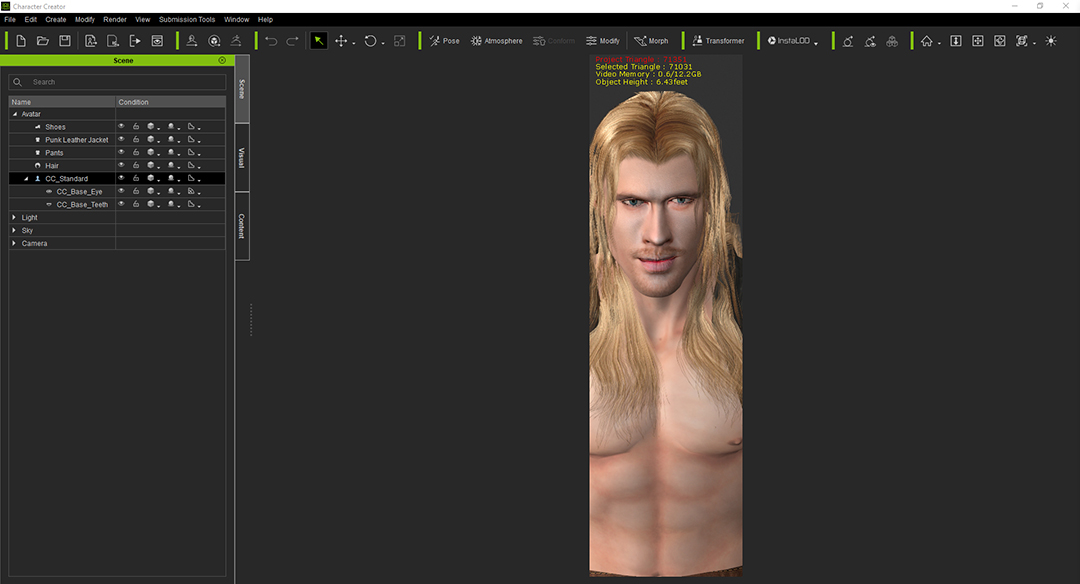
Was wondering if anyone else has this issue....
Every time I start up CC3, the viewport is cropped. I have to keep minimising, maximising and dragging the viewport round until it eventually pops back into shape.
I update the graphics card drivers religiously. (Last updated less than 24hrs ago!)
I didnt know if I've accidentally hit a shortcut key or something to maybe put it in 'narrow mode' on start up?
At first it didnt bother me, but now it's really starting to become quite annoying...
Any help greatly appreciated!
Cheers
|
|
By sjonesdc - 6 Years Ago
|
Can't answer your original question, but try this:
Once you have everything set the way you want, save the project (it will be in the custom tab), right click and select "Set as Default Project."
|
|
By hirospot - 6 Years Ago
|
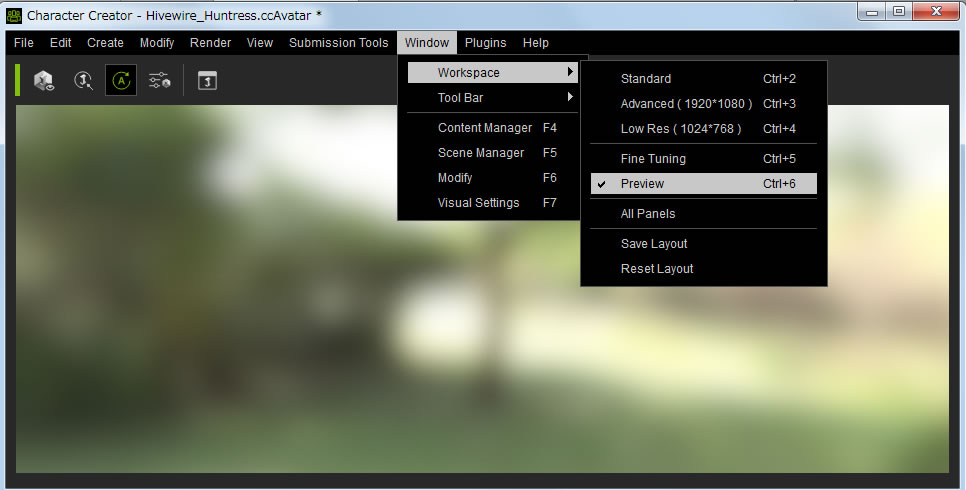
Please check the Window Workspace as follows if you did not try yet.
Go to Window / Workspace / Preview and check the screen becomes full size,
Thank you,
Hiro
|
|
By justaviking - 6 Years Ago
|
Sorry for the late response... I was thinking this right away, but I wanted to confirm CC3 did what I thought it would...
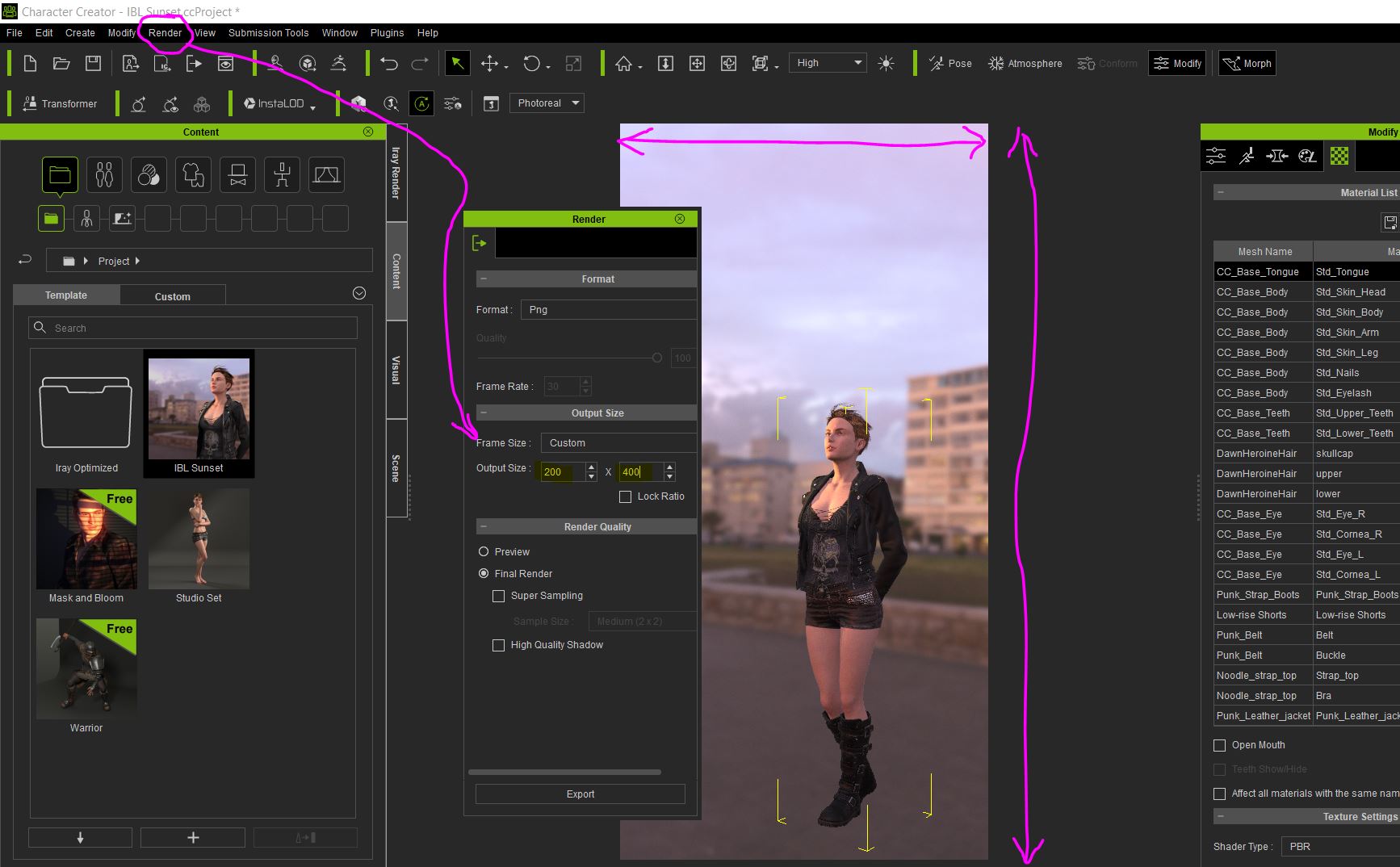
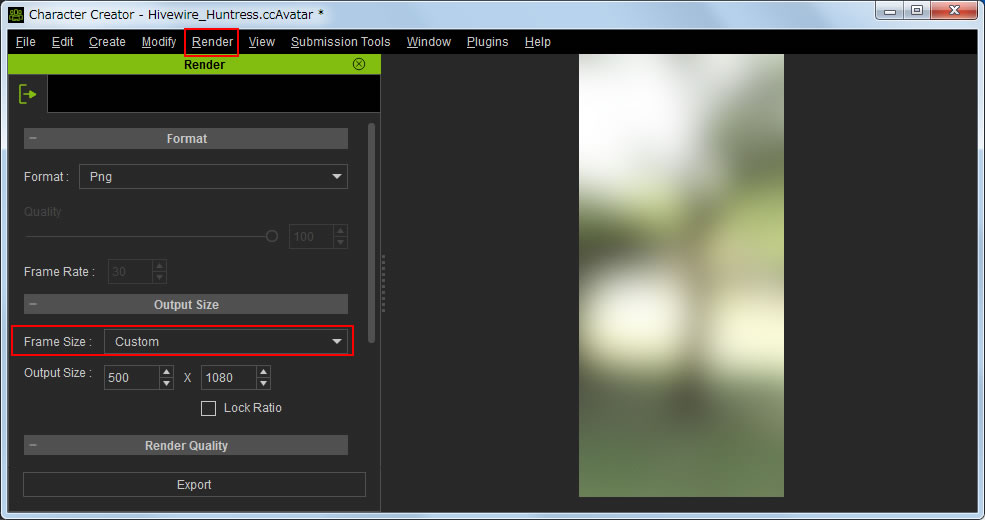
If you rendered your image, it adjusts the viewport to match. So in this example, I told it to render a 200x400 pixel image.
Even if I don't actually do the render, it will stay that way. So simply pick another screen resolution and it should fix it for you.
|
|
By hirospot - 6 Years Ago
|
@ justaviking,
Thank you for your right answer.
Please allow me to add this comment.
The render size can also be set manually.
When Custom is selected at Render panel (fig1), the Output Size can be customized freely.
fig1: Output Size setting for HD 1080p viewport
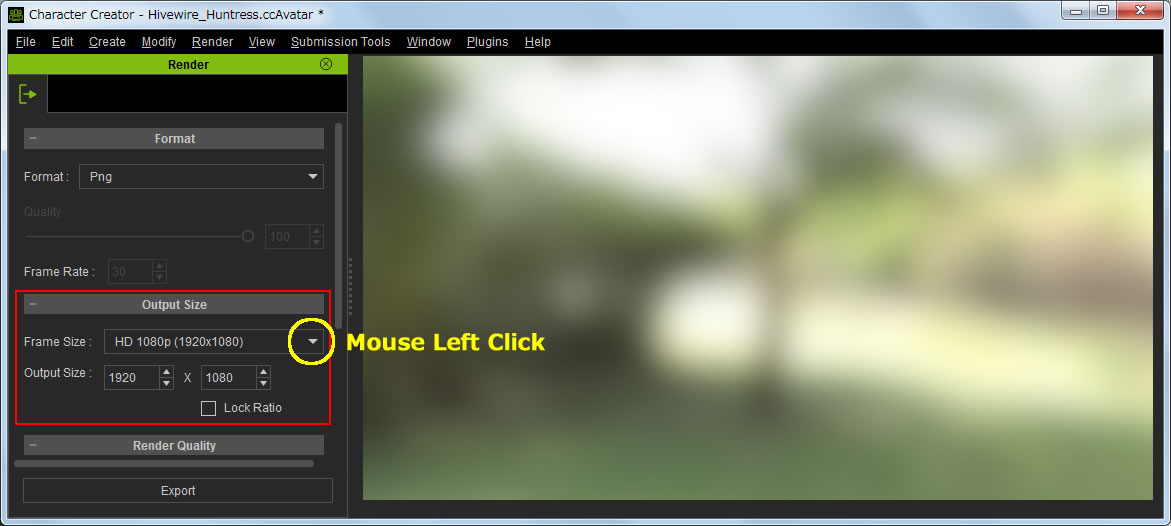
fig2: Custom selection in Output Size table
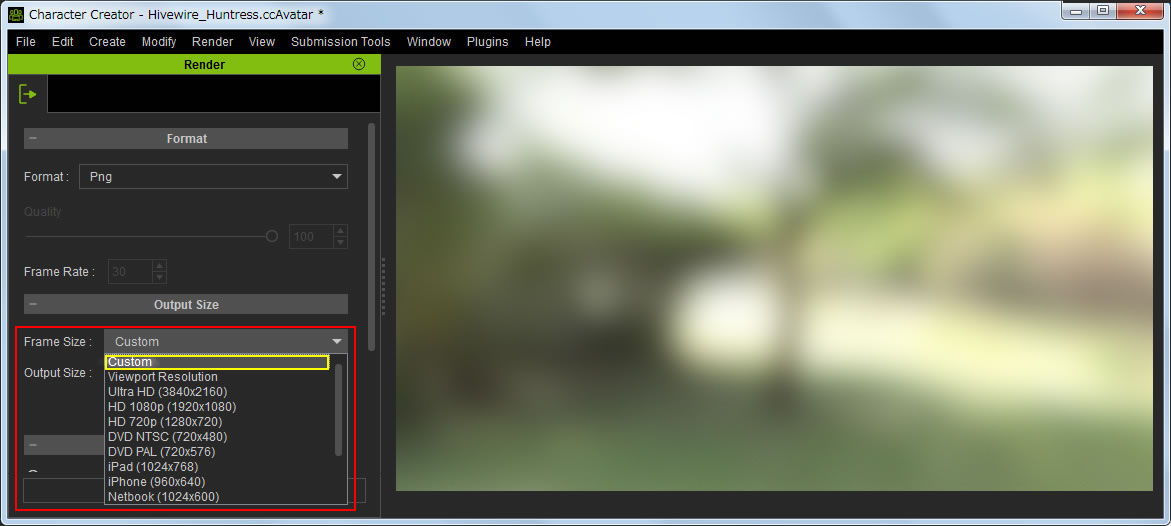
fig3: Custom size 500 x 1080
Thank you,
Hiro
|
|
By jonscottmay - 6 Years Ago
|
Thanks guys! Awesome help! :)
Just needed to do:
workspace > preview, then
workspace>advanced, then
save layout! :)
Much appreciated!
|