|
By Ola(RL) - 7 Years Ago
|
|
Share your tips, see others' tips and BENEFIT the entire CTA community.
|
|
By Ola(RL) - 7 Years Ago
|
Let me share one first.
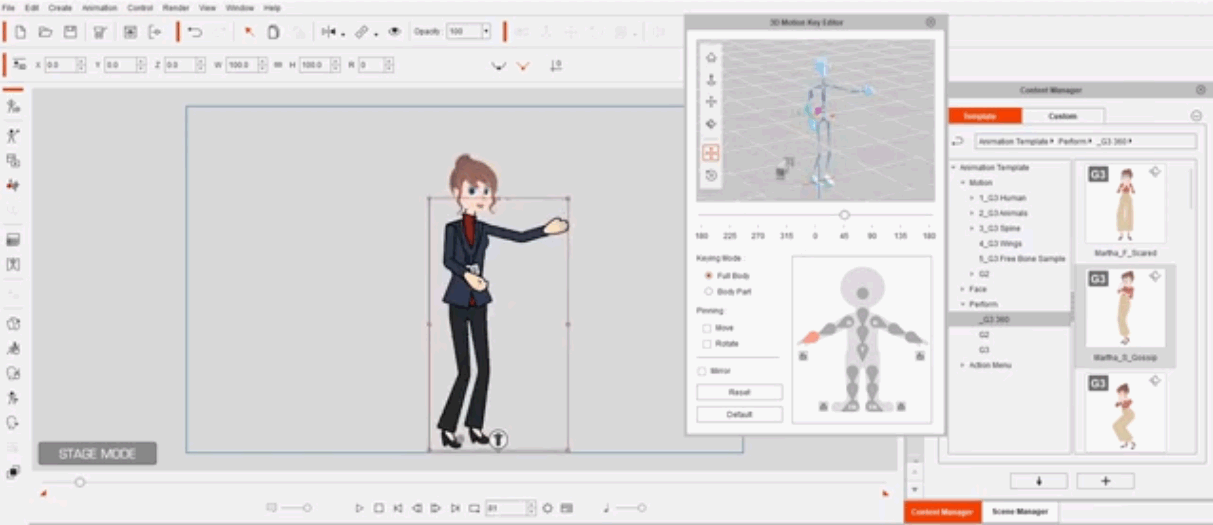
Do you know how to create a total 360 character, from head to toe?
Check this out.
G3 360 Head plus G2 Body
|
|
By Ola(RL) - 7 Years Ago
|
How to create a full-angle 360 head.
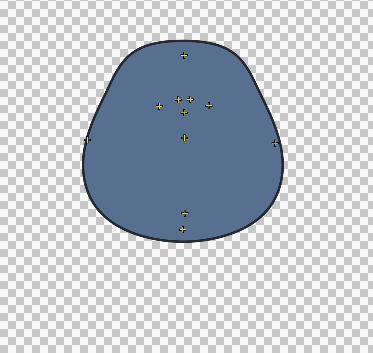  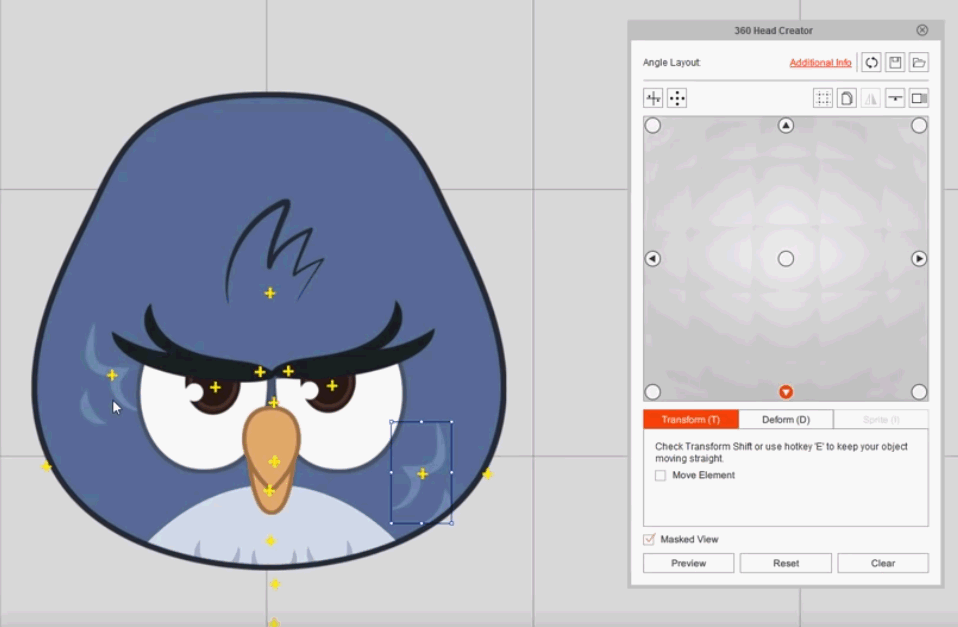
With these files, you have everything in these tutorials and you can follow them step by step.
Basics of 360 Head Creation
Multi-angle Sprites for 360 Heads
Adding Multiple Facial Components
|
|
By Ola(RL) - 7 Years Ago
|
Use G3 360 PSD template
First of all, you can find G3 360 PSD templates HERE or download one here
How to use G3 360 PSD template
- Import PSD template into PSD Editor.
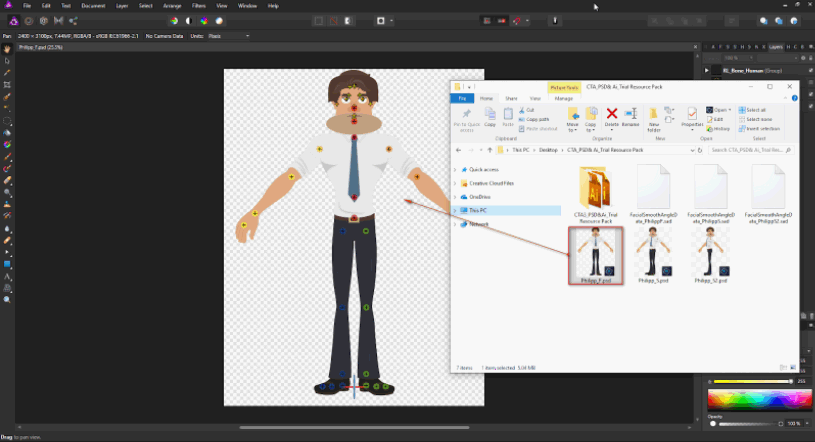 - Import custom images into corresponding folders.
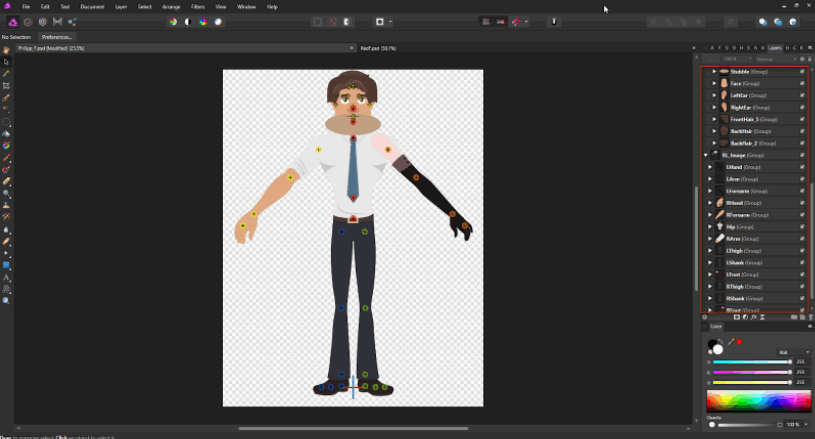 - Export PSD file.
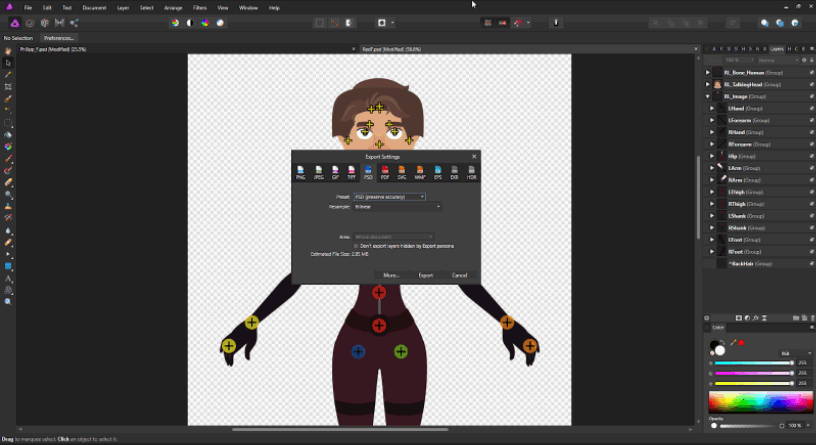 - Import PSD file to Cartoon Animator 4.
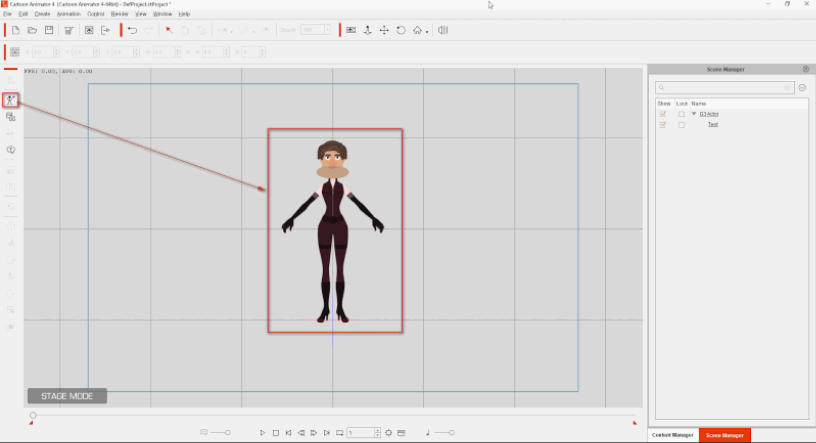 - Go to Composer Mode.
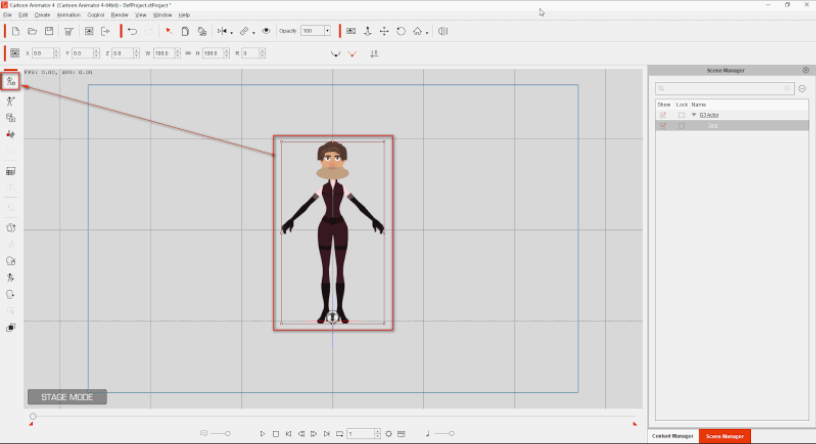 - Open 360 Head Creator.
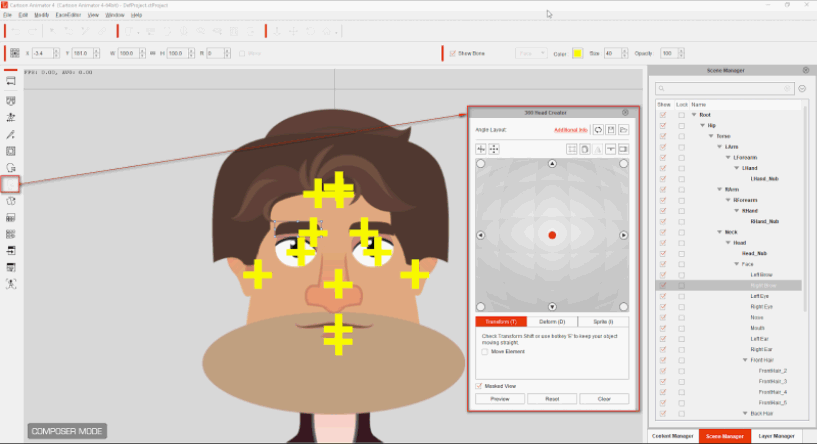 - Import head preset (.sad) into 360 Head Creator.
 - Preview your custom character on Angle Table.
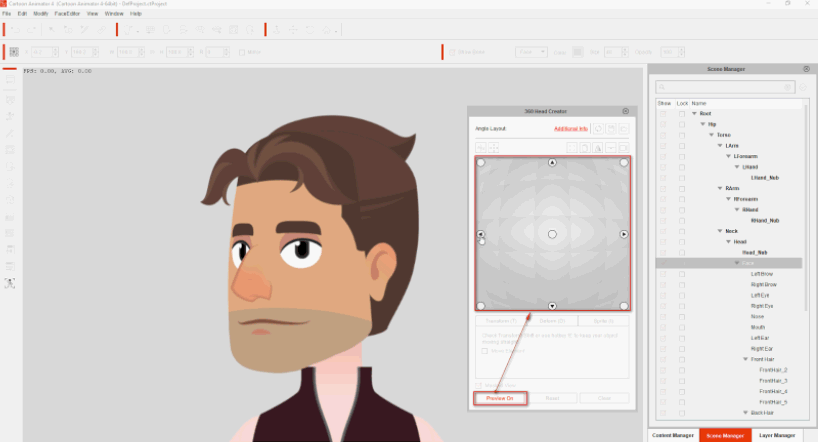
We will automate this process in the near future.
Now, please follow these steps.
|
|
By thomasway - 7 Years Ago
|
|
In the post:
How to create a full-angle 360 head
The Starting sample and the Final project downloads appear to be the same file.
|
|
By brothertcoleman - 7 Years Ago
|
Great work thinking outside the box.
|
|
By Ola(RL) - 7 Years Ago
|
Affinity - Current PSD Pipeline Issue and Workaround
Reallusion had received a large amount of reports regarding PSD pipeline between Cartoon Animator 4 (CTA 4) and Affinity.
These are the issues reported by CTA 4 users.- FeedBack Tracker
- Support Ticket
Reallusion would like to use this post to update the cause of this issue and workaround.- Cause
Affinity is designed to automatically removed hidden layers when exporting in PSD format. 
Note. When using CTA 4 to launch PSD to Affinity, the hidden layers will be deleted by Affinity (Designer/Photo) and cause sprites missing after update back to CTA 4.
|
|
By olanipekunnelson - 6 Years Ago
|
|
Please, newbie here. How do I change the colour of a character without using a PSD character. I would like to use a G3 360 Human character and change its colour and if possible facial features
|
|
By vepop - 6 Years Ago
|
Tutorials for Newbies .. (page 3 onwards)
https://forum.reallusion.com/416885/Newbie-having-serious-issues-with-CTA4-not-doing-what-the-tutorials-do?PageIndex=3
|
|
By vepop - 6 Years Ago
|
Tutorial: How To Change Skin Color
|
|
By vepop - 6 Years Ago
|
Tutorial : Using FACE KEY EDITOR
.
|
|
By vepop - 6 Years Ago
|
TUTORIAL : HOW TO LOOP A BACKGROUND
.
|
|
By Angel2nz - 6 Years Ago
|
Fantastic! Thanks again Vepop!
@
|
|
By toonmanbill - 6 Years Ago
|
This was solved in the last affinity update. Have you tried this lately?
Ola(RL) (9/20/2019)
Affinity - Current PSD Pipeline Issue and Workaround
Reallusion had received a large amount of reports regarding PSD pipeline between Cartoon Animator 4 (CTA 4) and Affinity.
These are the issues reported by CTA 4 users.- FeedBack Tracker
- Support Ticket
Reallusion would like to use this post to update the cause of this issue and workaround.- Cause
Affinity is designed to automatically removed hidden layers when exporting in PSD format.
Note. When using CTA 4 to launch PSD to Affinity, the hidden layers will be deleted by Affinity (Designer/Photo) and cause sprites missing after update back to CTA 4.
|
|
By vepop - 6 Years Ago
|
Hi @toonmanbill
Yes. It works!
|
|
By naaffax - 6 Years Ago
|
does anyone know a way to export motions from iClone into a G3 character of Cartoon Animator 4? Right now the rlMotion file is supporting ONLY G2 characters. It is not accepting the G3 characters which is a shame. I hope there is a way to animate the G3 characters with motion capture used to record in the iClone.
Hope someone can solve this for me.
|
|
By rfbindl - 6 Years Ago
|
For my version of Affinity Photo 1.8 the <Show All> is under the Menu <Layer> instead of <Edit>. Maybe a version change?. The Ctrl+Shift+Alt+H still shows all. This was a great hint because otherwise I was finding them 1 by 1. BUT the new version has option when saving PSD to include/exclude hidden layers. By default it now saves layers.
A QUESTION THOUGH... I wondered about the sync between CTA4 and Affinity Photo. Does that work, or am I doing something wrong when I save. The changes aren't synced up. So, I have to save the PSD and manually bring it back into Affinity Photo.
|
|
By vepop - 6 Years Ago
|
|
Onlly G1 and G2 characters can use the imotion.
|
|
By vepop - 6 Years Ago
|
You have to make known to CA4 first which image editing program is your choice.
Click Edit>Preference>Image>Image Editor (type in the link)
|
|
By Dougpen - 6 Years Ago
|
I tried to download these but the link is dead. I would really like to try this project out. Do you have the assets for this? Thank you in advance.
|
|
By vepop - 6 Years Ago
|
Tutorial : Creating Animated Prop (Bird)
.
|
|
By warlockton - 6 Years Ago
|
|
Hi I found the problem when creating a PSD in Affinity that when you import into CA4 the eyes become hidden I found out after a couple of days this workaround tried it but it did not work so I checked in layer editor of CA4 to find the eyes were in there but for some reason were hidden by the head so i clicked the layer to top icons at the top and they appeared! I hope this finding helps you all!
|
|
By warlockton - 6 Years Ago
|
Hi, it is about the Eyes going missing on the characters you import from affinity I have found the better solution to the problem as everything does import but you have to click on your character in CA4 then you will see the composer mode icon come up on the let of the screen when you click that and go into composer mode on the right the tabs display at the bottom right with scene manager, content manager, and layer manager if you click on layer manager you should see either the hierarchy or the boxed version of layer manager if it is on the hierarchy you need to click again to get o the boxed version and you will see 3 columns. Image, Layer, and condition. if you look to where the eyes are on the table you will see in the condition their icon which is a circle in a square the square part will be black which means it is hidden or off so you need to click the icon to put it back on to show the eye it is referring to!
|
|
By vepop - 6 Years Ago
|
EASY WAY CREATING A 360 HEAD WITHOUT A TEMPLATE
.
.
|
|
By vepop - 6 Years Ago
|
HOW TO CONVERT A FREEPIK CHARACTER INTO A CARTOON ANIMATOR CHARACTER USING AFFINITY DESIGNER
|
|
By vepop - 5 Years Ago
|
HOW TO CHANGE CAMPUS HERO FACIAL SPRITES
.
|
|
By vepop - 5 Years Ago
|
COMBINING TWO MOTIONS IN ONE CHARACTER
.
|