|
By lvanvalk - 7 Years Ago
|
I need to make the sky gradually start changing color half way through the scene. Initially I created three clips, one with blue sky one with red sky then pulled them into my video editing program and used a cross dissolve; then had the character on top in a green screen. That worked fine until I added FX to the character and the FX didn't show up on the green screen. So instead of three separate clips I need everything in one. That means changing the sky color within the scene. I tried pulling in a second sky to turn on and off but when I pulled in a new sky it deleted the first. I also want it to be gradual not immediately turning on and off.
Everyone has always been so helpful in my learning, I look forward to your advise. Thank you.
|
|
By animagic - 7 Years Ago
|
Instead of using a sky, you could use a sky-dome prop.
There is one called 360 sky under Props > 3D Space. I'm not quite sure if the UV mapping is the same as for the sky, but it would allow you to animated the texture or use a video.
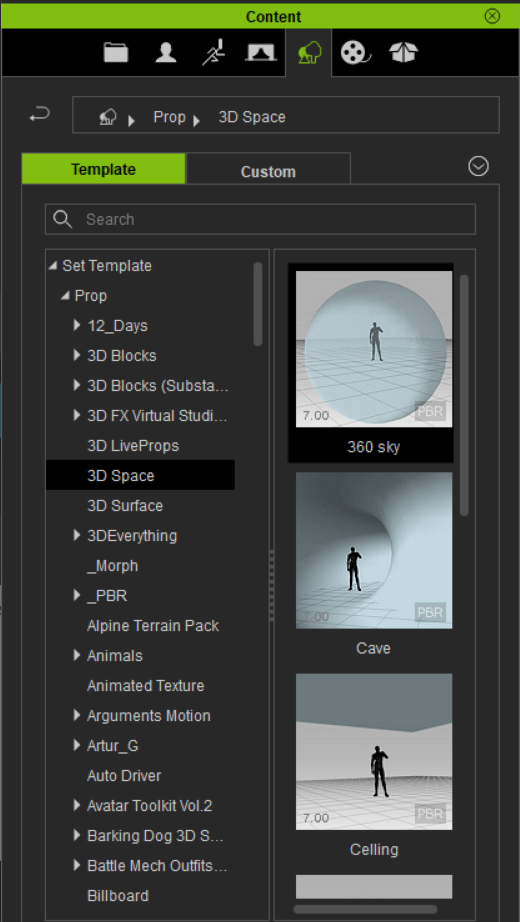
Remember to turn all shadows off for the sky dome prop and to set self-illumination to 100%.
|
|
By lvanvalk - 7 Years Ago
|
Thank you for your quick reply. I will check it out.
|
|
By Skuzzlebutt - 7 Years Ago
|
if your using iclone 7 there is a much better option!~
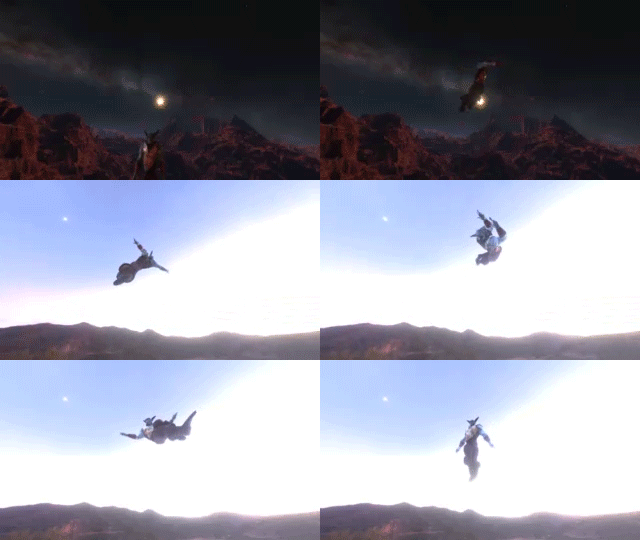
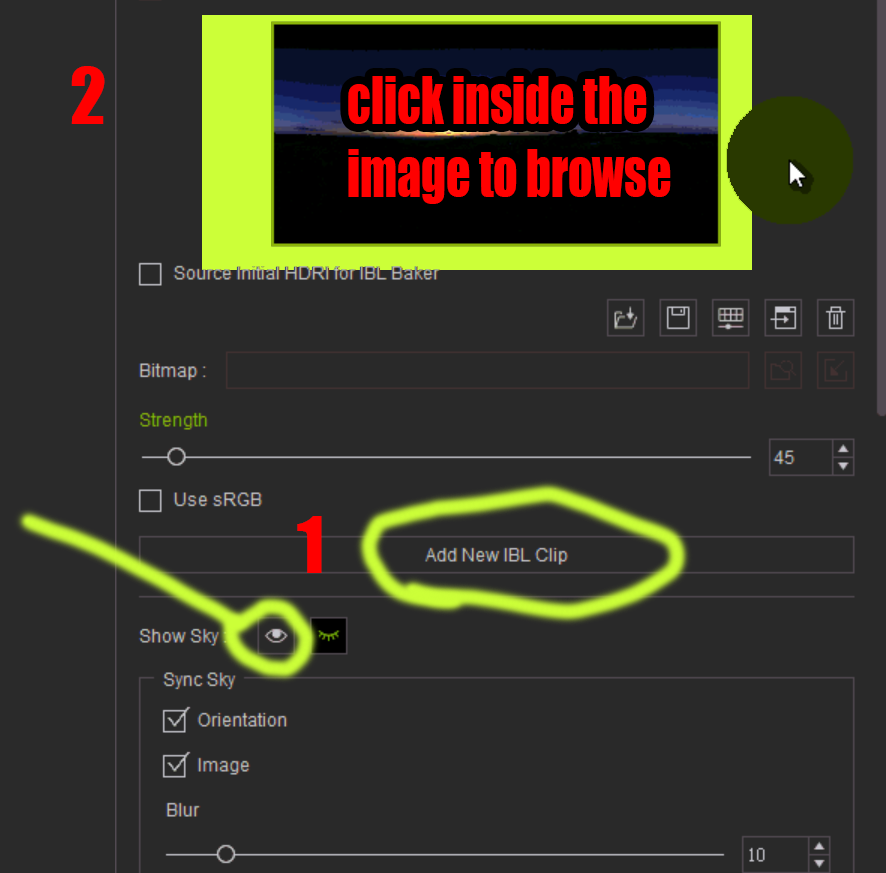
the ibl image in your visual tab allow s you to change skies
at any or many points in the timeline
it will also affect the lighting on your models....
you can adjust the fade time in the timeline/project/ibl image
by moving the left handle (like motion blending)
just simply move your timeline indicator, press add new ibl clip and click inside the ibl image window
|
|
By lvanvalk - 7 Years Ago
|
That is so cool. Thank you!
|