|
By ckalan1 - 7 Years Ago
|
I have built a very large neighborhood with many sub props and objects like houses, streets, fences, schools, etc. I am trying to import them into iclone but since the model is too big for 3dxchange to handle all at once I have to import it in smaller parts.
Does anyone know how to keep the models and the various sub props in their proper location i.e. the same place they are located in Sketchup?
Any ideas would be much appreciated.
Thanks,
Craig
|
|
By 4u2ges - 7 Years Ago
|
I do not work with Sketchup much, but the general idea (probably for any 3D editor) is to keep the origin/pivot/root of the model at the center (0,0,0).
Then at export/import it wold fall in place at the destination app at the correct location.
I just quickly looked it up. Try setting the Axis of the exported models to the center (right mouse click on the component).
There might be some other ways to do global change for all components though.
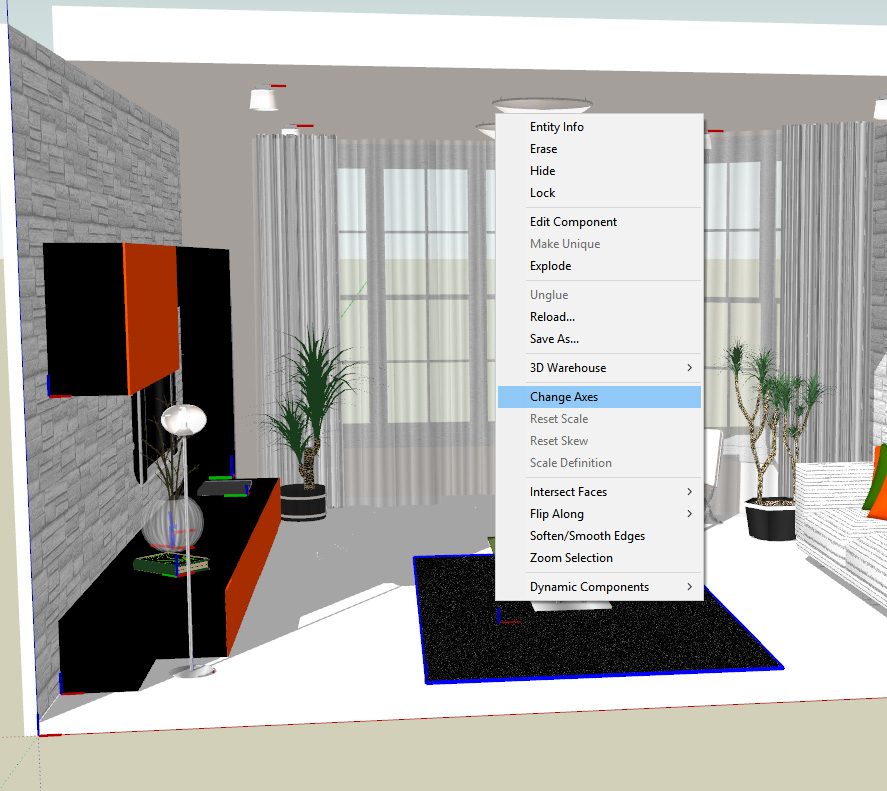
Hope this helps
|
|
By ckalan1 - 7 Years Ago
|
Thanks for the suggestion. I will give it a try.
Craig
|
|
By sonic7 - 7 Years Ago
|
@ckalan1 ..... As 4u2ges mentioned - I do it that way - just export different 'sections' from the original SU layout - and because all the parts start out in SU in the correct positions relative to each other, I've found the sections come into iClone (via XChange) at exactly the right 3D co-ordinates .....
|
|
By ckalan1 - 7 Years Ago
|
Hi sonic7, I had success doing that in the past. But, I must be building my model differently than I did before. When I figure it out I will let you guys know.
Craig
|