|
By alfhak - 8 Years Ago
|
I find some good tutorials how to export Genesis character to iClone!
Do I have to do the opacity map myself or does it exist in DAZ Studio 4.10!
Check this image about the eyes and also the skin is visual through the dress!
An opacity map or something can fix it but not sure where to find it or if I have to do
it myself with GIMP!
Alf
Al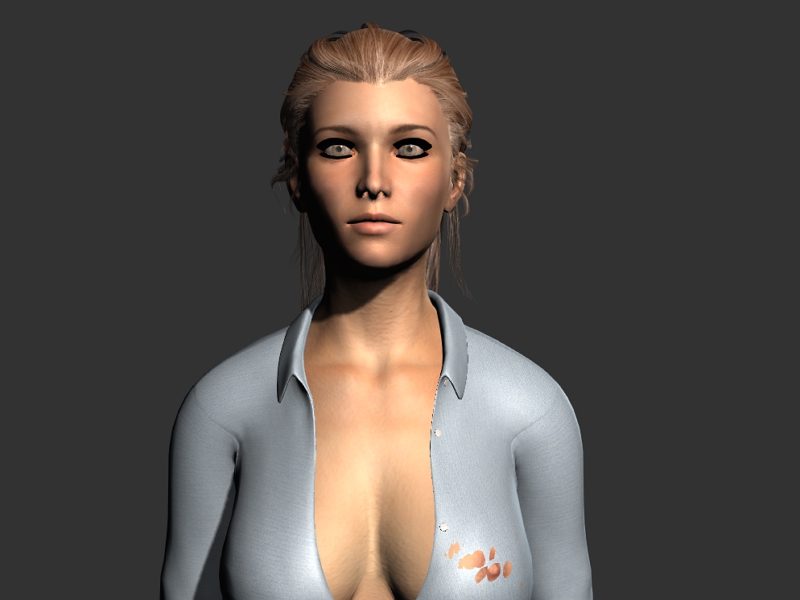
|
|
By alfhak - 8 Years Ago
|
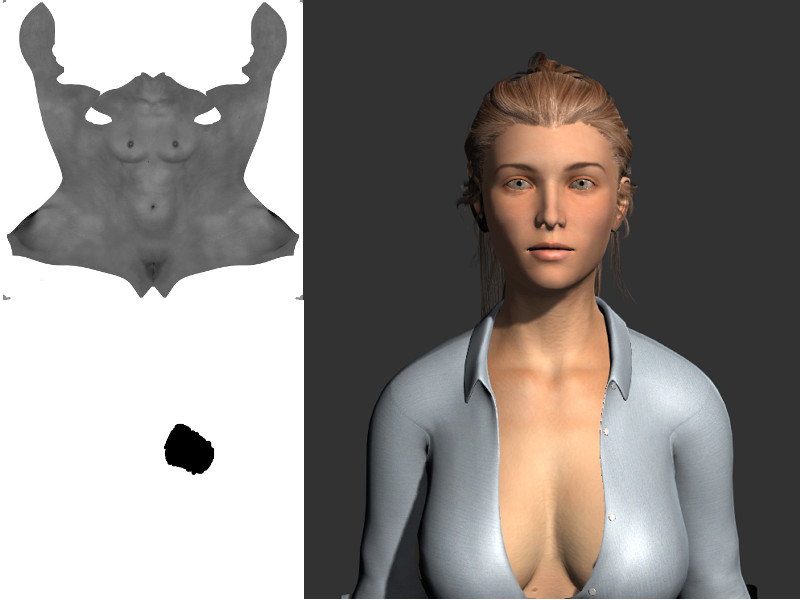
After some error and attempt I manage to get the figure little better! I manange to get rid of the black line around here eyes with changing the settings in 3DXChange
and I also did the opacity map sp the skin does not been visula through the dress! I used the torso map and used it as a guide in GIMP! The "Opacity" Map I created
on that on a transparent image! Removed the torso map and then saved the "Opacity" map! In 3DXchange under material for the Torso I load up my Opacity Map
and it looked ok! on the left above is the Torso Map and below that is my "Opacity" Map I created! Just some black colour over the area there the problem was!
Alf
|
|