|
By Miranda (RL) - 7 Years Ago
|
Hi everyone,
Many users are asking for importing complete texture maps when doing the Transformer besides filling in the .INI file.
From version 3.01, you will find there is a popup window when importing FBX.
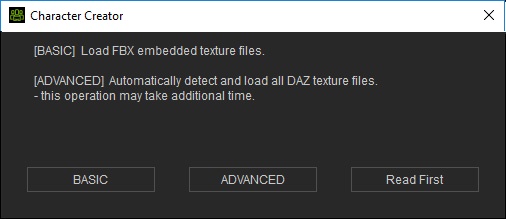
- BASIC
- The target textures to be loaded and filled into the channels are Diffuse and Opacity (eyelashes only).
- It guarantees the correct texture conversion results.
- The fastest way to import DAZ assets.
- ADVANCED
- The target textures include Bump or Normal, Roughness maps or Roughness map converted from Specular map.
- It automatically detects and load the textures ever applied to the DAZ character by naming regulations.
- If the textures' name do not follow the regulations, then the auto-loaded textures can be missing or wrong.
>> Please find more information by pressing the "Read First" button, or checking the Online Manual here directly.
--
Note: This is not the best design, we will keep improving user experience in the following version.
|
|