|
By duchess110 - 8 Years Ago
|
I did not purchase iRay but yesterday I did install my Indigo 3.8 into iC7 then updated to Indigo 4
Question
I see a render and pause button but no stop is this something that's missing I just don't know the manual shows one but perhaps that is for the more expensive option.
Anyway here is a 3 minute render that I did using direction lights as the spot lights render and that's annoying.
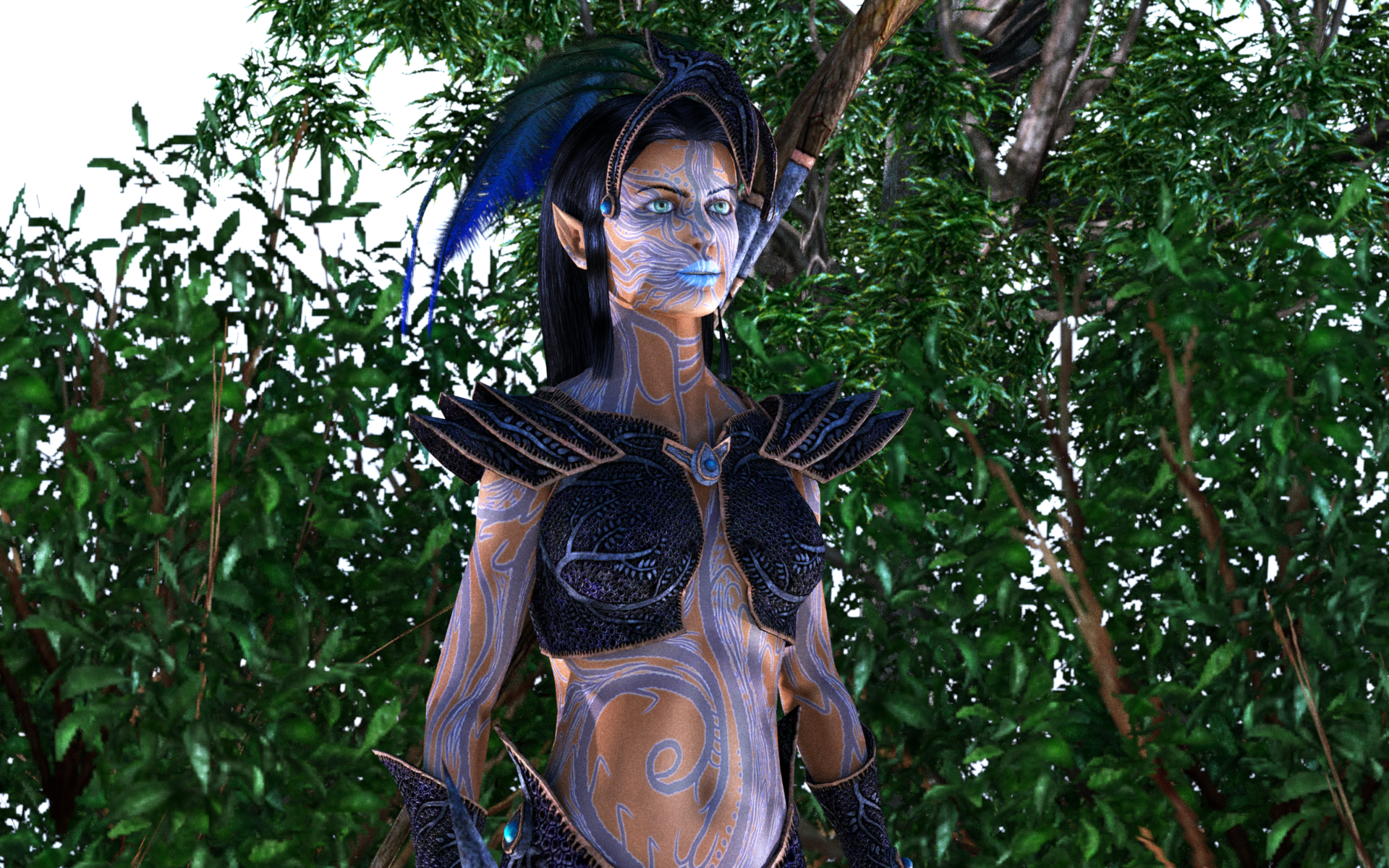
|
|
By wires - 8 Years Ago
|
|
I'm using Indigo RT 4 and to be honest I've never noticed a Stop button, maybe it is only available in the full version.
|
|
By justaviking - 8 Years Ago
|
Nice. Interesting character. Thanks for sharing.
I have found the lights and material mapping into Iray has been much nicer (requiring less adjusting) than it is for Indigo, so that's one of the main things I like about the Iray plugin.
What sort of quality do you get with a 30-second render? Just curious, since there has been some rendering discussion lately centering around that duration.
|
|
By duchess110 - 8 Years Ago
|
Thanks Gerry so that seems to be the norm no stop.
JV
I had not saved the ic project so did a very quick mock-up. Sky lighting and plants may be different
Sent to Indigo also did a screen grab 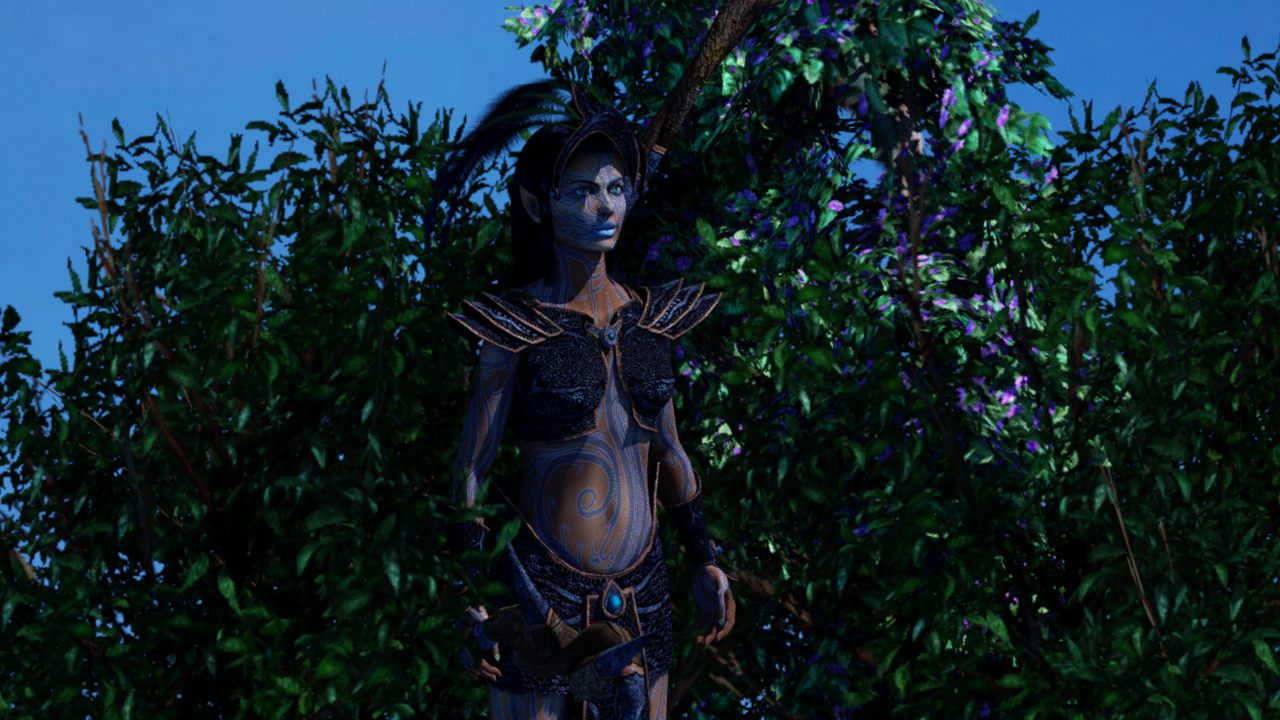 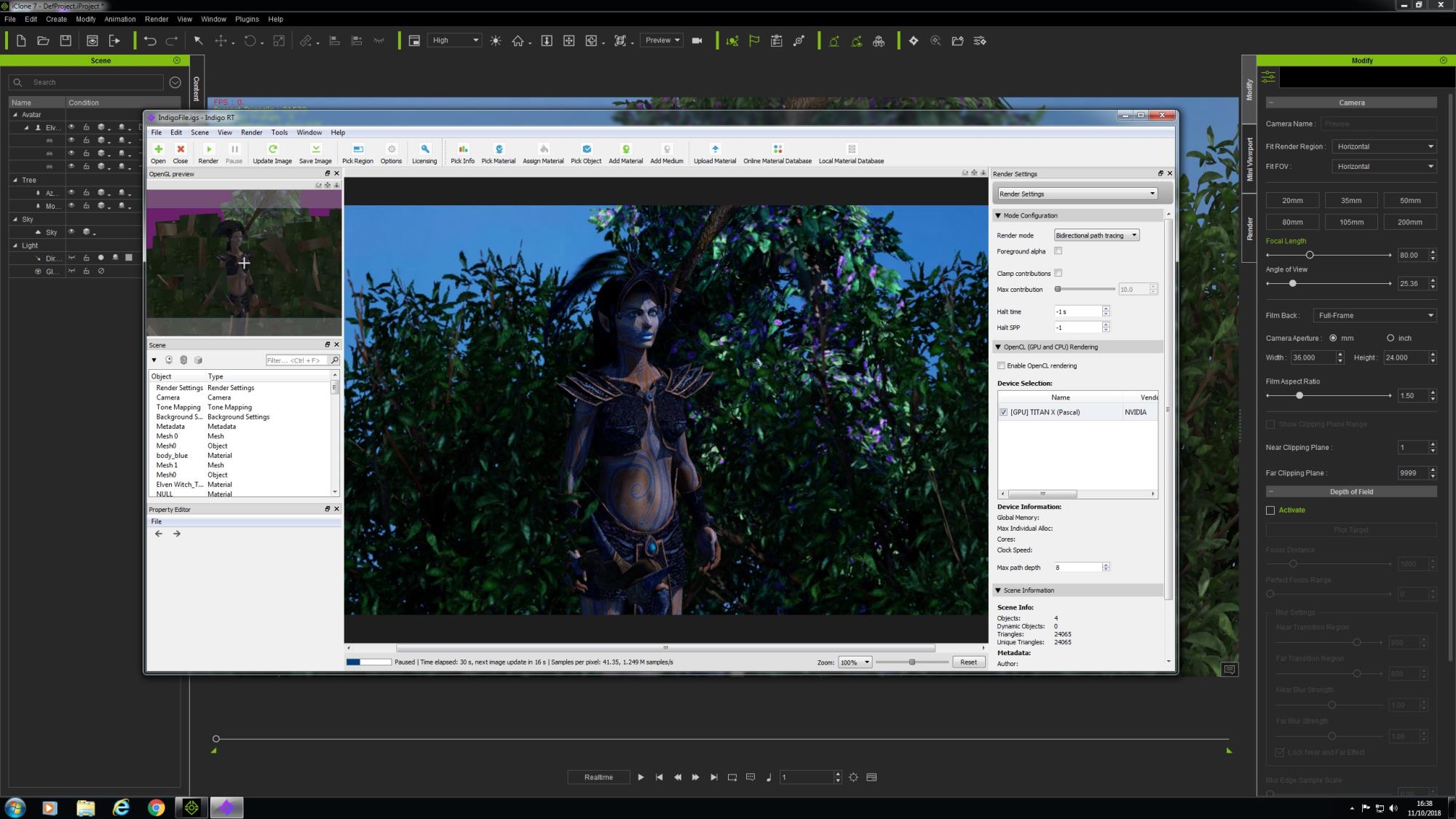 |
|
By justaviking - 8 Years Ago
|
Thanks for the extra shots.
Not horrible, but grainy as expected (though a bit tricky to assess in detail with lower resolution image and darker lighting).
I should update my Indigo, too. I don't remember what version I have, but I think it's safe to say it's no longer current.
|
|
By Christy0 - 8 Years Ago
|
|
Yep!! no stop buttons in Indego, the way I always end a render, you Pause, then Update Image (to get the end of your render cycle, Then Save. I think it's this way so when you pause your render and if you're not happy with it, you can resume rendering.
|
|
By 4u2ges - 8 Years Ago
|
duchess110 (10/11/2018)
Thanks Gerry so that seems to be the norm no stop. JV I had not saved the ic project so did a very quick mock-up. Sky lighting and plants may be different Sent to Indigo also did a screen grab
According to your screenshot, you are not utilizing 2 most important features of RT 4
GPU rendering and Clamp contributions.
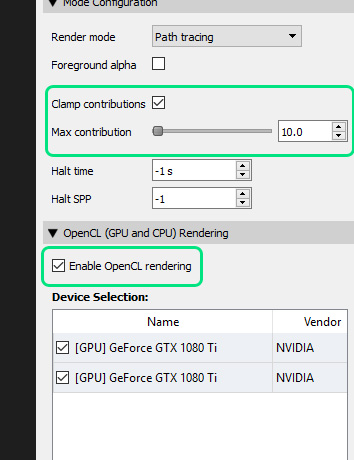
Enabling OpenCL, would boost render speed up to 10 times. So what you got there for 30 sec, OpenCL would probably do in 3-5 sec.
Clamp contribution is also important. It is acting more like a firefly filter. Lesser value, would give better result.
One important reservation about OpenCL with Path Tracing is, that it does not match the output of other rendering methods in certain cases and following is applied:
* First, make sure you are using the latest version RT 4.2.14
* iClone Spot lights would not work at all ( I need to take sometime to investigate as to why). I usually substitute them with emissive props
* Changing certain material attributes in Indigo is not always reflected on render (even though render restarts). What I used to do, is tick Clamp Contributions OFF/ON (it forces a sort of hard render restart). Then everything falls in place.
* Opacity maps processed poorly (specifically hair). Need to set Max Path Deph value to over 20 to compensate that.
* Too many speed-trees would result in crappy output (I am talking about over 100s)
* Not all iClone materials attributes translated properly, specially specular, fresnel and IOR (eyes usually need to be reworked)
Regardless, I still like it because of the monstrous render speed and I can tolerate all of the above with the hope that one day Indigo developers would finally fix it.
|
|
By Rampa - 8 Years Ago
|
|
I have found that Indigo does not default to using OpenCL. You actually have to enable it for every render. There does not seem to a preferences setting to make it default.
|
|
By 4u2ges - 8 Years Ago
|
Yes, there is Rampa, if you enable GPU acceleration in iClone it defaults the OpenCL :)
|
|
By Rampa - 8 Years Ago
|
|
4u2ges (10/11/2018)
Yes, there is Rampa, if you enable GPU acceleration in iClone it defaults the OpenCL :)
Thanks! Never really explored the settings panel enough. :blush:
|
|
By 4u2ges - 8 Years Ago
|
|
Regardless, I still like it because of the monstrous render speed and I can tolerate all of the above with the hope that one day Indigo developers would finally fix it.
Speaking of which, they released RT 4.2.20 Beta on Sept 22 with whole lot of bugs fix (and probably added some more in a way :)). Would play with it tonight.
https://www.indigorenderer.com/forum/viewtopic.php?f=1&t=14967
|
|
By justaviking - 8 Years Ago
|
|
4u2ges (10/11/2018)
First, make sure you are using the latest version RT 4.2.14
I was about to ask where you got that? I have RT 4.0.66 which is what is on their Download page:
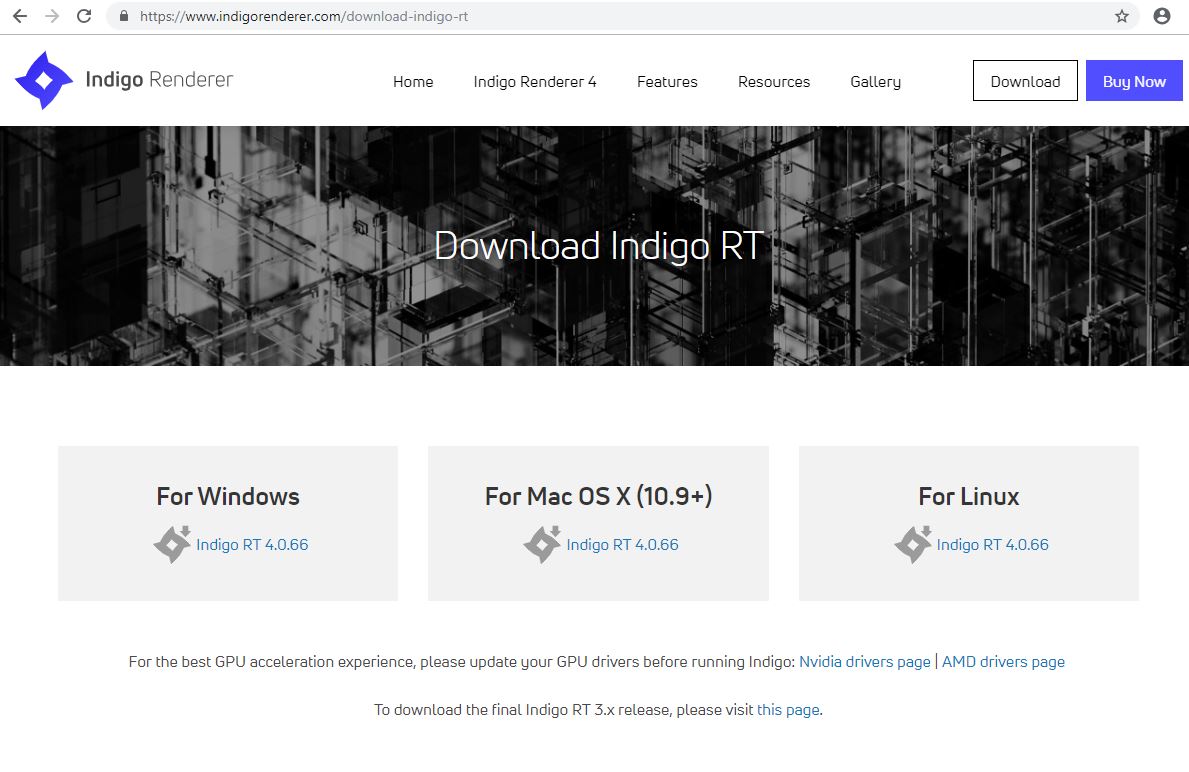
Then I discovered you're cheating. ;)
|
|
By 4u2ges - 8 Years Ago
|
lol, sorry I forgot to mention. I had even more problems with 4.0.66. When I made an inquiry, they advised to download beta 4.2.14 from the forum thread.
|
|
By justaviking - 8 Years Ago
|
I might be in a position for an interesting test...
This is in 4.0.66
Bidirectional with MLT... not available on OpenCL/GPU...

Path Tracing... OpenCL/GPU... it is about 8x faster for me... but, who turned out the lights?...

QUICK UPDATE:
I applied the latest BETA build - 4.2.20 - and got the same results as shown above. Similar ("same") speeds and results. I clicked on the "Clamp Contributions" which I forgot to do the first time, but that didn't really change anything significant. I still got the dark results for the OpenCL rendering.
|
|
By 4u2ges - 8 Years Ago
|
That is what I was mentioning in my previous post. The whole lighting system has to be revised. Nothing really works from iClone to Indigo with OpenCL, other than Directional lights and Emissive props.
Clamp contributions is more like a simple fireflies/noise reduction feature.
Take a Spot light for instance. With Bidirectional MLT it does emit the light. With open CL, it does not. But if you look at the Spot light material in Indigo, it appears to be just an emissive ball.
I suppose, RL flipped the ball faces for the Spot Lights and in Indigo it does not emit because of the bug (there is a setting to allow back face to emit - but it does not work).
|
|
By justaviking - 8 Years Ago
|
|
Yeah, I definitely noticed your "spotlight" comment, and the car headlights are spotlights, but that's not the only thing lighting the scene. It clear, though, that the lighting of the scene does need to be reworked. That brings me to my biggest "Woo hoo!" about the Iray plugin - it seems to work with a lot less fussing that what is required for Indigo. But Iray lacks Speedtree support, and renders more slowly for you, so it appears the "perfect solution" continues to be elusive.
|
|
By 4u2ges - 8 Years Ago
|
Yep, it is a back face emission problem. Could be a simple bug to fix. I'll try to have Indigo folks to look at it.


|
|
By justaviking - 8 Years Ago
|
|
Do I qualify as an (accidental) Indigo beta tester? ;)
|
|
By 4u2ges - 8 Years Ago
|
lol you sure can! I am doing it for a while already. Given we have plenty of time and nothing to do for a week or so :D
Meantime lets see what's going to happen: https://www.indigorenderer.com/forum/viewtopic.php?f=37&t=14990
|
|
By duchess110 - 8 Years Ago
|
4u2ges (10/11/2018)
[quote]
According to your screenshot, you are not utilizing 2 most important features of RT 4 GPU rendering and Clamp contributions. Enabling OpenCL, would boost render speed up to 10 times. So what you got there for 30 sec, OpenCL would probably do in 3-5 sec. Clamp contribution is also important. It is acting more like a firefly filter. Lesser value, would give better result. One important reservation about OpenCL with Path Tracing is, that it does not match the output of other rendering methods in certain cases and following is applied: * First, make sure you are using the latest version RT 4.2.14 * iClone Spot lights would not work at all ( I need to take sometime to investigate as to why). I usually substitute them with emissive props * Changing certain material attributes in Indigo is not always reflected on render (even though render restarts). What I used to do, is tick Clamp Contributions OFF/ON (it forces a sort of hard render restart). Then everything falls in place. * Opacity maps processed poorly (specifically hair). Need to set Max Path Deph value to over 20 to compensate that. * Too many speed-trees would result in crappy output (I am talking about over 100s) * Not all iClone materials attributes translated properly, specially specular, fresnel and IOR (eyes usually need to be reworked) Regardless, I still like it because of the monstrous render speed and I can tolerate all of the above with the hope that one day Indigo developers would finally fix it.
Thank you for pointing this out to me as it has been over 12 months that I have done much with my computer let alone Reallusion products and plugins due to Cataracts and waiting for the operations.
Still not 100% but a lot better vision now after 2 operations.
I did not need to render blur dof etc. as my eyes were doing it all by themselves.
I have downloaded 4.2.14 and will try it out later.
Thanks for the input from all of you keep it coming very informative.
|
|
By duchess110 - 8 Years Ago
|
Tried out the 4.2.14 beta version as suggested by 4u2ges
It certainly is a lot quicker using the enable gpu path tracing I could have stopped the render sooner but as you can see in the screen
grab I stopped at 55 seconds. I have not yet tried altering to many settings but must say I am pleased with the outcome.
Lets hope that we can work out the spot light issue.

|
|
By justaviking - 8 Years Ago
|
Quite nice for under a minute. Thanks for sharing.
Maybe Reallusion will need to reconsider supporting the Indigo plug-in beyond iC7. They've already done the majority of the hard work (the plug-in does work), and options are always good.
|
|
By duchess110 - 8 Years Ago
|
Below are a few more experiments with rendering with Indigo from iClone 7.3
The last image I did 3 different transparent images and then took into photo shop and added the background.

These 2 different effects on statue and tv


This is the one I did 3 different settings for the girl with transparent background and then built up in Photoshop

|