|
By Wulter - 7 Years Ago
|
Hi!
I've just installed the Iray Render Plugin.
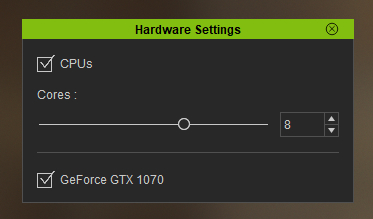
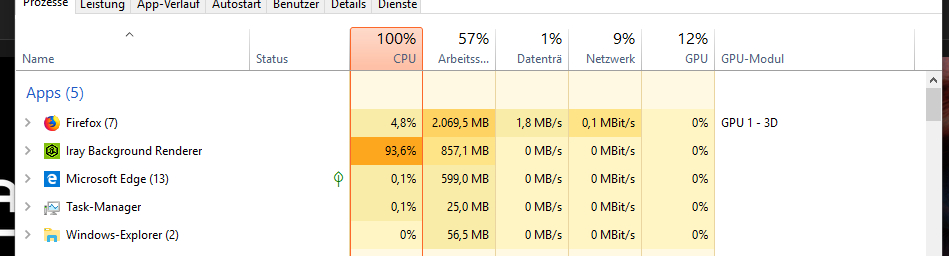
Rendering took a while, so I looked at my task manager and noticed, that the Iray Background Renderer used the CPU nearly 100%, while the GPU (GeForce GTX 1070) was used 0%, somtimes 1 o or 2 %.
But in the hardware settings the GPU is enabled.
Is this normal?
Thanks for your advices!
|
|
By justaviking - 7 Years Ago
|
No, not normal.
I know this sounds lame, but try a reboot.
I've seen "something" get all gummed up after a lot of Iray usage, and it falls back to using the CPU rather than GPU. I think it's related to some sort of memory leak, either in Iray or the plug-in. (The plug-in is my prime suspect.) Anyhoo... a reboot seems to restore proper GPU rendering for me.
Good luck, let me/us know if that helped or not.
|
|
By 4u2ges - 7 Years Ago
|
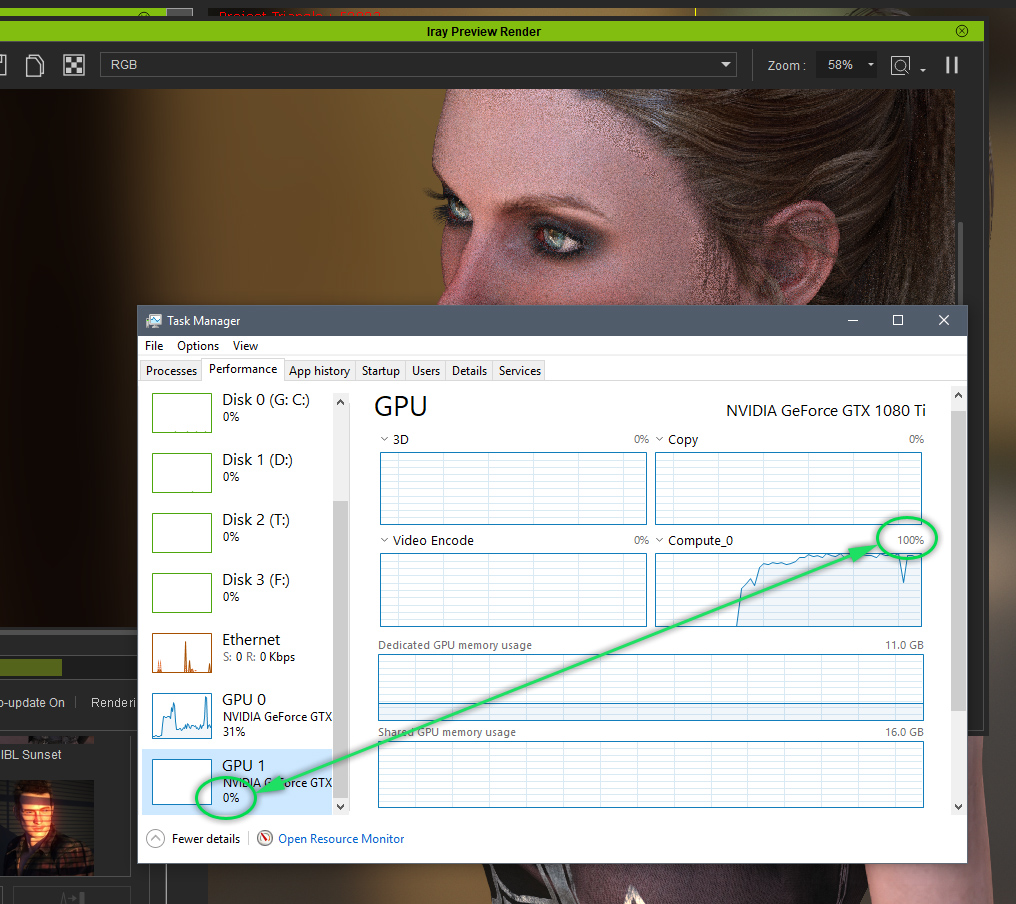
I would advice to get a hold of GPU-z
Task manager does not take into the the account the computing factor for some reason (at least in my edition of windows)
I have to get into it deep and enable computing counter, then it would show me the statistics
|
|
By sonic7 - 7 Years Ago
|
Just by way of reference, I have the GTX-1070 and during iRay rendering, both my CPU and GPU go to Maximum ......
|
|
By Wulter - 7 Years Ago
|
Thank you very much for your answers!
After rebooting the taskmanager showed the GPU usage of character creator correctly.
And I installed GPU-Z and it showed that the GPU was working 100% while rendering with Iray background renderer (while the taskmanager still showed 0%).
Thanks again
(I disabled the CPU usage in the settings of Iray, it doesn't make any difference.
Rendering the standard-image (when opening character creator 3) in HD takes about 1 minute, no matter if CPU is enabled or not.
Using only the CPU (without GPU) takes about 8 minutes)
|