|
By Rottadamic - 8 Years Ago
|
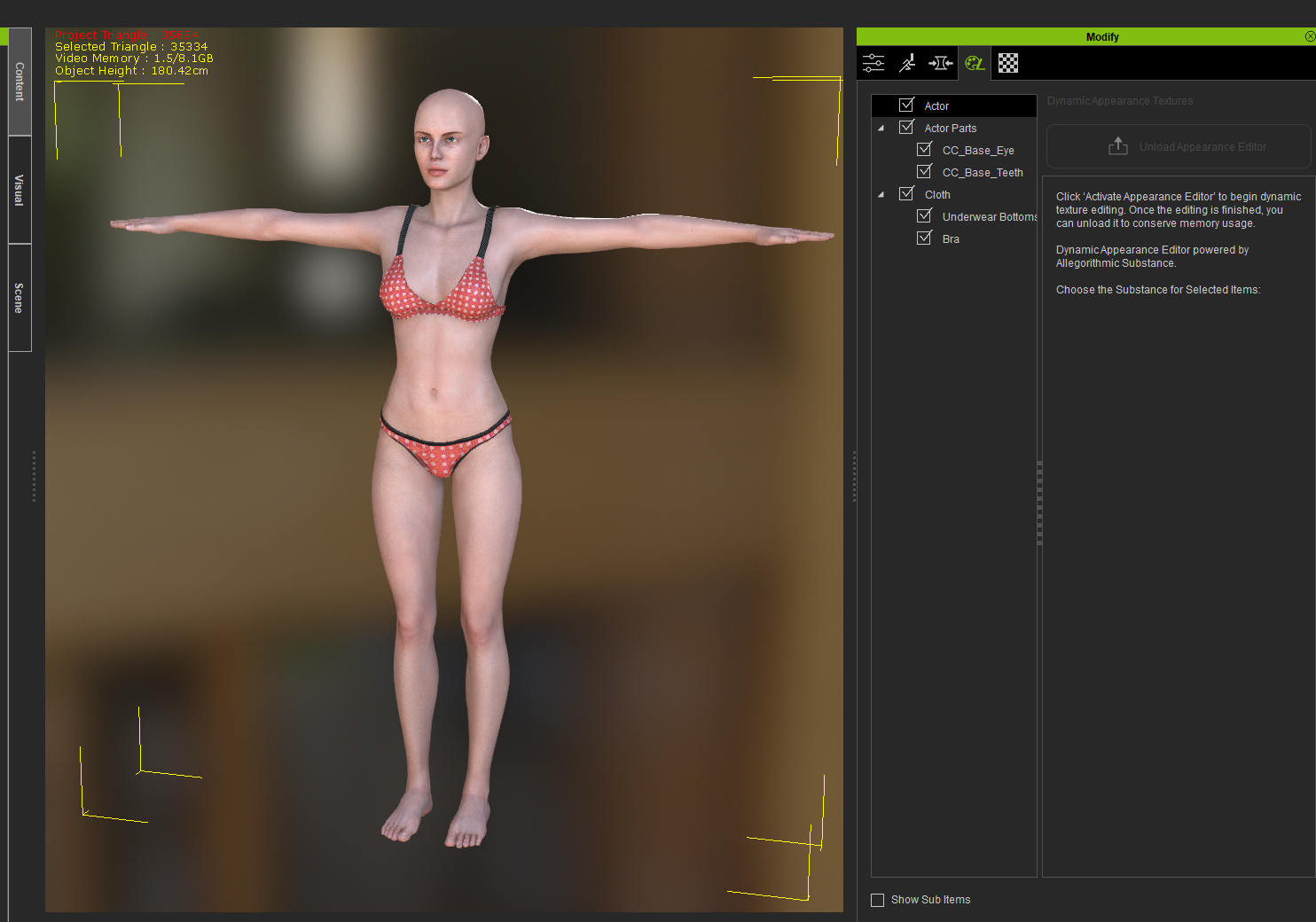
dynamic appearance textures does not work with any even the default characters and clothing. And I know I am not the only one with this problem
|
|
By Postfrosch - 8 Years Ago
|
|
dynamic appearance textures
In a tread say Wires
This works not with CC 3 Avatars
Greets from Germany
Postfrosch
|
|
By Rottadamic - 8 Years Ago
|
I want a refund :( if I known about that, I would have think 2 for buying it, man, you can't create properly without it!
|
|
By Rogue Anime - 8 Years Ago
|
|
It does not work on ANY characters!! I AM LIVID! How can you even CALL it "Character Creator" when you cannot CREATE without dynamic texture editing now? I may have NEVER purchased CC3 had I known this - I am SO much more than 'disappointed' I cannot even begin to tell you folks out there. I am SHOCKED they put this out like this. They SHOULD have named it "Polygon Reduction & Clothing Creator 1" If this is NOT going to be fixed - I WILL ask for a refund. WILL THIS BE FIXED?? ~V~ :crazy::angry:
|
|
By 3Dtest... - 8 Years Ago
|
|
Just checked...it can be activated on the Base_Substance Avatars in the content/project/template/avatars folder as well as on certain props, such as 'plaid shirt' but the fact that it can't be activated on everything makes me guess that this feature may be still under development, and currently only works with surfaces which are already substance mapped
|
|
By wires - 8 Years Ago
|
|
A "work around" for this issue is outlined in this post from the "Known issues" thread.
|
|
By FrankGarrett316 - 8 Years Ago
|
|
Rogue Anime (9/29/2018)
It does not work on ANY characters!! I AM LIVID! How can you even CALL it "Character Creator" when you cannot CREATE without dynamic texture editing now? I may have NEVER purchased CC3 had I known this - I am SO much more than 'disappointed' I cannot even begin to tell you folks out there. I am SHOCKED they put this out like this. They SHOULD have named it "Polygon Reduction & Clothing Creator 1" If this is NOT going to be fixed - I WILL ask for a refund. WILL THIS BE FIXED?? ~V~ :crazy::angry:
It's hard for me to fathom that this feature was left out. If that was a choice, then make it CLEAR on the product page. There any many things that weren't clear to me, that, had I known, I wouldn't have bought it. I would've stuck with the regular, free version.
1) Can't edit textures
2) Can't use low poly characters that EVERYONE was raving about. You can only reduce the clothes' polygons. The avatar textures can only be reduced for the game stuff that I have no idea about, or have no desire to use. I only have this program to make movies. Why be so vague about it? Why not make it clear: "InstaLOD for iClone ONLY reduces clothes' polygon, whereas for game creation, you can reduce the character polygon." So that means I have no purpose for this tool, as I STILL can't create crowds in a way that I was led to believe I could. Reducing clothes takes off about 20k polys at best, which still leaves me with a 20k-30k avatar. Hardly viable for "crowd creation."
3) And my biggest issue, which won't be an issue for anyone else, is that, the RL Heads package isn't compatible for a CC3 character. You can of course apply it to a CC1 character, and then convert it to CC3, but doing that degrades the quality. Again, in hindsight, I guess this makes sense from a technical perspective (the CC3 characters are a completely different base, so an older RL Head can't be applied), but why not just say that somewhere? Why leave things ambiguous as if you're trying to mislead the customer? Be crystal clear about what it can, and can't do. That's good customer service.
|
|
By Rottadamic - 8 Years Ago
|
|
dante1st (9/30/2018)
2) Can't use low poly characters that EVERYONE was raving about. You can only reduce the clothes' polygons. The avatar textures can only be reduced for the game stuff that I have no idea about, or have no desire to use. I only have this program to make movies. Why be so vague about it? Why not make it clear: "InstaLOD for iClone ONLY reduces clothes' polygon, whereas for game creation, you can reduce the character polygon." So that means I have no purpose for this tool, as I STILL can't create crowds in a way that I was led to believe I could. Reducing clothes takes off about 20k polys at best, which still leaves me with a 20k-30k avatar. Hardly viable for "crowd creation."
Yes, I was looking forwart to this for use on big scenes, but nooooo :(
|
|
By Galfridus - 8 Years Ago
|
|
dante1st (9/30/2018)
[quote]
2) Can't use low poly characters that EVERYONE was raving about. You can only reduce the clothes' polygons. The avatar textures can only be reduced for the game stuff that I have no idea about, or have no desire to use. I only have this program to make movies. Why be so vague about it? Why not make it clear: "InstaLOD for iClone ONLY reduces clothes' polygon, whereas for game creation, you can reduce the character polygon." So that means I have no purpose for this tool, as I STILL can't create crowds in a way that I was led to believe I could. Reducing clothes takes off about 20k polys at best, which still leaves me with a 20k-30k avatar. Hardly viable for "crowd creation."
.
Not ideal I know.... But I found this is possible…...
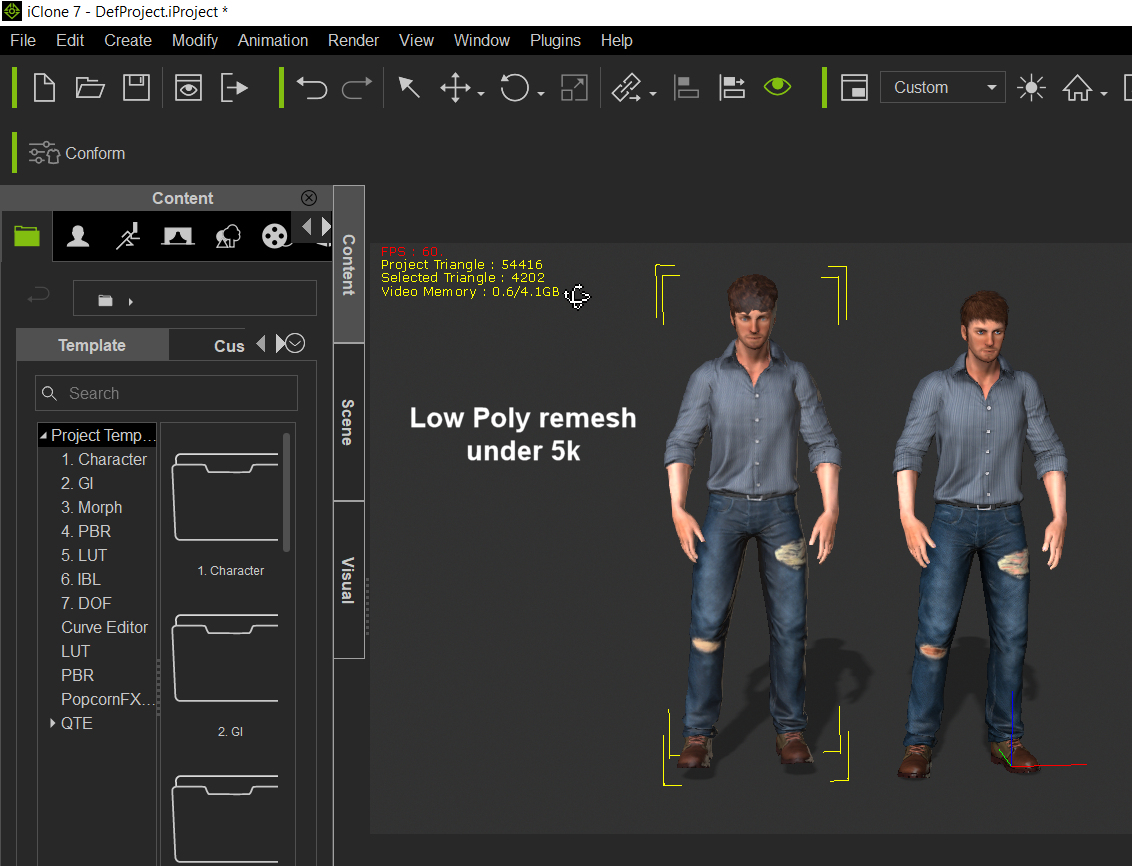
Example of work flow used: Load dressed standardbase male avatar in CC3. Convert to CC3 avatar. Convert to Game avatar. Use LOD Remesher Export FBX. Load .fbx into 3DX7 forauto bone mapping (Facial does not work but body does) Send to Iclone.
Result : Standard Base Maleavatar : 49694 Remeshed: 4202
Take a look....... I`m happy to useresult as part of low poly crowd.
Limits on this method are:-
3DX7 required. Export licence, as appropriate, for some content converted to .fbx
We need LOD remesher to export in iAvatar format to avoid need for 3DX7 and export license when results will only be used in Iclone.
See Roberto`s post onthe Feedback tracker.
Geoff.
EDIT: I used a base content avatar as a working example because this included clothes and hair but does not require addition .fbx export license for any of the content.:)
|
|
By brand468 - 8 Years Ago
|
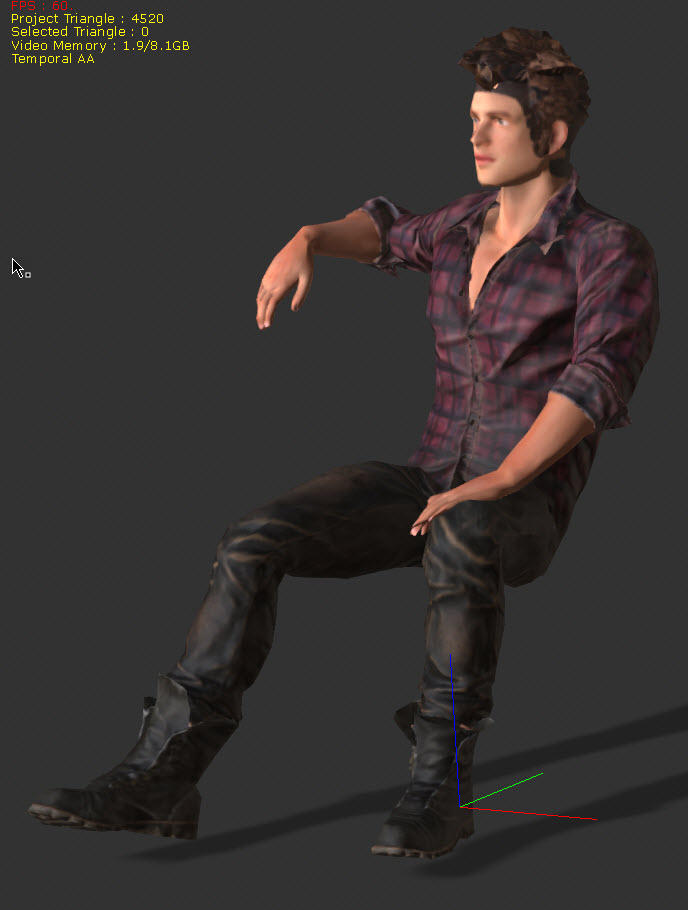
Thank you Galfridius, amazing I tested and it works perfectly :)
| | | | | | | | |
Text-to-speech function is limited to 200 characters |
|
By FrankGarrett316 - 8 Years Ago
|
|
Thank you for that info Galfridus. I thought I had read Rampa or someone say that doing this won't map the bones properly for animation? I could be wrong, I will give this a try. Thanks.
|
|
By Peter (RL) - 8 Years Ago
|
|
Unfortunately the Appearance Editor does not currently support the new CC3 Base but we are working on it. For now you can use the Appearance Editor with a CC1 Base and then convert to CC3 Base. Please do keep a check on the "Known Issues" page below for some tips and workarounds on known issues.
|
|
By Rottadamic - 8 Years Ago
|
info_05_81 (10/1/2018)
dante1st (9/30/2018)
2) Can't use low poly characters that EVERYONE was raving about. You can only reduce the clothes' polygons. The avatar textures can only be reduced for the game stuff that I have no idea about, or have no desire to use. I only have this program to make movies. Why be so vague about it? Why not make it clear: "InstaLOD for iClone ONLY reduces clothes' polygon, whereas for game creation, you can reduce the character polygon." So that means I have no purpose for this tool, as I STILL can't create crowds in a way that I was led to believe I could. Reducing clothes takes off about 20k polys at best, which still leaves me with a 20k-30k avatar. Hardly viable for "crowd creation."
Yes, I was looking forwart to this for use on big scenes, but nooooo :(
I found a folder in cc3 whit 2 low poly characters, exactly what I need!
|
|
By animagic - 8 Years Ago
|
Peter (RL) (10/1/2018)
Unfortunately the Appearance Editor does not currently support the new CC3 Base but we are working on it. For now you can use the Appearance Editor with a CC1 Base and then convert to CC3 Base. Please do keep a check on the "Known Issues" page below for some tips and workarounds on known issues.
A tip to make this work better and get 2048 x 2048 textures: Before converting open the Appearance Editor for the Actor and change the resolution from the default 1024 x 1024 to 2048 x 2048. This is especially useful after applying an RL Head.
|