|
By AasmundSchei - 7 Years Ago
|
I have assigned another character to the iClone bones. But when I import it to iClone via 3DXchange the main character mesh follows too, even when I deleted it in Maya.
Hope anyone can tell me how to fix that.
|
|
By AasmundSchei - 7 Years Ago
|
Some help would be nice :)
|
|
By Kelleytoons - 7 Years Ago
|
|
Maybe it's just me, but I don't really understand what you are saying. Can you provide screenshots and/or some more details on exactly what it is you are trying to do?
|
|
By AasmundSchei - 7 Years Ago
|
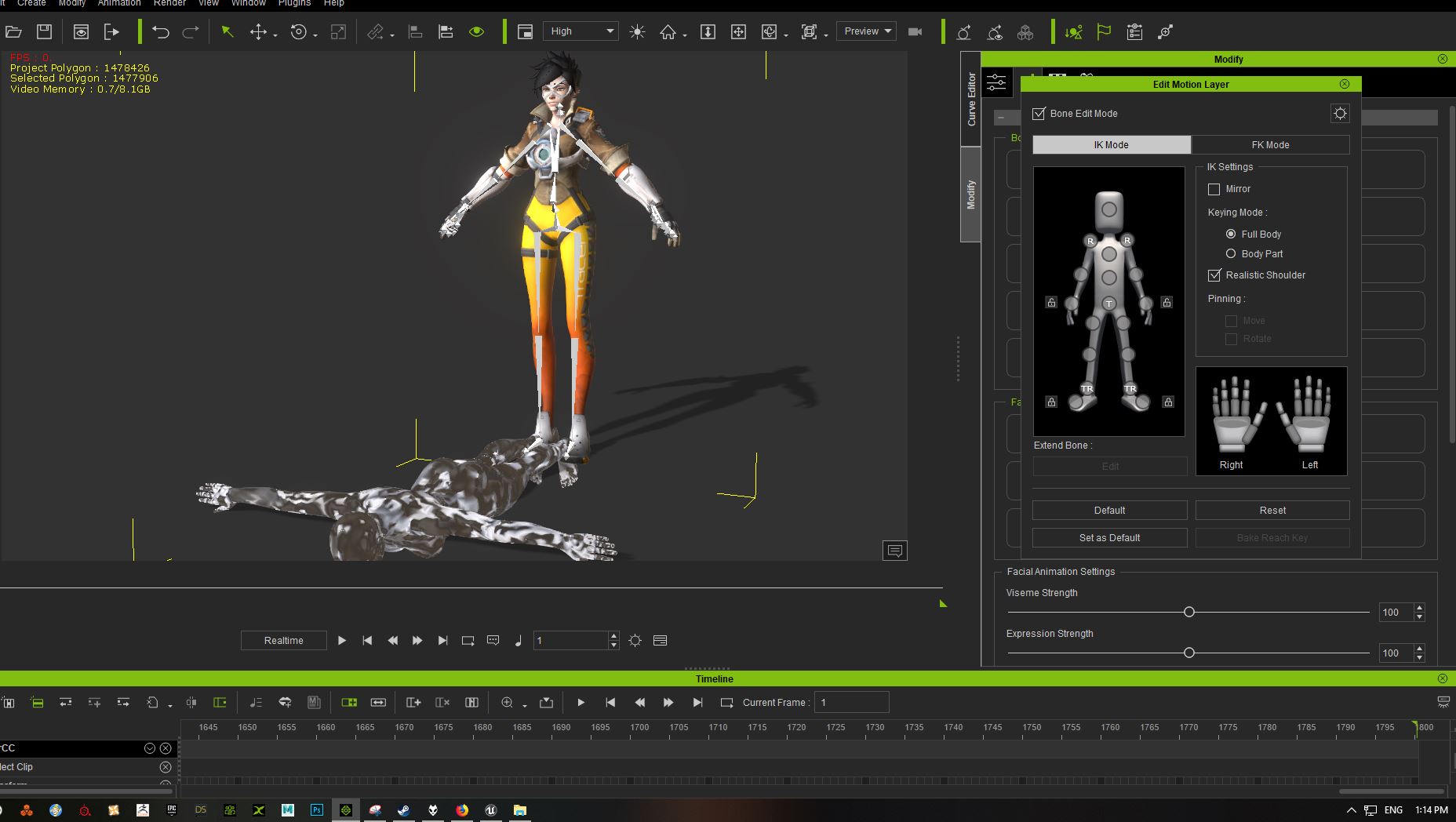
Here you see what I mean. I deleted the main character mesh when I exported it out from Maya but when I imported it from 3DXchance it came in like this:
|
|
By Kelleytoons - 7 Years Ago
|
|
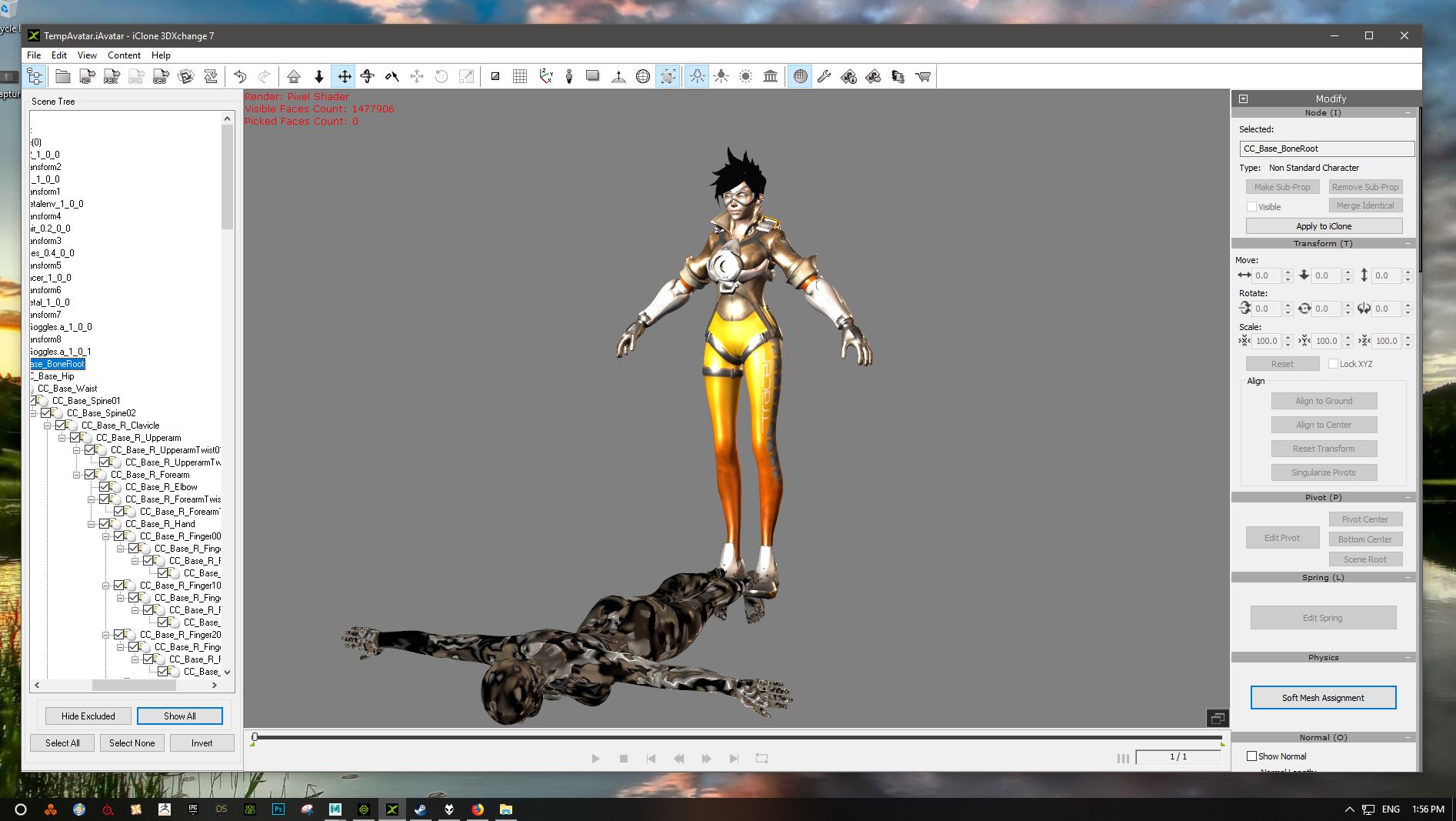
We need screenshots of what it looked like in XChange, not iClone. And we also need to know your workflow when you brought it into iClone (did you select non-standard, what rig did you choose to convert, etc.).
|
|
By urbanlamb - 7 Years Ago
|
kinda looks to me like the original character was never actually removed? are you using the standard iclone character export and then just adding the second mesh to it?
Anyhow delete the character and any animation info make sure its not just a morph your removing. Then "skin" it that is what they call it inside maya and put a "bind pose" make sure its facing on the right axis z up (iclone is like unreal) and it should be fine. But before skinning it (weighting it ) you need to delete everything except the base skeleton make sure your not using some animation track or something. (goes back to my blender ..^^)
|
|
By AasmundSchei - 7 Years Ago
|
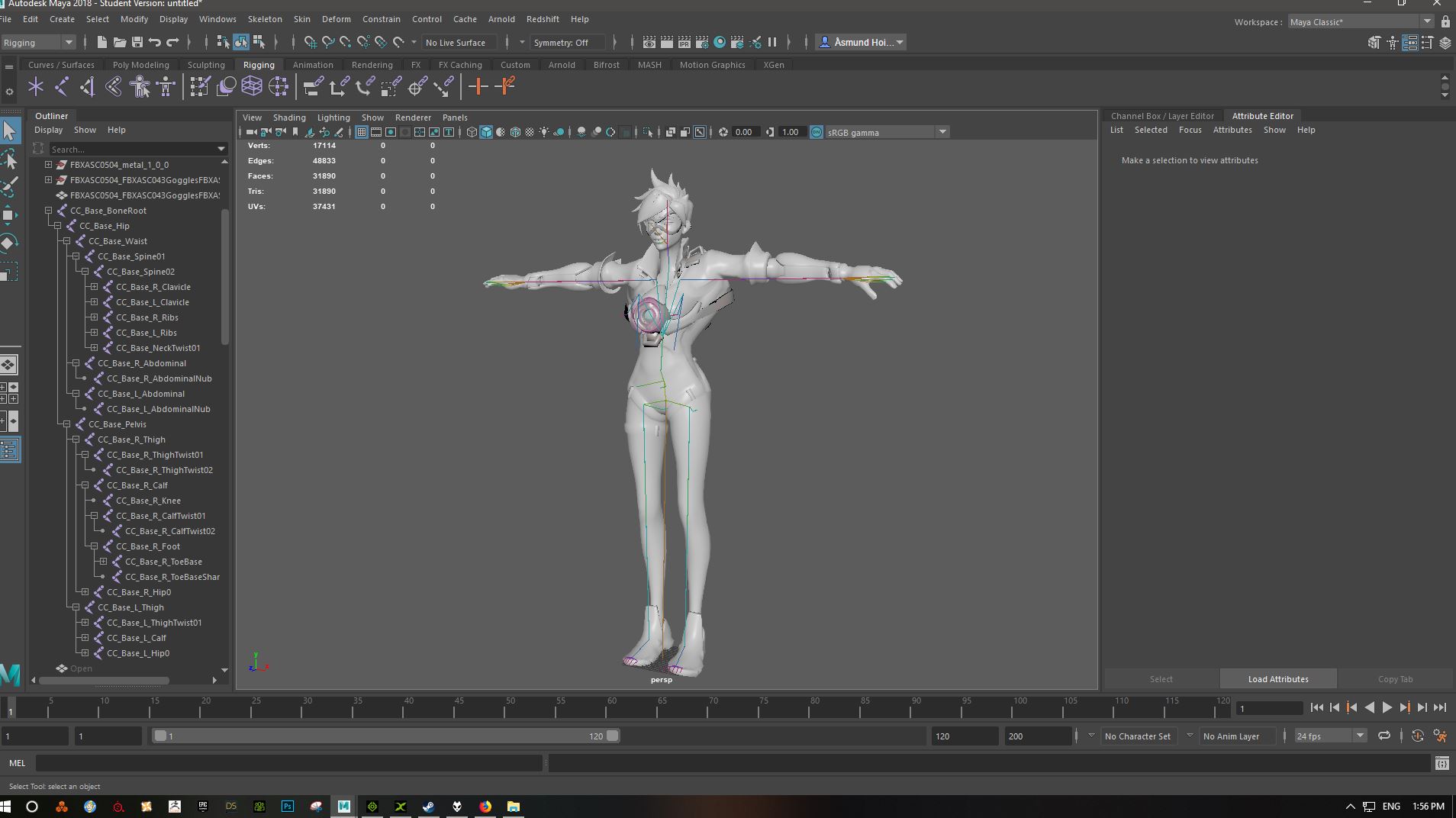
I use Maya for rigging. I deleted the main character mesh and added her to the Reallusion bones. It works great, but not perfect. So I dont know why the main character mesh still follows when I import it to 3DXchange.
|
|
By urbanlamb - 7 Years Ago
|
i see what looks like two skeletons on the side the bones panel is not showing anyhow i really can't say what is wrong. It looks to me like you exported a skeleton from iclone Character creator imported it into maya added it to an already rigged mesh and exported the two rigs which are now merged.
Anyhow if its an original rig it should be fine you export it to 3dexchange. I would chose "non standard character" and hook up the bones manually one at a time and it should be done. It will use your maya rig and just assign it to the controller rig of iclone.
|
|
By AasmundSchei - 7 Years Ago
|
Wow, I never catched that one. Thanks I will try that. By the way, here is something I did with her: https://www.facebook.com/groups/IndieGameChat/permalink/1848001511925787/
:D
|
|
By urbanlamb - 7 Years Ago
|
|
yes the character looks already rigged lol so not sure why its being rigged again if you want to re-rig you need to remove the original one first . I dont use facebook anymore sorry so i can't see much. sorry.
|
|
By AasmundSchei - 7 Years Ago
|
Alright, I fixed it. You where right, somehow it got rigged twice. Now everything seems to work. Thanks for your time and help :) 
|
|
By urbanlamb - 7 Years Ago
|
oh your welcome :)
glad it worked :D
|