|
By AasmundSchei - 8 Years Ago
|
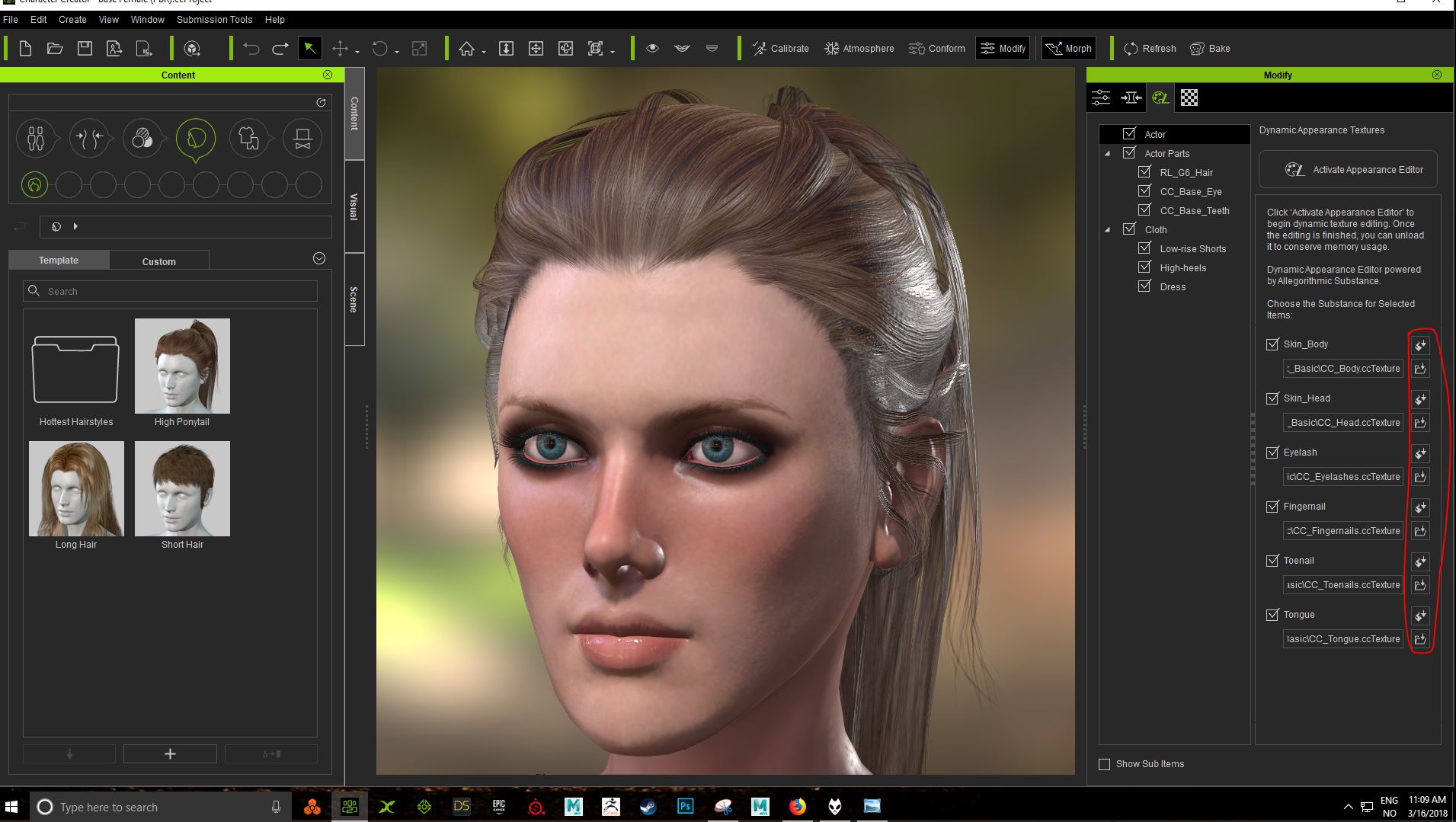
When I load the appearance editor, the material looses the PBR shading. I set the materials to PBR before I load the appearance editor.
When will Reallusion fix this? This is taking too long time.
|
|
By GOETZIWOOD STUDIOS - 8 Years Ago
|
So you loaded a non PBR Character in CC, converted all the Materials to PBR and now want to use the Appearance Editor. Do not do that if you indeed intent to use the Appearance Editor.
You just have to switch your last two steps order and the conversion will be done automatically for you:
1) Load your non-PBR Character.
2) Do not convert your Materials, go directly to the Appearance Tab.
Notice above each substance path there is a little button with the Substance logo, click on it and choose PBR_Basic.
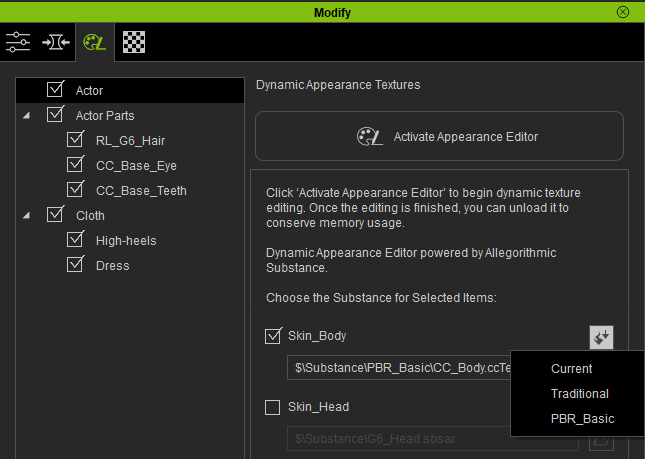
3) Now you can activate the Appearance Editor and do your customization.
Notice that the Substance shading system is using PBR now:
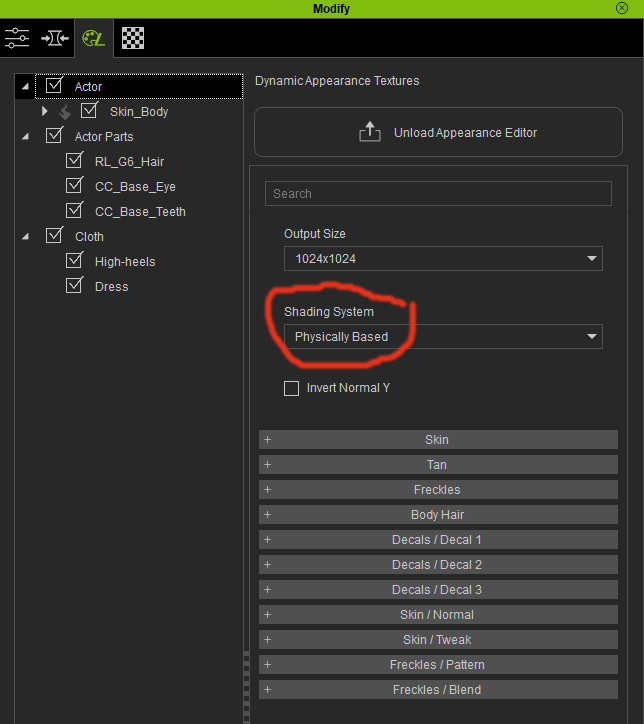
4) Once you are done with your customization, click the Unload Appearance Editor.
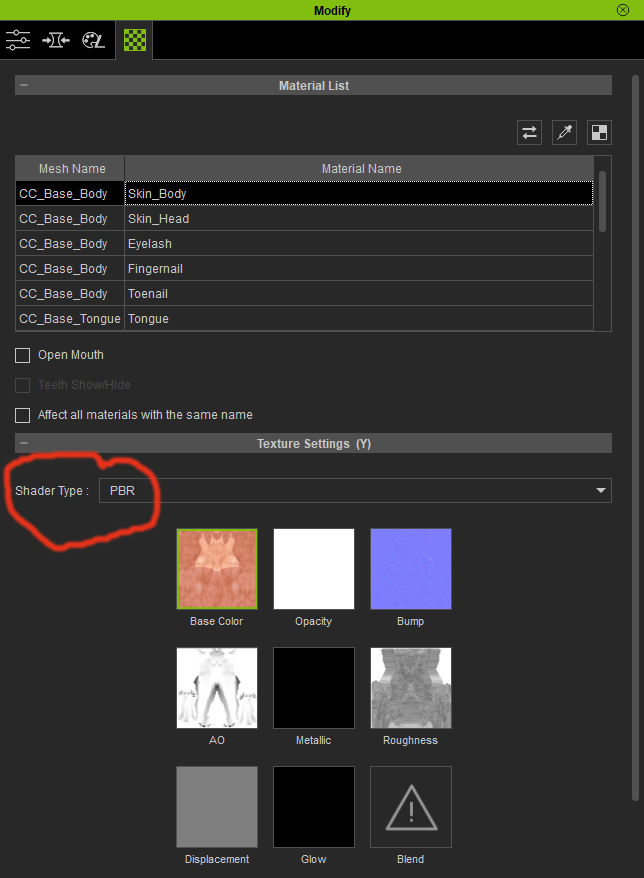
5) Notice now that your Material is using PBR
|
|
By AasmundSchei - 8 Years Ago
|
Thanks for your reply :) I did this, but I still loose the PBR shading on the lips. They dont have the nice specular maps. Is it any way to fix that?
|
|
By GOETZIWOOD STUDIOS - 8 Years Ago
|
|
AasmundSchei (3/16/2018)
Thanks for your reply :) I did this, but I still loose the PBR shading on the lips. They dont have the nice specular maps. Is it any way to fix that?
Not sure what you mean here. A "Traditional Material", by definition, can't loose the PBR shading as it is not PBR yet. And PBR Shaders do not have Specular Maps, at least in iClone.
I've just re-tested it now and the conversion works as expected for the face and lips. Be sure to choose "PBR_Basic" for every parts of the figure (Skin_Body, Skin_Face, etc..).
|
|
By AasmundSchei - 8 Years Ago
|
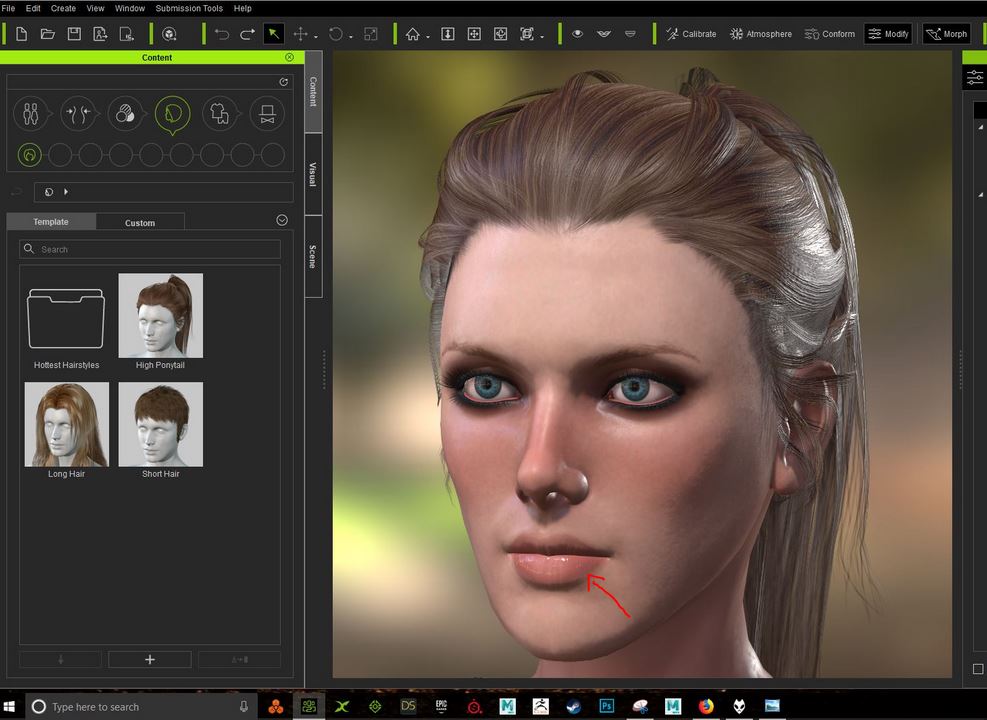
I mean that I lose this nice specular maps when I load the Appearance editor. That is the issue Im having. I thought they was a part of the PBR materials. Sorry for not being too clear.
|
|
By GOETZIWOOD STUDIOS - 8 Years Ago
|
I see, well, often, after a conversion, you will have to adjust a bit the "Brightness" of the "Roughness" texture map that is now part of the PBR Material. Usually you have to lower that brightness a bit but it depends.
Also, understand that a conversion will never be perfect because Traditional and PBR Materials use two different shading systems so obviously there will be always differences in the way the materials react to the lights.
That means you will most likely have to tweak things after a conversion.
|
|
By AasmundSchei - 8 Years Ago
|
Allright, think I will have to use Photoshop for texture editing. Thanks for your help and time :)
|
|
By animagic - 8 Years Ago
|
|
As a first approximation, "Roughness" is taken as the inverse of "Specular". So you don't really loose anything as far as maps go.
|