|
By kmitchell.12catblackstudios - 7 Years Ago
|
1. I tried adding a new material group for the right eye and character creator noticed the new material but failed to allow a separate material for the other eye. Is there another way to get separate eye colors.
2. I see there is an option in both iclone and character creator to export a character that matches the unreal engine’s rig, where is this option in 3D exchange as it seems like 3D exchanges is the end of the pipeline and if I’m standing animation layer there before exporting them to the pipeline of choice wouldn’t that be the place to export animation and character end type? Currently it seems like I would have to export my character as a ue4 rig and thing bring it into 3dexchange then put it back into icons to animate with a new node structure and I do believe I’ll loose the face rigging features.
3. I’m trying to see at what phase I can add a weapon bone as a IK bone. This will allow me to animate weapon movements for my fighting animations and then link the weapons in engine. But I can’t seem to add any bones unless I try to export from character creator add bones externally then bring it back in3dexchange then I might loose all the face and lip sync features because the skeleton has been modified?
4. Should I skip learning about the cloth physics as I don’t see an export option for bringing this to a engine environment.
Outside of the above issues this has been a most life changing purchase. Animating in other applications has been depressing me. Thinking about animation reusableability as been hard, and not wanting to reinvent a wheel for every game character has been all solved here. The time saved and quick iteration for animation and character development and prototyping is amazing. If I can just easily add a weapon bone that would unleash my creative block completely!
|
|
By Rampa - 7 Years Ago
|
I'll do my best to address these issues.
1. Currently the eye material is shared between both eyes. For internal iClone use, you can use a fake eye attached to an eye bone, and hide the original. But you probably do not want to do that for game export.
2. The export from iClone is probably the best one to use. You can also export directly from CC. The bone structure is not changed with any iClone/CC export. What it actually does when you export UE4 from iClone is change the bone names of the relevant bones so that UE4 recognizes them. The other bones retain their Reallusion names.
I mention CC characters, because you could also export other types, like DAZ. They would have their own bone names, even after retargeting in 3DXchange.
3. Attach, don't link, the weapon to the chosen bone in iClone or add it afrom the content manager in CC. This makes it an "accessory" (sub-prop) of the character, and it will export with the character from either program.
4. You can skip the cloth if you are using real-time physicsin UE4, as iClone and UE4 cannot share the settings data. But there is an option to export the iClone cloth as Alembic. But since UE4 has its own physics implementation, you might as well set it up there if you plan to use it.
|
|
By kmitchell.12catblackstudios - 7 Years Ago
|
1. Okay so i guess ill have to move the changing of the Eye material index at the very end of the pipeline to give me that extra material slot.
2. So this means for me to utilize it correctly I should Create my character morph type and clothing in CC then Expert as a UE4 Rig, then bring this in as a import into 3DExchange, remap the character as nonstandard and remap the face bones and expression settings then send that to IClone to utilize the system to it's fullest.
3. Will props keep individual animations? For instance I have a main character that uses fist. And they are floating next to him and when he punches they extend out past his location for "extra reach" and this is what i need the other bones for to make sure that these extra movements can be tracked and then used at mount points in engine for other weapon mesh types.
4. Understood that saves some time.
One more question i ment to ask.
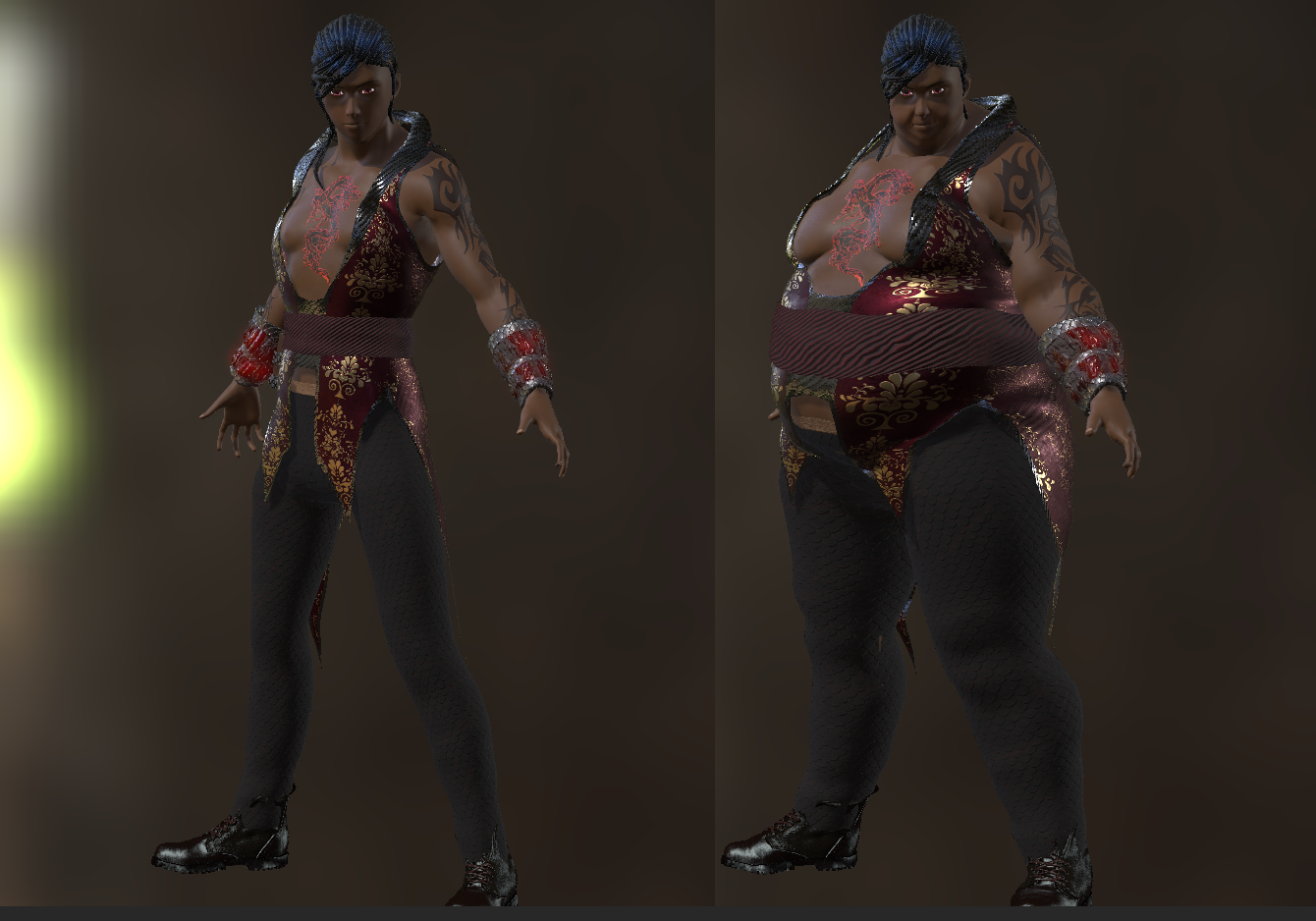
5. Morph Data. Is there any way to export any level of morphs to use in engine for character creation? For example:
|
|
By Viktors - 7 Years Ago
|
For eyes
3DXchange import avatar, export eyes, change UV's and replace, work for me.
|
|
By Rampa - 7 Years Ago
|
|
Re-importing your character into 3DX as non-standard after you have exported it as FBX from iClone or CC would be pretty redundant. Are you doing that so you can add extra bones to the hands?
|
|
By Rampa - 7 Years Ago
|
Alright. I tested what you need. It works! :)
Any object that you attach (not link) to your character exports with its bone(s) as an extension to the character's skeleton. Being that any object actually always has at least bone, your all good.
I tested by attaching spheres to the hands of a character in iClone, and exporting. I was able to then pose the sphere bones in Blender, and they were simply part of the character skeleton.
You will also be able to animate them right in iClone and export that. So you really can skip 3DXcange and streamline your workflow.
|
|
By animagic - 7 Years Ago
|
|
kmitchell.12catblackstudios (2/12/2018)
1. I tried adding a new material group for the right eye and character creator noticed the new material but failed to allow a separate material for the other eye. Is there another way to get separate eye colors.
I have entered a feature request for that a while ago. If you like, you can view and vote for it here: Issue #3445.
|
|
By Rampa - 7 Years Ago
|
My approach that I have just started playing with for different colored eyes is to set the right eye to "Eye" and the left eye to "Cornea". Then I'll assign a different Substance to each one.
Stay tuned. :)
|
|
By 4u2ges - 7 Years Ago
|
|
I am speculating, but suppose in Blender Right eye and cornea mesh could be assigned to Eye material and Left to Cornea material... or some additional materials created... Wonder if Rampa is trying just that.. :)
|
|
By Rampa - 7 Years Ago
|
|
4u2ges (2/13/2018)
I am speculating, but suppose in Blender Right eye and cornea mesh could be assigned to Eye material and Left to Cornea material... or some additional materials created... Wonder if Rampa is trying just that.. :)
That is what I meant. :)
I figured changing any names of materials would throw an error in CC, so that was my solution to not change any names. I just got home from being out though, so I have yet to get started with actually doing it.
|
|
By kmitchell.12catblackstudios - 7 Years Ago
|
So much data, thanks so much for the feed back and testing the case senerio for me. I was about to try that next weekend. I think i'll have a good chance at my workflow now. I love this product so much right now.
|
|
By 4u2ges - 7 Years Ago
|
Rampa (2/14/2018)
4u2ges (2/13/2018)
I am speculating, but suppose in Blender Right eye and cornea mesh could be assigned to Eye material and Left to Cornea material... or some additional materials created... Wonder if Rampa is trying just that.. :)That is what I meant. :) I figured changing any names of materials would throw an error in CC, so that was my solution to not change any names. I just got home from being out though, so I have yet to get started with actually doing it.
I got home a little earlier :) And it is working!!

BTW Renaming materials and creating new is also possible. CC pops a warning, but lets it slide. So actually I made 2 materials for each eye.
|
|
By Rampa - 7 Years Ago
|
Sweet!
Here is mine, and also some custom CC eyes for anyone who wants to download them. Just load your Substances from Substanceshare.com. There are a few different eye makers there. You can use the same Substance for each eye, but I did have to load a different one to get it working. Not sure if I just made a mistake or not, but it works well.
One eye is "Eye", and the other is "Cornea". You really don't need both materials on one eye.
https://share.allegorithmic.com

|
|
By 4u2ges - 7 Years Ago
|
That's cool! I just looked and actually have 4 of them substance ready now (originally I changed materials in iClone).
Meaning we can do whole lot more. Splitting body mesh into different materials if necessary - accenting on specific parts (oh boy there we go again :))
So what's next? A different nail polish style for each nail? :P
|
|
By kmitchell.12catblackstudios - 7 Years Ago
|
|
Is there a way to get proper Seperated UV's on the Obj export? I'm trying to bake the texture paint from ZBrush to the OBJ but the mesh has all the UVs overlapping and Importing the FBX in ZBrush is unusable for sculpting on. Maybe I have to do some kind of baking in substance or something?
|
|
By kmitchell.12catblackstudios - 7 Years Ago
|
Never mind: https://blog.reallusion.com/2016/07/25/speed-sculpting-a-character-with-zbrush-character-creator/
|