|
By Elyssa - 8 Years Ago
|
Hi,
How can I retrieve inner mesh?
In the CC 1.5 tutorial, the instructor unchecked "hide inner mesh" check box in the "conform clothing". But I use CC 2. and I couldn't find "hide inner mesh " check box in the " conform clothing".
Thanks.
|
|
By Postfrosch - 8 Years Ago
|
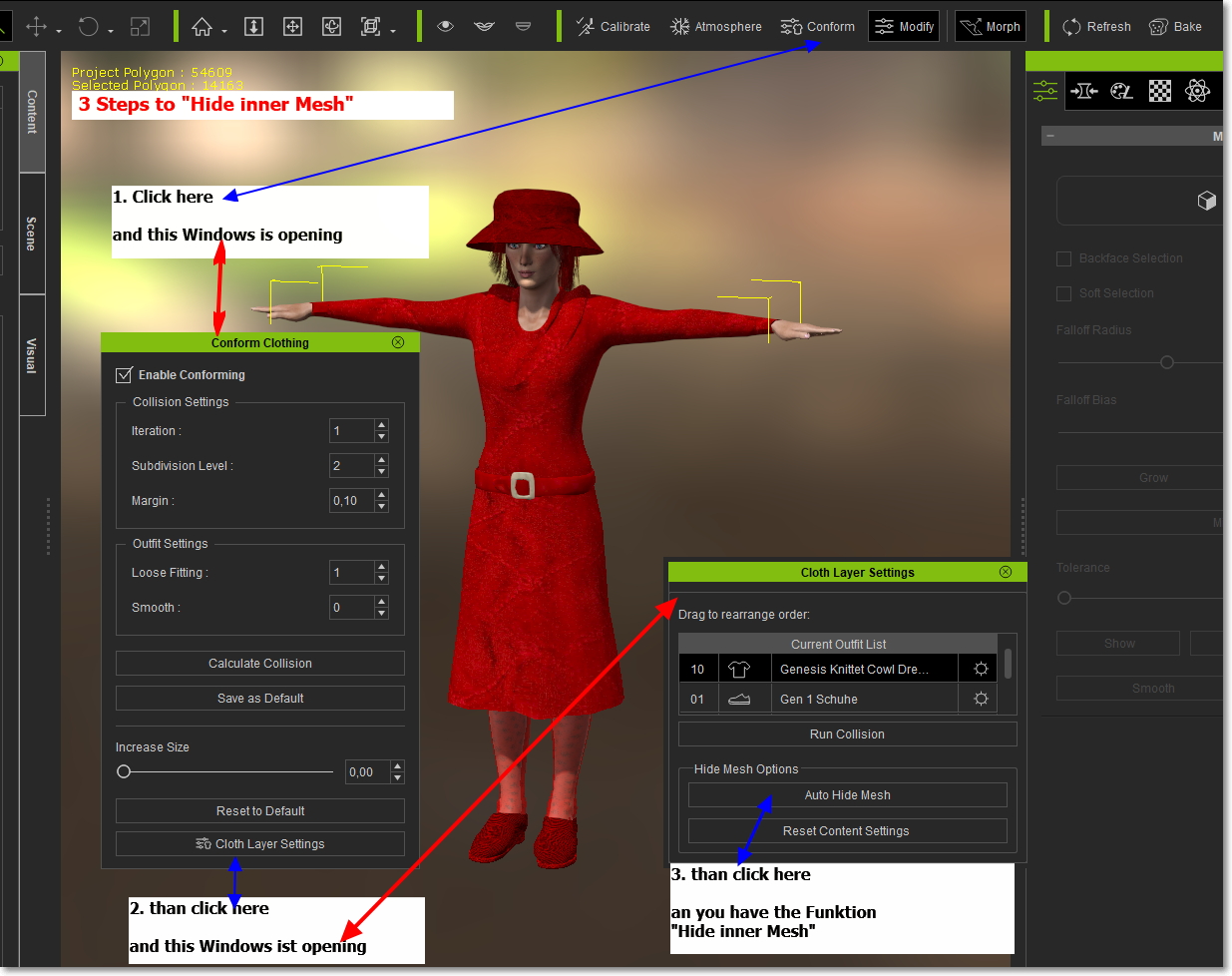
Greets from Germany
Postfrosch
|
|
By Rogue Anime - 8 Years Ago
|
|
Frosch - NICE OUTFIT!! ~V~
|
|
By Elyssa - 8 Years Ago
|
Thanks a lot!
But what I want is retrieve only inner mesh. I gave a dress and a cardigan to the character. And I want a short cardigan. So I made the cardigan short using "edit mesh mode"---> "hide". And I need to retrieve the dress part. But when I click "auto hide mesh" button, the hide mesh of the cardigan is also retrieved.
So, what I want is, retrieve the inner mesh(dress part) and keep hide the outer mesh(cardigan part). Is it possible? Or should I use photoshop to make a short cardigan?
|
|
By Rampa - 8 Years Ago
|
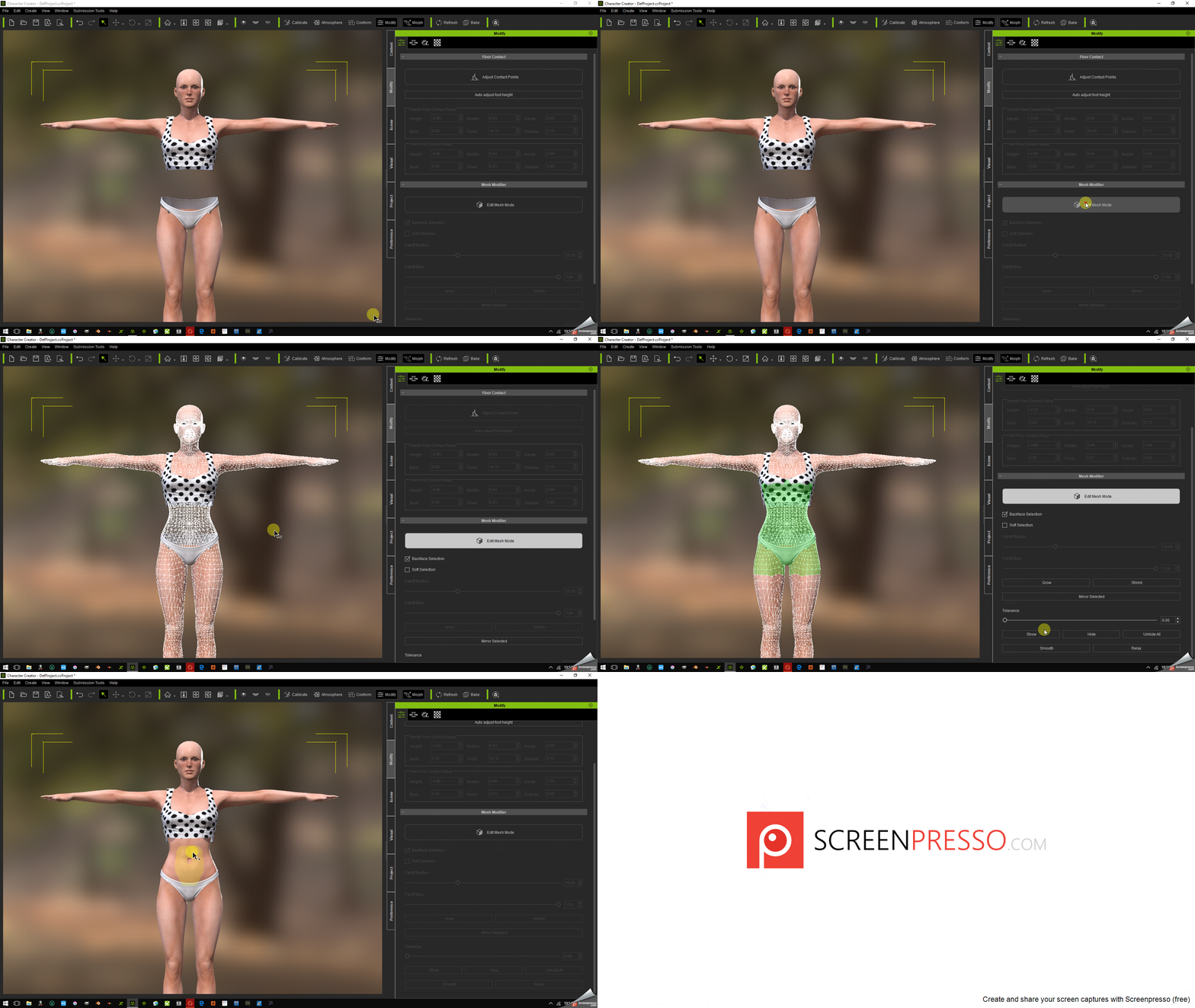
Using the mesh editing tools in CC2, you can hide/show any mesh.
Select your body.
In the Modify tab, click on "Edit Mesh Mode".
Check the "Backface Selection" box.
Select the hidden mesh by r-click mouse-drag.
Click on the "Show" button.
Click on "Edit Mesh Mode" again to turn it off.
|
|
By Elyssa - 8 Years Ago
|
|
Thank you so much!!
|