|
By mtakerkart - 9 Years Ago
|
Curiously one of my expectation of particles was BEAM. I'm trying to figure out with different popcorn emitter but no success. (texture emitter, ribbon emiter,mesh emitter).
Why the mesh emitter produce a moving mesh even all settings are to zero. Impossible to have a static cylinder wich appear/desapear....
The idea with beam effect is to have a static cylinder with a sprite animating texture. I would like to make this kind of effect :
Reallusion , may be a tutorial? ;)
|
|
By mtakerkart - 9 Years Ago
|
Ok , my first try to build a Lazer-beam. I didn't find a way to emit a mesh (cylinder) with no mouvement , I just want Only an on/off static mesh as a particle.
So in my example The beam is a cylinder prop with 5 particles emitter.
The first problem is that If I attach more than one emitter only the first attached works... the other have to be linked , not attached.
If some one can test it.... may it's a bug.
The render smoke on the column is strange , it's correct when the pov is in front but it's overburn when the pov is on the side....
Really really hope to have some tutorials from you Reallusion because it's lot of try and error trying to understand what's going on.
|
|
By Cary B - 9 Years Ago
|
|
Pretty cool, though, what you have already accomplished...
|
|
By Rogue Anime - 9 Years Ago
|
|
[b] because it's lot of try and error trying to understand what's going on.
Welcome to my WORLD!! lol - EXCELLENT work!! Impressive job on the laser. 'Beam' me UP! ~V~
|
|
By mtakerkart - 9 Years Ago
|
Thank you Guys!!! For me Ribbons particles are very strange to tackle without explanations....
Hope it will be a webinar for this tremendous iclone feature !
|
|
By Rogue Anime - 8 Years Ago
|
|
Hey Marc - I gave this a try. So what if your result isn't perfect? It looks really cool! However, after trial & error, something tells me a detailed tutorial on this result may be needed for me to fill in the blanks here.. ('cuz you have all the time in the world, right? lol!!) Thanks! ~V~
|
|
By mtakerkart - 8 Years Ago
|
@Rogue Anime
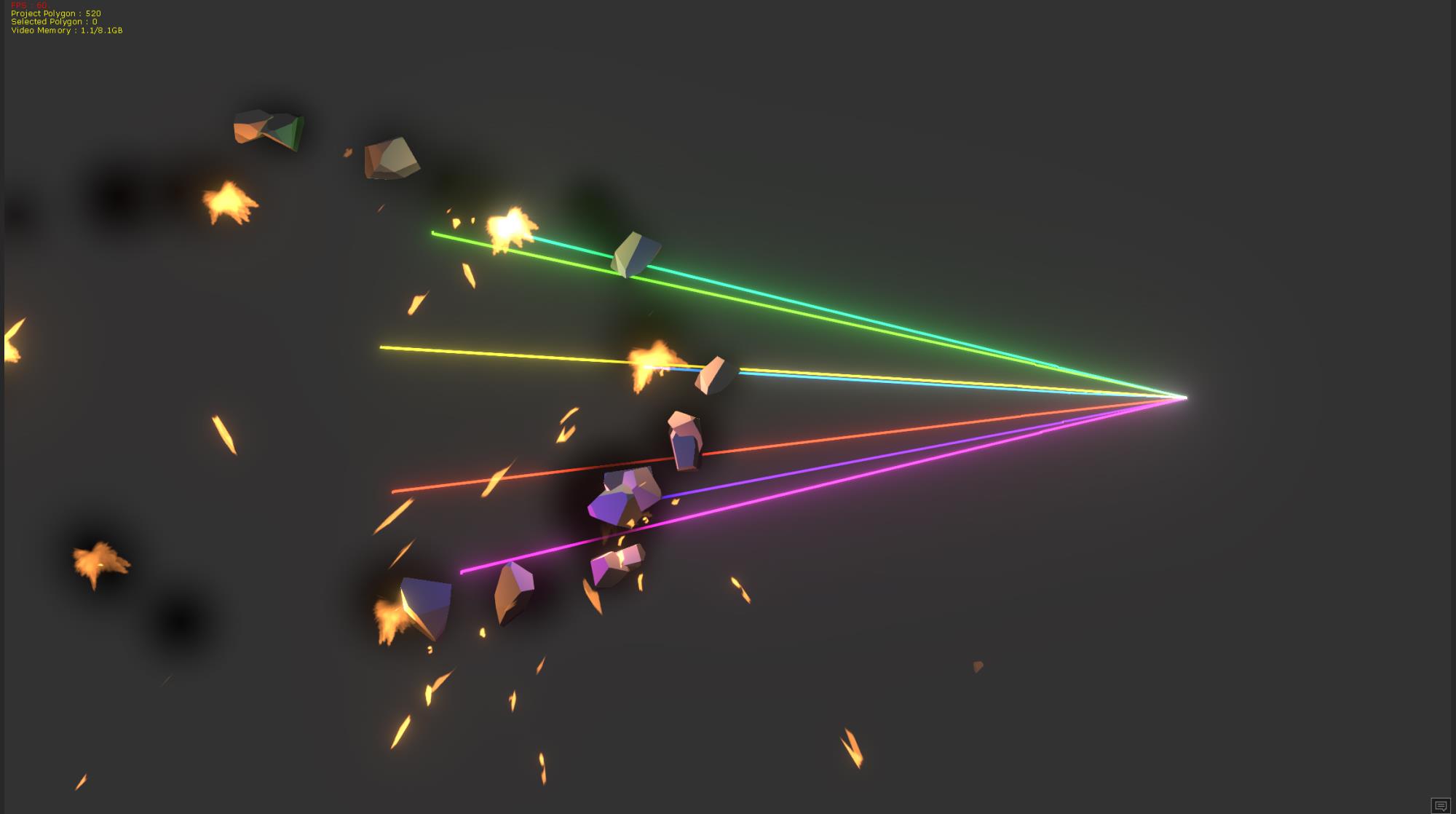
My beam exemple is to tedious to manage because it's a prop with particles. I just want a light beam make with Ribbon like the "Lightning Attack"
wich is made with ribbon or the "Riot-Prism" PopcornFx editor exemple made with ribbon too. All my tests with ribbons have a soooooo slow move even I
set initial speed at maximum wich just throw the ribbon farther. I know there's a trick with Ribbon but without serious tutorial to understand how it's works,
I just wonder if I have to wait and let down Iclone some time later waiting some clarifications.
The "Lightning Attack" can't be modified to get a simple particle beam .
Just want to create a particle beam like this "riot-Prism":
|
|
By Rogue Anime - 8 Years Ago
|
Ok - Thanks for that - I found that one in the editor. Playing with it now. So you would like to see is that type of effect only a single focused beam as the end result? ~V~
|
|
By mtakerkart - 8 Years Ago
|
|
So you would like to see is that type of effect only a single focused beam as the end result?
Yep , It could be very cool and usefull for me to understand.... :)
|
|
By mtakerkart - 8 Years Ago
|
The Beam saga continue....
I found a hidden strike beam in the popcorn editor wich is one of my wonder. As you can see in the video , it's
a ribbon. This Ribbon take only 5 frames from born to die!!! I never find a way with the Iclone Ribbon particles to achive this.
It takes 1 sec minimum. I can pay for a beam particle like this one where we could change the strike with a strait line , mesh ,etc....
And as you can see, you can position the start and the target with keyframe.
The only beam I found in the 40 librairy is the "slide lightning" but it's too limited in the tweaking process , the Arc/lightning/Arcs texture drives 2 ribbons.
You can't hide the small strikes around the main one.

I said in other thread but Miranda wrote that there will be 10 tutorial of the particles. It will be very cool to have this soon :)
|
|
By jlittle - 8 Years Ago
|
I used the PopcornFX editor which caused a major brain melt because of the lack of documentation available for it.
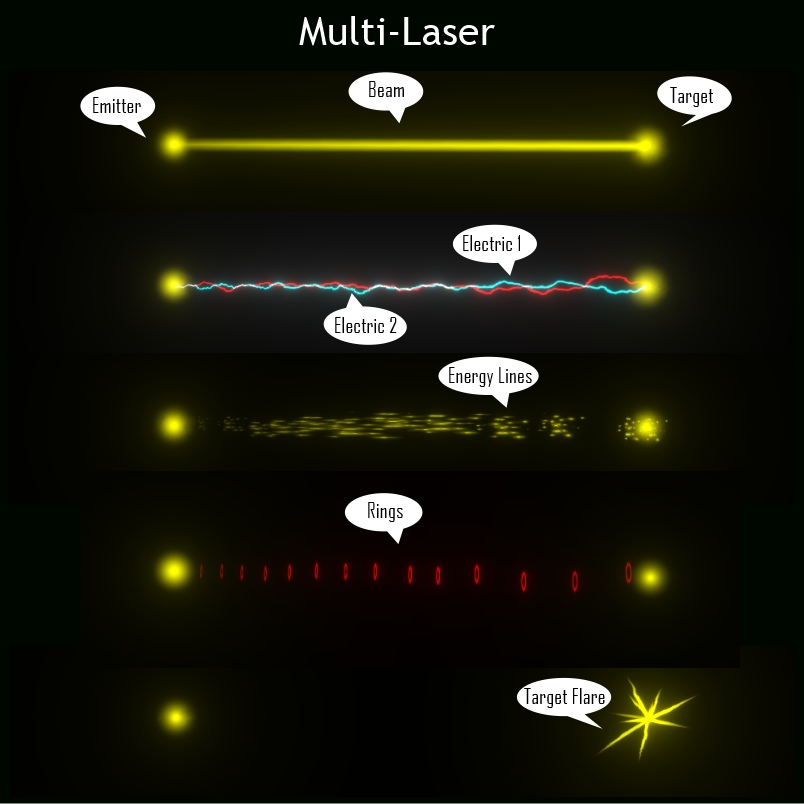
But I did manage to create a Multi-Laser effect and import it into iClone.
Here are the different particles in the effect:
And here are the exposed parameters that you can adjust:

Here is a short clip of some possible variations of the laser:
I would add it to my content marketplace but the content uploader (v1.54) does not seem to accept iPkfx files (yet?).
Jeff
|
|
By mtakerkart - 8 Years Ago
|
Cool Jlittle!! Can we change the texture and the texture atlas sprite? If yes I will buy it ;)
I would add it to my content marketplace but the content uploader (v1.54) does not seem to accept iPkfx files (yet?).
Really don't know....
|
|
By jlittle - 8 Years Ago
|
Yes, all textures can be replaced.
I put in an inquiry to RL about updating the Content Upload to allow particle files.
Waiting to see what they have to say.
Jeff
|
|
By mtakerkart - 8 Years Ago
|
Thank you! How much will you send it?
By the way , if you know how to create an emitter of static mesh ( no physic enabled) I will be interested.
Have a look of this Riot-Domino popcorn exemple , focus on the domino . I would like to have this behavior.
An emitter wich spawn a not moving mesh. orientation , Emit rate ,quota , lifetime , scale , etc... will be required ;)
|
|
By jlittle - 8 Years Ago
|
|
mtakerkart (1/4/2018)
By the way , if you know how to create an emitter of static mesh ( no physic enabled) I will be interested.
Have a look of this Riot-Domino popcorn exemple , focus on the domino . I would like to have this behavior.
An emitter wich spawn a not moving mesh. orientation , Emit rate ,quota , lifetime , scale , etc... will be required ;)
I'll see what I can do.
Jeff
|
|
By Am7add9 - 8 Years Ago
|
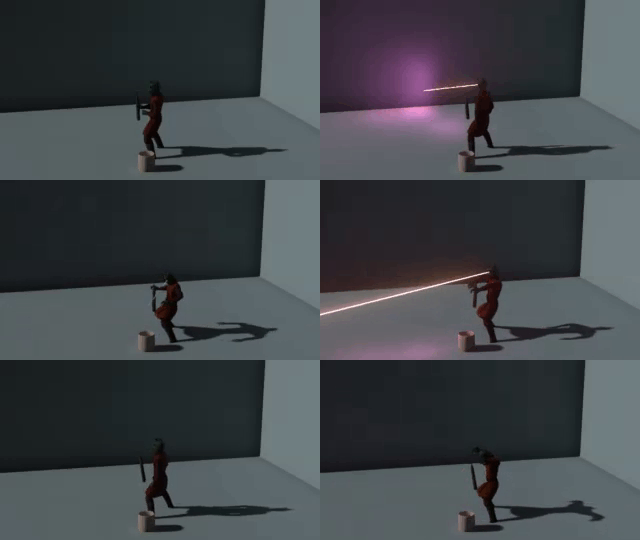
did you ever make a laser? if not i have one with 2 behaviors with customizable texture
aimed with the emitter dummy, example is linked/positioned to head
can be a beam or sampled mesh emission it can also be triggered by audio if needed.
|
|
By mtakerkart - 8 Years Ago
|
Very cool telecaster!!! I will buy it too for shure.
|
|
By Am7add9 - 8 Years Ago
|
|
mtakerkart (1/12/2018)
Very cool telecaster!!! I will buy it too for shure.
i am not a developer, when i work out a few minor issues i will send you a copy.
here is heatvision using CC eyes as emitters and head as aim (thats why it looks too thick)
|
|
By mtakerkart - 8 Years Ago
|
Haha! Very cool ! ok for your copy but may you could start a new buiseness with particles ;)
|
|
By Am7add9 - 8 Years Ago
|
i was thinking about sending the popcorn editor file
but, after a few tests it probably would have missing resources errors on your end
even though we both have all the files.
going make it have a few more options in iclone.
|
|
By Rogue Anime - 8 Years Ago
|
|
telecaster (1/12/2018)
going make it have a few more options in iclone.
Telecaster - Most excellent work! Please let us know where/when we can get this - I would very much like to have this little gem as well. Thanks in advance :) ~V~
|