|
By eclyptik - 9 Years Ago
|
Hi, i have many problem for export my character animation who interac with props. The props are not in the good place after export.
It is very difficult. i lost many time for find a solution. I try many way but no sucess.
Somte time i try to link a props to a dummy and reach the hand of he character to the dummy and move the dummy with key animation but the result is poor.
I used Export FBX from iclone 7 direclty.
See an example : this is just a rotation of the props for see the resul after export and the rotation in 3dsmax is not the same, I just do 90 degree in clone and in 3dsmax i do more 90 degree
the pivot is in center and the scale object is 100%. I have no idea. is it a bug of iclone with exporting FBX. same way with just a box !!!
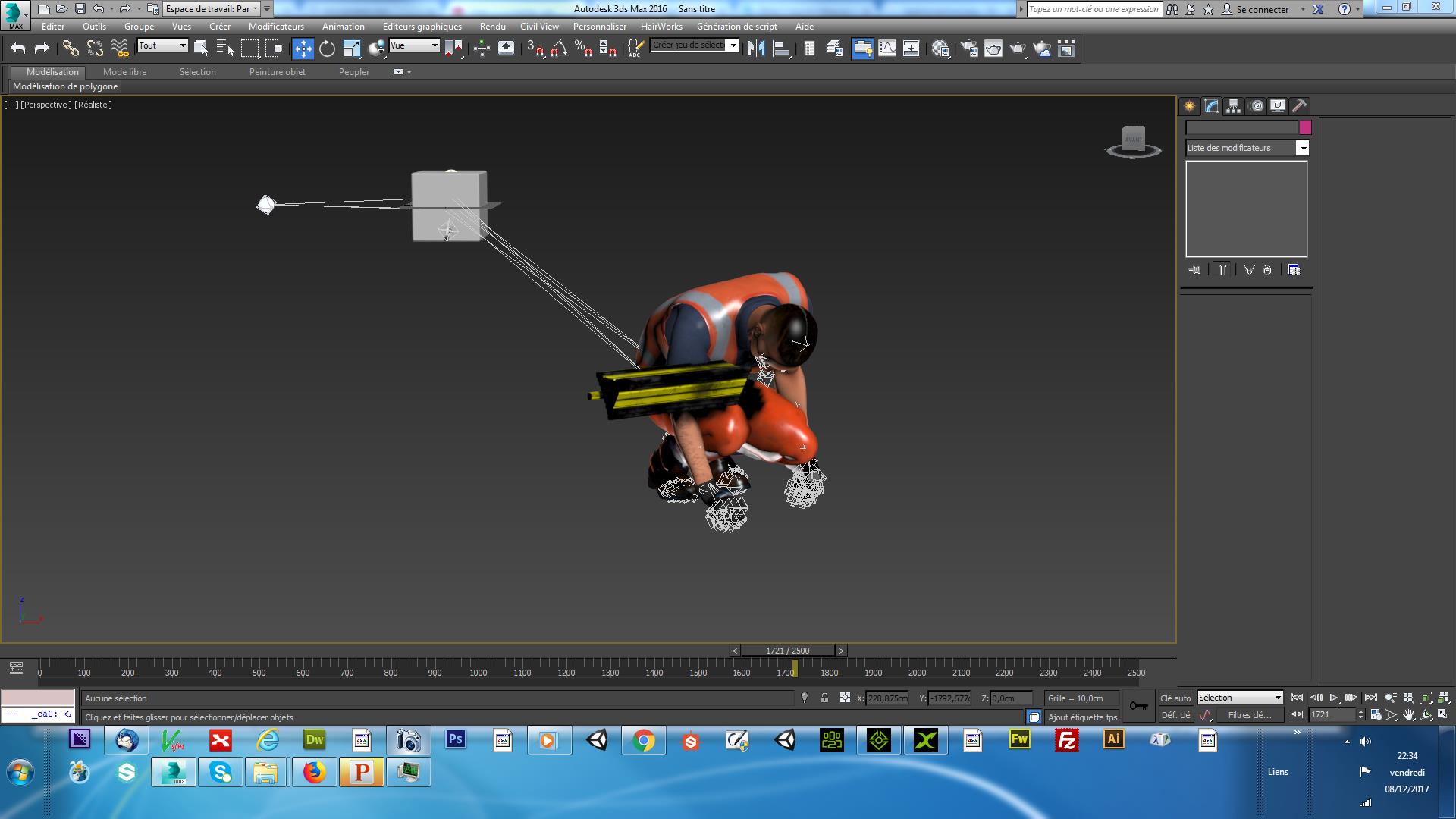
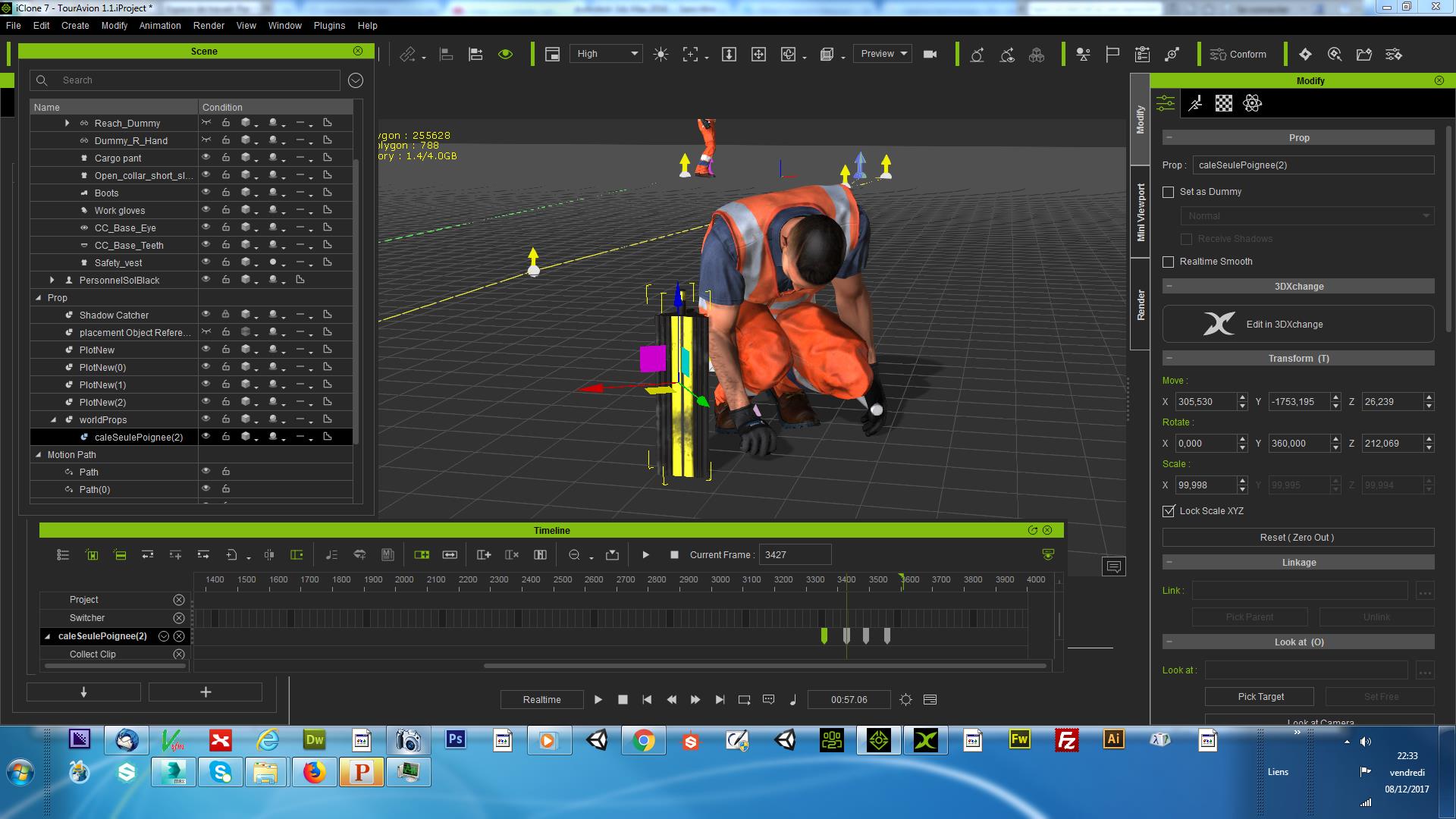
|
|
By eclyptik - 9 Years Ago
|
A make a video for show my problem fo exporting animation in 3dsmax. Interaction with props is difficult to export for me.
|
|
By eclyptik - 9 Years Ago
|
...
|
|
By eclyptik - 9 Years Ago
|
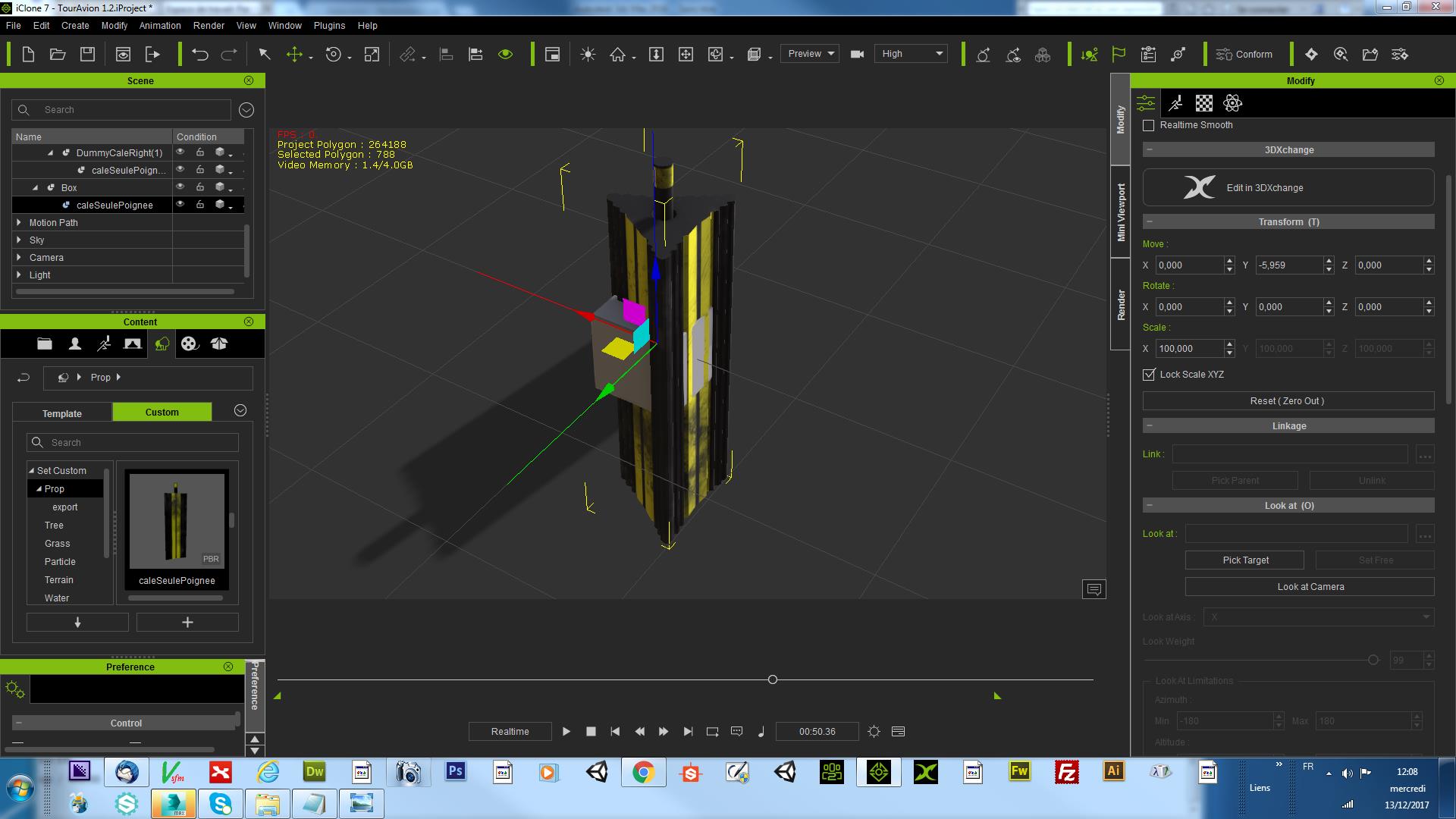
Look i put just a cube with pivot to center, i place the box to Zero everywhere. Ok
I do the same with my props, pivot center, i place to origin Zero every where. OK
So i attach my props to the cube and look its not to zero. i have another variable with -5,959 in Y ??????????????
i use iclone for create animation and use this animation in Unity3D you know. i need to export the work in iclone. Not friendly !
So maybe someone who know better way ?
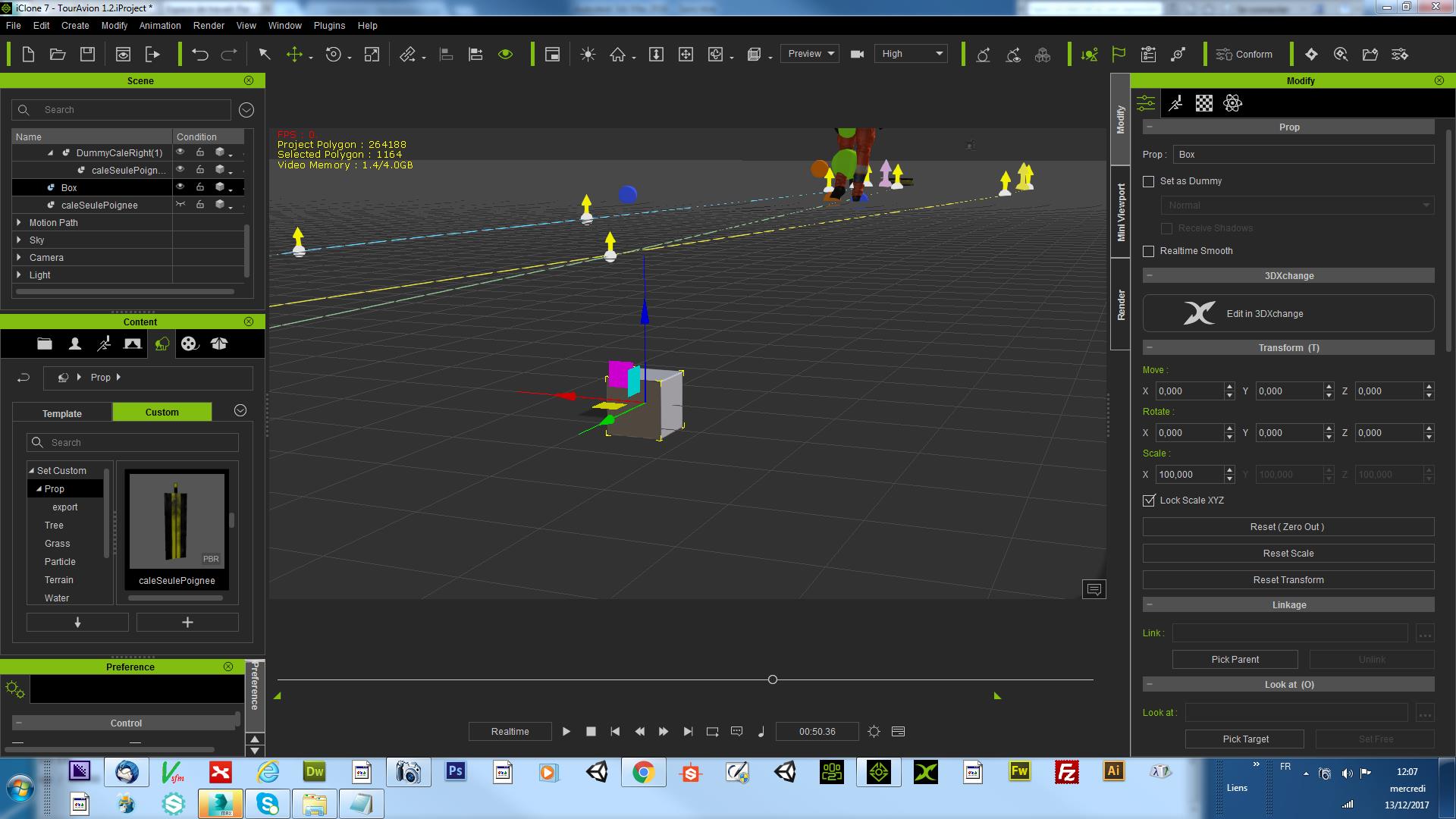 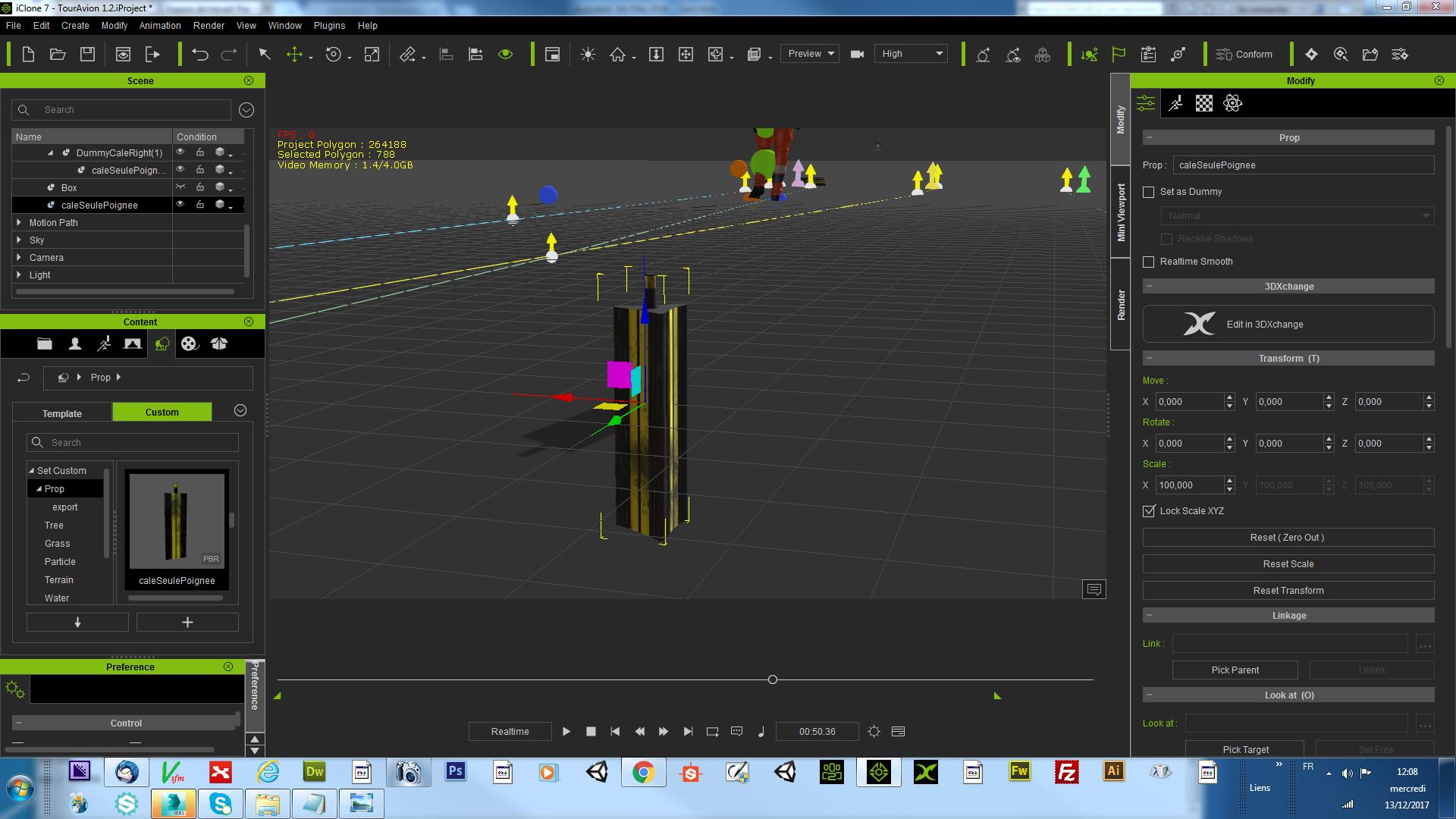 
|
|
By eclyptik - 9 Years Ago
|
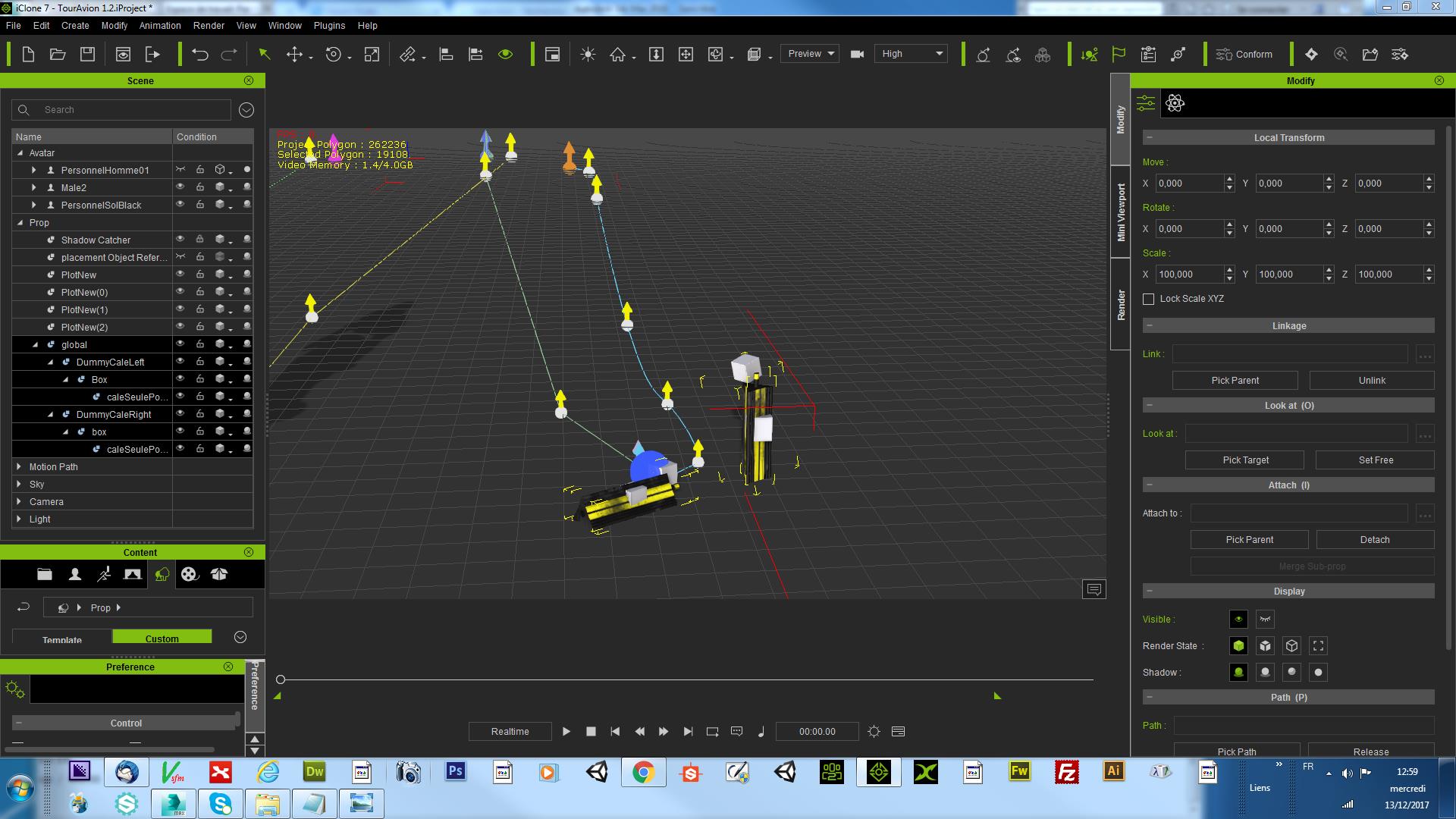
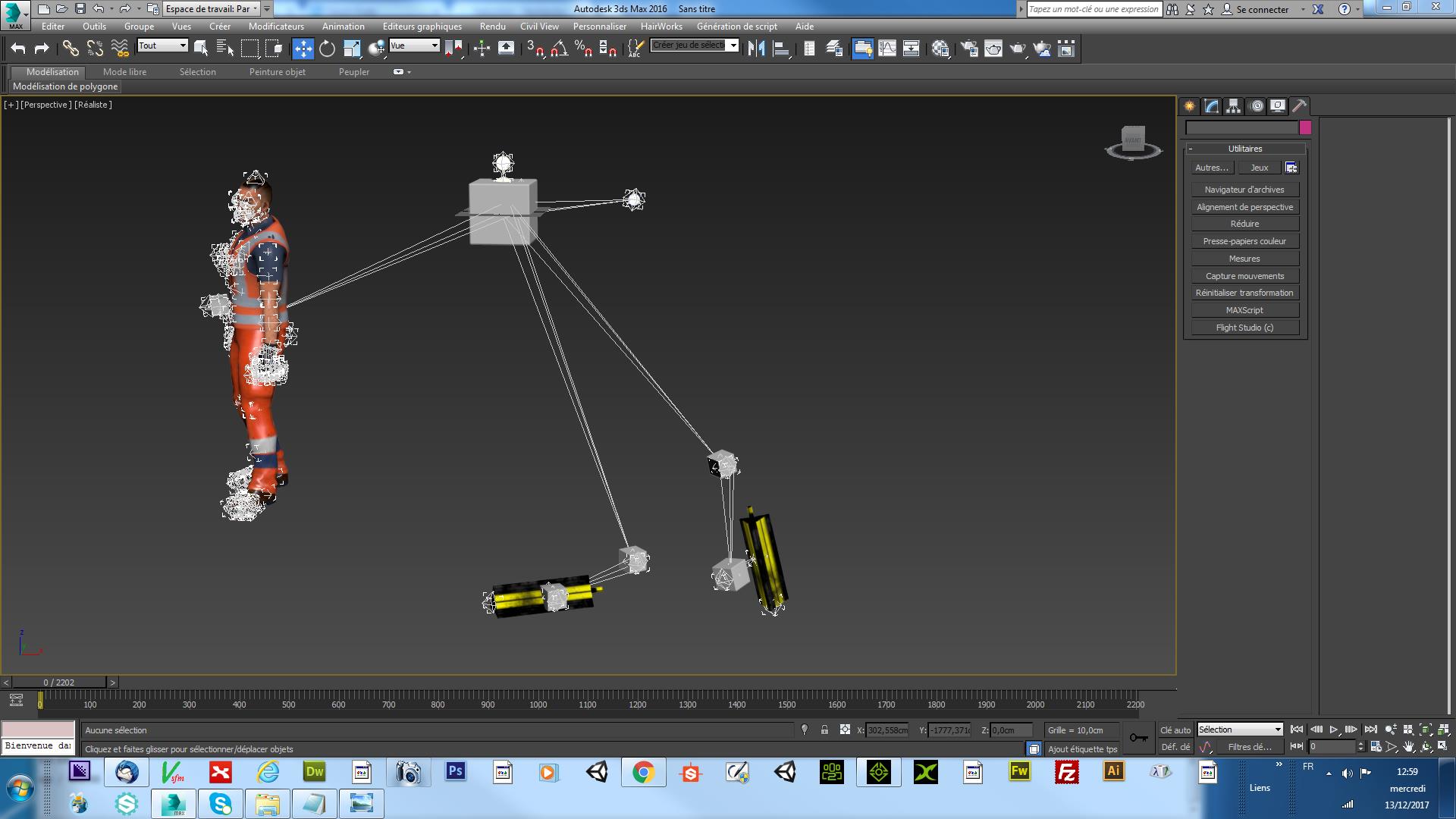
Another export with very bad results
Reallusion can Explain ???
|
|
By Kelleytoons - 9 Years Ago
|
Since you want to keep spamming this everywhere, I'll speak up and tell you what you won't like to hear: you aren't RL's target customer, and expecting them to fix the issues you're having is both unrealistic and impossible.
iClone is positioned first and foremost as the "one-stop solution" for creating animation -- it's why they now have focused their efforts on incorporating things like PopcornFX and fixing DOF. They aren't really trying to be a "create animation here and use it elsewhere" product, even if they hint (through 3DXChange) that it would be possible. Hell, they haven't even updated 3DXChange to a 64 bit program or changed its interface in years. That ought to tell you that your situation is EXTREMELY low on their priority. They may not EVER update 3DXChange, but if they do it may well take another few years, as will any help for your own situation.
If it's possible to do what you want with the present iClone I suspect you'd already have been helped, although that doesn't mean you can't continue to ask for RL's assistance through a trouble ticket. But the real bottom line is it just may not be possible, and for sure they won't be fixing it if that's the case, at least not in your project's lifetime (which apparently is this week, given you need it yesterday). If I were you I'd move on, find another way of doing your project, work with iClone's limitations, or do what you want in Unity with the iClone assets. That's probably as good as it's going to get.
And don't shoot the messenger -- sometimes someone has to give you a reality check, and I'm just trying to help, as harsh as it might seem.
|
|
By eclyptik - 9 Years Ago
|
oh yes i understand !
But the problem with the marketing of iclone, they says its very easy to create animamtion and export ton unity or other program. Many videos about that. And when you buy for more of 3000 dollars for an indie like me. you hope to export correclty the basics things like 2 dummy and 1 other link to pelvis. Is it really sifficult to have something who work ! When i have no response than i am in production. No ist not very cool you know.
So yes i publish everywhere for attrach the attention.
So sorry for my bad english but i make the effort for talk in english. Yes i am french!
Well you don't have any response in finally.
Great ! thanks you Mister .
|
|
By eclyptik - 9 Years Ago
|
another video show the problem. Maybe somebody who have the same problem have a solution please ?
|
|
By eclyptik - 9 Years Ago
|
if you want to banned me because you don't have solution. Ok Go forward !!! Stop to say i am a spammer because i need help !
|
|
By vidi - 9 Years Ago
|
|
create animamtion and export ton unity or other program
animated Character and animated prop can exported with fbx , but not whole animated scenes. To bring it together is the part of your target tool
|
|
By Rampa - 9 Years Ago
|
|
eclyptik (12/13/2017)
another video show the problem. Maybe somebody who have the same problem have a solution please ?
This looks like a genuine issue to me, and I will try and figure out what is going on. Thank you for pointing it out! :) This video clarifies what the issue is.
Everyone else: Lets not jump on someone because they are in a desperate situation. This could be someones livelihood!
|
|
By Rampa - 9 Years Ago
|
For an immediate fix, I would suggest exporting an Alembic file. This would capture the mesh exactly as it is in iClone. You will need to re-apply the textures in Unity, as Alembic only caries mesh data, not materials.
Have a look at this tutorial to understand how to use the Alembic. Just substitute Unity for Maya.
|
|
By Rampa - 9 Years Ago
|
|
Another possibility would be to attach the objects to the hands. This makes them sub-props (accessories). The toggle the visibility of them in Unity (can that be done?). You would also toggle the visibility of a prop-version on the ground. Have the ones in the hands appear at the same time to ones on the ground disappear.
|
|
By eclyptik - 9 Years Ago
|
thanks VIDI.
But if you tried to export two character in same time in FBX , it works great !
why not for props too...
they add export FBX in iclone 7.1. i think it for use it. i think we can export in first time a simple hierachy
with 2 or 3 dummy liked or attached with a dummy in zero world for have .
is it very difficult ? for me it's bug... nothing else. You don"t think.
than if its a bug.. ok i will patiented. but it not why it not works.
|
|
By eclyptik - 9 Years Ago
|
Sure Rampa. i do this method before. it works nice. i would to do other way for make better and elevate the level.
i would add ik animation for take object.
Cheers
|
|
By eclyptik - 9 Years Ago
|
This is entire animation rendering from iclone for show you.
Maybe some ideas for improve this animation. Don't hesitate to bring your point of view
I have many sliding feets by example...
|
|
By eclyptik - 9 Years Ago
|
|
TIPS : Uncheck Dummy parent for exporting props child is better than dummy checked. i saw it's instable at this moment.
|
|
By eclyptik - 9 Years Ago
|
|
Question : can we display the path of an animation object use key files ? like Trajectory display in 3dsmax ?
|
|
By jorgeferherrero - 9 Years Ago
|
|
fail
|