3DXchange export failed error (Export failed. Please check your access right to the folder and the disk space)


https://forum.reallusion.com/Topic348341.aspx
Print Topic | Close Window

By mark_27 - 8 Years Ago
Hello there,

On converting a character to Non-Standard form and exporting it to iClone an error is occurring-
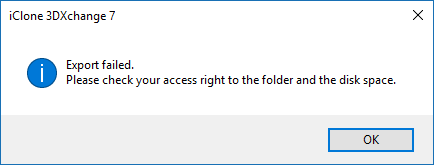
https://forum.reallusion.com/uploads/images/9cd05a50-93ac-4299-9ea2-0fbf.png
This is the format before the above error-
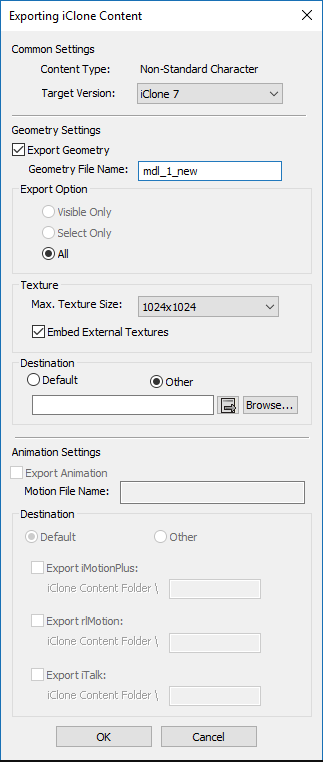
https://forum.reallusion.com/uploads/images/f95954a2-ca9f-4c76-bfff-21ab.png
Also, when I am trying to apply directly to iClone from 3DXchange nothing is happening.
What should I do? I need help urgently!

Thanks 
Akansha
By wires - 8 Years Ago
You have selected "Other" as a destination, but you haven't entered a folder for the file to be saved in.
By mark_27 - 8 Years Ago
Hi,
I had entered the folder path, it is not captured in the screenshot only.

Also, I tried both other and default options but the same error is occurring.

Thanks
By Kelleytoons - 8 Years Ago
I had this problem the other day as well, but for the life of me I can't remember how I solved it.  Did you try exporting direct to iClone?
By mark_27 - 8 Years Ago
Yes, @Kelleytoons I tried exporting directly to iClone but nothing is happening :(
By Kelleytoons - 8 Years Ago
Okay, try this (I'm still rather sick so my brain may not be working right) -- in XChange, during your mapping of the bones, save out the bone preset.  Then exit XChange and reload your model.  Choose the preset (load it in and it will map the bones automagically).  Now convert this and save it -- I do believe it will work (and if I'm not making sense I apologize -- too many drugs right now).
By rogyru - 8 Years Ago
mark_27 (11/22/2017)
Hello there,

On converting a character to Non-Standard form and exporting it to iClone an error is occurring-
https://forum.reallusion.com/uploads/images/9cd05a50-93ac-4299-9ea2-0fbf.png
This is the format before the above error-
https://forum.reallusion.com/uploads/images/f95954a2-ca9f-4c76-bfff-21ab.png
Also, when I am trying to apply directly to iClone from 3DXchange nothing is happening.
What should I do? I need help urgently!

Thanks 
Akansha

I have the same problem. As others have said save your bone map and Tpose and close 3DX down. Open it again and load your character and profiles and it will work.
I have put in a ticket still wiating to hear from  RL. The last update for some reason was digging around in some places it does not normally go lots of CAB files corrupted during update   , Hence your systems confusion and access rights. They managed to delete files from my hard drive so god knows what else its done :unsure: