|
By Peter (RL) - 9 Years Ago
|
Dear iClone Users,
We have another new iClone 7 update and need your continued assistance to help us track down any remaining bugs, glitches or other annoying issues.
iClone 7.1 adds several exciting new features and also comes a number of important fixes and enhancements. It also introduces the arrival of the Curve Editor Plugin
Important: If you do find any bugs, issues or glitches in the 7.1 update, please can you report them first in the Feedback Tracker. Then feel free to discuss the issues in this thread. However do make use of the Feedback Tracker first to log the issue.
As always it will help us greatly if we can keep all outstanding issue discussion in the one place (this thread). This will help the development team keep track of any problems.
Please do try to provide your full system specifications and a detailed description of the problem when reporting issues. If you can provide steps so we can try and reproduce the problem this will be even better.
Many Thanks. 
|
|
By TonyDPrime - 9 Years Ago
|
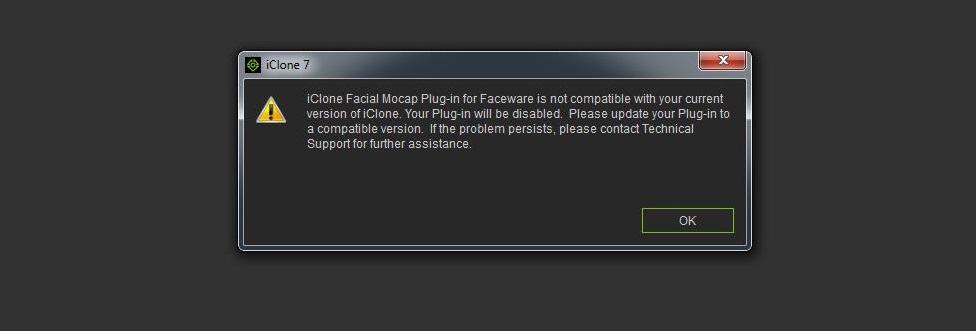
Is this fixable somehow?
Faceware no longer listed as a plugin!!!
|
|
By TonyDPrime - 9 Years Ago
|
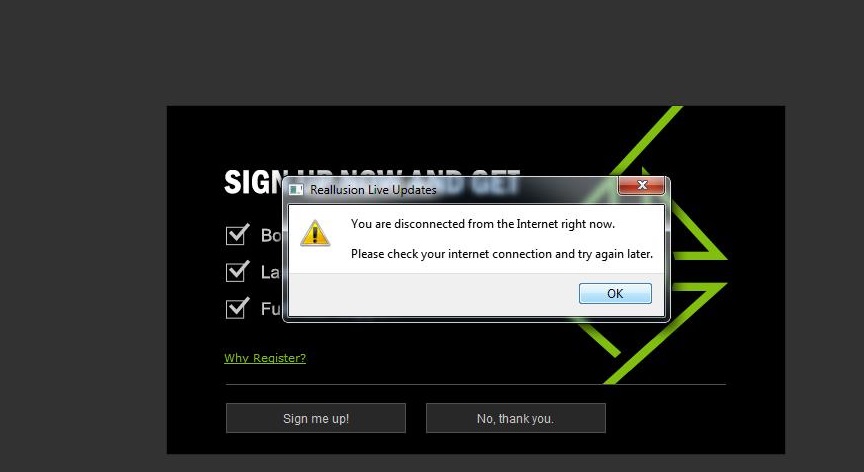
Yeah, Riddle Me This iClone....
How am I disconnected if I am writing into the forum?....
|
|
By vidi - 9 Years Ago
|
3d xchange have a Bug
https://forum.reallusion.com/FindPost347812.aspx
|
|
By TonyDPrime - 9 Years Ago
|
TonyDPrime (11/16/2017)
Yeah, Riddle Me This iClone.... How am I disconnected if I am writing into the forum?....
I got this working!
I had (I think) to not have iClone running while attempting to run the Live Update application in the Windows Start Menu > Reallusion folder...
It did work while iClone was not running, so anyone else, you might want to ensure no other applications are running while attempting.
PHEW!....:pinch:
|
|
By 4u2ges - 9 Years Ago
|
Just loaded a project I was working on yesterday and tried a new Transition Curve Presets. First of all, kudos for a bunch of new presets!
But please explain, why did you take out the ability to assign presets to the root of the key?
Why would anyone want to use Ctrl to select all individual bone keys (loosing the timeline focus on a key) if it can be done by selecting a key root?
This is big time drawback. A lot of time would be wasted, specially if the timeline is not expanded all the way vertically. Plus, accidental key replication would occur all the time using Ctrl (It has just happened and then project crashed after I deleted a replicated key)
Furthermore, to get to the preset menu, you need to click on one of the selected tiny bone key, but it does not always work!
A lot of times the I get a grayed out menu with the right click, in which case all keys need to be selected again with Ctrl.
Please restore the ability to set a Curve Presets from key root!
|
|
By jorgeferherrero - 9 Years Ago
|
|
For me What I've experienced so far is that it takes ages to break a 12000 frames clip of the Project that I was working with. When I open it all the pieces of mocap animations that I had used to create that clip and in the original file are shown as a unified clip although they weren't still baked. Sometimes after half an hour the break is done and others the programm just crashes. I'm not an expert in iClone but breaking clips is the best way I've found to make decent transitions when you put diferent pieces of mocap animations together and you need to rotate the character in orther to have the orientation desired and so. Even using props links to do that rotations the blending between animations gives me many weird results very often so saving animations to my library and breaking them after used to solve quite decently the issue. Anyhow as I reported in other thread, the animation I get once It's been saved to my library isn't exactly the same as the original, so it's not a perfect workflow. IClone seemed very powerful and easy to use and that's why I bought it but it's giving me lots of headaches because I need to export those animations to Unity and every time I do it what I get is slightly different to what I had originally, like when I save the animation to my library. Many subtle layer motion adjustments no longer make sense. This is really compromising my deadline and I'm starting to get really mad.
|
|
By TonyDPrime - 9 Years Ago
|
|
4u2ges (11/17/2017)
Just loaded a project I was working on yesterday and tried a new Transition Curve Presets. First of all, kudos for a bunch of new presets!
But please explain, why did you take out the ability to assign presets to the root of the key?
Why would anyone want to use Ctrl to select all individual bone keys (loosing the timeline focus on a key) if it can be done by selecting a key root?
This is big time drawback. A lot of time would be wasted, specially if the timeline is not expanded all the way vertically. Plus, accidental key replication would occur all the time using Ctrl (It has just happened and then project crashed after I deleted a replicated key)
Furthermore, to get to the preset menu, you need to click on one of the selected tiny bone key, but it does not always work!
A lot of times the I get a grayed out menu with the right click, in which case all keys need to be selected again with Ctrl.
Please restore the ability to set a Curve Presets from key root!
Great observation and recommendation.
This new video by RL displays your point, in use, @7:23:
|
|
By toystorylab - 9 Years Ago
|
When i add a plane, it does not appear in the "Prop" section in Scene-Manager,
neither on the timeline...
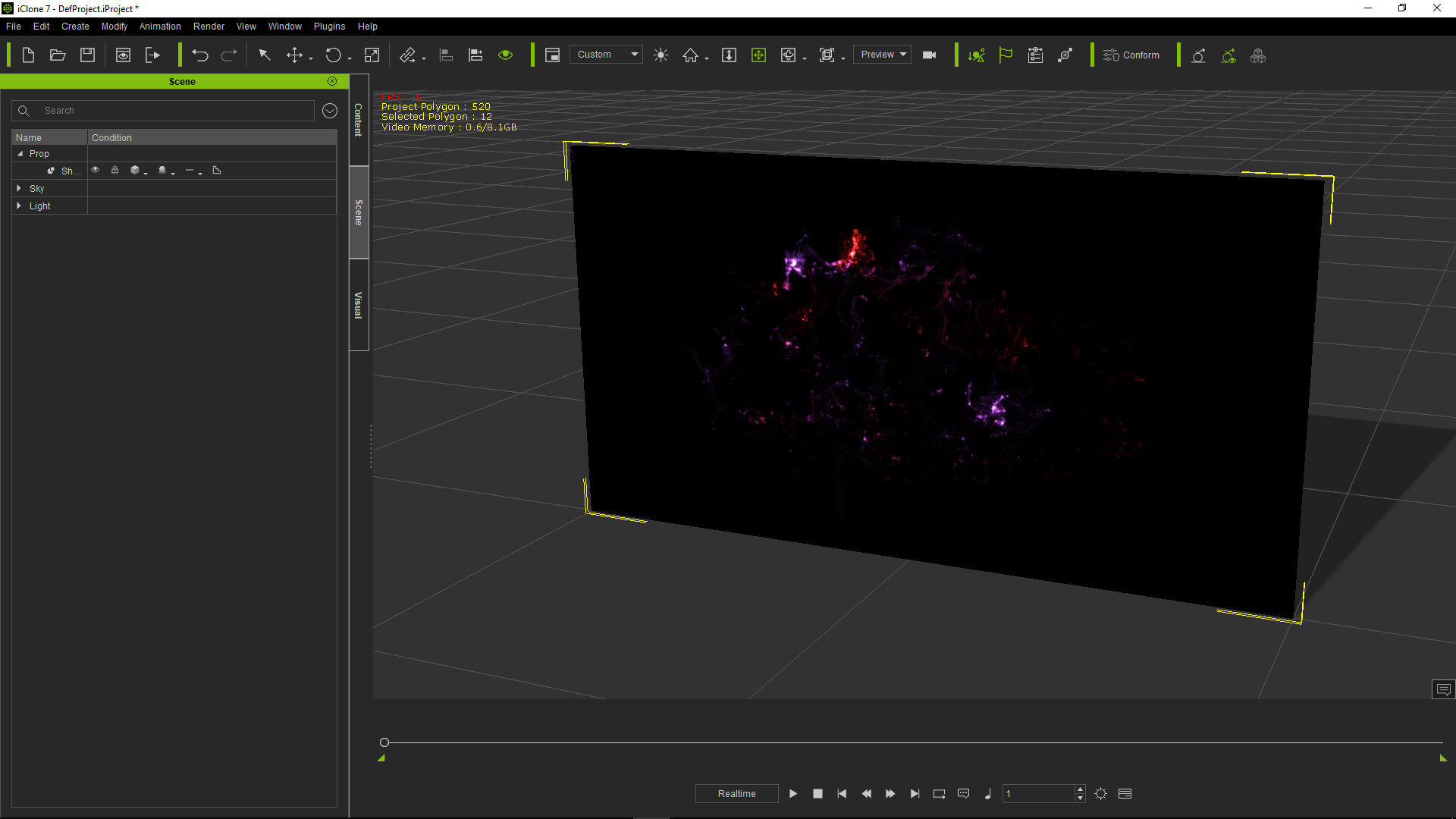
Can someone check this out and confirm before i add it to Feedback Tracker?
EDIT
After "Pinguintje" confirmed, i added bug to FT:
https://www.reallusion.com/FeedBackTracker/Issue/Plane-does-not-appear-in-Scene-Manager-Timeline
|
|
By pinguintje - 9 Years Ago
|
Hi, toystorylab,
I can confirm this. When I drag and drop a picture in the scene:
- Not in the prop section
- Not on the timeline
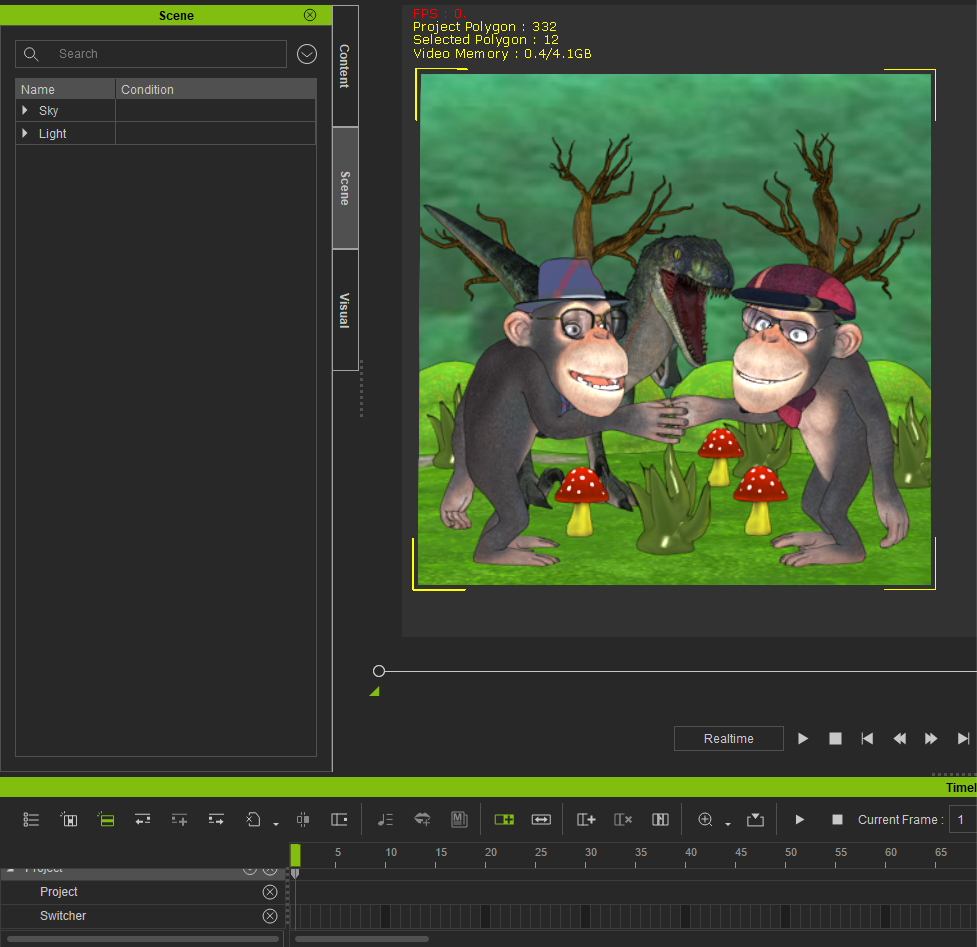
Best Regards,(hartelijke groeten)
Arie
|
|
By toystorylab - 9 Years Ago
|
|
pinguintje (11/17/2017)
I can confirm this. When I drag and drop a picture in the scene:
- Not in the prop section
- Not on the timeline
Bedankt Arie!
Will put it in FT...
|
|
By pinguintje - 9 Years Ago
|
I add this post, because I wrote it before the iClone 7.1 Issues Thread was opened.
Sampled motions
I hope there is a solution for it.
Best Regards,
Arie
|
|
By 4u2ges - 9 Years Ago
|
This new video by RL displays your point, in use, @7:23:
@Tony lol, looks like tutor is struggling himself all the way through the video (probably cursing developers :))
Guys, I cannot replicate trick with a plain! It does go to the timeline and a scene (drag-n-drop, or double-click)
|
|
By toystorylab - 9 Years Ago
|
|
4u2ges (11/17/2017)
Guys, I cannot replicate trick with a plain! It does go to the timeline and a scene (drag-n-drop, or double-click)
Strange... Someone else??
|
|
By TonyDPrime - 9 Years Ago
|
toystorylab (11/17/2017)
4u2ges (11/17/2017)
Guys, I cannot replicate trick with a plain! It does go to the timeline and a scene (drag-n-drop, or double-click)
Strange... Someone else??
I also confirm this issue that was not in 7.02. An image, say added as plane, is not listed into the props section.
But, there is a workaround - immediately add a primitive, the the image plane now is listed in the props, and you can delete the primitive and have the plane listed in the props.
If I add an image straight in as a Background Diffuse map, it's not listed anywhere, but that is how it's always been, right?
|
|
By Galfridus - 9 Years Ago
|
I find.....Drag and drop plane, billboard etc from Prop content manager does appear on time line and scene menu.
Right click drag and drop image file from external folder select plane, billboard etc from pop out menu then result does not appears on time line or in scene menu.This seems to be a bug or change from past behaviour.
Work around... after right click drag/drop image from external folder save item in custom content folder...delete from scene then drag/drop again from custom folder. Now it`s in the scene tree.
Geoff.
|
|
By Rockoloco666 - 9 Years Ago
|
|
Pick target for DOF isn't working, it assumes objects are way closer than what they actually are, other than that the new DOF looks quite good
|
|
By Rockoloco666 - 9 Years Ago
|
--deleted post---i screwed up----nevermind.
|
|
By Jfrog - 9 Years Ago
|
For me What I've experienced so far is that it takes ages to break a 12000 frames clip of the Project that I was working with.
The same is happening to me. It look like I am running a 15 year old computer.
|
|
By toystorylab - 9 Years Ago
|
|
jorgeferherrero (11/17/2017)
For me What I've experienced so far is that it takes ages to break a 12000 frames clip of the Project that I was working with.
I can confirm it takes very long to break a longer clip, it made IC "freeze" as soon i was impatient and clicked on the timeline...
That sounds bad :pinch:
|
|
By animagic - 9 Years Ago
|
I have a project with a plane with a displacement map simulating a snowy surface. When moving the camera in Preview the surface wobbles as shown in the clip. It's OK in Final render (not in Preview render). This did not occur in 7.02.
It seems something specific to this project; I can't reproduce it with just a plane in a new project. This is an older iClone 6 project that I'm revamping. On several occasions I have had problems with projects from previous versions of iClone.
BTW, as you can imagine, this makes it hard to adjust the plane's vertical position.
|
|
By animagic - 9 Years Ago
|
|
Although restore was fixed in 7.02, I got a Restore failed message in iClone 7.1. This was after a power problem, but still. Anyone else having problems with restore?
|
|
By Jfrog - 9 Years Ago
|
I have a project with a plane with a displacement map simulating a snowy surface. When moving the camera in Preview the surface wobbles as shown in the clip
I had the same problem with a displacement map floor (egypte temple). This happened only when trying to duplicate the floor to make it longer. I wasn't able to solve the problem so I had to erase the duplicated floor and forget about making it bigger.
Another problem is the "look at" feature is even buggier than before even with correct key framing. Today I lost several hours trying to work around with the bugs. This is not encouraging at all. I think I will go back to 7.02.
|
|
By 4u2ges - 9 Years Ago
|
It crashed on me couple of times already while I was working with timeline keys. But both times automated restore worked fine.
|
|
By animagic - 9 Years Ago
|
|
4u2ges (11/18/2017)
It crashed on me couple of times already while I was working with timeline keys. But both times automated restore worked fine.
Thanks for the conformation. I had a power failure, so that is not a typical scenario.
|
|
By animagic - 9 Years Ago
|
As a follow up to my displacement issue, I have now entered it in FT (issue #3648).
I was able to reproduce the problem using a simple scene, consisting of a plane sized to 900% with a displacement map. The displacement map is a noise image, tiled 10 times. Other settings: Tessellation Level and Multiplier 10.
In the scene, the plane is rotated, which then results in "wobbling" in Preview. This is also present when rendering in Preview, but not in Final render.
Here is the Preview render:
My GPU is a GTX 1080 with driver 385.41. (Newer drivers gave problems in 7.02.)
|
|
By justaviking - 9 Years Ago
|
animagic (11/18/2017)
As a follow up to my displacement issue, I have now entered it in FT (issue 3648).
I was able to reproduce the problem using a simple scene, consisting of a plane sized to 900% with a displacement map. The displacement map is a noise image, tiled 10 times. Other settings: Tessellation Level and Multiplier 10.
In the scene, the plane is rotated, which then results in "wobbling" in Preview. This is also present when rendering in Preview, but not in Final render.
How many times have people asked about animating ocean waves? Eureka! LOL
|
|
By 4u2ges - 9 Years Ago
|
I just noticed a "World Rotate" was added to bones. You guys were what much close to adding "Local Move"... but you have not. What a pity! :Whistling:
|
|
By Colonel_Klink - 9 Years Ago
|
Trying unsuccessfully to edit characters in CC2 using "Edit in Character Creator" from within iClone.
It appears that CC is not getting the complete message as the icon on the task bar flashes but CC doesn't load the model.
It worked fine through iClone 7.02.
|
|
By Postfrosch - 9 Years Ago
|
|
Trying unsuccessfully to edit characters in CC2 using "Edit in Character Creator" from within iClone.
So it works for me. I tried different CC avatars
Greets from Germany
Postfrosch
|
|
By hirospot - 9 Years Ago
|
|
[Edit in Character Creator] fails with ACBasics. Plugin initialize Failure. iClone7.1 and CC2.2 are installed safely, however, the above issue happens in my case.
Process:
1) Apply a CC character or other character and select the character on the iC7.1 screen.
2) In the Modify panel, go to Edit tab >> Character Creator section and
click the [Edit in Character Creator] button.
3) CC2 splash screen pops up and start loading plugin.ACBasics.
4) ACBasics. Plugin Initialize Faild with the useful files information.
5) These files are not visible at the indicated location.
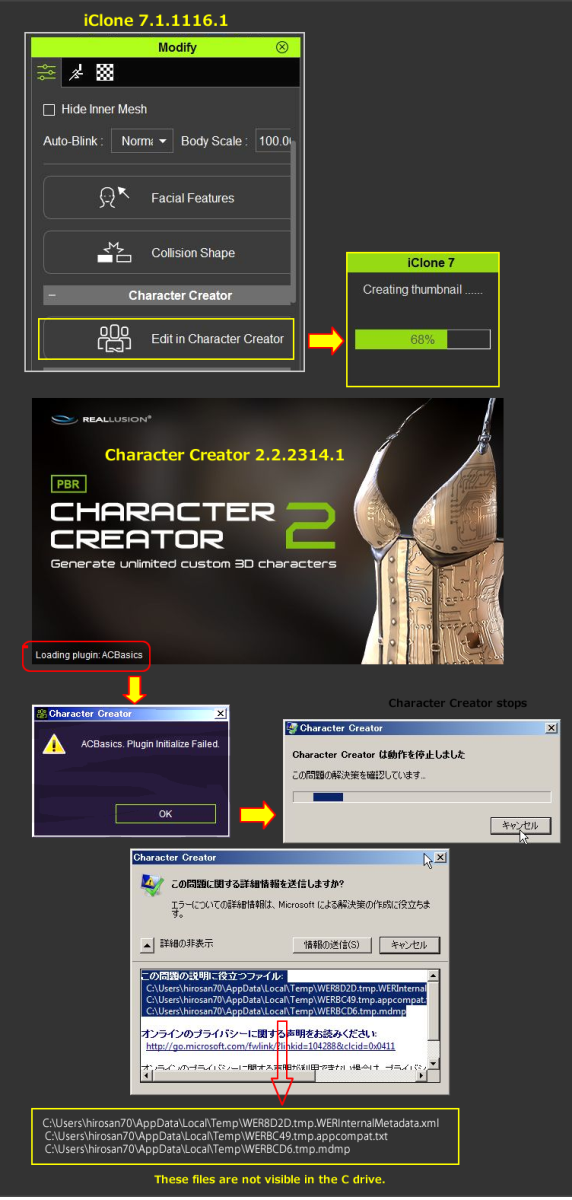
System: Win7 Pro SP1 64 Bit (Jp)
Thank you for your attention,
Hiro
|
|
By wires - 9 Years Ago
|
|
Colonel_Klink (11/18/2017)
Trying unsuccessfully to edit characters in CC2 using "Edit in Character Creator" from within iClone.
It appears that CC is not getting the complete message as the icon on the task bar flashes but CC doesn't load the model.
It worked fine through iClone 7.02.
Bob,
Have you updated CC, and 3DXchange, after updating iClone? Everything is working as expected on my system.
|
|
By wires - 9 Years Ago
|
@toystorylab,
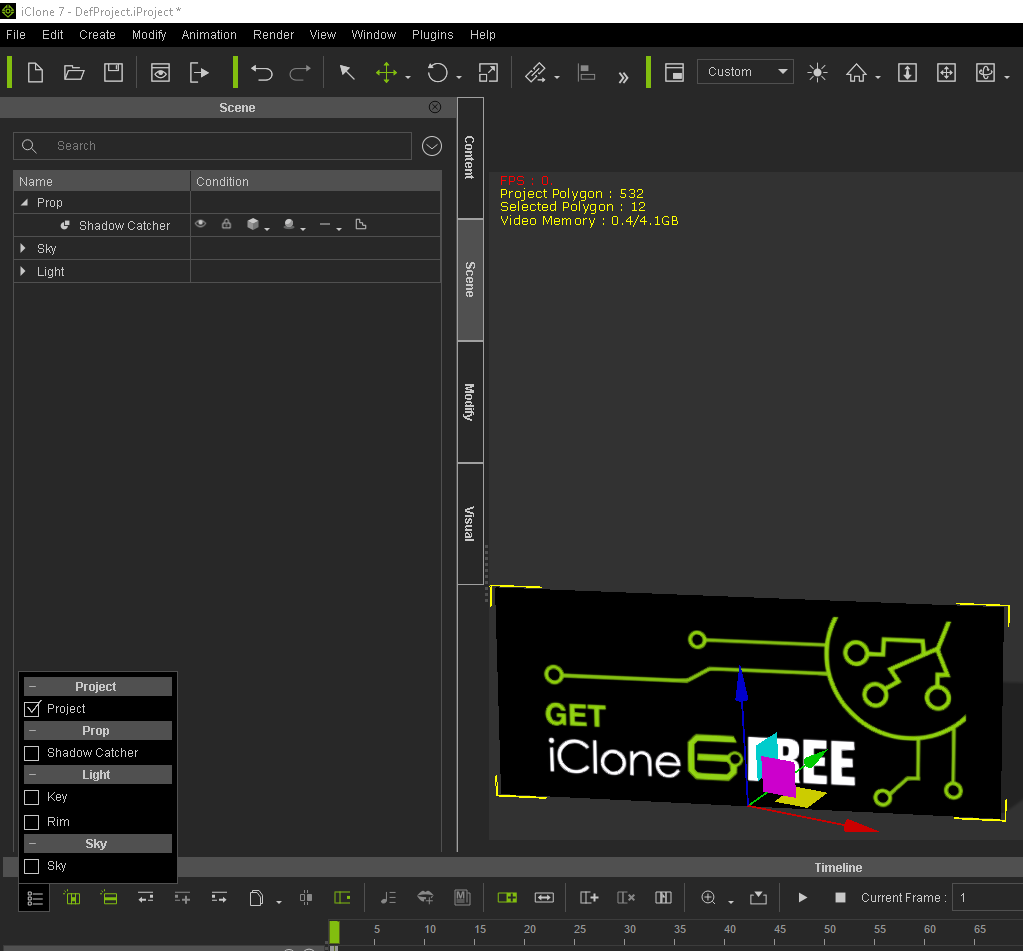
I can confirm the issue with an image plane not showing on the Timeline, or Scene Manager, when added with right mouse click drag & drop.
I've added a comment to the FB issue.
|
|
By Rockoloco666 - 9 Years Ago
|
|
could someone confirm if pick target DOF works? on my system it assumes everything is super close to the camera, it doesn't matter where you click.
|
|
By Rampa - 9 Years Ago
|
Cannot drag-n-drop iMaterial onto heightmap terrain regions anymore.
Not really sure if this is different in this update, or was an issue earlier as well. Before, we could easily add materials to the regions defined in the mask by drag-n-dropping them onto the terrain in the preview window.

On a related note. Can we have the UVW shader available for any object, not just the HM terrain?
|
|
By Kelleytoons - 9 Years Ago
|
|
raxel_67 (11/18/2017)
could someone confirm if pick target DOF works? on my system it assumes everything is super close to the camera, it doesn't matter where you click.
Works fine for me (even with transparent materials).
|
|
By Colonel_Klink - 9 Years Ago
|
wires (11/18/2017)
Colonel_Klink (11/18/2017)
Trying unsuccessfully to edit characters in CC2 using "Edit in Character Creator" from within iClone.
It appears that CC is not getting the complete message as the icon on the task bar flashes but CC doesn't load the model.
It worked fine through iClone 7.02.
Bob, Have you updated CC, and 3DXchange, after updating iClone? Everything is working as expected on my system.
Hi Gerry
Apparently the radiation I had earlier in the year not only destroyed my throat cancer, but must of zapped part of my brain as well :) I forgot the rule 'Update iClone, then update CC as well' :D
Cheers
Bob
|
|
By animagic - 9 Years Ago
|
The problem with hair becoming transparent in front of particles is still there, unfortunately:

I reported this in FT 3373, but since this is really a big visual issue without workarounds, I'm re-reporting it. Unless it's just me...:unsure:
|
|
By danlcort7 - 9 Years Ago
|
teacher thanks for answer
me but the issue is about the
prop
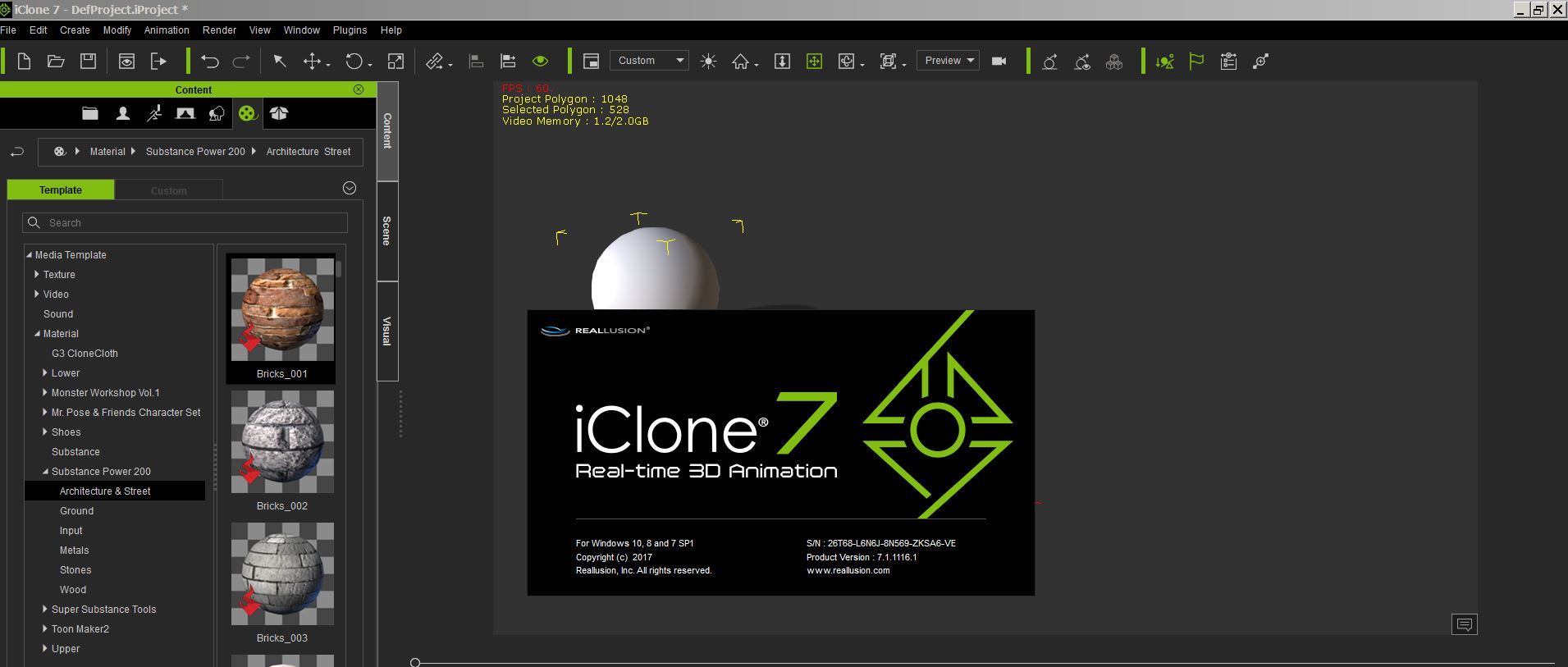
3D BLOCKS SUBSTANCE
MEDIA
MATERIAL
SUBSTANCE POWER 200
ARCHITECTURE & STREET
BRICKS_001
When I drag to prop to change the material , it doesnt work .
in version IClone 6.54 pro and IClone 7.01 works al right but in this version update
7.1 it doest work right in my system.
why ? I dont know
Can you help me ?
best regard
  Daniel Daniel
|
|
By rogyru - 9 Years Ago
|
Try to Click on the material for mohawk hair and click the alpha threshold box and the hair will show just alter the slider for the alpha setting
animagic (11/18/2017)
The problem with hair becoming transparent in front of particles is still there, unfortunately: I reported this in FT 3373, but since this is really a big visual issue without workarounds, I'm re-reporting it. Unless it's just me...:unsure:
|
|
By animagic - 9 Years Ago
|
|
Thanks. I tried adjusting the Alpha threshold initially, but it is not effective in this case, unfortunately.
|
|
By wires - 9 Years Ago
|
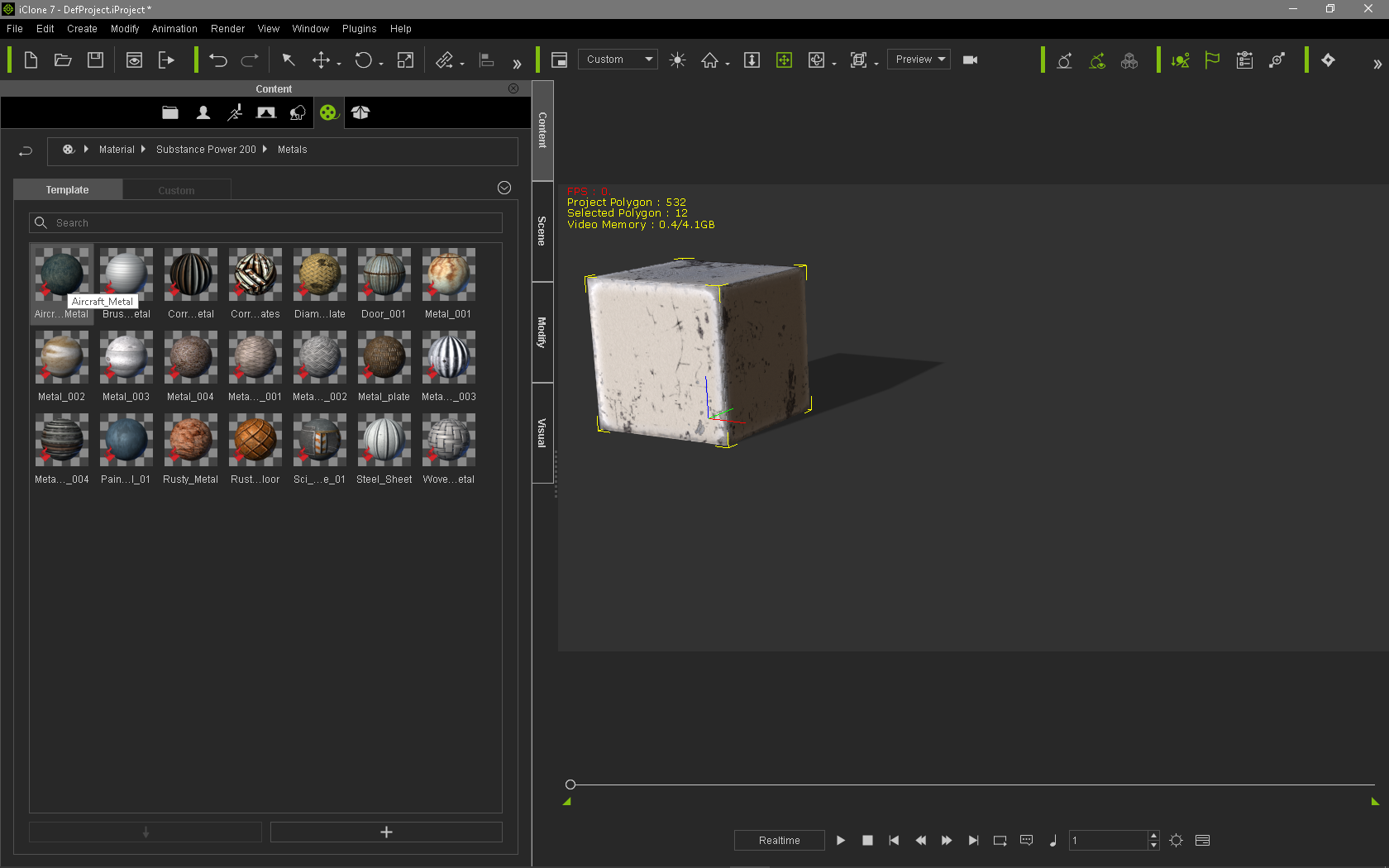
This is going to be a long post with lots of screen grabs and has to do with adding Substance Materials to Props in iClone 7.1.
I added a Substance Prop to an empty scene:
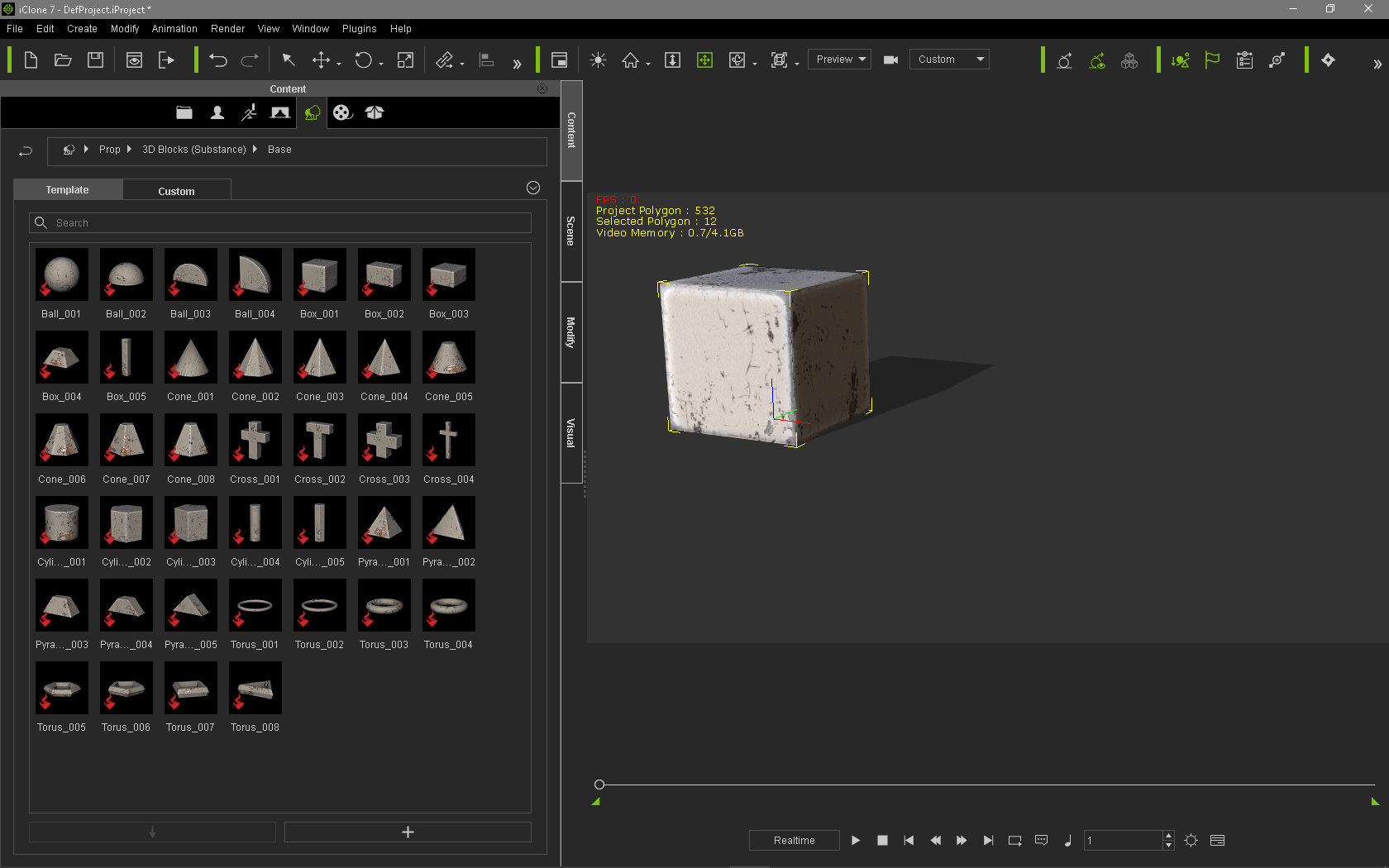
Next I navigated to my old Substance Power 200 collection in my iClone 6 Template folder using the "Package" tab in the Content Manager, and selected a material to add to the Prop - nothing happened when I dragged the Material on to the Prop,
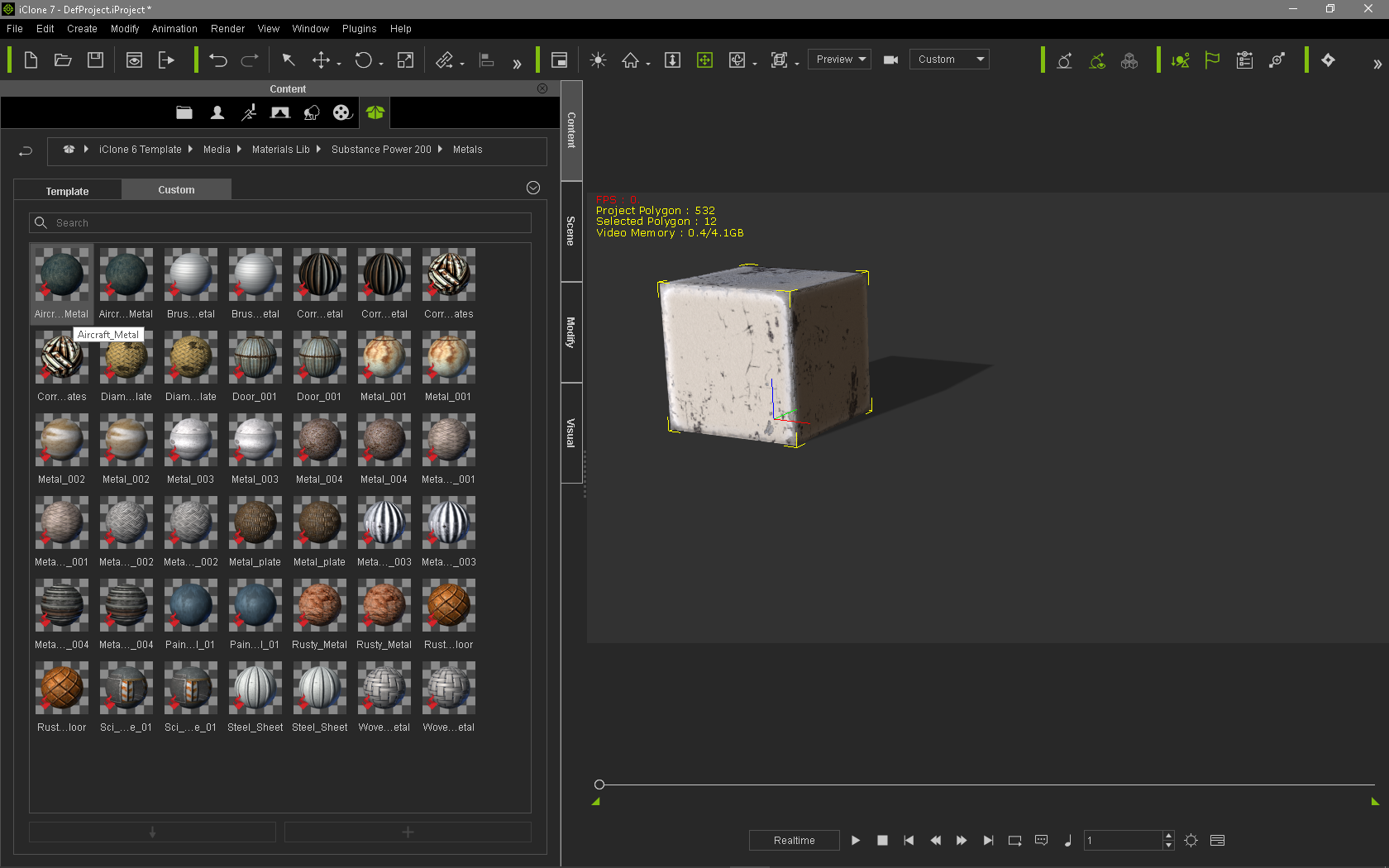
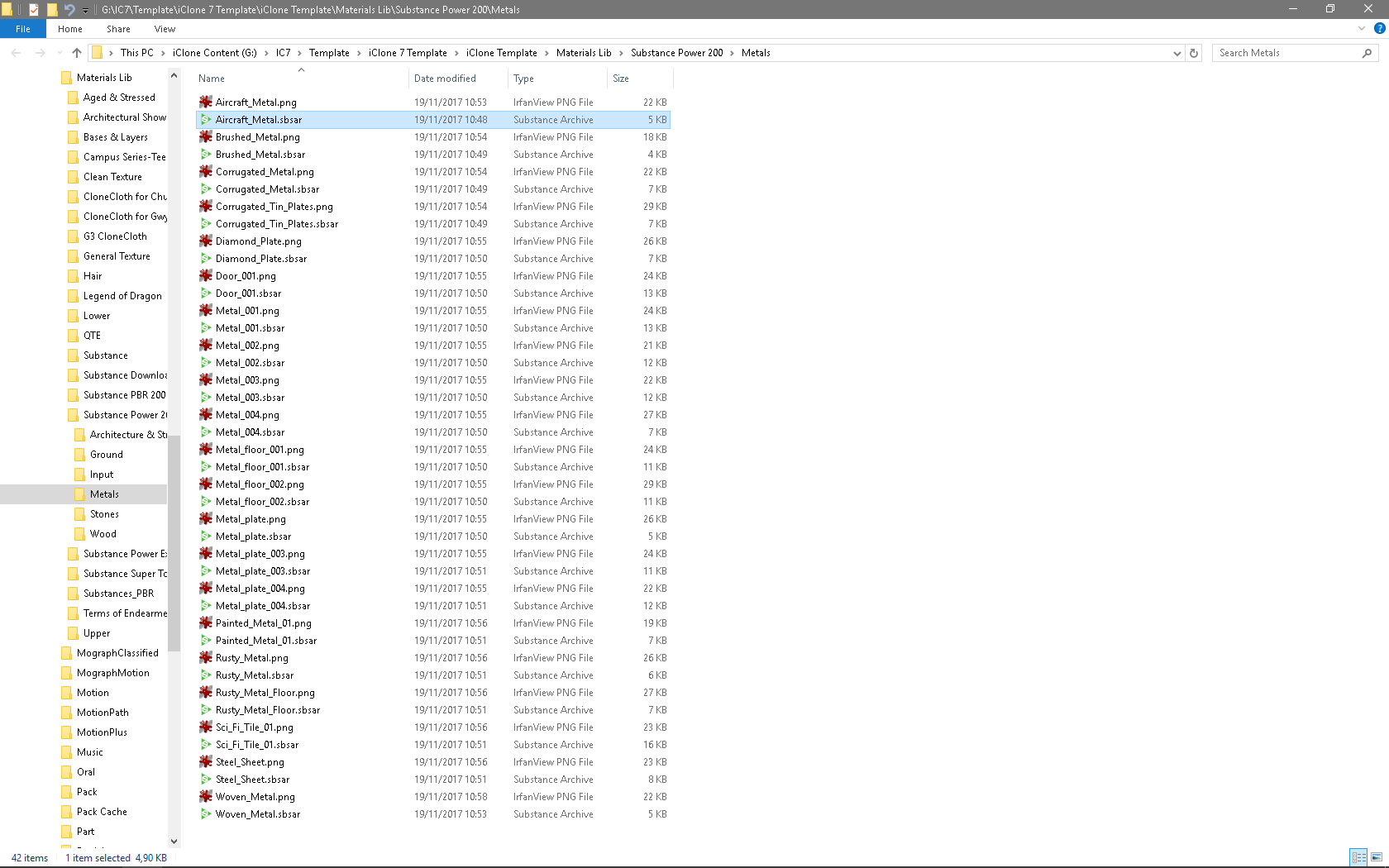
As all the materials were listed twice, I right clicked and selected "Find File", what I found wasn't what I was looking for:
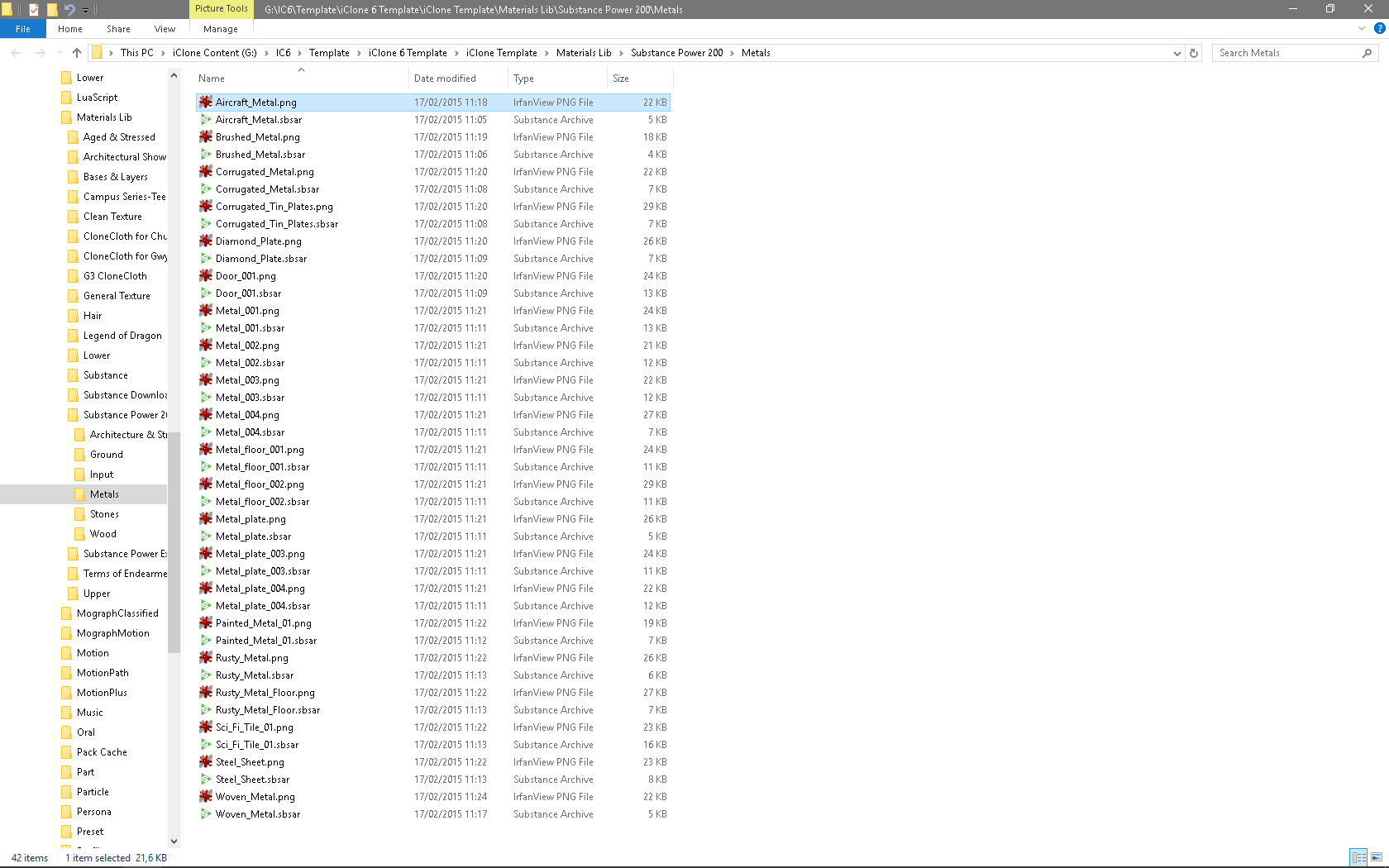
The file being referenced was only the icon image, so I then selected the next file with the same name to the right of the first one:
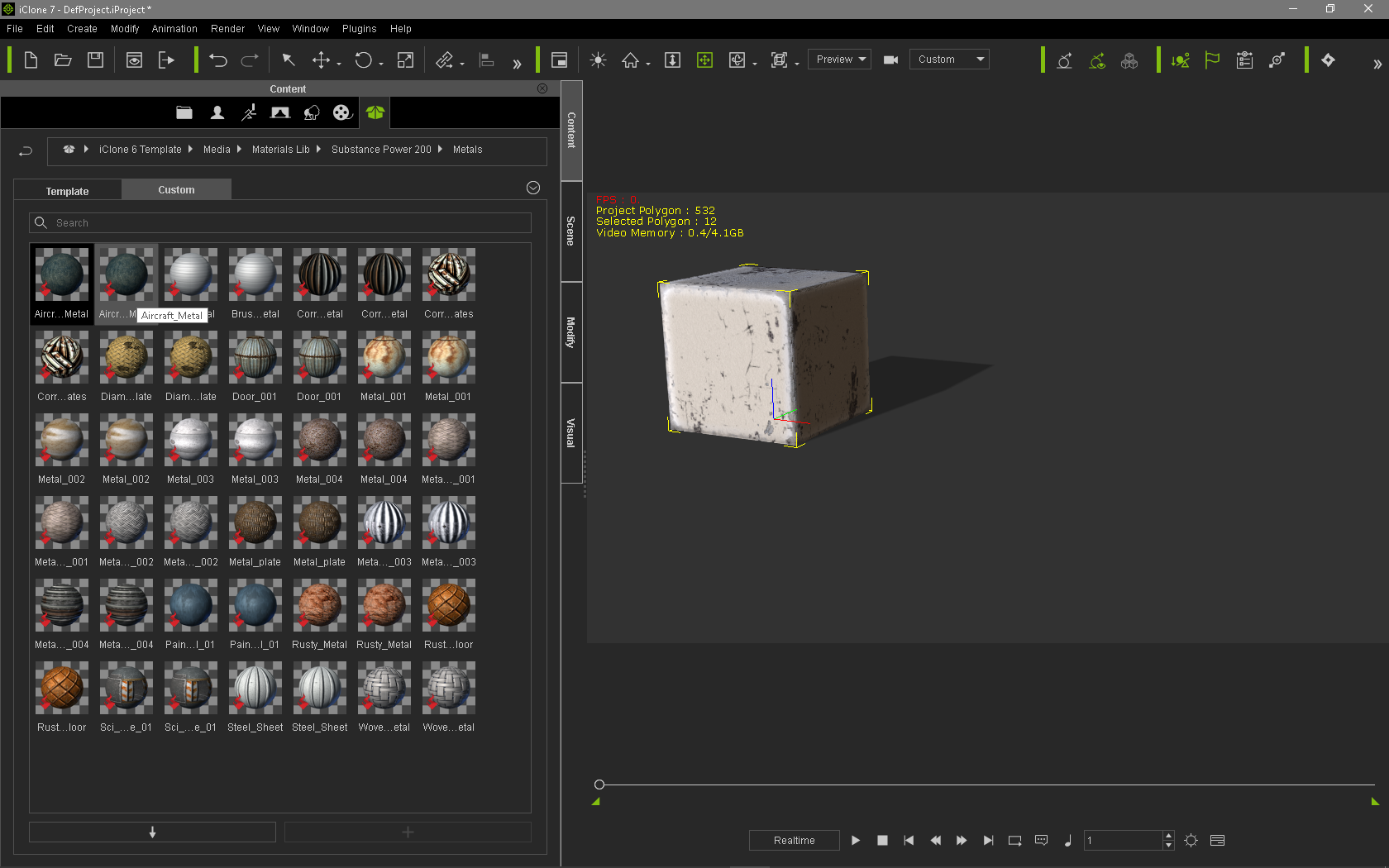
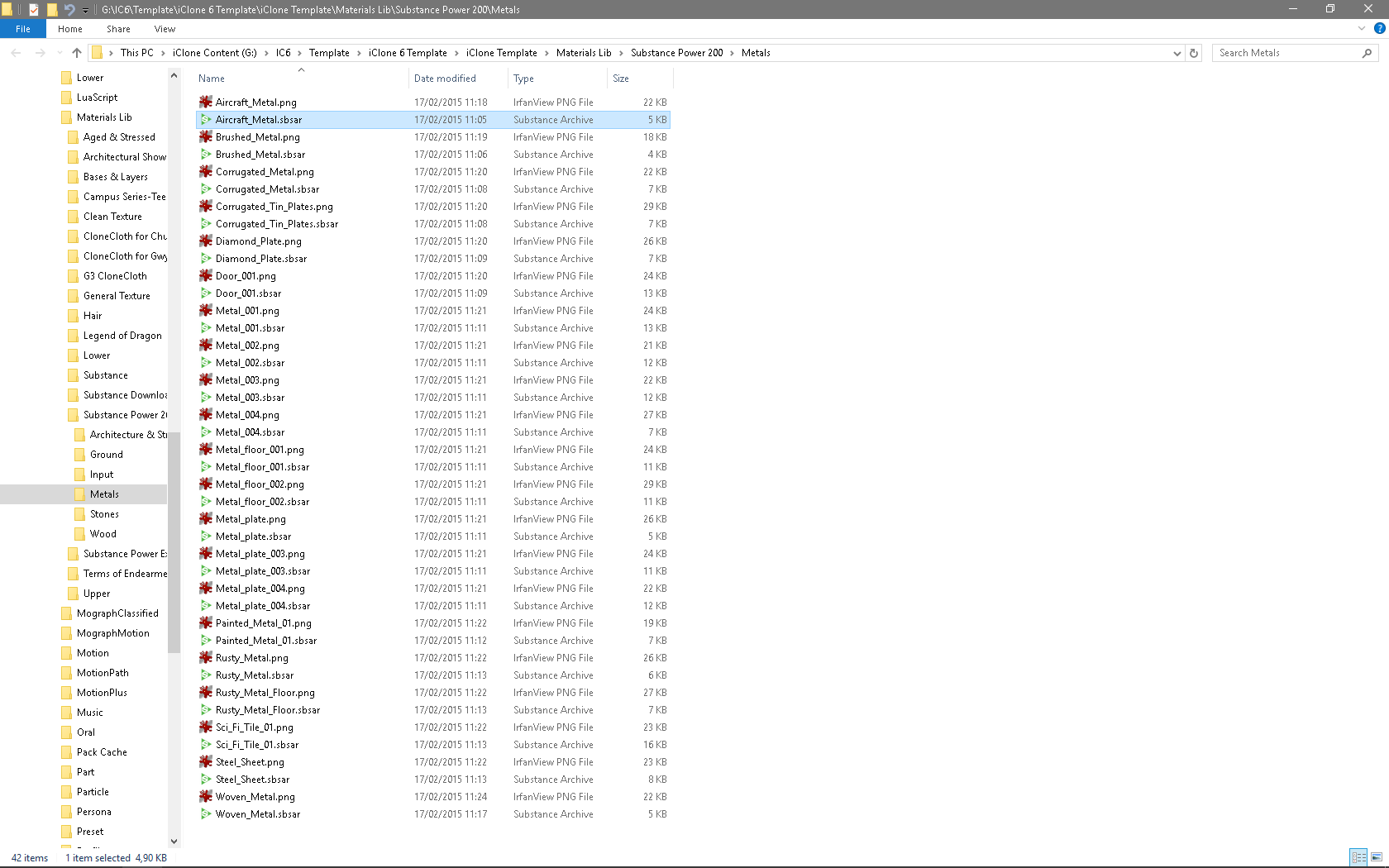
This time selecting "Find File" from the right click menu pointed to the correct file in the folder:
As I have the Substance 200 PBR pack installed in iClone 7 I didn't install the original Substance Power 200 there, but after seeing this issue I decided to do just that _ install the Pack in iClone 7 from my account. The result is that each material is only listed once in the Content Manager:
And, selecting "Find File" points to the correct file:
I need some time to test this issue with other assets stored in iClone 6 folders, but the above shows that something isn't correct with this 7.1 release. I did not have this issue with any 7.xx version before this release.
|
|
By animagic - 9 Years Ago
|
I can confirm the issue with the Substance Power 200 pack.
BTW, an easy way to check the file types is to use Ctrl-1, which will switch the listing from icons to file listing.
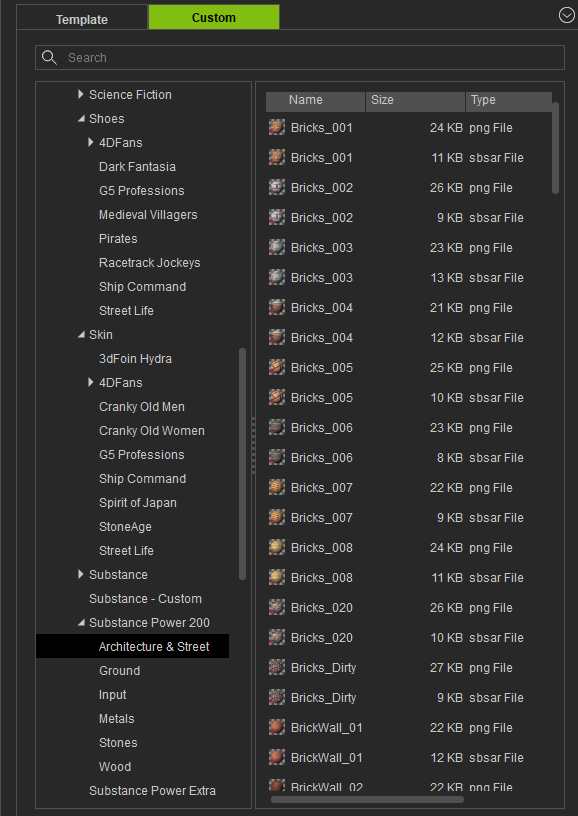
I didn't see this with any other content category (after doing just a quick check).
|
|
By mark - 9 Years Ago
|
I'm getting a "Failed to Load File" in CC when I try to use the "Edit in CC" function in iC7.1 as well !
P.S. Ooops I'll get the newest patch.... missed that!!!!
|
|
By Rockoloco666 - 9 Years Ago
|
Kelleytoons (11/18/2017)
raxel_67 (11/18/2017)
could someone confirm if pick target DOF works? on my system it assumes everything is super close to the camera, it doesn't matter where you click.Works fine for me (even with transparent materials).
Damn, I'll have to update or downgrade my video drivers then, thanks for checking
|
|
By animagic - 9 Years Ago
|
raxel_67 (11/19/2017)
Kelleytoons (11/18/2017)
raxel_67 (11/18/2017)
could someone confirm if pick target DOF works? on my system it assumes everything is super close to the camera, it doesn't matter where you click.Works fine for me (even with transparent materials). Damn, I'll have to update or downgrade my video drivers then, thanks for checking
Raxel, I'm using the version driver you recommended (whichever one that was; 385.41?), and pick target for DOF works fine. I think Kelley uses an even older driver.
|
|
By Kelleytoons - 9 Years Ago
|
|
You remember correctly, Ani -- haven't updated those April drivers yet (and don't intend to, unless something stops working).
|
|
By wires - 9 Years Ago
|
|
I'm using 388.13 and so far everything appears to be running OK.
|
|
By peterg - 9 Years Ago
|
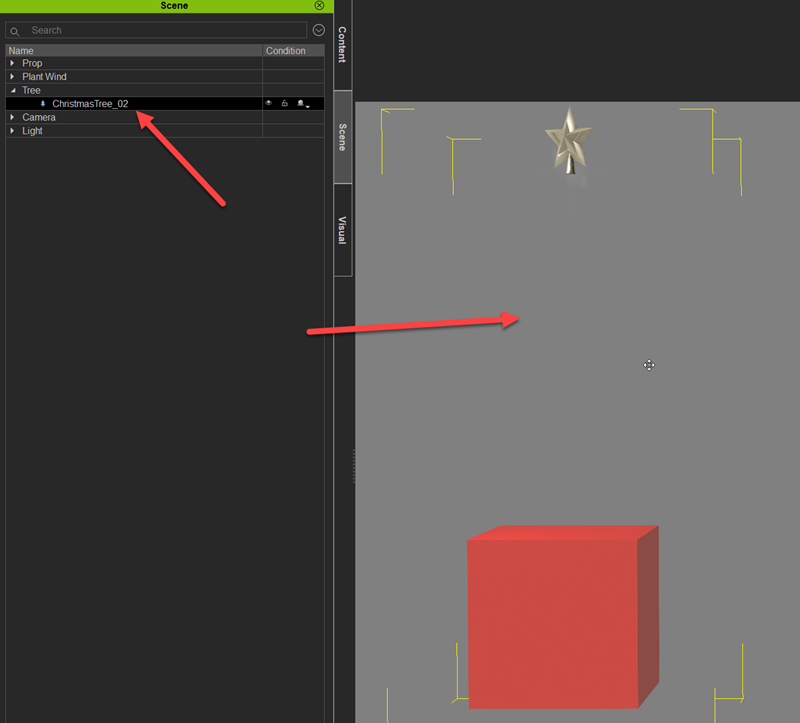
Speedtrees are not visible in the scene. I can drag them into the scene, they appear in the scene assets, but they are not visible and will not render.
|
|
By Kelleytoons - 9 Years Ago
|
|
Hmmm, I'm having the same issue -- need to post this as a bug (and it's a BAD bug if we can't use Speedtree stuff). They don't render, either.
|
|
By animagic - 9 Years Ago
|
|
I checked and trees appear for me, including the Christmas tree.
|
|
By peterg - 9 Years Ago
|
After restarting iclone the trees appeared again, and I could add them. It appears this is a general bug for version 7, as it was also reported earlier, here: https://forum.reallusion.com/335614/Total-Plants-Collection-Issues?Keywords=total%20plants
I did not see this problem before updating to 7.1.
|
|
By Kelleytoons - 9 Years Ago
|
|
Ah, they just reappeared for me after a restart. But what's going on? Why do they not appear and then reappear? This isn't good.
|
|
By animagic - 9 Years Ago
|
|
@peterg: The Total Plants is an earlier version of Speedtree and they did give problems. The newer Speedtrees should appear.
|
|
By Kelleytoons - 9 Years Ago
|
|
I was using the newer Speedtrees and they still weren't appearing (until I restarted).
|
|
By animagic - 9 Years Ago
|
A problem occurred that I had previously where the iClone view port somehow loses the connection to the GPU.
No obvious repeatable reason, unfortunately. I can still save, the view port just doesn't get updated. I have a GTX 1080, driver 385.41 (which has proved stable otherwise).
|
|
By Alien Maniac - 9 Years Ago
|
What newer SPEEDTREES? is there a new updated pack in our RL purchase's ? I Never heard of it....
|
|
By wires - 9 Years Ago
|
|
Space Rider (11/22/2017)
What newer SPEEDTREES? is there a new updated pack in our RL purchase's ? I Never heard of it....
No there isn't. Mike is just making a distinction between the "old" and the "newer" Speedtrees.
|
|
By Jfrog - 9 Years Ago
|
|
It seems like there is another bug with the avatar controller. I have 3 characters in a project when applying any movement on one character (eyes, brow...), it is applied to all 3 characters. Also the avatar controller window always open when you save even if the window was closed before save.
|
|
By Jfrog - 9 Years Ago
|
|
I create a new session today and the avatar controller works fine on this new session. Really strange...
|
|
By RobertoColombo - 9 Years Ago
|
Hi,
I am experiencing the following problem: I loaded a video in IC7.1 (CTRL+DRAG) and it stops playing before the real video end, e.g. around frame 1000 and something (the project length is set to 5000 frames).
The same video, loaded in IC6.54 plays fine till the end.
Regards
Roberto
|
|
By wires - 9 Years Ago
|
|
I can't reproduce the video not playing to the end issue. With a project length of 15000 frames - 4 mins. - I am able to play any clip shorter than that all the way through to the end.
|
|
By alexesquer - 9 Years Ago
|
Does anyone else have seen an issue with the transform data?
I'm not sure if it's only me, but in my case, when a character is playing an animation where it moves around, the gizmo follows the character, but in the transform section at the modify panel everything stays on zero. Apparently, the only way to see numbers over there is by moving the gizmo manually, but the numbers will remain the same (it only happens with avatars, as far as I know). And all motion setting options are checked. Is there someone else that have seen this happening?
|
|
By animagic - 9 Years Ago
|
I have a strange problem that happens occasionally and is hard to reproduce, where the view port suddenly "freezes" and is no longer updated. The rest of the UI still works.
However, today I was working on a very simple project, which seems to cause the view port to freeze almost every time. I've reported it in FT as issue #3664.
Now we all seem to have bugs that appear and then disappear, so I don't know about this one...:unsure:
|
|
By rollasoc - 9 Years Ago
|
I've been reporting a freezing viewport issue for the last three versions of 7. With mine though, the viewport goes black and then tiles. Happens when I resize the view port (i,e, when I resize a panel, e.g. drag the timeline up to make it bigger).
I will try your project this evening to see what it does.
|
|
By wires - 9 Years Ago
|
animagic (11/27/2017)
I have a strange problem that happens occasionally and is hard to reproduce, where the view port suddenly "freezes" and is no longer updated. The rest of the UI still works. However, today I was working on a very simple project, which seems to cause the view port to freeze almost every time. I've reported it in FT as issue #3664. Now we all seem to have bugs that appear and then disappear, so I don't know about this one...:unsure:
I just downloaded your test project from your FT post for testing, and I can't reproduce the issue.
Camera:
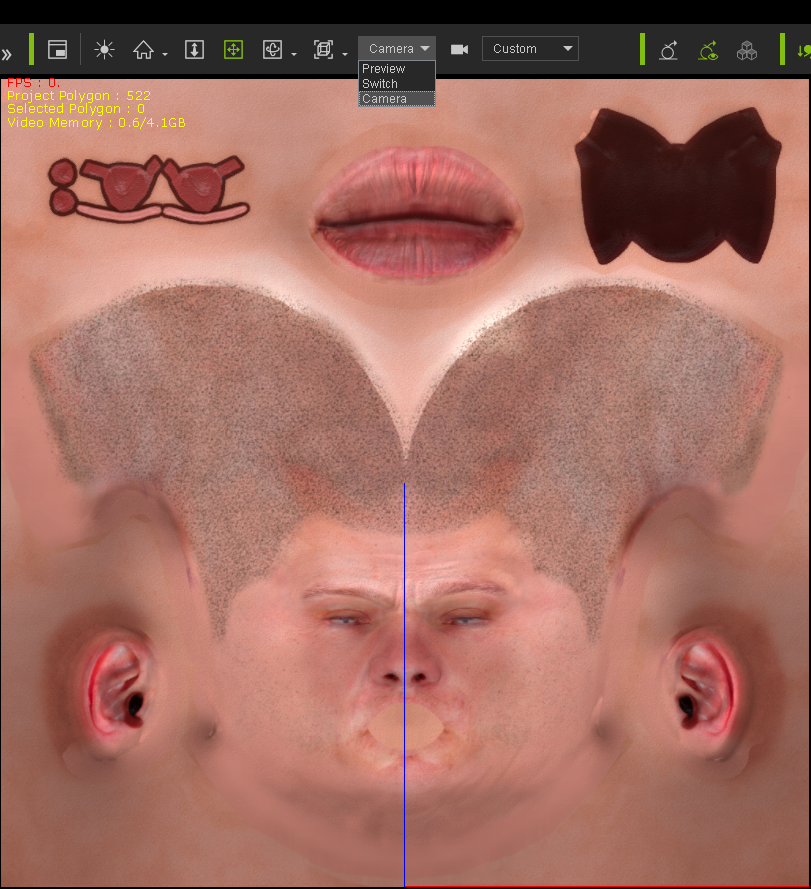
Preview Camera:
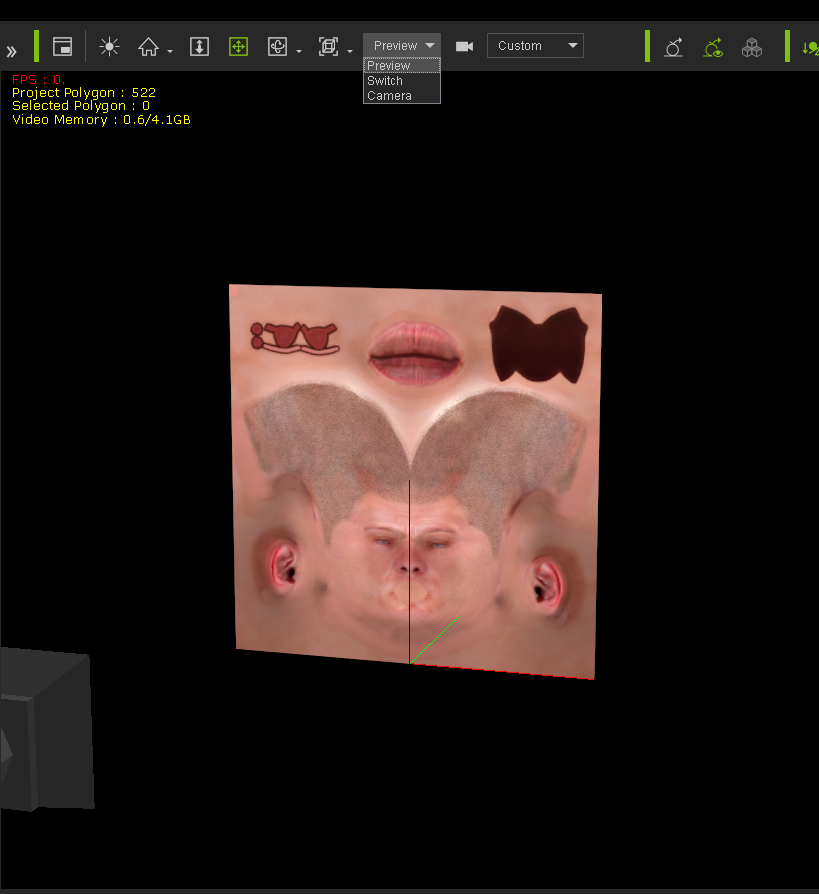
Light rotate 1:
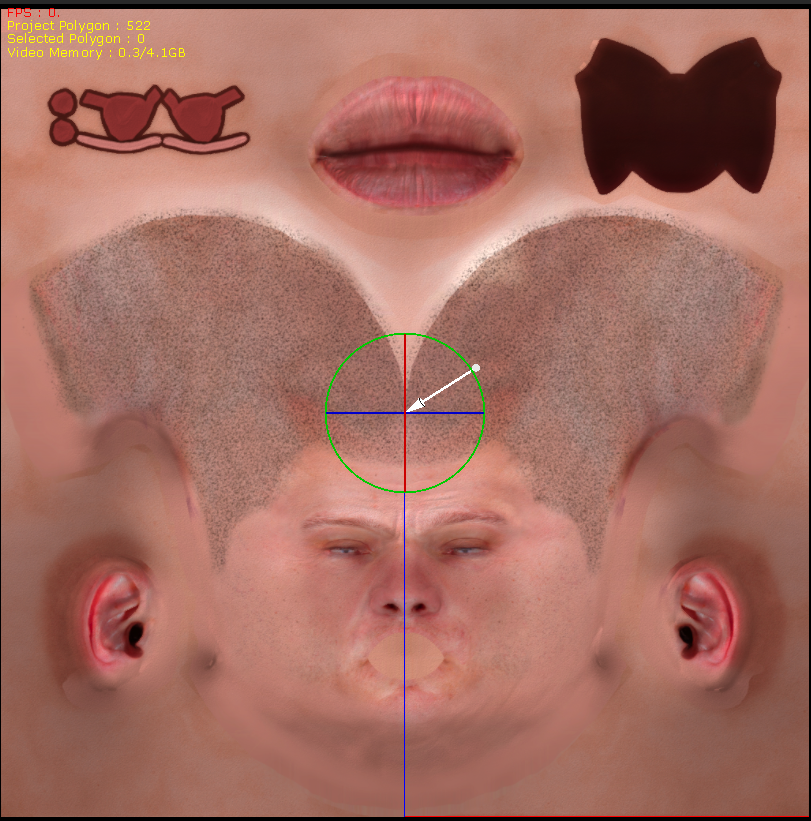
Light rotate 2:
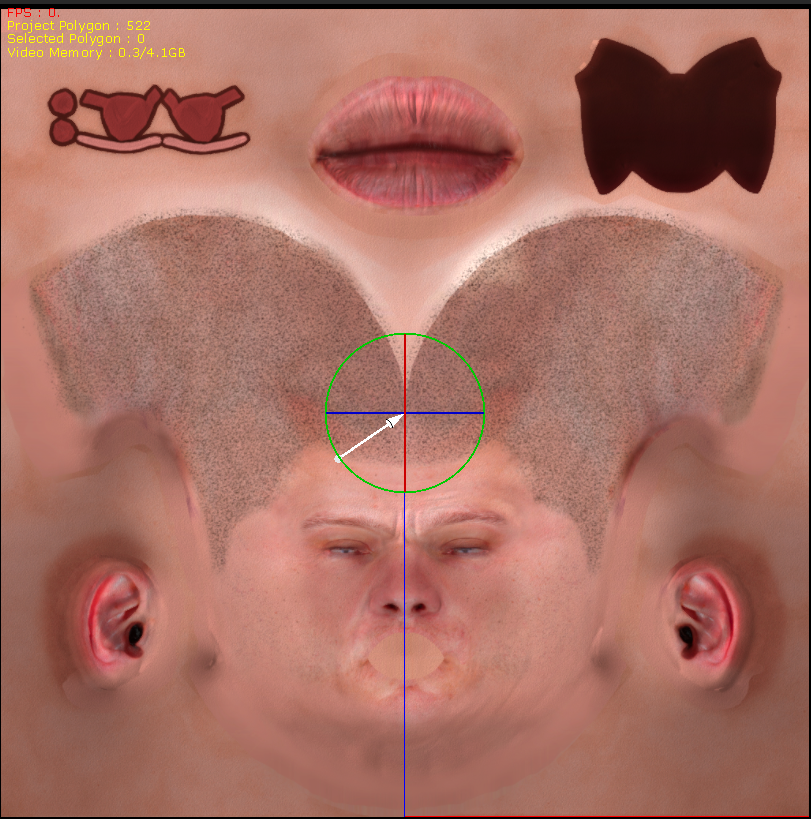
|
|
By animagic - 9 Years Ago
|
|
Thanks, Gerry, for checking. It may be unique and just me...:crying:
|
|
By wires - 9 Years Ago
|
|
There's nothing worse than one-off random issues. :crazy::angry::w00t:
|
|
By TonyDPrime - 9 Years Ago
|
How do you guys get the Speedtrees to show?
Okay, I add them and they don't show. I close down iClone, then add again to a new scene, and nothing...
So I add the ivisi-trees to a new scene, save scene, close, then restart iClone, load scene, and still nothing.
So when it was mentioned that "restarting" got the trees to show, was that referring to closing iClone and then reopening, and then adding in tree new, or loading old scene. or something else?:crying:
Oh No! Speedtrees not showing in older scenes either!
I thought iClone was supposed to be going Green, protecting the Rain-forests, and all!
|
|
By TonyDPrime - 9 Years Ago
|
UPDATED FIND:
The same SpeedTrees are working just fine when drag n dropped into iClone 6. This reveals issue not related soley/directly to:
(1) folder management (old vs new),
(2) product integrity (files are not corrupted),
(3) GPU
(4) GPU driver version
Consistent with a V 7.1 bug. (was working in 7.02 for me)
|
|
By animagic - 9 Years Ago
|
|
wires (11/27/2017)
There's nothing worse than one-off random issues. :crazy::angry::w00t:
So true. Just for laughs, I downloaded the ZIP file I provided and extracted and loaded the project, and it froze right-away. Although I hate to, I may have to try an updated driver.
|
|
By animagic - 9 Years Ago
|
|
Tony, I haven't encountered any SpeedTree problems; they just appear after I place them.
|
|
By Kelleytoons - 9 Years Ago
|
Tony,
I had the same issue you did -- and now I can't duplicate it. Now the trees show up, all that I try, no matter what I do.
Someone earlier suggested that perhaps another version of ST was a problem so you might try downloading them again and seeing if a newer install would work. But it is odd that I had that issue but can't get it to happen again.
|
|
By BOLPHUNGA - 9 Years Ago
|
the reach effectors render
i dont know if this is a bug
but they shouldnt be that way be default
|
|
By TonyDPrime - 9 Years Ago
|
SPEEDTREE UPDATED FIND:
If I load in the 'included' Speedtrees that are part of the iClone install, no issue. If I load in the ones I purchased as part of the Total Plants 2 thing, no dice.
I noticed the ones that come with the install that are working are about 500kb to 1Mb (smaller), whereas the ones I bought, although having same description and thumbnail image, are named differently, and are about 5Mb (larger...)
But here is the weirdest of the weird. Is this a DRM issue at play here....
If I drag n drop one of the 'included' speedtree ones, that works, the 'Date Modified' on the file in Windows does not change.
But if I place one of the 'purchased' ones, that does not work, the 'Date Modified' is updated to the moment of Scene Entry.
Maybe coming in as Dummy Objects erroneously?.....Because you can't set it with Speedtrees, maybe it's coded wrong in a data 'Table' of some type...
What did you do iClone?.....
WHAT DID YOU DO
PS - Invisi-trees Rule!...
|
|
By TonyDPrime - 9 Years Ago
|
MORE SPEEDTREE SHENANIGANS:
I re-installed a tree-type package and it still did not work, no dice.
Sucks not having dice.
Frustrating, as this all worked before the iOS 11 update!
(Whoops, wrong forum...!)
|
|
By Kelleytoons - 9 Years Ago
|
All of my purchased Speedtree 2 trees are working -- but as I said, I DID duplicate your issue initially (I just can't do it again).
Can you tell me which trees in particular? Or, better, just upload a file (I think it would be okay to share because unless folks have bought the content it will come in DRM, and since I already own all the trees I won't have that problem. Let me see what my system does with it.
|
|
By TonyDPrime - 9 Years Ago
|
EPISODE 8 - THE LAST SPEEDTREE:
Look at this in the scene manager, top 2 are included, bottom 3 are purchased:
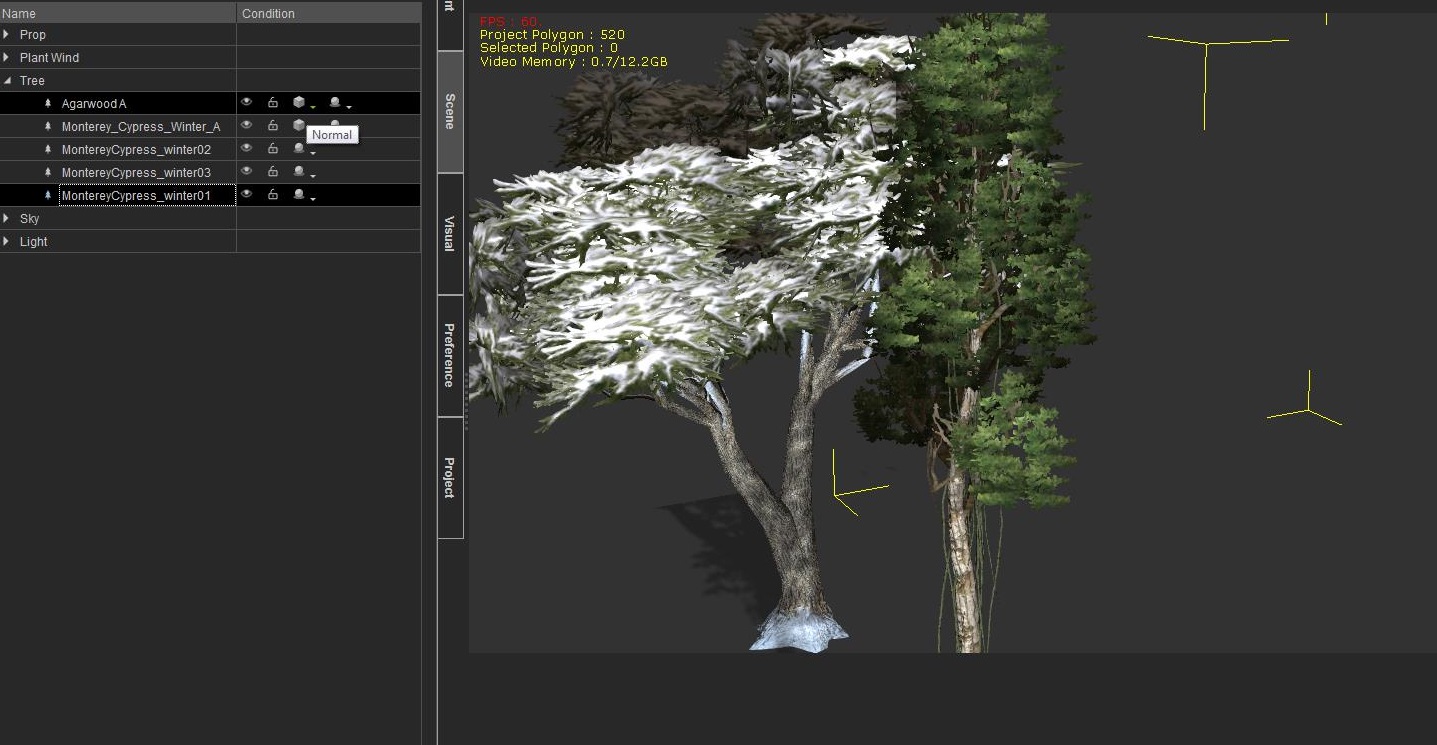
The ones that are included with iClone have the shading condition in the Scene manager, the ones that I purchased are without that shading condition in the Scene manager.
What could make that happen, any ideas? (I am assuming for those who have it working it shows the shading condition.)
Some had mentioned that the planes weren't showing in scene manager, while others were saying they loaded in fine and couldn't reproduce the issue.
Hmmm...maybe a quag with the Scene Manager piece.
|
|
By TonyDPrime - 9 Years Ago
|
|
Kelleytoons (11/28/2017)
All of my purchased Speedtree 2 trees are working -- but as I said, I DID duplicate your issue initially (I just can't do it again).
Can you tell me which trees in particular? Or, better, just upload a file (I think it would be okay to share because unless folks have bought the content it will come in DRM, and since I already own all the trees I won't have that problem. Let me see what my system does with it.
Thanks very much, KT! I sent you PM.
|
|
By Kelleytoons - 9 Years Ago
|
Yeah, that tree did work just fine, but I was thinking more of you sending me a file, not a tree, because perhaps there is something in your file that isn't working right.
Although I guess the fact the tree works does tell us something. Now, I'm using old nVidia drivers for my 1080 (I think they are from April) and while others have said "oh, the latest are NO problem" it never hurts to try something like that (or, conversely, if you ARE using older drivers to make sure you have updated). It's just very weird that I was able to duplicate this problem once and then never again -- it's like my computer "got better" (I even put a trouble ticket in for it, I was so convinced it was a systemwide issue). There ought to be *some* way we could figure out why your system is doing this.
|
|
By animagic - 9 Years Ago
|
|
AeMax (11/27/2017)
the reach effectors render
i dont know if this is a bug
but they shouldnt be that way be default
I haven't used them, but they are probably dummy props. Try Control+D, which toggles dummy visibility.
|
|
By animagic - 9 Years Ago
|
As to the trees, I just tried the Monterey Cypresses, and they show up OK.
I also saw the change in timestamp. I believe this is related to iClone 7 having to do some conversion to load the tree; I've seen similar happening in previous versions.
EDIT: My driver version is 385.41.
|
|
By mark - 9 Years Ago
|
The purchased Speedtrees seem to be working for me as well. As Job mentioned could be a driver-display issue.;)
|
|
By thebiz.movies - 9 Years Ago
|
I have and am currently experiencing the dissapeared speedtree issues.
https://forum.reallusion.com/335614/Total-Plants-Collection-Issues
They show up with the placement brackets only. No trees. Then they randomly come back. And then dissapear again. This is my second iteration Updated driver to no affect. After some back and forth with RL they blamed my system but I think enough people have experienced this to say its a bit bigger than that. Bezzer has experienced this as well as noted on the IClone users facebook page.
|
|
By TonyDPrime - 9 Years Ago
|
thebiz.movies (11/28/2017)
I have and am currently experiencing the dissapeared speedtree issues. https://forum.reallusion.com/335614/Total-Plants-Collection-IssuesThey show up with the placement brackets only. No trees. Then they randomly come back. And then dissapear again. This is my second iteration Updated driver to no affect. After some back and forth with RL they blamed my system but I think enough people have experienced this to say its a bit bigger than that. Bezzer has experienced this as well as noted on the IClone users facebook page.
This is not your system, this is consistent with a bug. iC 7.1 is not optimized yet.
I just tried updating the Nvidia Driver to 388.11, with 7.1, no dice.
Then I uninstalled iC7.1 to test a reinstall....
BUT....While I was reinstalling, I had to install 7.0 by itself, and then proceed on to 7.1.
So I tried Speedtress while in v 7.0...take a guess what happened...
IT WORKED.
No driver conflict, no system glitch, none of that. They loaded in and worked! This is 10 minutes ago...
Then I proceeded to install the 7.1 update, but now again they do not load in.
So not a driver issue, not a system issue, no. It is a bug in 7.1, clear and simple. Now do bugs affect all systems same, maybe not. But the bug is there.
It can't be a driver issue if I can install 7.0 and 7.02, and it works, and then 7.1 it doesn't work.
That's like saying 7.1 revealed the issue we really had, but before that, we just did not know it yet....does this make sense.
Now, if in a predictable and repeatable fashion, one can say, you now need to upgrade driver to 38x.xx...etc, in order for SpeedTree to function, then that ids different. But this is not the case, no one knows, in a repeatable and predictable fashion, what driver 'fixes' the problem. More consistent with a bug in 7.1.
But RL can and will fix this BUG!
|
|
By wires - 9 Years Ago
|
|
I know that this doesn't help those having the Speedtree issues, but I can't reproduce it on my system - sorry guys. :ermm:
|
|
By thebiz.movies - 9 Years Ago
|
|
The issue was affecting me (and I believe Bezzer as well) in 7.0. I haven't tried it since upgrading to 7.1
|
|
By TonyDPrime - 9 Years Ago
|
|
thebiz.movies (11/28/2017)
After some back and forth with RL they blamed my system
Can you advise on what specifically it was that they blamed about your system? Was it Windows version, driver, etc.
Sounds like they know exactly what it is that is causing this if they know that it was your system.
I'd like to test different variations of what they said would be the cause in my system!
Thx!
|
|
By wires - 9 Years Ago
|
|
I notice that this somewhat sporadic, but serious, Speedtree issue hasn't yet been added to the Feedback Tracker by any of the sufferers. I wouldn't put too much hope on any (RL) type reading this thread and doing anything about it, but they do read and react to issues logged in the FT.
|
|
By Kelleytoons - 9 Years Ago
|
Gerry's right. Not only that, but my trouble ticket to RL was dismissed by Peter because they couldn't reproduce the issue, so I have ZERO doubt no one is working on it or even thinks it IS an issue yet.
If I hadn't seen it for myself I would have doubted it as well. And an issue they can't reproduce is an issue they can't fix, so even if they see it listed in the tracker don't be assured anything will come of it. What has to happen is for someone to be able to get RL to see it, not that someone can produce it on their own system. So what I would do is put in a trouble ticket first, and carefully outline your computer and system specs and work with Peter at least to see if something can be done on the RL end to actually SEE the issue.
Also, with a file that doesn't work for you, post the FILE here and let others load it in. If it loads in correctly, then it's not a bug with iClone per se, but more a system issue dependency (for example, while it isn't in this case, it could have been a video driver issue. Or perhaps a Windows version issue. If the same saved file works on everyone else's computer but not on yours it can't exactly be ONLY an iClone program issue).
I am not at all optimistic this one will get solved.
|
|
By TonyDPrime - 9 Years Ago
|
|
animagic (11/28/2017)
As to the trees, I just tried the Monterey Cypresses, and they show up OK.
I also saw the change in timestamp. I believe this is related to iClone 7 having to do some conversion to load the tree; I've seen similar happening in previous versions.
You are on to something here. I exported a 'missing tree' scene to Indigo from iClone and the meshes and texture images never make it to Indigo.
In iClone, I deleted everything from Scene Manager - directional light, key light, shadow catcher, sky.
With the Scene manager now empty, I loaded in a SpeedTree, which did not Display in Viewport for Render. But it shows in Scene Manager as a Tree.
I exported to Indigo.
If you export and look in the exported folders, there is nothing there for the missing trees.
The scene in indigo also makes no reference to a mesh or material for the missing tree, although it is listed in the Scene Manager in iClone.
So, the components of the missing tree file never make it to indigo. Does this mean they never made it to the iClone scene in the first place?
Because we do see a bounding box for the tree prop. Maybe just the mesh and materials don't convert over. But the scene manager clearly lists them as trees in the Scene Manager, but maybe the conversion is where it gets messed up.
This tells me that it has not to do with iClone display, but the conversion of data from .itree file to an active tree prop.
-(1) Loading Stream (2) Converting Data (3) Updating User interface-
KT and Animagic -
Separated, but maybe related....when you mouse-right-click to drag an image into a scene, to be used as an image-plane, does that plane then show in the list of props in Scene Manager?
Curious, as you have working SpeedTrees, I am wondering if you would have this other 7.1 issue as well. For some it works, and others, like myself, it does not show as a prop in Scene Manager.
|
|
By Kelleytoons - 9 Years Ago
|
Yeah, really, really weird things happen when dragging either images or video over with the right mouse button (it doesn't matter which you do).
The first time I tried it, empty scene, and I got two props to appear in the scene. After that, no matter how many I drug over, no more appeared (they were there, they just didn't show up in the scene). I thought it might have something to do with naming, so I renamed the first two but no luck. Then I put a tree in (just to see) and it appeared. I then drug one more image over on top of the tree, and IT appeared in the scene.
I tried it with a new scene and I can definitely get one to appear, but now not more than one no matter what I try. So it's just very, very odd. I don't think it has anything to do with your tree problem, but we do know they both use planes so I guess it's always possible (you'll know if they solve the scene appearing and trees start working for you :>).
|
|
By thebiz.movies - 9 Years Ago
|
|
Can you advise on what specifically it was that they blamed about your system? Was it Windows version, driver, etc.
Sounds like they know exactly what it is that is causing this if they know that it was your system.
I'd like to test different variations of what they said would be the cause in my system!
Thx!.
Dear Customer,
Thank you for the project link.
We had no trouble seeing the tree in the project so this would indicate the problem is a local system issue.
Looking at your dxdiag.txt we see that your graphics drivers are three years old and badly in need of updating.
Please try updating your graphics drivers and ensure you have the latest available. Please see the link below to check. This may well resolve the problem for you.
I updated the driver to the latest version to no effect.
|
|
By thebiz.movies - 9 Years Ago
|
I have added this the feedback tracker here: https://www.reallusion.com/FeedBackTracker/Issue/Speedtrees-no-longer-showing-up
Feel free to upvote it if you experienced this issue.
|
|
By TonyDPrime - 9 Years Ago
|
SPEEDTREE MADNESS:
Okay, I think I may be in progress to the solution...
I have now enabled a workaround. It involves your Template folder, and reinstalling.
From what I am doing -
if you take your current existing Template folder and rename it, say to "Template B" for example, and then reinstall iClone, creating a new Template, the default SpeedTrees work again.
Now, because the folder will be new without your content in the folder, you will have to (a) migrate back in or (b) drag n drop from your Template B folder into the iClone scene.
BUT.... it will allow you top load in all the trees!!!! I copied in my purchased trees from the older "Template B" to "Template", and it works!!!!
What is interesting, is that if you then now, following reinstall, flip the names back, so that iClone goes back to your older-regular Template Folder, the trees won't load. This shows it's not the reinstall itself of the application (.exe) that fixes, but rather because it creates a new Template folder, you can reference that new one instead as "Template"...this new folder seems to be some sort of fix.
FYI - My "older folder" was a revamped copy of iClone 6 stuff, where I added in 7 stuff, perhaps a legacy Template folder screws up stuff somehow?
Or maybe it was size, I will see if this becomes a problem. I am checking as I migrate content back in, but so far so good.
PS - that support reply was very generic....LOL
This is why FBT isn't the best way in all cases. Too slow. Fellow users like myself will try different variations and discover workarounds/potential solutions....FAST
PS - I give KT and Animagic much credit, your helpfulness lead me in the right direction...AGAIN. :)
|
|
By Kelleytoons - 9 Years Ago
|
That's a good catch, Tony -- and I wonder if it explains why some folks don't have issues (maybe their folder structure is different? Mine is -- mine is outside of the iClone installation, so much that I had to alter the registry).
Oooo -- I wonder what would have (what will?) happen if you just dragged the tree in from Windows Explorer? Those having issues might give it a shot just to see (although it sounds as if iClone itself is doing some kind of reconcile with where the tree is stored versus maybe the authorization? Perhaps a DRM issue?)
|
|
By animagic - 9 Years Ago
|
So, I decided to do a test with dragging and dropping a video and then images in the scene, a feature that I normally don't use, and found that something strange is going on indeed.
For simplicity, I'm going to repeat this with a freshly started iClone and just images being added by right-clicking, dragging, and dropping while selecting "Plane".
I add the first image and nothing shows in the Scene Manager. I then move and do an undo, and then the image appears as plane in the Scene Manager.
I can repeat that and every time the plane is not added at first, but after moving and then undoing it appears.
If I added a series of planes in that fashion the will not show in the Scene Manager, but once I move and undo they will all appear. They will also appear after I add something directly from the Content Manager, such as a block.
So it looks as if the Scene Manager is not properly updated.
|
|
By TonyDPrime - 9 Years Ago
|
SPEEDTREE vs MIX-MOVES - FIGHT!
Anyone who has missing SpeedTrees, did you also get the MixMoves pack, the one with the Communication stuff?
If you did, or even if you're not sure but you have the missing SpeedTrees, just check this out...
Close iClone so not running.
Go into your iClone Template folder, look for the folder "MographMotion".
In that folder, if you see a sub-folder with the name "00_Female (CC)", change the name, to something like "00_Female (CC) 1".
Now go into iClone and try your SpeedTrees, including the included default trees in the PROPS > TREE folder....tell me what happens.
If it works, toggle the name of that folder back and forth, (back to the original "00_Female (CC)") and see if you see a repeatable and predictable pattern when you close and restart iClone, and try to then load SpeedTrees.
|
|
By Cary B - 9 Years Ago
|
|
I tried this, Tony, and yes, I had specific results. When I changed the CC Female folder name, the speed trees showed up in my project. When I changed it back, trees disappeared. I tried it a couple of times, consistent results.
|
|
By pinguintje - 9 Years Ago
|
I also have the same problem with the trees.
It happened this week after the upgrade from Windows10.("Fall" edition).
Sometimes the trees appear, sometimes not.
When the trees don't appear I restart iClone, and (till now) it works.:):):)
I don't have to rename the CC female folder name.
Best Regards,
Arie
|
|
By TonyDPrime - 9 Years Ago
|
|
Shadoesword (12/3/2017)
I tried this, Tony, and yes, I had specific results. When I changed the CC Female folder name, the speed trees showed up in my project. When I changed it back, trees disappeared. I tried it a couple of times, consistent results.
Thanks so much, and good share.
Looks like we have confirmed this as a v7 coding issue that affects users with the Mix Moves product!
|
|
By Britlish - 9 Years Ago
|
I, too, have the same issue of the SpeedTrees not showing in a scene, and also have the MixMoves pack installed. Renaming the 00_Female(CC) to 00_Female(CC)_1 as described by Tony brought the trees back. Renaming it back to its original name caused the trees to disappear again.
What I'd love to know is how on earth did you figure that out? 
|
|
By mark - 9 Years Ago
|
Oh that is just TOO WEIRD!!!!!:Wow:
|
|
By ic4bsc - 9 Years Ago
|
Anybody having issue with the new feature, "Align to Actor Orientation"?
When I follow the steps outlined in iClone 7 help: http://manual.reallusion.com/iClone_7/ENU/Pro/Default.htm#iClone_7/Pro_7.0/09_Animation_Timeline_Editing/Align_to_Actor_Orientation.htm
The actor orientation does not align.
Steps to reproduce:
1. Open new project and add Heidi (also tried this with cc character with same results) and ensure the "Align to Actor Orientation" is checked in the Animation > Motion Settings Options.
2. Add the Dance Graceful clip, break the clip at frame 165 and delete the second portion (this leaves the character facing about 90 degrees from where she started)
3. somewhere after Frame 165 add the catwalk motion
4. for me she immediately turns to the original orientation and starts her catwalk
|
|
By Britlish - 9 Years Ago
|
ic4bsc (12/9/2017)
Anybody having issue with the new feature, "Align to Actor Orientation"? When I follow the steps outlined in iClone 7 help: http://manual.reallusion.com/iClone_7/ENU/Pro/Default.htm#iClone_7/Pro_7.0/09_Animation_Timeline_Editing/Align_to_Actor_Orientation.htmThe actor orientation does not align. Steps to reproduce: 1. Open new project and add Heidi (also tried this with cc character with same results) and ensure the "Align to Actor Orientation" is checked in the Animation > Motion Settings Options. 2. Add the Dance Graceful clip, break the clip at frame 165 and delete the second portion (this leaves the character facing about 90 degrees from where she started) 3. somewhere after Frame 165 add the catwalk motion 4. for me she immediately turns to the original orientation and starts her catwalk
I followed the instructions in the manual to the letter, which coincide with your steps, and it worked correctly for me.
|
|
By Kelleytoons - 9 Years Ago
|
I've found it really helps to turn on the actor orientation pivot (or whatever the heck it's called) when you are doing things like this -- the thing you see when you select the transform. If you do that you'll then see exactly what combination of things you need to have selected for it to work properly in joining clips (in one clip I needed to have everything turned off except for "Align Actor Motion" -- the other two items screwed it up.
Somewhere Rampa has posted the exact guidelines for when you need these things turned on, although to my knowledge no one has gone through all the various cases to show what combination of the three needs to be used when (so it's still trial and error in doing certain things).
|
|
By toystorylab - 9 Years Ago
|
|
ic4bsc (12/9/2017)
Steps to reproduce:
1. Open new project and add Heidi (also tried this with cc character with same results) and ensure the "Align to Actor Orientation" is checked in the Animation > Motion Settings Options.
2. Add the Dance Graceful clip, break the clip at frame 165 and delete the second portion (this leaves the character facing about 90 degrees from where she started)
3. somewhere after Frame 165 add the catwalk motion
4. for me she immediately turns to the original orientation and starts her catwalk
I could NOT reproduce this issue...
First i used "Heidi" and followed your steps.
Everything worked fine, she remained in the "frame165 Dance Grateful" position and started correctly her catwalk.
Tried several complete different motions at frame 165 and they all "aligned" correctly...
Then i "swapped" characters (CC, DAZ, Toon Maker) and they all worked fine.
Then i did the steps again with "Jade" and it also worked fine...
|
|
By ic4bsc - 9 Years Ago
|
Thanks for your time...
To my knowledge I followed the steps to the letter too. The instructions provided in the manual leave out a couple things. I listed the steps I took, can you tell me what was not to the letter, and I'll try that?
|
|
By ic4bsc - 9 Years Ago
|
|
Thanks, can you tell me which of the 'Motion Settings Options' you have selected. I've tried several combinations and each time, the character flips her orientation to the original that the catwalk motion uses.
|
|
By Kelleytoons - 9 Years Ago
|
For this to work properly, I needed all three items in motion setting to be checkmarked (align, reset, and another align). I needed these to be checkmarked BEFORE I put the first clip in and broke it.
Note this isn't always the case (as I said, I had a case where I had to have them all turned off except for one).
|
|
By ic4bsc - 9 Years Ago
|
Thanks for your time.
I should have added in my 'steps to reproduce' that each time I've tried it, it was after a full reboot and the settings were checked prior to adding Heidi into the scene.
Can you tell me if you used the same steps I did, or did you alter something?
I just went to my backup computer and uninstalled/reinstalled ic7.1 (I own multiple copies) and can't get it to work on that computer either.
Both computers are windows 10 with update 1709.
One computer has GTX 1050TI and the Other GTX 950m
|
|
By Kelleytoons - 9 Years Ago
|
If you're talking to me, I did exactly what you said -- new project with Heidi loaded in, the clip loaded and broken as you describe, and the other clip added after that point. But, as I point out, I needed all three checkboxes marked for it to work properly.
This will have nothing to do with your iClone installation, your video card, or anything else, really. It's all down to having the right settings (this assumes you are using 7.1, though -- THAT you must check). My hunch is you don't have all three check boxes marked.
|
|
By ic4bsc - 9 Years Ago
|
Hi Kelleytoons,
Yes, I was replying to you.
I do have 7.1 as (to the best of my knowledge) that is the only version that has the "Align to Actor Orientation" option. I just re-downloaded it from Reallusion.
Each time I have "Removed Object Animation".
I've tried about a dozen combinations of the options.... all options checked, one checked, two checked, etc... and adding the catwalk flips her orientation (does not keep the previous).
|
|
By toystorylab - 9 Years Ago
|
|
Kelleytoons (12/10/2017)
For this to work properly, I needed all three items in motion setting to be checkmarked (align, reset, and another align). I needed these to be checkmarked BEFORE I put the first clip in and broke it.
Note this isn't always the case (as I said, I had a case where I had to have them all turned off except for one).
Yo, i also had all three checked and it's important to do it before adding motions.
"Align to actor orientation" is not always helpful as Rampa showed in this thread:
https://forum.reallusion.com/348802/How-to-eliminate-character-rotation-between-clips#bm34928
"So the rule is "don't use rotation alignment on seamless clips, but do use it else-wise".
|
|
By ic4bsc - 9 Years Ago
|
Hi toystorylab,
Not sure why people are assuming I don't have the options checked as I have mentioned several times I have tried every combination I could think of.
I realize the link you provided speaking of the seamless clips not working as expected and that the catwalk look is a seamless clip, however, why is it working for everybody following my directions, but not for me?
|
|
By toystorylab - 9 Years Ago
|
ic4bsc (12/10/2017)
Hi toystorylab, Not sure why people are assuming I don't have the options checked as I have mentioned several times I have tried every combination I could think of. I realize the link you provided speaking of the seamless clips not working as expected and that the catwalk look is a seamless clip, however, why is it working for everybody following my directions, but not for me?
I really have no idea why it does not work on your machine. :pinch:
When i got it right, seamless clips are those who belong to a series and are based upon a previous clip.
|
|
By Britlish - 9 Years Ago
|
|
Not sure why people are assuming I don't have the options checked as I have mentioned several times I have tried every combination I could think of.
Perhaps it's something in the preferences that is causing you to have the problem?
Here is a screenshot of mine you can compare yours with.

Or it could be another difference in another setting to do with the timeline or tools?
Either way, it's bloody frustrating for you, I'm sure.
|
|
By ic4bsc - 9 Years Ago
|
OK, I found how to make it work properly and to not work properly.
The 'Align to Actor Orientation' does NOT work if I right click on Heidi > Perform > Dance Graceful... cut it at 165... then add the catwalk (as I described in my original post).
It DOES work if I drag and drop the motion clips from the Animation Menus.
|
|
By Kelleytoons - 9 Years Ago
|
Ah yes "adding the dance graceful clip" (as you said at first and what we were doing) is a very different thing than using the Perform function (which really should only be used on object animation nowadays).
And you can also double click any clip to add it as well (although I prefer dragging and dropping)
|
|
By Cary B - 9 Years Ago
|
|
ic4bsc (12/12/2017)
OK, I found how to make it work properly and to not work properly.
The 'Align to Actor Orientation' does NOT work if I right click on Heidi > Perform > Dance Graceful... cut it at 165... then add the catwalk (as I described in my original post).
It DOES work if I drag and drop the motion clips from the Animation Menus.
This is good to know, thanks! I often create custom personas for my characters which require the Perform command. It's a convenient way for me to organize certain kinds of movements when I am looking for the right animation. But if that negates the Align function, then it's not worth it. I guess I'll have to re-think my work flow.
|
|
By Britlish - 9 Years Ago
|
|
ic4bsc (12/12/2017)
OK, I found how to make it work properly and to not work properly.
The 'Align to Actor Orientation' does NOT work if I right click on Heidi > Perform > Dance Graceful... cut it at 165... then add the catwalk (as I described in my original post).
It DOES work if I drag and drop the motion clips from the Animation Menus.
Another iClone mystery solved! I will bear this in mind for the future.
|
|
By TonyDPrime - 9 Years Ago
|
LIST OF ISSUES - 7.1
1) image plane added to scene not recognized as a prop, then when you click undo and redo, it is listed
2) SpeedTree conflict with MixMoves female-CC-type
3) No ability to set curve edits on the key root of an avatar
4) Cannot drag'n drop iMaterial onto heightmap terrain regions
5) Hair elements become transparent in front of particles
6) Listing of Substance 200 materials in Content > Package tab is that of the PNG icon, rather than the mat itself
#3 is a user limitation as a result of current design, as opposed to a bug.
The other ones all seem to have worked on prior versions and appear to be bugs.

|
|
By Kelleytoons - 9 Years Ago
|
Ooo, thanks for the workaround for #1 (had either missed this elsewhere or it was never posted).
Great catch! (Now at least I can work with them).
|
|
By Britlish - 9 Years Ago
|
|
TonyDPrime (12/12/2017)
LIST OF ISSUES - 7.1
1) image plane added to scene not recognized as a prop, then when you click undo and redo, it is listed
That solves one problem I've been having. Thanks!
|
|
By TonyDPrime - 9 Years Ago
|
That was Animagic who I believe mentioned undo and redo.
So, Ani, the microphone is all yours!
|
|
By animagic - 9 Years Ago
|
|
TonyDPrime (12/13/2017)
That was Animagic who I believe mentioned undo and redo.
So, Ani, the microphone is all yours!
I did mention it, somewhere...:unsure:
|
|
By animagic - 9 Years Ago
|
Also, I reported issue #5 early on for IC 7.0 here: https://www.reallusion.com/FeedBackTracker/Issue/Jade-s-mohawk-hair-becomes-transparent-with-smoke-or-fog-particles-in-background.
It's marked as "Assigned", so we'll hope for the best.
|