|
By 4u2ges - 9 Years Ago
|
Maybe someone find it useful.
Whenever you import FBX models/objects to Blender, the diffuse intensity always reset to 0.8 or 80 by iClone units.
Blender does not preserve most other material attributes settings (like opacity maps), but I found "bleached" diffuse is the most annoying.
If you do multiple in/outs while testing, you can set the diffuse intensity manually to 1.0 for each material in Blender project, but I found very simple way to reset it with one shot before exporting a model out of Blender
Select a Text Editor
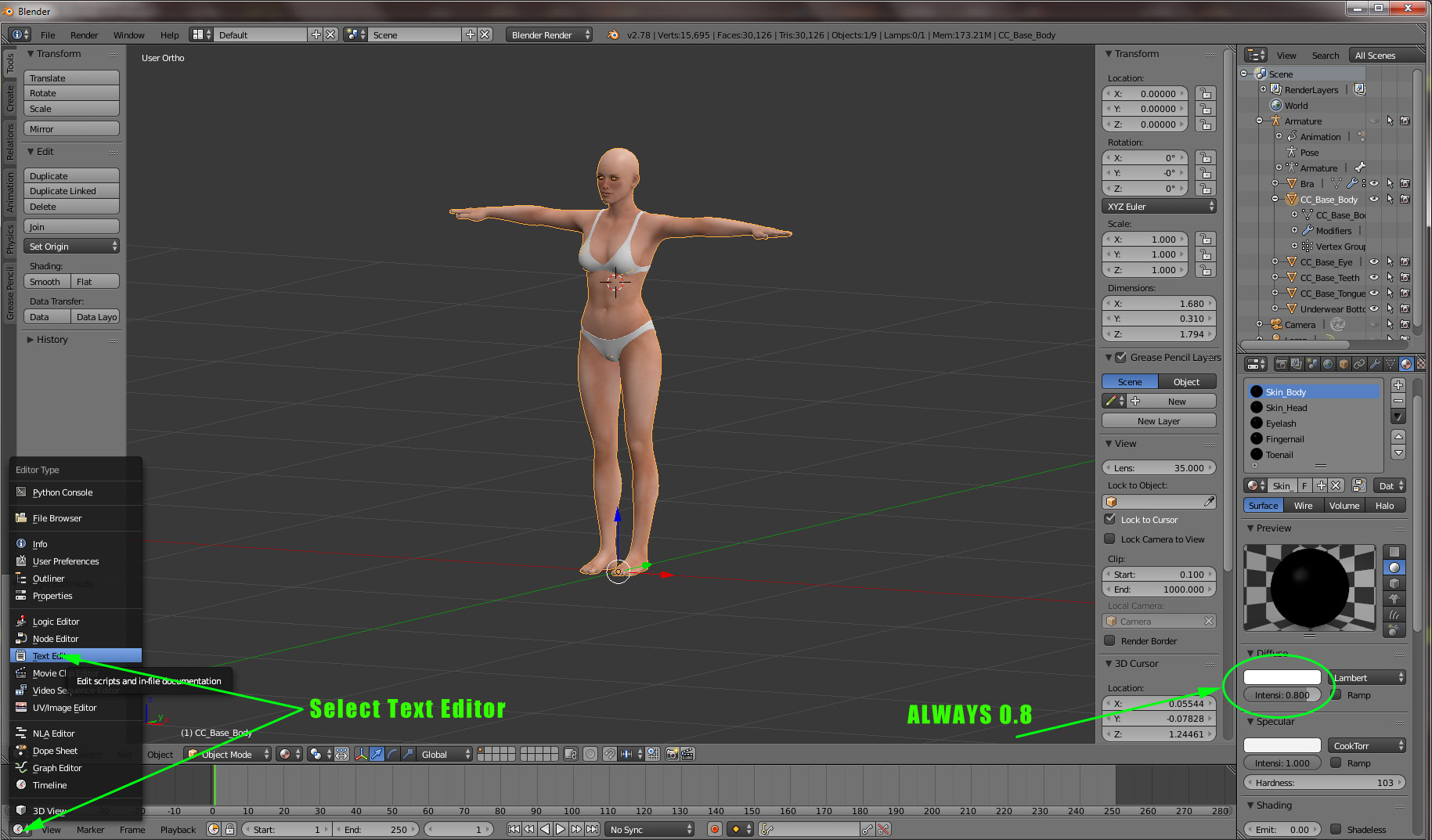
Click New

Paste following script into window and click Run Script:
import bpy
for m in bpy.data.materials:
    m.diffuse_intensity = 1.0

All materials diffuse intensity would be reset to 1.0
|
|
By Kelleytoons - 9 Years Ago
|
Thanks -- while I haven't had this issue in a long time (because I used to bring stuff into Blender from Daz, and now I just import Daz directly into XChange) I may have need of this in the future.
My bigger issue is that everything I import from Daz comes in with Bump/Normal settings of 100 -- I wish there was a way to default ANY normal to 12 or so (about the right setting). Oh for some python scripting inside of iClone!
|
|
By animagic - 9 Years Ago
|
Interesting about the "bleached" diffuse setting.
This explains something that has puzzled me for quite some time. I bought a number of iClone asset packs from a 3rd party vendor and all Diffuse maps were at 80%, causing a bleached-out look. So most likely they were made in Blender. I always have to remind myself to up the strength to 100%.
|