|
By eternityblue - 9 Years Ago
|
I'm having the hardest time figuring out how to use a custom RGB mask with CC 2.0. What substance do I use? It looks like the instructions here are out of date:
http://manual.reallusion.com/Character_Creator_2/ENU/2.0/default.html
If I select G6_Cloth.ccTexture, and activate the Appearance Editor, and make sure the Input Maps/Diagnostic section is set to Mode: RGB Mask, I don't see anywhere that I can load a map.
I have the Substance Super Tools, so I can use the RGB Map if I set it up within iClone, but how about CC?
|
|
By wires - 9 Years Ago
|
With PBR materials you need to load the RGB mask in the "Color ID" slot in the Mesh Data section. You can read more about it here and here from the CC 2 Manual.
If you are not using PBR materials then the slot for the RGB Mask is in the "Input Maps/Input Maps" tab:
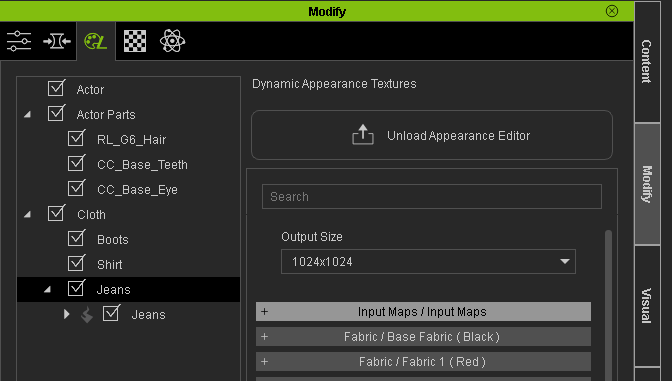
This time it is named RGB Mask:
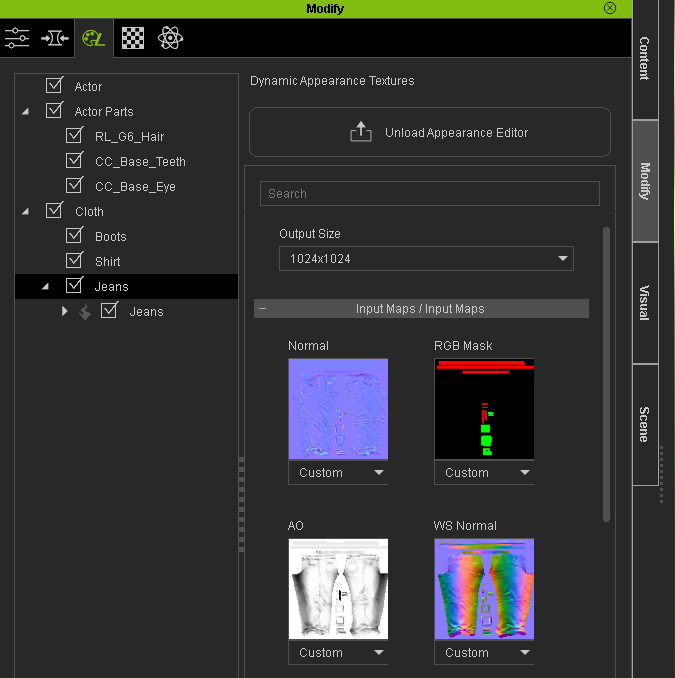
Hope this helps some. :)
|
|
By eternityblue - 9 Years Ago
|
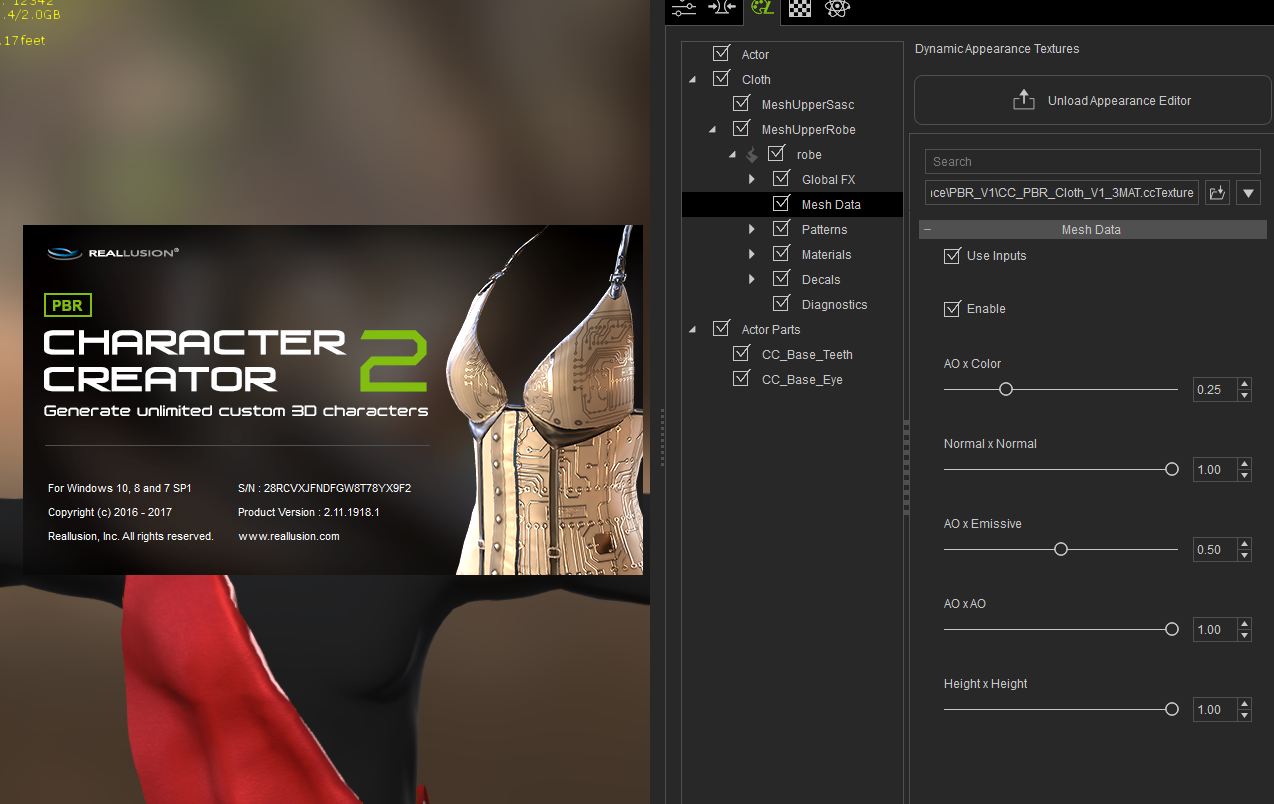
Thanks, but I don't get any material slots when I enable 'Use Inputs' in the Mesh Data panel, This is using the CC_PBR_Cloth_V1_3MAT.ccTexture substance. I'm thinking my install might be messed up somehow.
|
|
By eternityblue - 9 Years Ago
|
|
This is true for the Input Maps for PBR or Traditional. I'm downloading and installing the Essential Morphs and Skin pack again, I am not sure if that is the issue, I will report back.
|
|
By eternityblue - 9 Years Ago
|
OK, that didn't work. I also had CC 1 and CC 2 Beta installed, I have scrubbed my system of all these and now am going to reinstall CC 2.
I hope that's it.
|
|
By eternityblue - 9 Years Ago
|
|
And a re-install didn't work either. I guess I'll submit a support ticket.
|
|
By eternityblue - 9 Years Ago
|
|
And I reinstalled to the default location instead of an external drive, no luck. I looked in the Windows registry for anything that would change paths that CC may use for substances and saw nothing. I submitted a ticket, but if anyone has any clue about this behavior, please let me know. This is very frustrating.
|
|
By eternityblue - 9 Years Ago
|
I entered a ticket in the Feedback Tracker as well:
https://www.reallusion.com/FeedBackTracker/Issue/No-Input-Maps-are-available-in-Mesh-Data-sliders-appear-instead
|
|
By eternityblue - 9 Years Ago
|
|
Does anyone know how you can completely remove CC settings? I am thinking some path somewhere or some setting with something is screwy. Or is there something I need to buy extra to unlock this feature?
|
|
By eternityblue - 9 Years Ago
|
OK, I just realized that I need to own the Essential clothes pack to use RGB masks, I wish this were mentioned in the manual. My issue isn't fixed, and I can't say I'm pleased about this, but I'll close this now. It seems to do any little thing in iClone costs me an additional $150. Thanks but no thanks, I'll just create stuff in Substance Designer.
|
|
By wires - 9 Years Ago
|
Lord Ashes posted a tutorial on making RGB masks for those who do not have the Essential Clothing pack. You can see it here, he added additional information after posting the video, so be sure to read all 5 posts in the thread.
Hope that it is of some help to you. :)
|
|
By eternityblue - 9 Years Ago
|
Thanks, but I actually own th substance super tools so I can use color id's in iclone directly. I think that is the easier workaround than the redious one ;)
But this also prompted me to renew my Substance subscription, so now I need to bone up on Substance Painter, but that will get me farthest.
That said, I really don't get why Reallusion chooses to put a bad taste in my mouth every time I turn around with their pricing schemes for these tools. I just spent $260 this month alone, and I am not terribly happy about it.
|
|
By eternityblue - 9 Years Ago
|
I really wish the manual had stated clearly that the RGB masks were only available with the essentials pack, I spent hours on trying to get that working, uninstalling cc, reinstalling packs, searching the web. I had to refer to a marketing page to understand what was what.
|