|
By TonyDPrime - 9 Years Ago
|
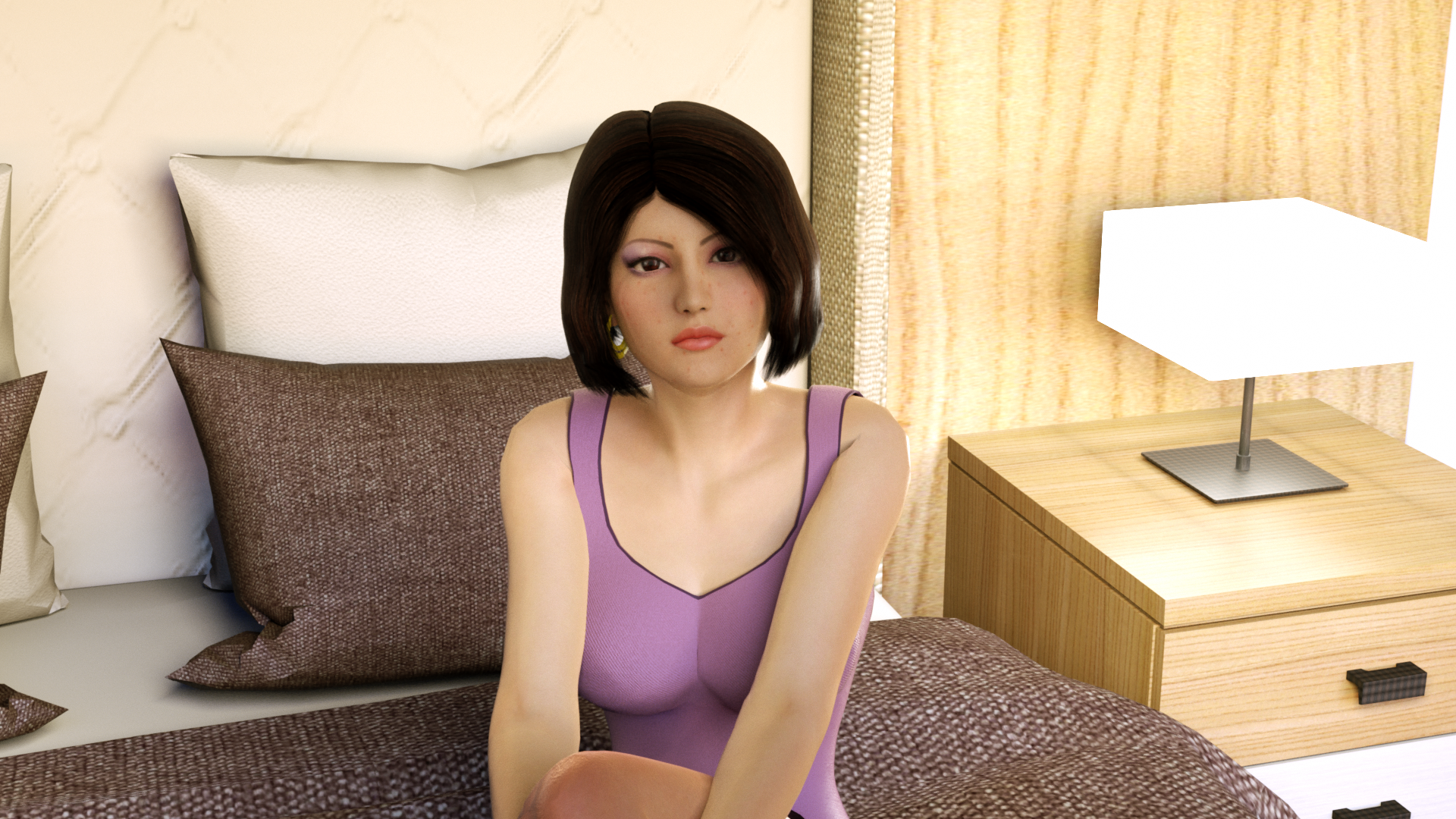
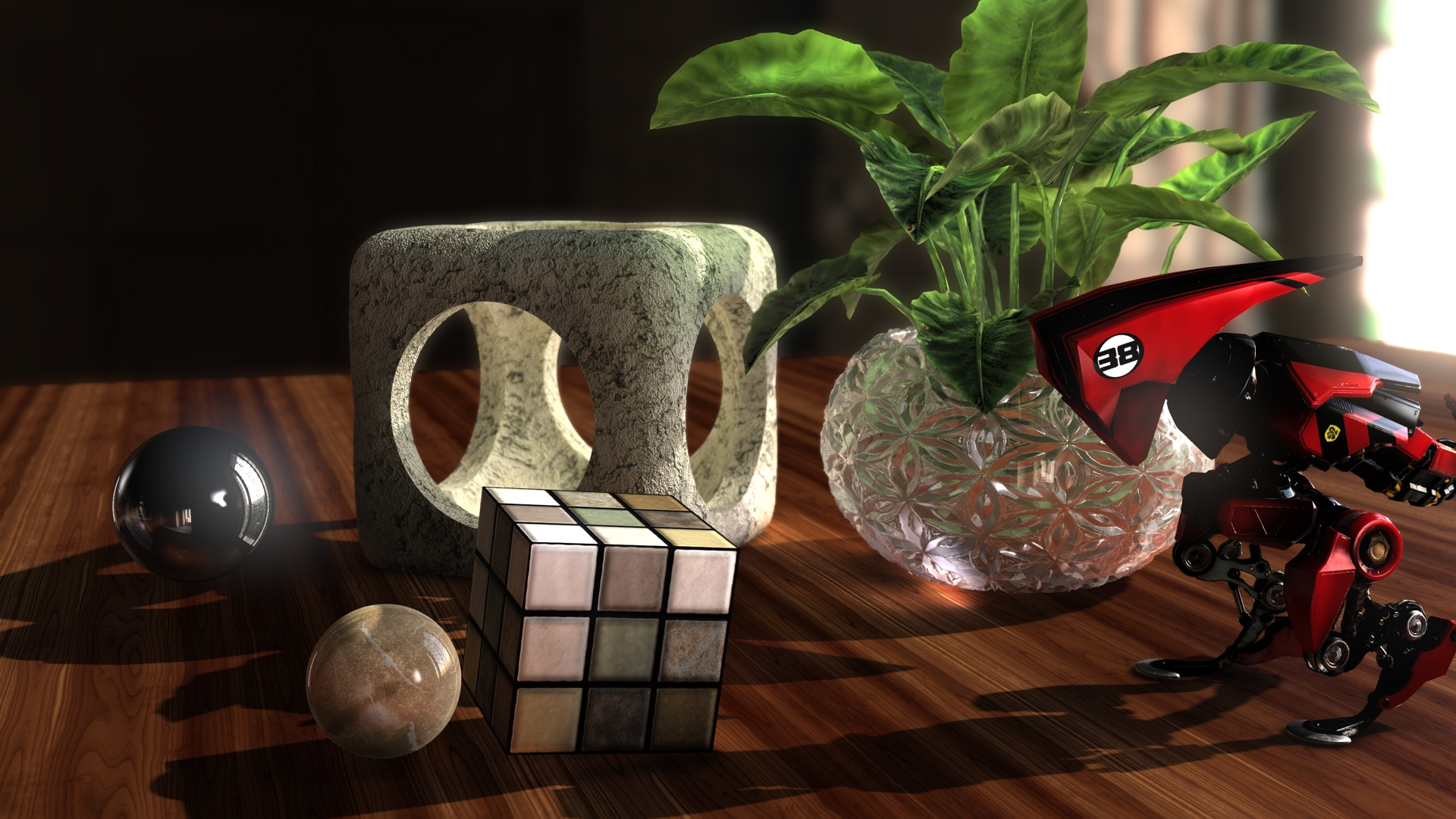
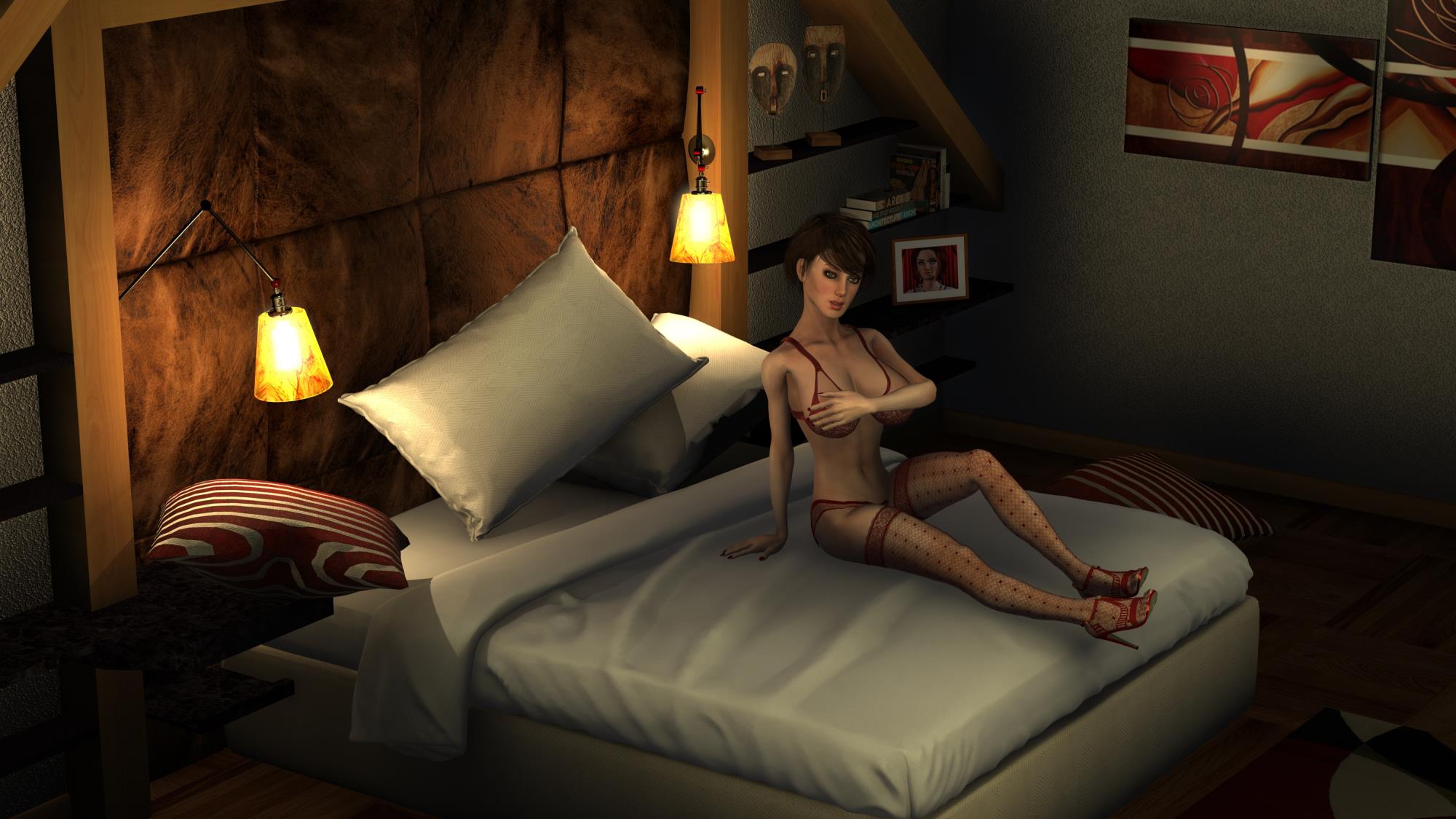
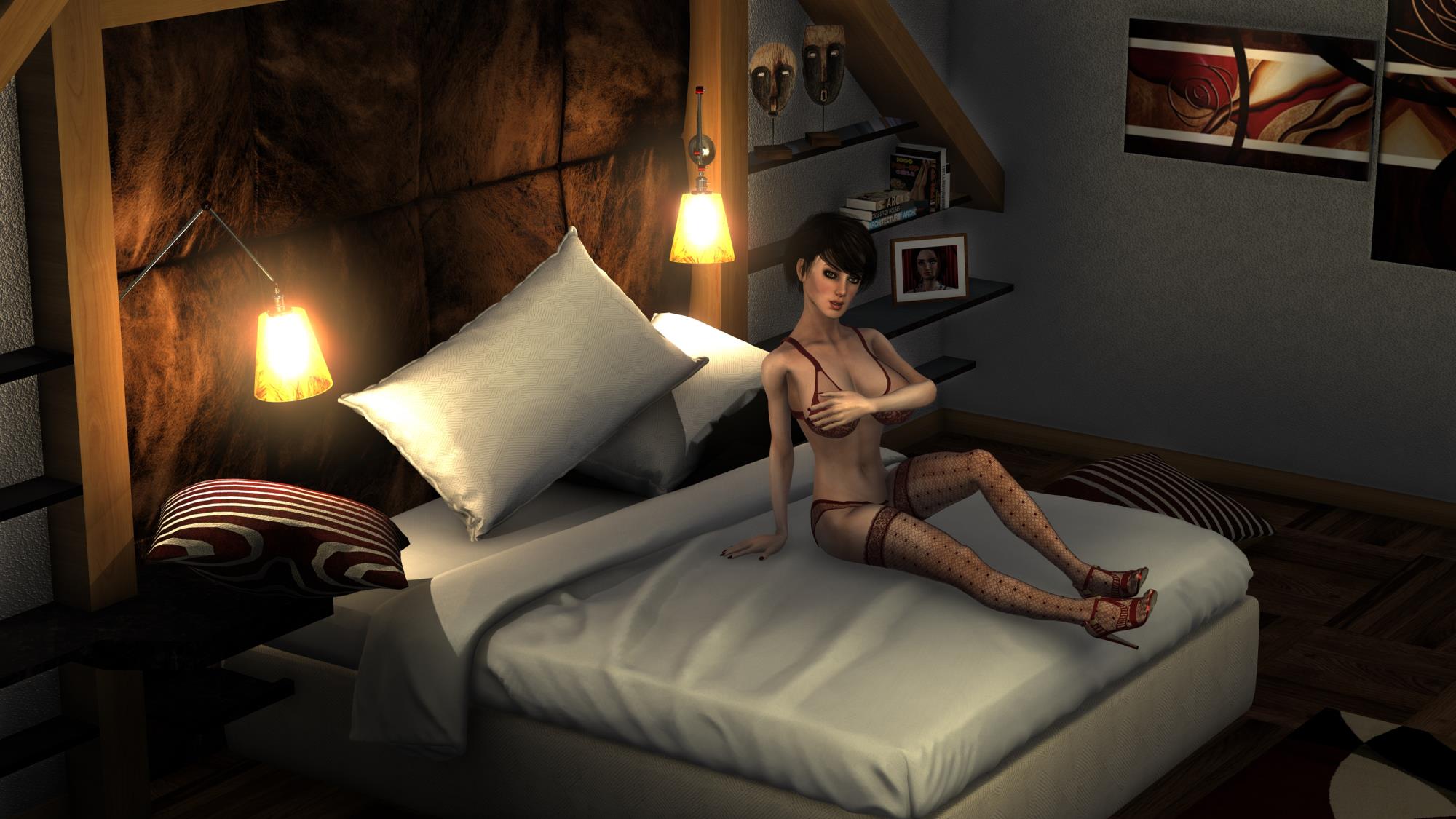
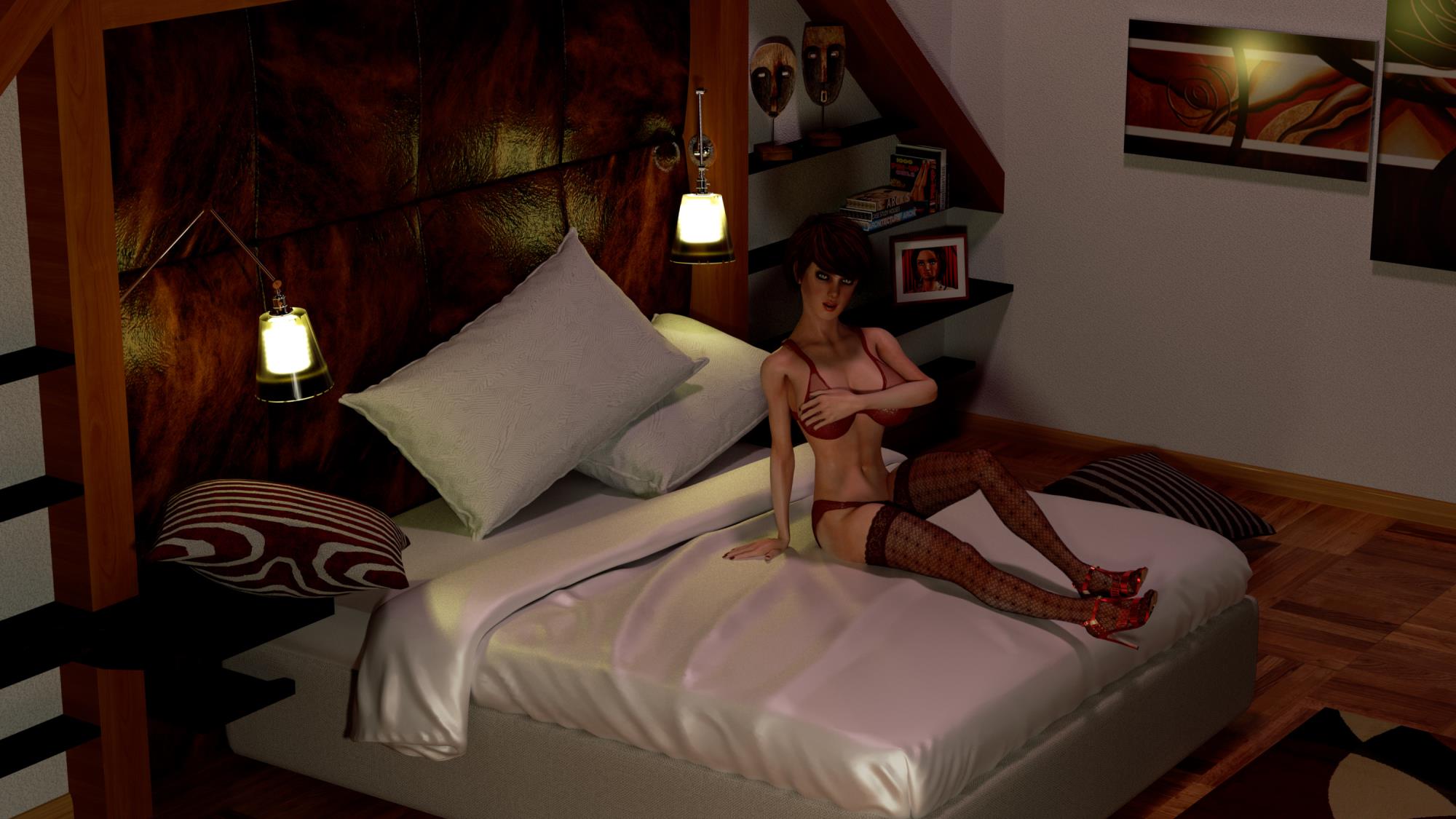
iClone 7 PBR vs Export out to Maya and rendered with Octane Render.
What is the deal with PBR, can it match Traditional higher end rendering solutions if mastered, or is it a stretch yet?
iClone almost looks like a cartoon compared to a plastic doll in Octane.... (I certainly don't have the lighting down yet...in either!...Also background came over offset in the Octane, I think I messed up something, didn't happen in other scenes..)
Well, as far as PBR goes, what do you think?...
iClone 7
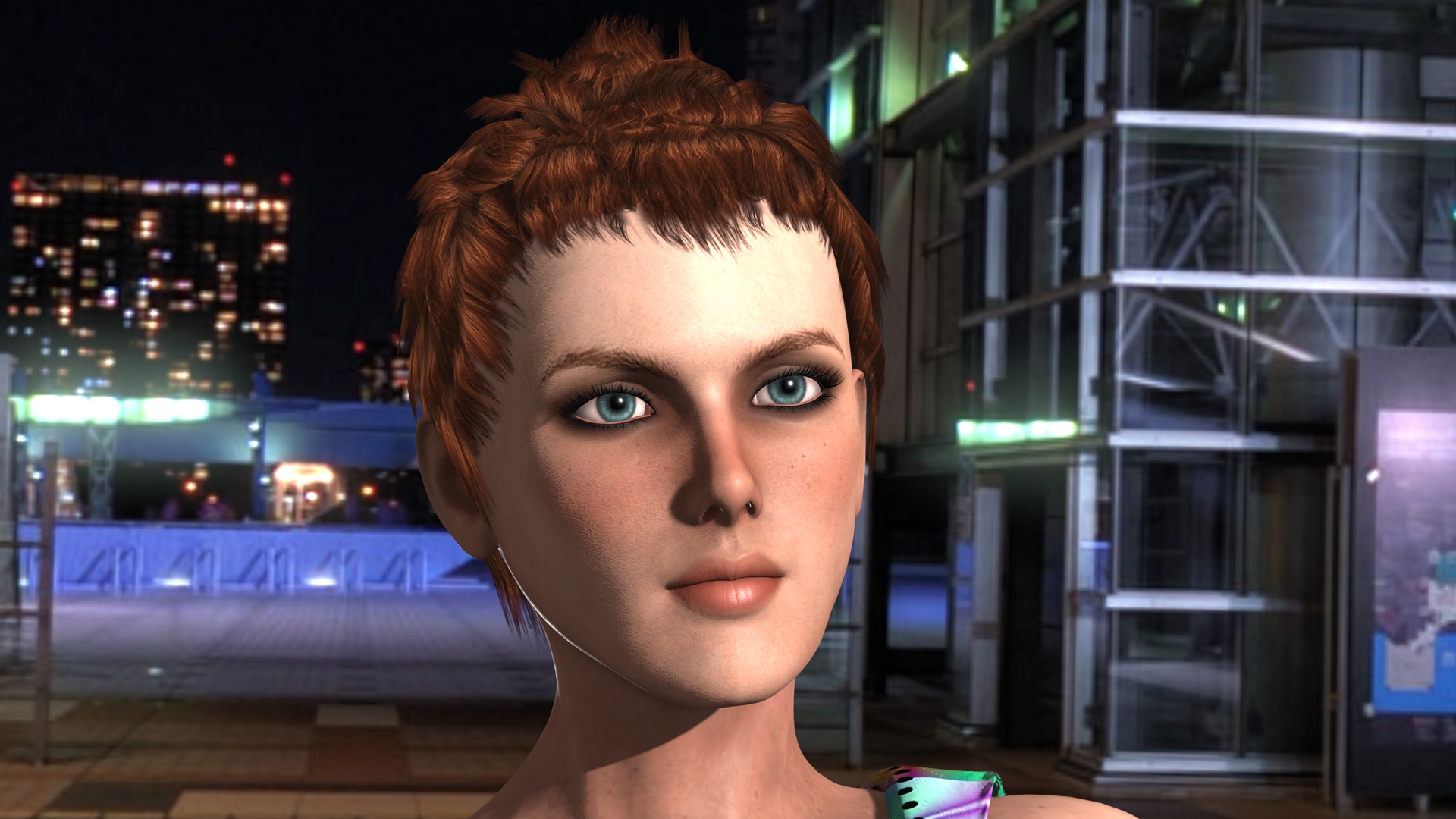
Octane Render
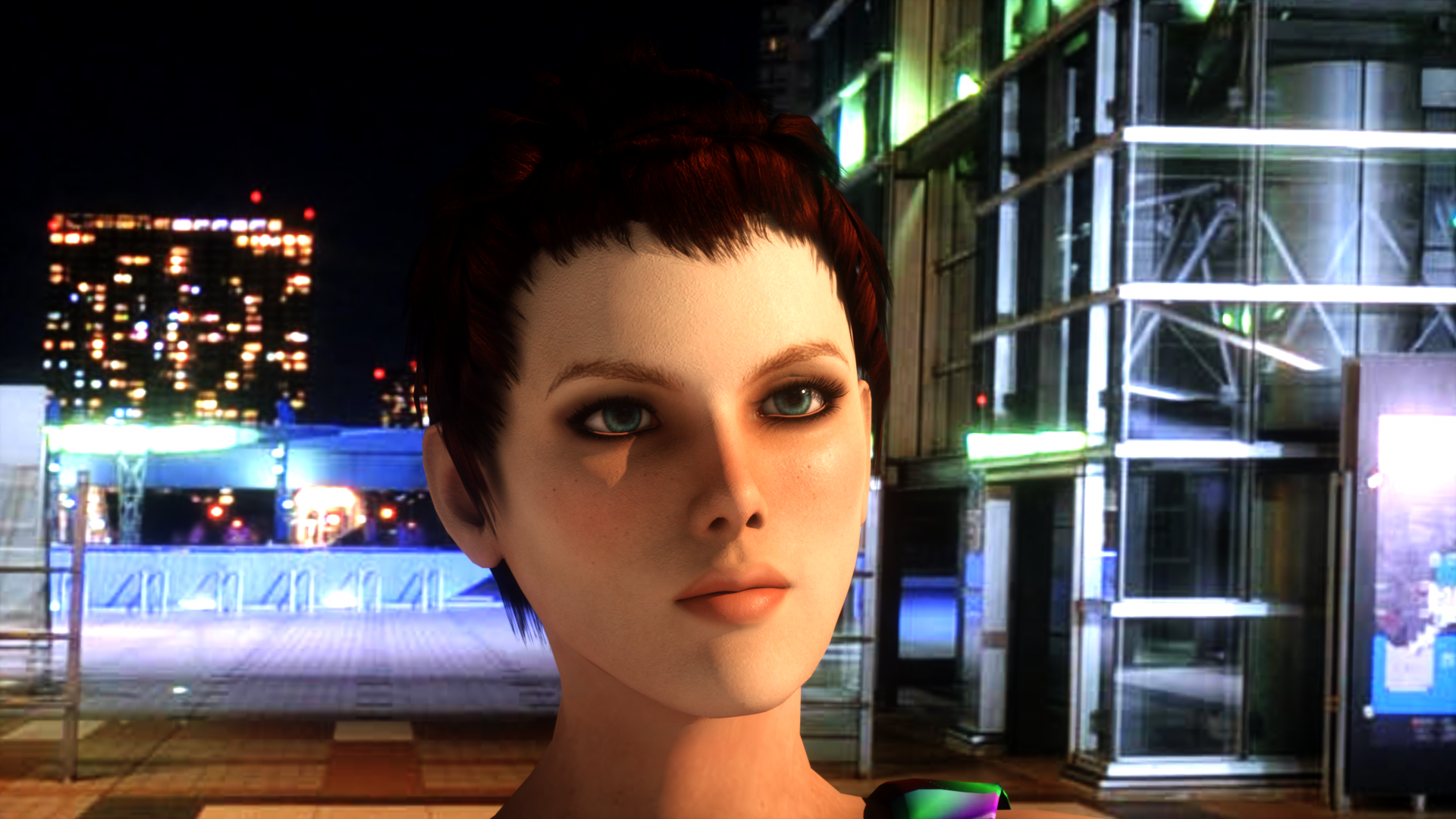
iClone7
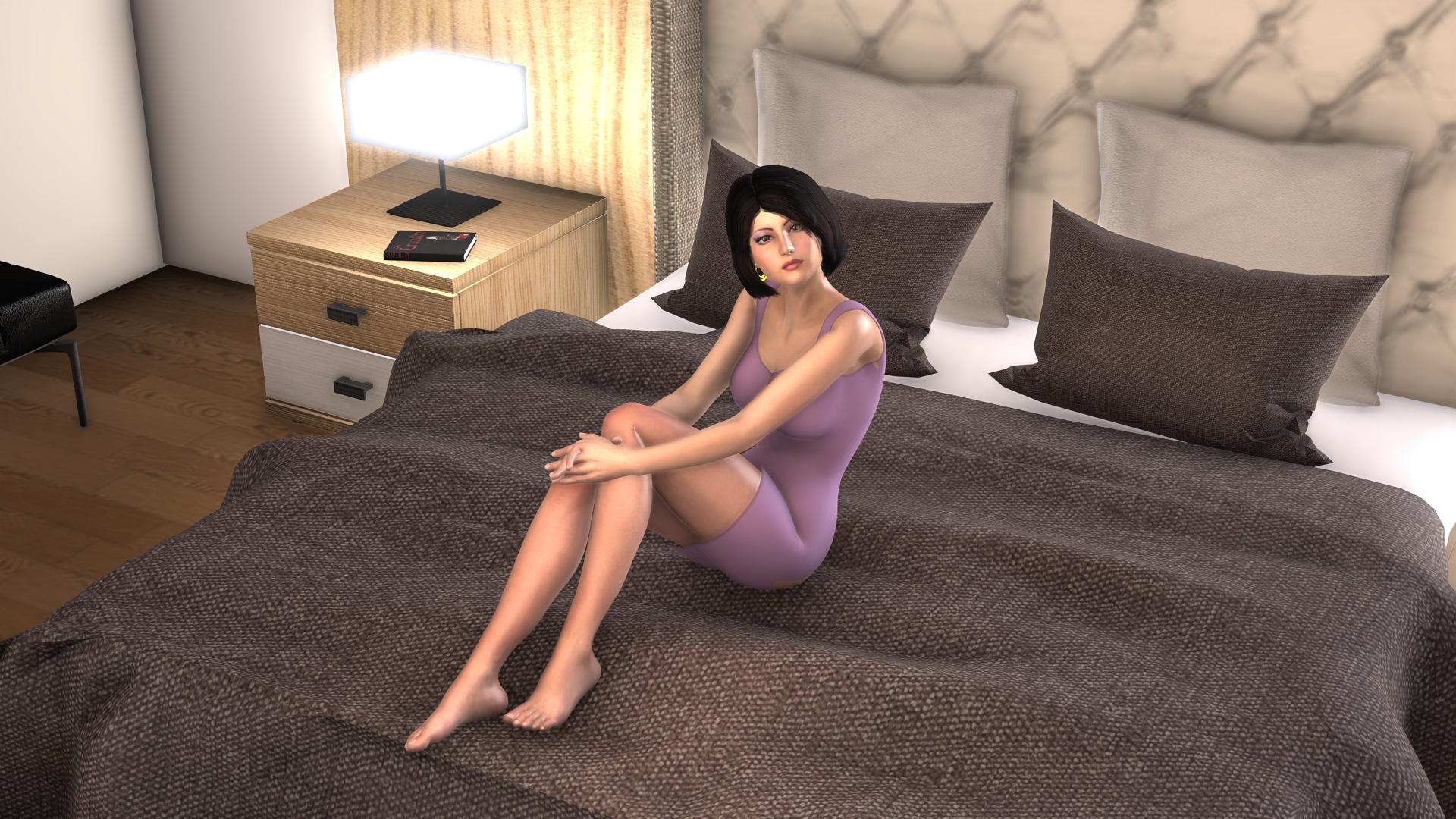
Octane Render
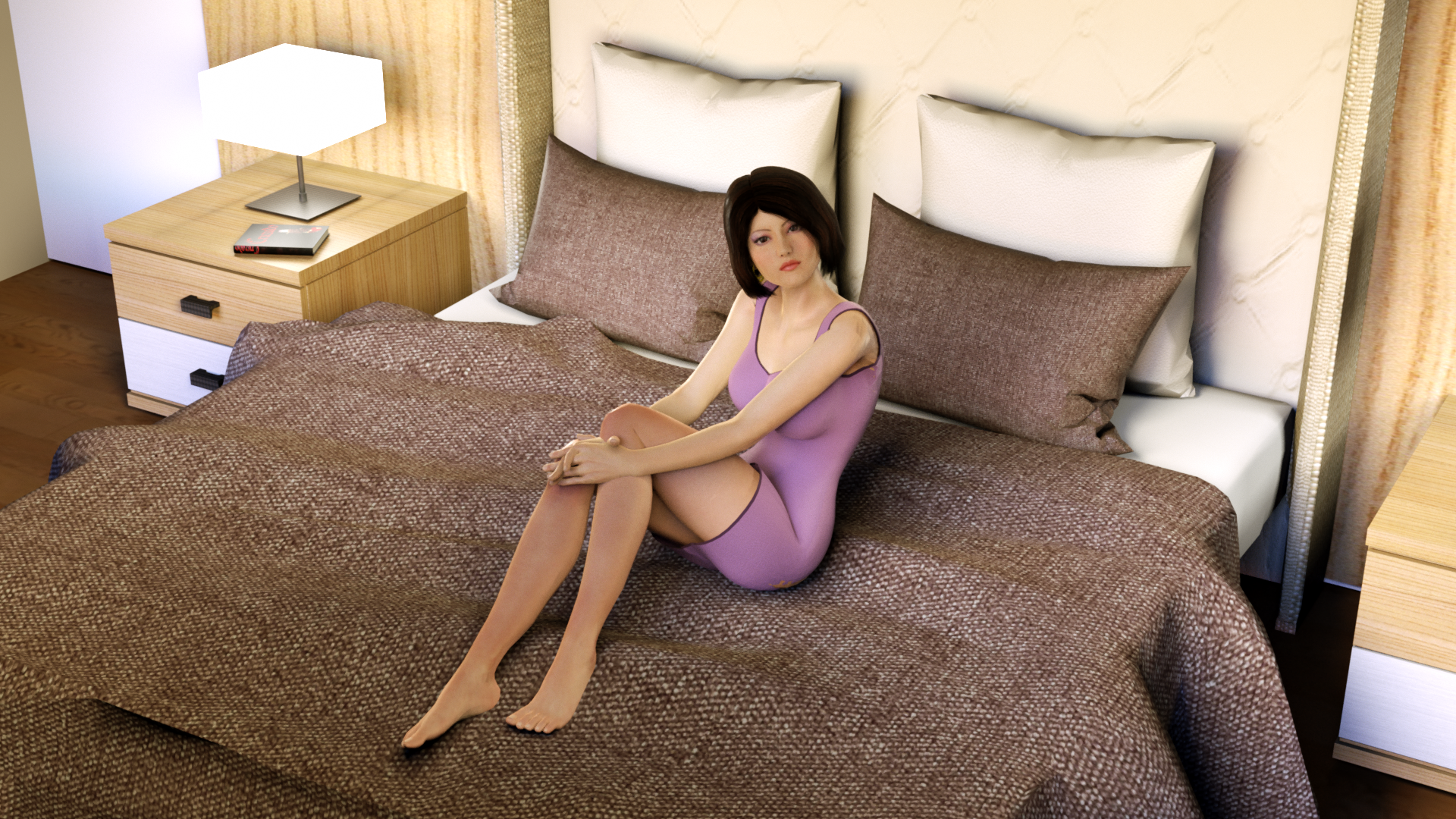
iClone 7

Octane Render
|
|
By Rampa - 9 Years Ago
|
|
Is the girl on the bed a scene that could be shared with the community as a lighting exercise? Might be interesting to see other people's versions of it as well.
|
|
By stuckon3d - 9 Years Ago
|
I believe that to make it a fair fight you need several things:
1) Learn both packages well first. Its advantages and disadvantages. Obviously speed goes to iclone, while render accuracy goes to octane.
2) What is your goal? true photorealism or stylized look?
3) when it comes to skin iclone is missing subsurface , there are trick you can use to simulate this but you really need to customize it to the lighting conditions in the scene, while octane will do this automatically.
Bottom line, it depends on the project you have in mind. You can do amazing things in iclone 7 , certainly pushing photoreal or stylized photoreal. Like Shrek movies.
Cheers,
Stuckon3d
PS: example: render a similar image in octane, and tell me how long it took. iClone did it in 1.5 seconds at 4k full quality. :)
|
|
By GrannyJ - 9 Years Ago
|
It is my opinion that regardless of which renderer you prefer, the way you light your scene will greatly impact your final result. You can have great props, avatars, backgrounds, etc - & the way you light the scene will make all the difference in the world.
The most important step in creating your scene is your approach to lighting....& it takes practice to master in any 3D program.
The advantage with iClone is how quickly one can create & render.
|
|
By animagic - 9 Years Ago
|
If you're not doing stills and would like to finish a film during your lifetime, iClone would be my choice. And as Chris (stuckon3D) points out, you have to know the renderers well to make any meaningful comparison. Check out his tutorials, they are really helpful to get the best use out of PBR, GI, etc.
|
|
By justaviking - 9 Years Ago
|
My two-cents...
As side-by-side comparison, using the images at the start of this thread, they are simply "different" and neither one is a clear winner to my eyes. It's not like either one is magically photo-realistic and the other is fake-looking. They are both obviously computer renderings, and simply have differing looks.
What look do you want, and how much effort and time are you willing to spend to achieve it?
It seems hard to beat iClone 7, especially with the rendering speed.. Something like the Unreal Engine would be an interesting thing to toss into the mix, too.
|
|
By dr.zap - 9 Years Ago
|
|
If you want photoreal, don't even consider a PBR realtime renderer. Just like you would never consider driving a nail with a screwdriver. Octane has the luxury of not being expected to deliver instant results, so It can resolve all the rays needed to create a photo-real image. On the other hand, a real time engine was designed for instant results. This severely limits it's capabilities for realism. There really is no comparison between the two. Realtime rendering was developed for games and VR, where it is absolutely necessary. Unbiased raytracers like Octane were designed to simulate reality. They both have a place in an artist's toolbox.
|
|
By illusionLAB - 9 Years Ago
|
|
...and somewhere "out there", on another forum, there's someone comparing Octane to Arnold or VRay. The secret to success is not putting all your apples in one cart - choose the best tool for the job. I'm with "Viking" - neither image is particularly representative of what can be achieved with either tool - and what's with Octane's dark ambient occlusion shadow behind the apparently 'lit' table lamp?
|
|
By TonyDPrime - 9 Years Ago
|
stuckon3d (7/11/2017)
I believe that to make it a fair fight you need several things: 1) Learn both packages well first. Its advantages and disadvantages. Obviously speed goes to iclone, while render accuracy goes to octane. 2) What is your goal? true photorealism or stylized look? 3) when it comes to skin iclone is missing subsurface , there are trick you can use to simulate this but you really need to customize it to the lighting conditions in the scene, while octane will do this automatically. Bottom line, it depends on the project you have in mind. You can do amazing things in iclone 7 , certainly pushing photoreal or stylized photoreal. Like Shrek movies. Cheers, Stuckon3d PS: example: render a similar image in octane, and tell me how long it took. iClone did it in 1.5 seconds at 4k full quality. :)
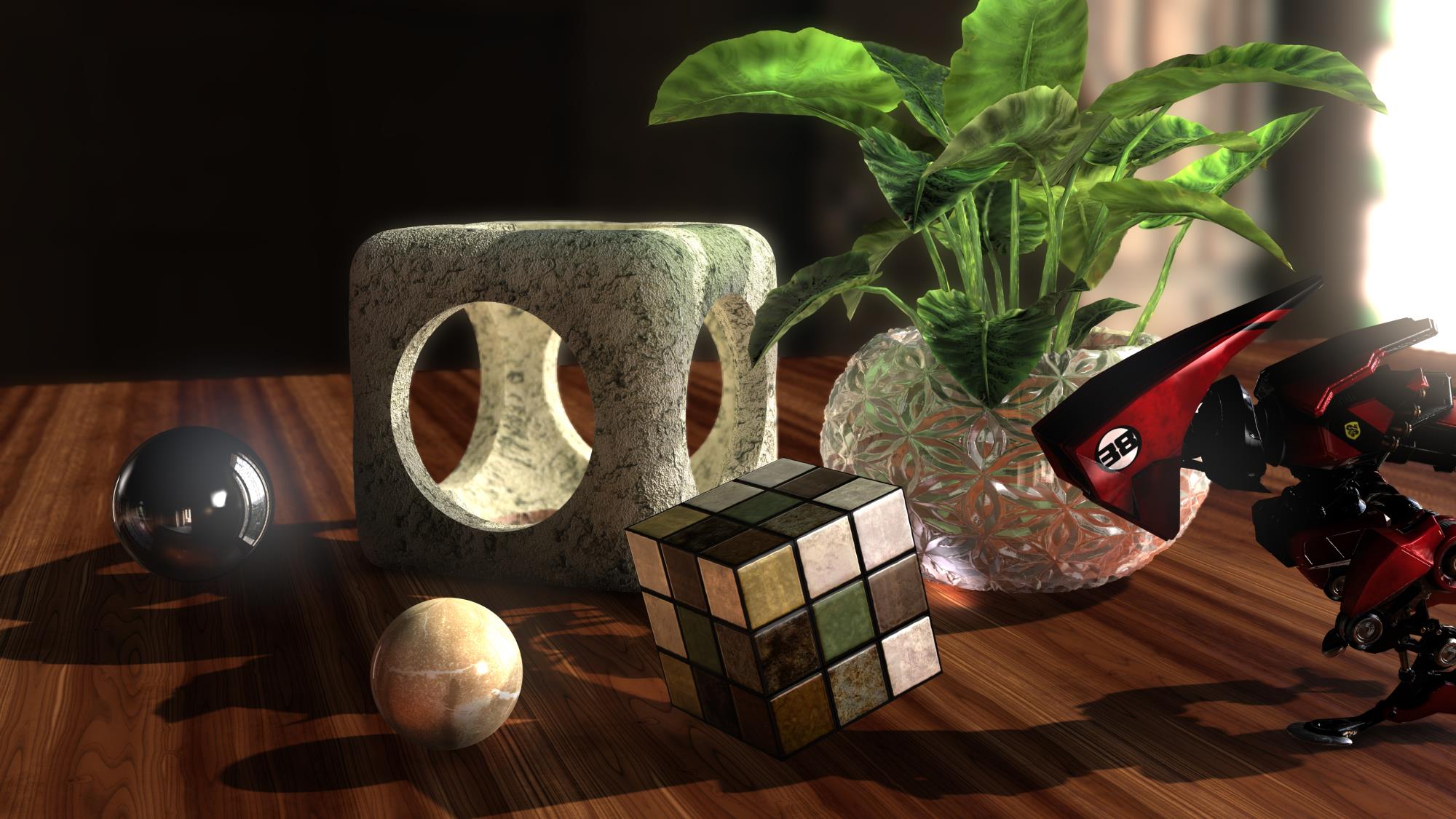
AHHH!! Look at the rubix cube in your image, it looks flat, toonish. What am I seeing here, I can't really articulate it other than to say it is missing gloss (metallic/roughness) and thus not consistent with the rest of the rendered objects, but then the stone behind it has no gloss but looks more photo-real. What occurred here, why are these different. My brain can approximate weight and texture just by looking at all the objects except for the rubix cube.
Do you know why this is, is it the subsurface scattering which you were referring to? Maybe that material was not really PBR-compatible somehow or something like that?
Whatever it is that iClone 7 did to that rubix cube in the image, it does not look accurate to the scene. Thinking if we figure out what fixes that rubix cube's accuracy, this knowledge would narrow the rendering accuracy gap!
|
|
By TonyDPrime - 9 Years Ago
|
|
Rampa (7/11/2017)
Is the girl on the bed a scene that could be shared with the community as a lighting exercise? Might be interesting to see other people's versions of it as well.
This is a great idea to see if our collective brains can come up with a rendering solution to achieve the sought after photo-real-ness.
I am going to create a scene with default components that we all have and also do an Octane Render render.
Possibly have others give their version of the same scene with better PBR results!
|
|
By dr.zap - 9 Years Ago
|
Do you know why this is, is it the subsurface scattering which you were referring to? Maybe that material was not really PBR-compatible somehow or something like that?
Whatever it is that iClone 7 did to that rubix cube in the image, it does not look accurate to the scene. Thinking if we figure out what fixes that rubix cube's accuracy, this knowledge would narrow the rendering accuracy gap!
In my opinion, the whole scene looks cartoonish compared to what can be done with a raytracer. I can tell you what's missing: Time. The iClone renderer needs more time to compute! Unfortunately, time is one thing it doesn't have so it has to get a close approximation. Unity Engine and Unreal do a better job at this, IMO and I think one day faster processors and better optimization will put real time renderers in the same ball park (for realism) as Octane and the others. I look forward to that day.
|
|
By animagic - 9 Years Ago
|
I think what is "better" is so personal that this will lead nowhere, especially when value judgements such as "cartoonish" creep into the equation. It's the same with paintings: for some "clever" photorealism is the ultimate, for others such paintings are dead as a doornail.
There is a new arsenal of tools that RL has made available PBR, GI, LUT, etc. and I'm interested to learn how to best make use of them. A "fight" between renderers is of little interest to me, especially since this discussion has been rehashed ad nauseam over the years with respect to iClone renders.
|
|
By Kelleytoons - 9 Years Ago
|
You are absolutely right, ani.
Not only that -- comparing stills is disingenuous -- show me some animations and then we can talk. If you ask me, the more photo-real a person is, the worst when it comes to animations (because there is that uncanny valley you will be entering). Fanboys LOVE to see photoreal girls -- other folks, not so much. If your only audience is those fanboys, then more power to you (I tend to want to appeal to a wider group).
iClone is all about character animation, and it seems to me Octane and other such are all about stills. Apples to oranges.
|
|
By dr.zap - 9 Years Ago
|
|
Kelleytoons (7/11/2017)
You are absolutely right, ani.
Not only that -- comparing stills is disingenuous -- show me some animations and then we can talk. If you ask me, the more photo-real a person is, the worst when it comes to animations (because there is that uncanny valley you will be entering). Fanboys LOVE to see photoreal girls -- other folks, not so much. If your only audience is those fanboys, then more power to you (I tend to want to appeal to a wider group).
iClone is all about character animation, and it seems to me Octane and other such are all about stills. Apples to oranges.
ummm.... surely you know that most every commercial animation and special effects in films, including scenes with virtual actors that you probably didn't notice were rendered on unbiased renderers like Octane. From cartoon characters like in Pixar's The Incredibles to amazing lifelike doubles of dead actors (Star Wars).... all rendered in Octane or Arnold or Mental Ray or a customized version of them. True, the iClone renderer and Octane are apples and oranges, but not in the way that you describe. If Hollywood had this big uncanny valley problem with realistic characters, maybe you can explain why it's written in most action star's contract to get a 3D scan prior to production. More than a few reshoots and posthumous shots have been done with digital doubles instead of the real actor.
|
|
By Kelleytoons - 9 Years Ago
|
There's an entire world of difference between using digitized scans of actors to create small, tiny segments of animation designed to look "real" versus using wholly artificially created avatars for a movie. Believe me, I know -- I worked in the industry and some of those folks doing the work nowadays are still my friends. Even they have some real issues getting it right (which is why it looks so odd sometimes when Leia is in Star Wars) -- and they have all the resources in the world.
If you're thinking you can do the same without spending millions... you're deluding yourself. But, again, prove me wrong -- show me animation you've produced that doesn't get into that valley as I'd love to be convinced (the fact that I've never seen an amateur do it doesn't mean anything -- someone has to be first :>).
|
|
By dr.zap - 9 Years Ago
|
|
I wasn't talking about Leia. As far as I know, there hasn't been any films released since her death. I was talking about a whole scene containing Grand Moth Tarkin. A whole scene. And I know of a reshoot in another movie (I can't remember the name) where they reshot a scene without the actor who was busy on another movie and it was completely believable. I never said I could do that, where do you get that idea? I am just a hobbyist like everyone else on this board. My aspirations may be a little more ambitious, but still a hobbyist. I am saying that Octane is a professional tool. iClone is for hobbyists and game publishers (for now) and professionals who don't need top quality. That is not a knock on iClone, just a reality. You won't see Hollywood make special affects or animate with the current version of iClone. You will see tons of professional work being done with Octane. There is one simple reason for this. With Octane, you can do everything, outside of realtime rendering, that iClone does plus much more. Once again, this is not knocking iClone. IClone is designed and priced for a different market. This is the real reason why it is an apples and oranges discussion. One thing I can see Hollywood using iClone for: Previz. This is iClone's strength. But the final product will always go out to renderers like Octane. At least for now.
|
|
By TonyDPrime - 9 Years Ago
|
I will make this a 3 way battle.
Here is a comparison render of iClone 7, vs Indigo, vs Octane!
I learned from doing this that Indigo actually can serve as a good benchmark if anything to adjust levels on things...the first iClone 7 one I made was way flatter and I kept going back and adjusting until it matched Indigo. Then I did Octane's and I again went back to iClone to more match that. This is the first time I ever pushed out of iClone something that essentially matches Octane. As such, a "still" can be of great value in setting benchmarks to iClone 7, where then preferably the animation could be done in-house in iClone 7.
I see a couple differences in the workflow. Indigo is more restrictive and harder to target specific items. iClone is easier, and Octane is easiest (it gives more range control across the board).
Out of the box a render looks initially better in Octane, then indigo, then iClone. But only because iClone needs PBR material tweaking. For example I don't know how to minimize some of that Fresnel / edge harshness...And I find myself constantly flipping Metallic color from black to lighter, and Roughness color from white to darker. So in that respect, the other 2 take less time to set up the scene with a realistic look.
I also see differences in the images:
Octane's default shadows look blue in hue, maybe this is something that could be added in iClone 7, a "Shadow Hue" in the Visibility > Shadow panel.
Maybe it's time iClone could get a real real Default Daylight setting, a positioned sun lamp or headlight with a default sky? In Octane, easy to flip from Texture Environment to Daylight lighting. Just speeds everything up.
Lastly, to me, and this is just my opinion, iClone looks like Super Nes, Indigo looks like Sega Genesis, and Octane looks like the Arcade.
But I am pleased what is possible here. I will look to backwards engineer the avatar skin in iClone vs what I can get in the other 2. If this happens, we WILL see iClone 7 used for Star Wars Episode 9's final production.
As always...Thoughts?
iClone 7
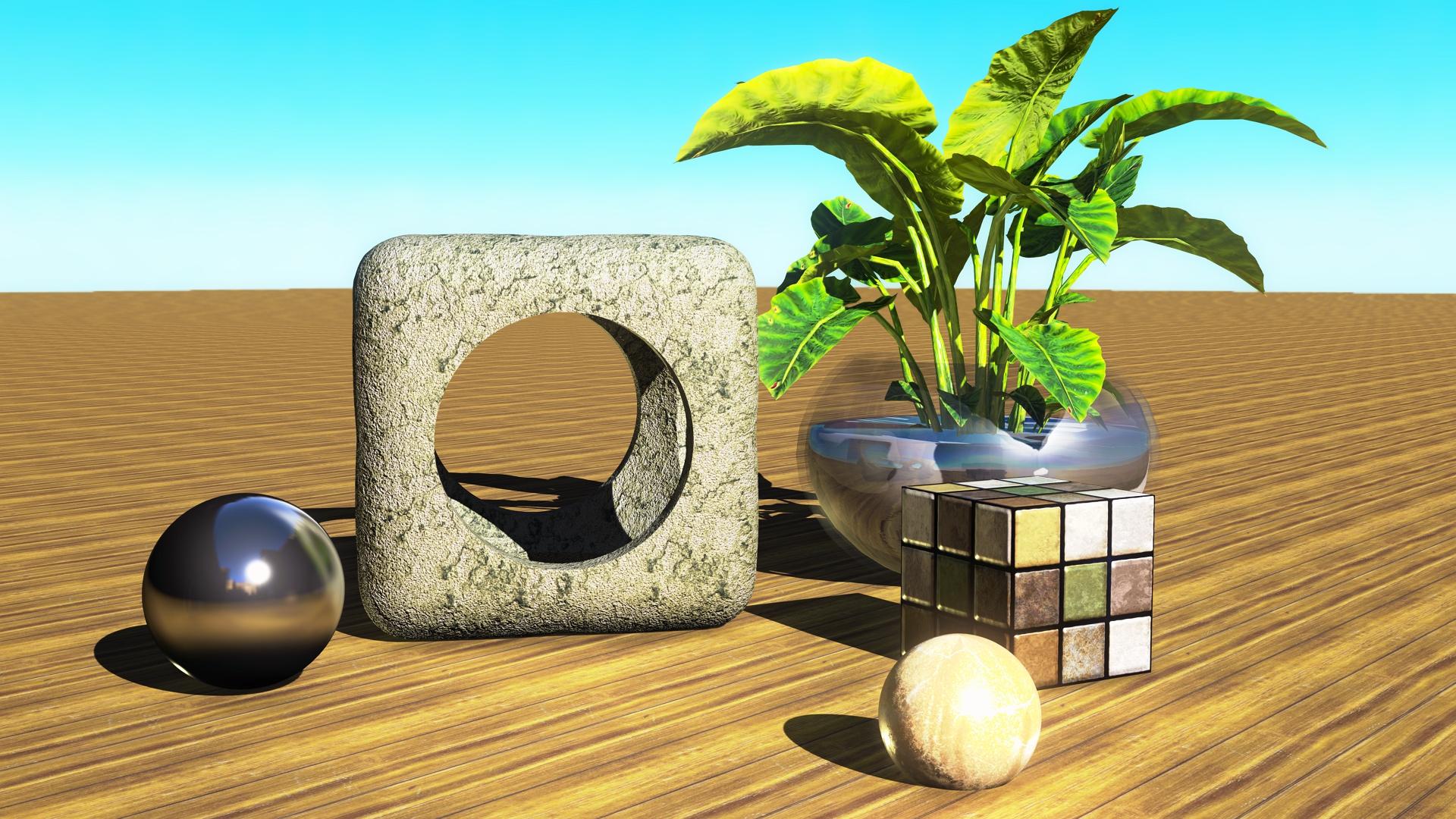
Indigo Renderer (from the above iClone 7)

Octane Render (exported to Maya from Octane). Also, I inserted the plant separately as it does not export from iClone (it is a non-exportable SpeedTree prop)

|
|
By dr.zap - 9 Years Ago
|
|
Octane usually needs to use it's own materials and shaders designed for its engine to be most effective. I know there is a big difference between Daz figures rendered in Octane with Daz shaders and Octane shaders. I think the Octane render looks best, but the materials are holding it back. Ultimately though, I think it's best to use each tool for their strengths and not try to do something its not cut out for. You may be able to tweak the iClone renderer to mimic Octane-like realism, but at what time cost? For the time you spend tweeking, you might be able to just buy Octane. One the other hand, for some people the fun is in the tweaking. Happy Tweaking.
|
|
By Skuzzlebutt - 9 Years Ago
|
your photos indicate you need to learn the apps better is all
these are sophmoric attempts at best
|
|
By illusionLAB - 9 Years Ago
|
|
Octane is the iClone of the rendering world - it's fast and gives a great result in the right hands, but it's not going to be used to render final shots for a gazillion dollar film. I do work in the biz and as excited as everyone was by Octane, I don't know of a single "high end studio" that uses it for final shots.
|
|
By Kelleytoons - 9 Years Ago
|
Again, animation is what we are talking about here, and I see no evidence that anything outside a Hollywood production (or at least a studio bigger than any one-man shop) can do anything approaching real world character rendering that doesn't venture into uncanny valley status (and may never).
As to the Leia reference -- I was referring to my friends who are working on her for the next Star Wars. They have spent millions and it ain't easy and is still problematic. As was the shots in the last Star Wars (which only used things supered onto a real human actor, and even then cheated in ways you can't imagine).
So if you kids really want to have this discussion mean anything, start showing some animation examples. Until then I remain firmly convinced that making a one-man shop character animated production of more than a few minutes is going to have to be "cartoonish" in some respect, and iClone is the king (and rendering with it can't be beat).
|
|
By dr.zap - 9 Years Ago
|
|
illusionLAB (7/11/2017)
Octane is the iClone of the rendering world - it's fast and gives a great result in the right hands, but it's not going to be used to render final shots for a gazillion dollar film. I do work in the biz and as excited as everyone was by Octane, I don't know of a single "high end studio" that uses it for final shots.
Most high end studios don't use off the shelf products, they produce their own tools or modify others. But if you reread my comment, you will notice I said "renderers like Octane". Most big studios don't use a GPU renderer, they use a CPU render farm but products like Arnold and Vray are not out of the question for effects production houses and they are much like Octane. As you know, Renderman was developed by the studios for film work. It's an old hat now.
|
|
By dr.zap - 9 Years Ago
|
|
So if you kids really want to have this discussion mean anything, start showing some animation examples. Until then I remain firmly convinced that making a one-man shop character animated production of more than a few minutes is going to have to be "cartoonish" in some respect, and iClone is the king (and rendering with it can't be beat).
Umm.. I don't think this topic is about a "one man shop character". It's about comparing Octane render to iClone render. My comment was in response to you saying Octane is just for stills. Of course that is nonsense. You seem to keep referring back to my project which has nothing to do with this topic. Perhaps you want to start your own thread?
|
|
By wendyluvscatz - 9 Years Ago
|
I use Octane render in Carrara mostly but I still love iClone 5 believe it or not and use it more than 6 and in no hurry to get 7
as nice as PBR looks
simply because I love the ability to render stuff fast!!
Renderman is a highly respected engine too but you will not catch me dying of old age using DAZ studio's 3Delight engine, hell even their PBR iray is too slow for me!
I think storyline is more important anyway
|
|
By TonyDPrime - 9 Years Ago
|
|
budbundy (7/11/2017)
your photos indicate you need to learn the apps better is all
these are sophmoric attempts at best
I don't think that's nice to say that Stuckon3D's image is sophomoric at best. What would Stuckon3D have to say to you if he heard you say that, what would he think of you?
I mean, yes the rubix cube looks toonish compared to the rest of the scene, but in that respect I think the rock, the glass, and the spheres look very nice, photo-realistic to me.
The rubix cube is an example of the tooning conundrum which can occur. I would like to hear if stuckon3D has thoughts on the rubix cube specifically, how it differs from the rock, which is not metal. What made one look flat with the other looking photo-real.
Thx!
|
|
By dr.zap - 9 Years Ago
|
|
wendyluvscatz (7/11/2017)
Renderman is a highly respected engine too but you will not catch me dying of old age using DAZ studio's 3Delight engine, hell even their PBR iray is too slow for me!
I think storyline is more important anyway
I agree, story is king. Without a story, we have nothing. I also hate rendering times which is why I think iClone is useful as a previz tool.
|
|
By dr.zap - 9 Years Ago
|
|
illusionLAB (7/11/2017)
...and as excited as everyone was by Octane, I don't know of a single "high end studio" that uses it for final shots.
I was curious and did a google check and came up with this: https://venturebeat.com/2013/03/19/otoys-cloud-rendering-tools-to-be-used-in-indie-games-and-the-fantastic-four-movie/
I think a Marvel movie qualifies as high end. Nevertheless, I'm not contradicting you. GPU rendering is still in it's infancy and has it's weaknesses. Just like every other renderer. Which is why I say we should use each tool for its strengths and makeup for the weakness with other tools.
|
|
By thedirector1974 - 9 Years Ago
|
TonyDPrime (7/11/2017)
budbundy (7/11/2017)
your photos indicate you need to learn the apps better is all
these are sophmoric attempts at best
I don't think that's nice to say that Stuckon3D's image is sophomoric at best. What would Stuckon3D have to say to you if he heard you say that, what would he think of you? I mean, yes the rubix cube looks toonish compared to the rest of the scene, but in that respect I think the rock, the glass, and the spheres look very nice, photo-realistic to me. The rubix cube is an example of the tooning conundrum which can occur. I would like to hear if stuckon3D has thoughts on the rubix cube specifically, how it differs from the rock, which is not metal. What made one look flat with the other looking photo-real. Thx!
Her was reffering to your pictures, not the one of "stuckon3d".
I started with iClone about 5 years ago and I had a lot of fun to do animated movies. I still have. iClone 7 gives the user a lot of new tools and new render techniques. If you know what you are doing, if you know how to use the lighting tools, then you'll get really good results at the end. I don't talk about photo realism. That's not achiveable. No, even the last Star Wars movie with digital Tarkin and Leia wasn't convincing at all. They came close, but I can see a digital actor no matter what. Photo realism can't be the goal in this segment of animation. If you wan't to create a good movie, you should do anything to make it "convincing". That's all you need. The audience will blend out all the differences to the real world as long the story and the animations are engaging.
And this is the main problem of this discussion and all those discussions we had before. You and your companion in minde Dr.Zap talk about renderer and how they compare to each other. You talk about technical things and you post bad lit pictures to prove ... what? Which engine is better? Better to what?
Give me that scene with the girl on the bed (if you can) and will do a proper lighting to get a believeble result. That's for sure. But may be the problem isn't solved that way, cause you "photo realism" guys will never be satisfied with any result. And we are still talking about "stills". iClone is for animation, for creating a movie, a compelling story. I know, most companies use iClone for previz. It was designed for that. But you can do very nice looking animated movies with iclone and there are some really good guys here in the forum to prove that.
I'd like to see just one animation. Just to see on which level we are talking about. Just one ...
Direx
|
|
By dr.zap - 9 Years Ago
|
|
thedirector1974 (7/11/2017)
. Photo realism can't be the goal in this segment of animation.
Why can't photorealism be a goal? Because you feel you can't achieve it? That may be a good enough reason for you, but not for me. I've had plenty people say I should give up my goals because they weren't achievable but they failed to realize that if you don't aim high, you won't reach what you can achieve. BTW, if that comment was for me, you obviously havent been reading me carefully. Photorealism was never my goal.
if u wan't to create a good movie, you should do anything to make it "convincing". That's all you need. The audience will blend out all the differences to the real world as long the story and the animations are engaging.
I completely agree with this. There are many more things more important to telling a good story than good graphics. I've already wrote about that in other threads.
You and your companion in minde Dr.Zap talk about renderer and how they compare to each other. You talk about technical things and you post bad lit pictures to prove ... what? Which engine is better? Better to what?
Again, if you read me more carefully, you would not have put my name in this discussion. I made the argument that Octane Render and iClone's are aimed at different goals. It depends on the needs of your project. They are apples and oranges products.
That's for sure. But may be the problem isn't solved that way, cause you "photo realism" guys will never be satisfied with any result.
If my project called for super realism, why would I be satisfied with iClone's result? Why would I even use iClone? It depends on the project and the needs of the filmmaker. By the way, I was convinced by the Tarkin digital double. There certainly wasn't any uncanny valley going on. Maybe a little strange that I was watching a "dead guy".
And we are still talking about "stills". iClone is for animation, for creating a movie, a compelling story. I know, most companies use iClone for previz. It was designed for that. But you can do very nice looking animated movies with iclone and there are some really good guys here in the forum to prove that.
This reminds me of some fanboys in the film community. They think their gear or cameras are the best for everything. They are blind to the weaknesses of their film equipment because of their investment. So when someone tells them their RED Weapon has limitations, they are quick on the defensive. Every tool some sort of limitation. iClone's just happens to be realism. But it has strengths too. If an artist can take advantage of its strengths and live with the weaknesses, then they have a good match.
I'd like to see just one animation. Just to see on which level we are talking about. Just one ...
Direx
I'd like to show you one, but it's taking so darn long to render:P
|
|
By TonyDPrime - 9 Years Ago
|
thedirector1974 (7/11/2017)
TonyDPrime (7/11/2017)
budbundy (7/11/2017)
your photos indicate you need to learn the apps better is all
these are sophmoric attempts at best
I don't think that's nice to say that Stuckon3D's image is sophomoric at best. What would Stuckon3D have to say to you if he heard you say that, what would he think of you? I mean, yes the rubix cube looks toonish compared to the rest of the scene, but in that respect I think the rock, the glass, and the spheres look very nice, photo-realistic to me. The rubix cube is an example of the tooning conundrum which can occur. I would like to hear if stuckon3D has thoughts on the rubix cube specifically, how it differs from the rock, which is not metal. What made one look flat with the other looking photo-real. Thx! Her was reffering to your pictures, not the one of "stuckon3d". I started with iClone about 5 years ago and I had a lot of fun to do animated movies. I still have. iClone 7 gives the user a lot of new tools and new render techniques. If you know what you are doing, if you know how to use the lighting tools, then you'll get really good results at the end. I don't talk about photo realism. That's not achiveable. No, even the last Star Wars movie with digital Tarkin and Leia wasn't convincing at all. They came close, but I can see a digital actor no matter what. Photo realism can't be the goal in this segment of animation. If you wan't to create a good movie, you should do anything to make it "convincing". That's all you need. The audience will blend out all the differences to the real world as long the story and the animations are engaging. And this is the main problem of this discussion and all those discussions we had before. You and your companion in minde Dr.Zap talk about renderer and how they compare to each other. You talk about technical things and you post bad lit pictures to prove ... what? Which engine is better? Better to what? Give me that scene with the girl on the bed (if you can) and will do a proper lighting to get a believeble result. That's for sure. But may be the problem isn't solved that way, cause you "photo realism" guys will never be satisfied with any result. And we are still talking about "stills". iClone is for animation, for creating a movie, a compelling story. I know, most companies use iClone for previz. It was designed for that. But you can do very nice looking animated movies with iclone and there are some really good guys here in the forum to prove that. I'd like to see just one animation. Just to see on which level we are talking about. Just one ... Direx
Hello! No, he was talking about Stuckon3D, which wasn't very nice. I would wonder if Stuckon3D would ever himself use or approve of such commentary, in any event.
If you can improve scenes and do proper lighting, what do you think is the reason why the rubix cube looks toonish in Stuckon3D's picture, do you think it needed gloss of some type to gain consistency with the rest of the scene? I did that in my 3-way comparison, I felt that the rubix cube needed more gloss. I basically raised metallic from black to grey, and then reduced roughness from white to grey as well, giving a gloss to the cube. Would you disagree with that approach, or what approach would you have had if you were working on the Stuckon3D scene and you were at the point of the rubix cube....
What would you have done with that Rubix Cube (1) left alone, (2) added gloss, like I did, or (3) other solution.
Thanks!
PS - the "stills" from these other renderers were great benchmarks for me to go back and adjust my iClone 7 scene, they are an immensely valuable tool I now see.
|
|
By stuckon3d - 9 Years Ago
|
TonyDPrime (7/11/2017)
budbundy (7/11/2017)
your photos indicate you need to learn the apps better is all
these are sophmoric attempts at best
I don't think that's nice to say that Stuckon3D's image is sophomoric at best. What would Stuckon3D have to say to you if he heard you say that, what would he think of you? I mean, yes the rubix cube looks toonish compared to the rest of the scene, but in that respect I think the rock, the glass, and the spheres look very nice, photo-realistic to me. The rubix cube is an example of the tooning conundrum which can occur. I would like to hear if stuckon3D has thoughts on the rubix cube specifically, how it differs from the rock, which is not metal. What made one look flat with the other looking photo-real. Thx!
hi Tony,
I don't think he was referring to my work, but you are right, calling people or their work names is uncalled for. You can always give constructive criticism but be polite. As far as the cube, all it needs is a little more TLC that's all, I just did a quick conversion from "traditional" to "pbr" , and did minor tweaks to the shaders without changing the textures. Obviously the cube needed more textures than the ones you are given by default with the conversion, Which is a plain black for metallic and mid grey for roughness(which made it look flatish). Here is an improved version of the cube, I added a better metallic and roughness maps and improved the bump. I cant spend too much time because im working on the tutorials to help people take advantage of the new iclone tools. But you can see that it is improved and if i had the time i can make it look even better. :)
|
|
By rogyru - 9 Years Ago
|
Well all seems like a pointless debate to me i would not consider Iclone a still render engine . If i want renders i go to Daz Are Iray in 3dmax .If i want animation and previz i look to iclone
|
|
By FrankGarrett316 - 9 Years Ago
|
Once I complete this trilogy I'm working on, you'll all see the true potential of iClone. You'll see...
|
|
By mtakerkart - 9 Years Ago
|
I don't know if it's a language barrier but what does mean "realistic" for things that doesn't exist ? :ermm:
I can understand to recreate old architecture , old cars ,etc... But I don't understand "realistic" about star wars or Transformers , etc...
Anyway every one knows that's not realistic (?)
|
|
By Kelleytoons - 9 Years Ago
|
dr.zap (7/11/2017)
So if you kids really want to have this discussion mean anything, start showing some animation examples. Until then I remain firmly convinced that making a one-man shop character animated production of more than a few minutes is going to have to be "cartoonish" in some respect, and iClone is the king (and rendering with it can't be beat).
Umm.. I don't think this topic is about a "one man shop character". It's about comparing Octane render to iClone render. My comment was in response to you saying Octane is just for stills. Of course that is nonsense. You seem to keep referring back to my project which has nothing to do with this topic. Perhaps you want to start your own thread?
No, I think the original author was trying, at least, to compare iClone to Octane. iClone is for animating characters, and for one-man shops. You wouldn't use it for stills just like you wouldn't use Photoshop to do a full animated movie. You need to compare likes to likes, that's clear.
|
|
By TonyDPrime - 9 Years Ago
|
Stuckon3d, thanks! It looks great!
And let me take a guess at what Stuckon3D did. He adjusted Metallic and Roughness to give gloss. Then he took it a step further by adjusting the bump map. Now, I saw myself today the bump map was a basic tic-tac-toe board, to give 3D to each of the 9 squares on the Rubix cube. I believe, because it is what I could see myself doing now, is taking that bump map and overlaying it with noise bump map (say in a Photoshop-like app), and then using that new bump map to achieve a more textured look, extending the new glossiness in a subtle, but recognizably perceptible way. To me this completes the image now, it looks much more photo-real. Now, it may be imaginary in concept, but the materials of this imaginary concept appear to be physically accurate ("realistic")
Dr.Zap brought up great points about Octane regarding materials. If given the right materials, the lighting mechanisms at play are natively set up to easily give photo-real output.
iClone 7 differs in this regard as it is emulating the lighting conditions which Octane is computing.
What I learned now is that if you have no reference for what lighting 'should' give you to be physically accurate, Octane will give you it more easily, and iClone 7 will not.
However, if you have a reference, different ballgame. I was able to almost match Octane. Stuckon3D showed how close the emulation can go without needing computation to achieve photo-real...Well done!
|
|
By Rampa - 9 Years Ago
|
I think the "Loft" scene would be a good one for practice. Everyone with 7 has it, and it's an indoor scene. Just needs a character or two! :)
It would be awesome to see how different people light it.
As it is, it is a great example, and all the various lighting could be removed to start from scratch.
|
|
By dr.zap - 9 Years Ago
|
|
Kelleytoons (7/11/2017)
No, I think the original author was trying, at least, to compare iClone to Octane. iClone is for animating characters, and for one-man shops. You wouldn't use it for stills just like you wouldn't use Photoshop to do a full animated movie. You need to compare likes to likes, that's clear.
why wouldn't someone use Photoshop to make an animated movie? There is an onion skin plugin for hand cell animation? Is that not allowed anymore?
|
|
By planetstardragon - 9 Years Ago
|
I just tried a similar comparison, ic7 vs indigo in my case.
Not saying which is which though.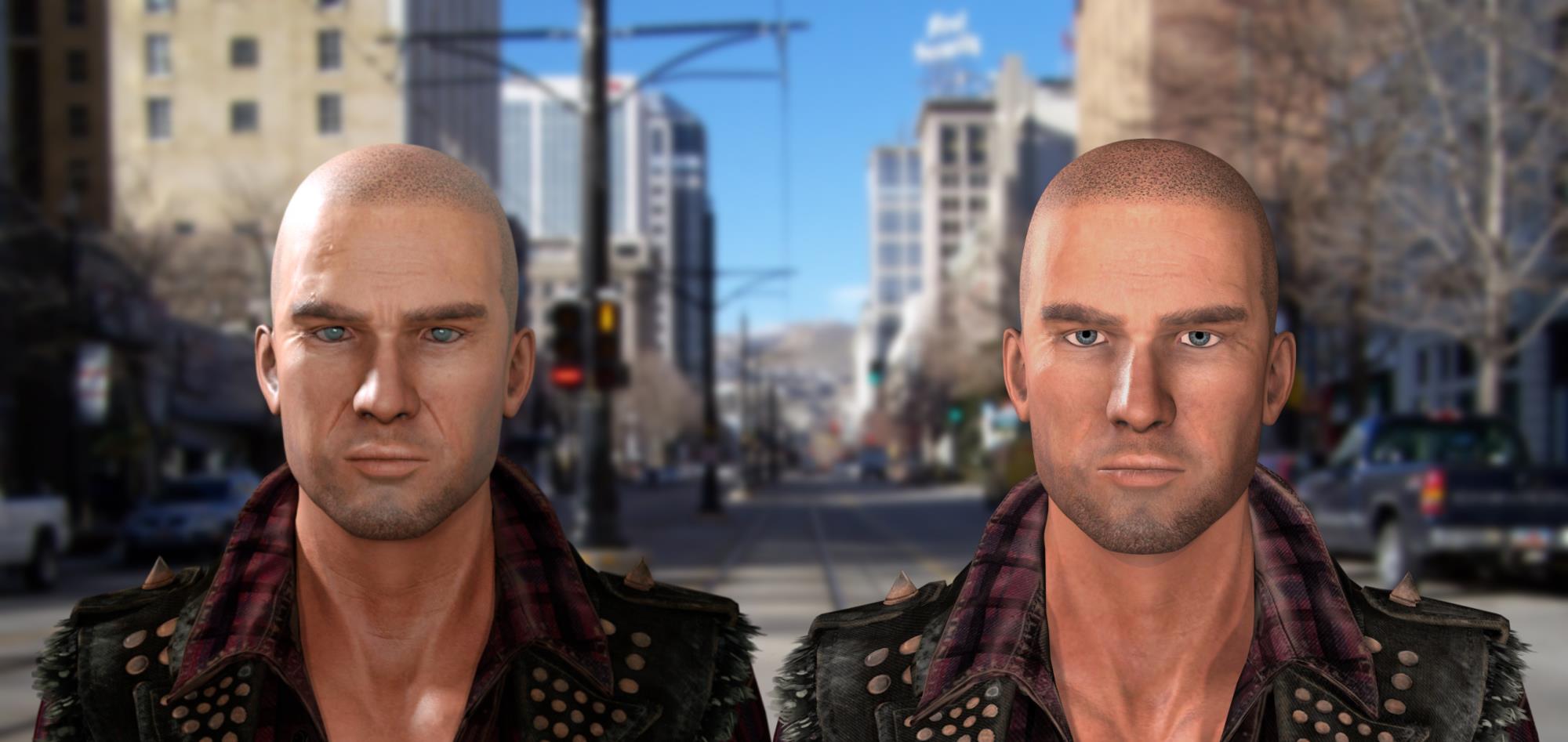
|
|
By justaviking - 9 Years Ago
|
Hi PSD. An excellent comparison. I have my guess (which I'm confident it) for which is which, but to me it reinforces what I said a couple pages ago; they're simply "different" and you need to decide which one you prefer and how much time and effort it's worth to you.
How long did each of the renders take, by the way? I'm particularly interested in the Indigo, since that was a recent topic of conversation again.
Rendering matters? Of course.
Lighting too, as pointed out.
Quality textures have a huge impact (just look at the quick change to the Rubik's cube in this thread).
Story? Yes! A thousand times, yes.
And the animation, lip sync, voice acting, sound and music, camera work, editing...
The actual render engine is only one slice of a very large pie.
|
|
By planetstardragon - 9 Years Ago
|
roughly 1/2 hour, but looked good in 5 mins, i just let it run in the background while I was tweaking the iclone render. - I probably could have gotten them closer if I had spent more time.
The real difference is in time, the render engines usually default to a realistic setting, iclones default settings are more on the toon side, you have the tools to emulate realism but you have to work at the nuances. - there is nothing calculating shadows like indigo calculating them, so you have to paint them in so to speak. What indigo calculates in shadows and colors, I have to manually adjust in iclone.
|
|
By pka4916 - 9 Years Ago
|
My guess Left = Indigo and right = Iclone
planetstardragon (7/12/2017)
I just tried a similar comparison, ic7 vs indigo in my case. Not saying which is which though.
|
|
By Kelleytoons - 9 Years Ago
|
So, just for chuckles (because I didn't like either one of the images above) I thought I'd light my own and see what I could get (it's more indicative of the possibilities, as Rampa was suggesting by taking the scene all of us have and seeing what lighting we'd make of it. There are just SO many ways to light in iClone now).
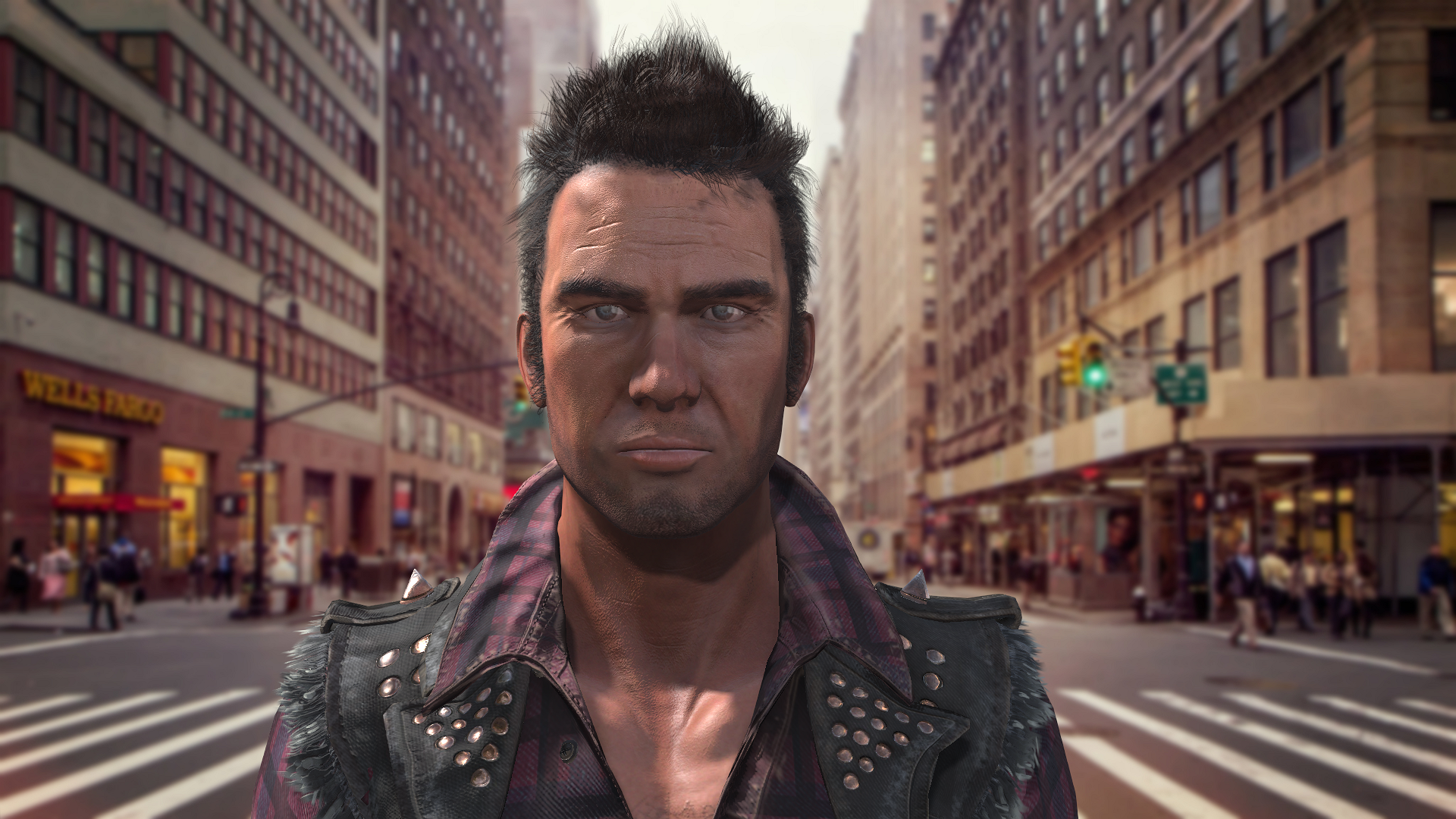
|
|
By planetstardragon - 9 Years Ago
|
pretty cool how the different lightings make him look like a different person, each creates a different mood - 1st guy looks like beady eyed euro-asian mobster, 2nd guy looks more like a clean cut undercover NY detective, kelley's guy looks more like a member of a motorcycle gang
|
|
By dr.zap - 9 Years Ago
|
|
Kelleytoons (7/12/2017)
So, just for chuckles (because I didn't like either one of the images above) I thought I'd light my own and see what I could get...
"iClone is not for stills! iClone is not for stills! <proceeds to rendering a still with iClone>:laugh:
For a more fair comparison of render engines, I think realtime render engines should be compared with each other. Unity made a fabulous movie with it's PBR and the assets are available for free on their website. I suggest someone can try to see if iClones renderer can match the Unity Engine or Unreal Engine. Now that would be apples to apples comparison. Downloading the assets and trying to duplicate the movie is a good challenge for iClone.
|
|
By planetstardragon - 9 Years Ago
|
there comes a point in the render style debate that it becomes a flavor contest ...what's the best flavor, chocolate, strawberry or vanilla ?
there is a matter of artistry and context. Consider the movie sin city and it's noir look, or for that matter the blair witch movie that was shot with a home cam...that lo fi look added to the context of the movie canon or sony makes much better camera's but a sony red would have killed the home cam feel of the blair witch movie. - comparing is good to see what looks each different thing brings to the story, but to figure out which is best is ultimately an attempt at quantizing artistic value. The tv show the Honeymooners would not be the same in color, south park would lose much appeal if it was made in ray traced 3D. Comparing styles is cool, looking for the best is moot. ( despite vanilla being the best flavor )
If everyone did spielberg / george lucas quality movies, with phil spector wall of sound audio - movies would get boring fast. - we need charlie chaplin, pixar, disney and the simpsons to look different.
|
|
By Kelleytoons - 9 Years Ago
|
dr.zap (7/12/2017)
Kelleytoons (7/12/2017)
So, just for chuckles (because I didn't like either one of the images above) I thought I'd light my own and see what I could get..."iClone is not for stills! iClone is not for stills! <proceeds to rendering a still with iClone>:laugh:.
Just for chuckles I did this in less time than it took to upload it to YouTube (about 90 seconds which included recording the audio and rendering and creating the file).
Let's see what someone can do animating with Octane in that time <g>.
|
|
By dr.zap - 9 Years Ago
|
|
planetstardragon (7/12/2017)
there comes a point in the render style debate that it becomes a flavor contest ...what's the best flavor, chocolate, strawberry or vanilla ?
there is a matter of artistry and context. Consider the movie sin city and it's noir look, or for that matter the blair witch movie that was shot with a home cam...that lo fi look added to the context of the movie canon or sony makes much better camera's but a sony red would have killed the home cam feel of the blair witch movie. - comparing is good to see what looks each different thing brings to the story, but to figure out which is best is ultimately an attempt at quantizing artistic value. The tv show the Honeymooners would not be the same in color, south park would lose much appeal if it was made in ray traced 3D. Comparing styles is cool, looking for the best is moot. ( despite vanilla being the best flavor )
If everyone did spielberg / george lucas quality movies, with phil spector wall of sound audio - movies would get boring fast. - we need charlie chaplin, pixar, disney and the simpsons to look different.
Amen
|
|
By pka4916 - 9 Years Ago
|
Wow, If that was just done in Iclone.
I am a Daz User, but only rendered in 3Delight for the movies. since Iray takes forever. Then I found Iclone, bought it and never used it so far..
Going through the whole training course.
But it's exiting to see the options for it..
And think there was a seminar too this week about this stuff with someone from Pixar I think? , have to lookup what day it was.
But that might be interesting too.
Going to have a blast with it for sure.. once I know all the tricks and such.. There is still a lot to learn for me.
Kelleytoons (7/12/2017)
So, just for chuckles (because I didn't like either one of the images above) I thought I'd light my own and see what I could get (it's more indicative of the possibilities, as Rampa was suggesting by taking the scene all of us have and seeing what lighting we'd make of it. There are just SO many ways to light in iClone now).
|
|
By pka4916 - 9 Years Ago
|
Wow, If that was just done in Iclone.
I am a Daz User, but only rendered in 3Delight for the movies. since Iray takes forever. Then I found Iclone, bought it and never used it so far..
Going through the whole training course.
But it's exiting to see the options for it..
And think there was a seminar too this week about this stuff with someone from Pixar I think? , have to lookup what day it was.
But that might be interesting too.
Going to have a blast with it for sure.. once I know all the tricks and such.. There is still a lot to learn for me.
Kelleytoons (7/12/2017)
So, just for chuckles (because I didn't like either one of the images above) I thought I'd light my own and see what I could get (it's more indicative of the possibilities, as Rampa was suggesting by taking the scene all of us have and seeing what lighting we'd make of it. There are just SO many ways to light in iClone now).
|
|
By TonyDPrime - 9 Years Ago
|
|
planetstardragon (7/12/2017)
I probably could have gotten them closer if I had spent more time.
Right there!...This is one thing I think this post topic can evolve to be about...matching and emulation...if you would like your iClone to emulate the Octane look, is this possible, and how would one achieve that. Because without a doubt they natively look different, and it is interesting to explore this phenomenon. 2 warriors can fight and learn from eachother.
I love the image comparison you made because it is cool to see the differences. How could these differences be mitigated:
1) Indigo looks to have softer outline transitions
2) Indigo has a less dark pupil
3) Indigo has more soft light bounce geography on the skin
4) Indigo has more gradient to the shadow
I know iClone 7 can do it, I think a lot will be the Metallic towards grey (from black) and Roughness to grey (from white), on the eyes and the skin.
And some kind of blurring, perhaps ambient occlusion map settings can handle this. Maybe if glows too much adjust self-illumination on a material to get it matching.
Thoughts?
|
|
By Kelleytoons - 9 Years Ago
|
You mentioned pupil -- one of the things I don't like about using PBR on character's is the lack of a distinct reflection in the eyes. I've been watching this quite a bit in movies and such, and even when it's not realistic (i.e. the character's eyelights aren't really what is in the scene, most likely because off camera they are holding eye highlight lights, as we used to do in production) it looks much better when the "shine" is there.
As a result, on a PBR character I make sure the eyes are "traditionally" shaded and just put a reflection map in there. This to me always looks better.
|
|
By stuckon3d - 9 Years Ago
|
I only had half hour to work on this, but after i do the webinar tomorrow on pbr I'll spend some more time lighting him.
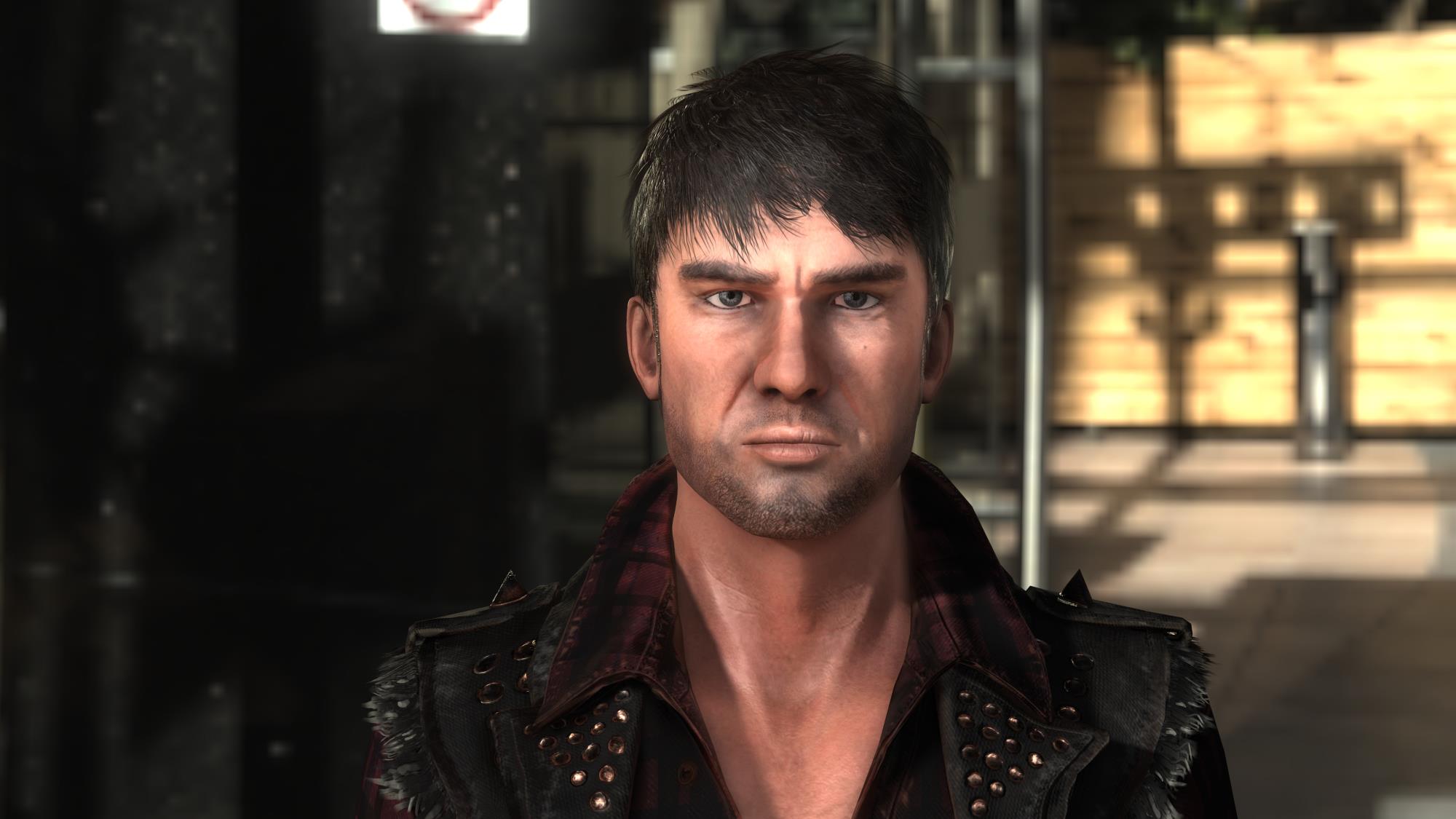
here is an improved version, added more specular to the skin and better eye reflection.
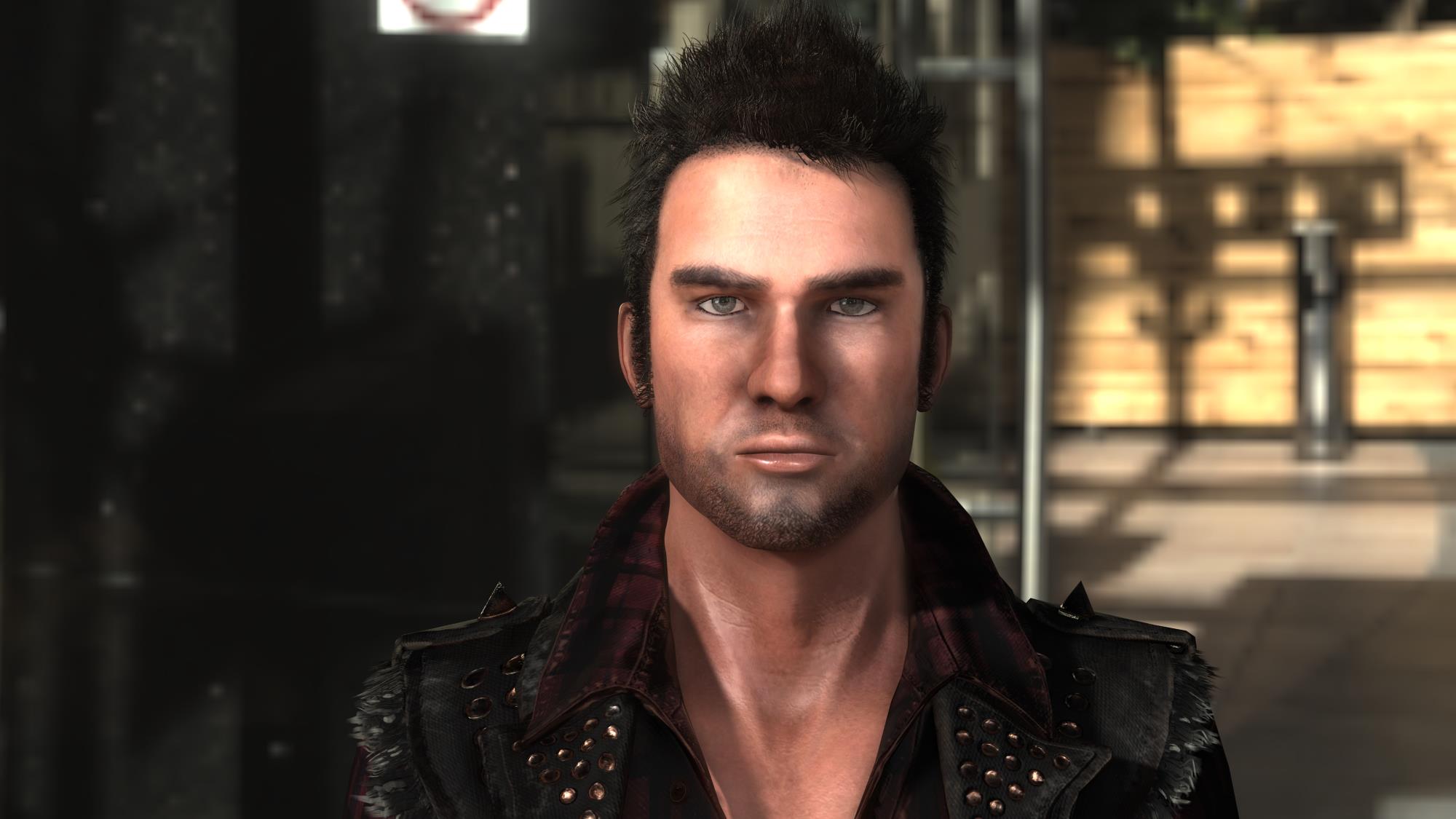
|
|
By pka4916 - 9 Years Ago
|
@stuckon3d and that one is in Iclone 7?
wow.. I will be seeing/hearing you tomorrow then at the webinar. Looking forward to it.
|
|
By animagic - 9 Years Ago
|
|
Kelleytoons (7/12/2017)
You mentioned pupil -- one of the things I don't like about using PBR on character's is the lack of a distinct reflection in the eyes. I've been watching this quite a bit in movies and such, and even when it's not realistic (i.e. the character's eyelights aren't really what is in the scene, most likely because off camera they are holding eye highlight lights, as we used to do in production) it looks much better when the "shine" is there.
As a result, on a PBR character I make sure the eyes are "traditionally" shaded and just put a reflection map in there. This to me always looks better.
The PBR library eyes in iClone 7 have been updated (and are different from the ones for the new IC7 PBR characters or the ones provided in CC or the ones resulting from converting into PBR; just to confuse us). They have AO added and dedicated Roughness maps for Eye and Cornea. The only thing needed is to increase the brightness for the Cornea Roughness map to +11. I have that now as my default eye setting and have been updating my CC characters accordingly. Obviously, you do need some light to reflect into the eye to get a sparkle.
|
|
By Kelleytoons - 9 Years Ago
|
|
Thanks, Ani, that's good to know (but real confusing -- I wonder if RL will bring everything else up to the same specs -- as it is you MUST replace the eyes made in CT8 with any 3D head you make, as those eyes are NEVER right).
|
|
By 4u2ges - 9 Years Ago
|
That is what I used to do, rendered with indigo and then tried to achieve the same with iclone. Impossible in iclone 6, tough but doable to some degree in iclone 7. But only for stills. For extreme dynamic animation it would be hard to keep up with little tweaks of shadow casters, emissive dummies... etc. Sure you may link, attach.. only to find out that 1000 frames ahead your lighting and shadows went sour and you need whole lot of more tweaks to make it right. Conclusion is, do not try hard to match iClone PBR with Iray engines. Work with what you have at your disposal and you'd be fine... that is until we have a better software and hardware to achieve a true PBR in animations.
I did not really try hard to match anything here. Personally I think all 3 look fine in their own way (that much for modesty).
One is iClone GI emissive only, then iClone GI emissive with light touch of IBL and HDR and and then mother of all... Indigo. Maybe I should have lit her up a little better in the last one and go easy on some specularity. But that is the thing with indigo. Sometimes it is hard to judge up until the time, when render is almost ready (just too lazy to go back and do it over :cool:).
No post work on any of 3.
|
|
By planetstardragon - 9 Years Ago
|
@Kelley, that's a really nice color scheme you have going on there, that's a good story waiting to happen! - something about the dark contrast mix with the earthy tone base has this grungy / wild wild west...something is about to get dark and dirty soon! I like it! :)
ever see that show "From dusk till dawn" ? they have that subtle sepoia / burnt sienna warm atmosphere to it as well, it works well with it's story line too. color theory really does matter to a story!
this is an image from dusk to dawn series - notice the earthy tones ...
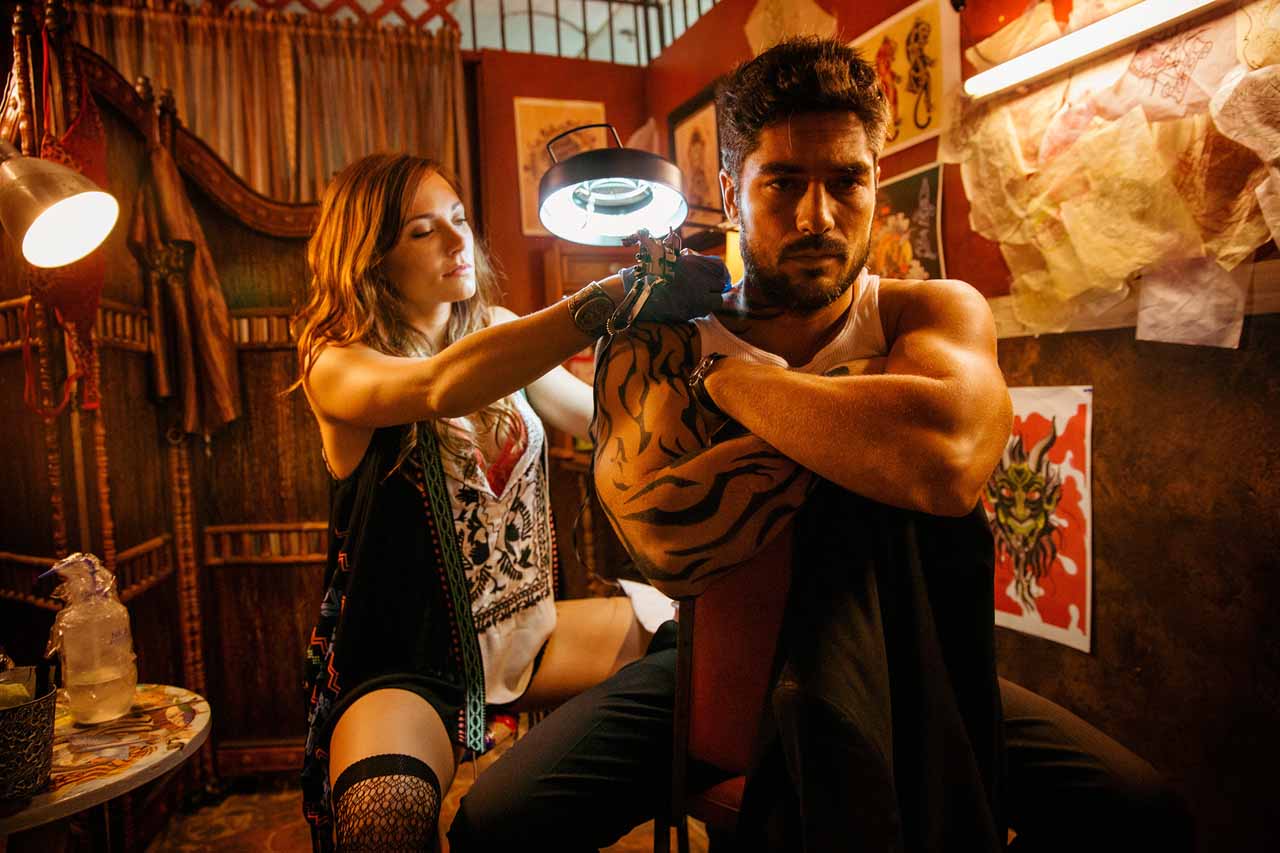
Star Trek in contrast, is a colder blue feel - which sets the atmosphere of being cold in space, this is also what I mean by artistic value - this is something the artist must bring to the visual, it's not a preset and it's beyond "the perfect" render engine. It becomes more about the "appropriate" render engine.
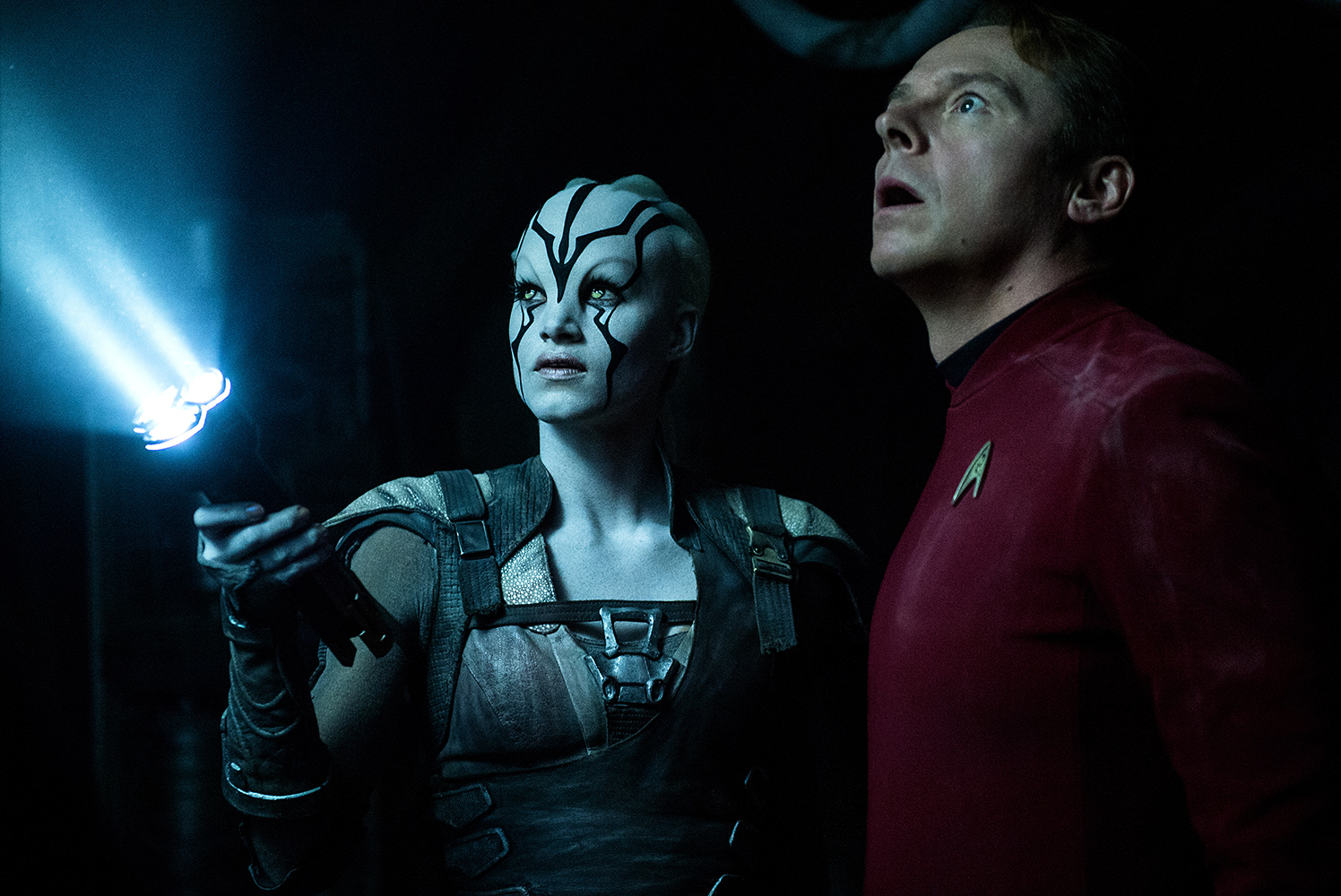
|
|
By animagic - 9 Years Ago
|
One thing that dawned on me is that IC7 is just out and there is a lot to learn and a lot to tweak, so it will take a while to get the hang of it all. Some will catch up quicker that others...:unsure:
Anyway, like Planet I'm interested in the artistic possibilities and to emulate the examples shown above you can do a lot with LUT.
|
|
By Rampa - 9 Years Ago
|
Speaking of LUTs.
And GI.
|
|
By Kelleytoons - 9 Years Ago
|
While it might seem this discussion has gone far afield, I don't think it really has. I'm glad LUTs came up, because it was actually the first thing I thought of.
Normally, when I do any kind of video work I bring everything into Premiere and adjust the overall colors via Magic Bullet Looks, which is a superb LUT utility that allows you to emulate just about any look you want, and makes all your various elements in your scene unified. In a much smaller fashion iClone now includes some of those same abilities, and while it's no magic bullet (see what I did there?) it's the topping on the cake that will really improve all that you do.
I also think that Ani is quite right in that iClone 7 has yet to be fully explored and who knows what the real masters will be able to achieve.
42uGs -- sure do like that Indigo look in that scene. I'd still be surprised if you couldn't achieve that in iClone. AND achieve it and still be able to animate it easily (when I talk about getting the lighting right, I don't mean excessive tricks that require such placement of lights that you can't easily animate).
|
|
By 4u2ges - 9 Years Ago
|
Thanks Kelley. It is all the matter of how much inconsistency we can tolerate. As I mentioned, I'm fine with first 2 and with all that was posted before me as well. Someone sure might do a better job, than
I did. But I still doubt anyone in iClone can come close producing accuracy of shadows casting and occlusions (for instance) vs those "irayed". So there is no ground to have those 2 fight. They are just in 2 different weight divisions.
|
|
By Kelleytoons - 9 Years Ago
|
And I know I keep harping on it, but I do think the entire purpose of iClone is animation. And in animation you can "get away" with a LOT of things that would not stand up to scrutiny in stills.
Heck, even in live action films if you stop them down you will notice all kinds of things (like seeing the camera and crew reflected in surfaces, seeing mic booms, watching inconsistency between takes) that you don't notice when watching the film itself. I doubt whether anyone watching an iClone animation would think to themselves, "Hmmm, that lamp shadow doesn't look right". Or if they did, then the person doing the animation isn't telling the story right.
As a field it isn't even close to level -- if you want to produce animations in your lifetime you aren't going to use a high-end renderer, not with the state of the art nowadays.
|
|
By 4u2ges - 9 Years Ago
|
Yep, that is why I said lets fully utilize what we have.
<like seeing the camera and crew reflected in surfaces>
This is one of those things that never gonna happen in iClone... We still don't have a mirror... :)
|
|
By Kelleytoons - 9 Years Ago
|
|
4u2ges (7/13/2017)
Y
This is one of those things that never gonna happen in iClone... We still don't have a mirror... :)
LOL -- yeah, one of the real deficiencies in this case.
|
|
By wildstar - 9 Years Ago
|
i am a octane user since 2013, and iclone 7 user since beta 1 , you show to me low skills in both renders, i doing lots of tests since beta 1, cause i migrating from octane to iclone 7 yes!
as i already say here in this forum lots of times. iclone need better anti alias solutions, better dof anti alias and masks, space screen reflections ,more glow controls, and migrate again to VXAO like in beta 1 to be perfect! and fight well against octane from equal to equal.
i see in your octane render images you using HDRI ilumination to fake GI like 100% octane render users do to make a animation render be possible. and this is where starts the power of iclone 7 . VXGI is real, its not fake and i getting amazing results with that. i starting a demo reel only with architectural animations unsing iclone 7 VXGI power. very soon :) like i do with octane render in past, and get nice clients with that :)
thats is my octane archictecture demo reell from 2015 ( i was starting masterying octane features with my new gpu render farm :)
|
|
By dr.zap - 9 Years Ago
|
|
I'm impressed that so many people think it's possible for iClone to surpass video game graphic realism. I am skeptical, but I am willing to entertain the idea. In fact, if anyone is skilled enough in iClone, I am willing to give them a paying job. My project calls for a 2 minute opening title sequence which provides me the opportunity to tell some of the character's backstory leading up to the film. Since it's a title sequence (and the only sound will be music), there is a lot of room for stylistic characters. I was thinking along the lines of the title sequences in the Marvel movies. iClone should be able to do this. Perhaps someone who wants to make some money will accept the job. Contact me at dr.zap@live.com
|
|
By rampart - 9 Years Ago
|
I don't look to Iclone as an extremely high quality graphic environment. There will be limits until processing power is significantly better than today. Architects for the most part just send out their work to render farms and leave off there.
I look at Iclone as a communication tool, and it is far better than 2d cartoon animations. You can still AWE viewers with IClone quality and presentations.
Maybe we should look at IClone as an embellished previz. LOL
I would much prefer RL follow the path of providing more things we can do with Iclone, rather than chasing the dream of perfect or near perfect graphics.
The story is still the king... many people are still making comic books. The quality of graphics does not a good story make, nor do fabulous images make stories work.
Special effects are awesome, and movies like Transformers and Pacific Rim only work because of the graphics and special effects. Yet, the story lines are weak and basically - not interesting. These types of films are their own genre... special effect and graphics monsters moving a the speed of light.
|
|
By TonyDPrime - 9 Years Ago
|
Here is an adjustment based off Octane still. I used the base female and put her at that dining table in the iClone 7-included Loft Scene:
iClone 7 Try 1

Next, here was the same frame through octane Render, where I gave it lighting I liked:

Then, here is my Octanized-Renovation in iClone 7 again, using LUTs. I must say, these things are pretty handy! Here, I like this version now best!

#Stills4Life
|
|
By Rampa - 9 Years Ago
|
TonyDPrime (7/14/2017)
Here is an adjustment based off Octane still. I used the base female and put her at that dining table in the iClone 7-included Loft Scene: iClone 7 Try 1 Next, here was the same frame through octane Render, where I gave it lighting I liked: Then, here is my Octanized-Renovation in iClone 7 again, using LUTs. I must say, these things are pretty handy! Here, I like this version now best! #Stills4Life
That third one looks very good! :)
|
|
By wildstar - 9 Years Ago
|
dr.zap (7/14/2017)
I'm impressed that so many people think it's possible for iClone to surpass video game graphic realism. I am skeptical, but I am willing to entertain the idea. In fact, if anyone is skilled enough in iClone, I am willing to give them a paying job. My project calls for a 2 minute opening title sequence which provides me the opportunity to tell some of the character's backstory leading up to the film. Since it's a title sequence (and the only sound will be music), there is a lot of room for stylistic characters. I was thinking along the lines of the title sequences in the Marvel movies. iClone should be able to do this. Perhaps someone who wants to make some money will accept the job. Contact me at dr.zap@live.com
I'm already involved in two major projects using iclone 7 and one of them is a feature film, otherwise it would be a pleasure to show you how iclone 7 really can get pretty close in quality with unbiased renders like octane at a fraction of the cost of power / time and money. Just so you have an idea. My feature film is 120 minutes long. If I were to use octane render as a rendering tool I would take 6 months just to render (the speed of 30 seconds per frame which is the maximum I get with my 6 gpus) while in iclone 7 I do 2 minute sequence tests 3 Minutes in a matter of a few hours (including the post-production time in the after effects) It is enough to see what is produced in terms of cinematics using unreal engine 4 and unity 5. (these two engines use the same iclone system of direct lights + shaders PBRS + VXGI.) Iclone only is due in the part of Ambient occlusion (As I have said thousands of times in this forum) and in the part of Anti aliais ... taking it ... Iclone 7 is a Beast tool render you just need to undestand the pros and the limitations!
|
|
By planetstardragon - 9 Years Ago
|
iclone is destined to do a big movie that only iclone can do in the right hands. It's really just a matter of time, the fact that it's different is what makes it special and unique.
|
|
By dr.zap - 9 Years Ago
|
wildstar (7/15/2017)
I'm already involved in two major projects using iclone 7 and one of them is a feature film, otherwise it would be a pleasure to show you how iclone 7 really can get pretty close in quality with unbiased renders like octane at a fraction of the cost of power / time and money. Just so you have an idea. My feature film is 120 minutes long. If I were to use octane render as a rendering tool I would take 6 months just to render (the speed of 30 seconds per frame which is the maximum I get with my 6 gpus) while in iclone 7 I do 2 minute sequence tests 3 Minutes in a matter of a few hours (including the post-production time in the after effects) It is enough to see what is produced in terms of cinematics using unreal engine 4 and unity 5. (these two engines use the same iclone system of direct lights + shaders PBRS + VXGI.) Iclone only is due in the part of Ambient occlusion (As I have said thousands of times in this forum) and in the part of Anti aliais ... taking it ... Iclone 7 is a Beast tool render you just need to undestand the pros and the limitations!
So far I haven't seen anything from iClone that can even come near what Octane or Arnold can do, but I'm intrigued by people like you who say it can be done. I really hope so. I guess that's why I still hanging around here, looking for a reason to use iClone. Near real-time rendering is a seductive feature.... but not at the price of realism. Renderfarms are comparatively cheap these days. So I wish you godspeed on your project (though technically, its not an animation, its a arch walk-through) and I hope you reach your goal.
|
|
By TonyDPrime - 9 Years Ago
|
Here is another Octanization I did, this was the first image I posted in this thread:
iClone 7
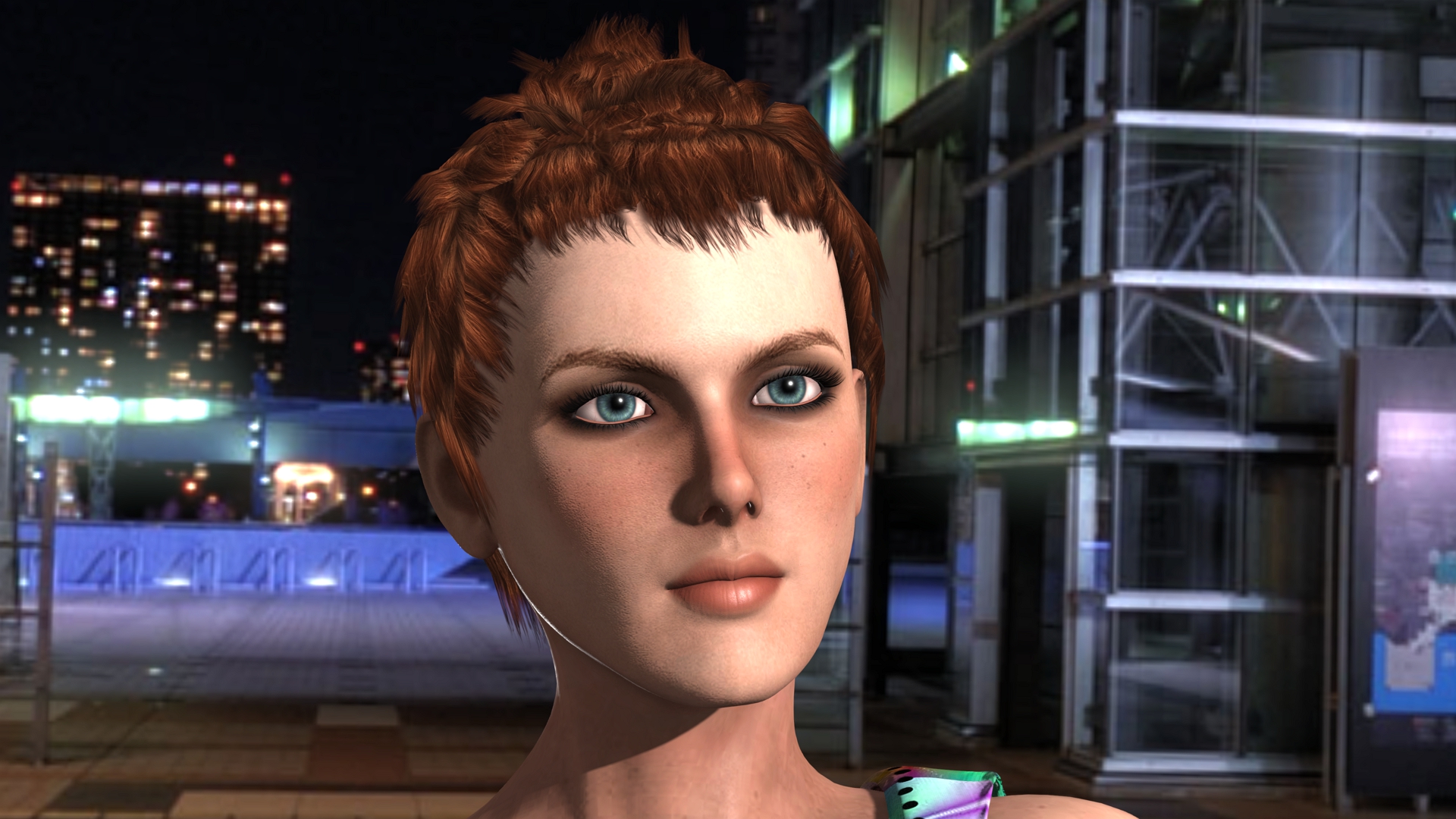
Octane Render

iClone 7 Octanized

LOL...I would have had no idea how to level this scene unless I had the Octane Reference.
|
|
By planetstardragon - 9 Years Ago
|
(though technically, its not an animation, its a arch walk-through) - dr zap
ahh, no wonder, arch vis is it's own style of render, usually done by 3DS Max if you go by industry standards, there are engines specifically for that type of hyper realism render.... game realism, is another genre as well. which ironically enough I found is a niche genre. It's the difference between making creative art, and precision art.
You won't get that precision art with iclone, you can't, light reflections are being emulated, not calculated.
The game engines may be good, but that's a short cut from the industry standards.
if you were doing the arch vis for say someone who wants an idea of how an apartment is laid out, iclone is "good enough" - if you are making visuals to present to a billionaire who wants to see what new construction would look like, you want 3DS Max. If you just want to send a still to the billionaire, then you can do it with indigo, indigo can do the walkthrough also, but it's not made for that because of the way it imports render projects and the way it calculates light, octane does rgb, indigo calculates photon physics per image..so it will take a lot longer...but look superior to Octane after a few hours of rendering 1 still..- indigo is the kind of render engine you use for a magazine image, it comes back to the right tool for the right purpose. Iclone is more for telling stories. It's not to say you can't sketch out an apartment to show a client, but that would be a new way of doing things, it would look nice, but not hyper realistic.
|
|
By dr.zap - 9 Years Ago
|
|
planetstardragon (7/15/2017)
(though technically, its not an animation, its a arch walk-through) - dr zap
ahh, no wonder, arch vis is it's own style of render, usually done by 3DS Max if you go by industry standards, there are engines specifically for that type of hyper realism render.... game realism, is another genre as well. which ironically enough I found is a niche genre. It's the difference between making creative art, and precision art.
You won't get that precision art with iclone, you can't, light reflections are being emulated, not calculated.
The game engines may be good, but that's a short cut from the industry standards.
if you were doing the arch vis for say someone who wants an idea of how an apartment is laid out, iclone is "good enough" - if you are making visuals to present to a billionaire who wants to see what new construction would look like, you want 3DS Max. If you just want to send a still to the billionaire, then you can do it with indigo, indigo can do the walkthrough also, but it's not made for that because of the way it imports render projects and the way it calculates light, octane does rgb, indigo calculates photon physics per image..so it will take a lot longer...but look superior to Octane after a few hours of rendering 1 still..- indigo is the kind of render engine you use for a magazine image, it comes back to the right tool for the right purpose. Iclone is more for telling stories. It's not to say you can't sketch out an apartment to show a client, but that would be a new way of doing things, it would look nice, but not hyper realistic.
Yeah, I know about arch vis business. I was referring to his project. It seems he is into architectual visualization. My project is a film with realistic characters, a little more than I think iClone can do. But I hope I'm wrong.
|
|
By Kelleytoons - 9 Years Ago
|
animagic (7/13/2017)
Kelleytoons (7/12/2017)
You mentioned pupil -- one of the things I don't like about using PBR on character's is the lack of a distinct reflection in the eyes. I've been watching this quite a bit in movies and such, and even when it's not realistic (i.e. the character's eyelights aren't really what is in the scene, most likely because off camera they are holding eye highlight lights, as we used to do in production) it looks much better when the "shine" is there.
As a result, on a PBR character I make sure the eyes are "traditionally" shaded and just put a reflection map in there. This to me always looks better.The PBR library eyes in iClone 7 have been updated (and are different from the ones for the new IC7 PBR characters or the ones provided in CC or the ones resulting from converting into PBR; just to confuse us). They have AO added and dedicated Roughness maps for Eye and Cornea. The only thing needed is to increase the brightness for the Cornea Roughness map to +11. I have that now as my default eye setting and have been updating my CC characters accordingly. Obviously, you do need some light to reflect into the eye to get a sparkle.
I finally got around to trying this (I have SO much on my plate right now) and I'm not sure what you mean. If you increase the brightness of the roughness map enough you will wipe out all "sparkle" in the eyes (lowering it all the way down seems to do nothing). Just increasing it a bit, to 11 as you suggest, doesn't seem to me to do anything at all. If you get a chance perhaps you could post some before/after images, along with your exact settings, to show what you mean.
(But I do agree the PBR eye maps in iClone are definitely better -- makes me wonder why they didn't update them in CC).
|
|
By wildstar - 9 Years Ago
|
one project is a "FEATURE FILM" called "alvorada project" i already have lots of shots, with final quality and aproved for myself as director. but i dont publish on any place cause
it is a comercial project you can see a little promo here
but nothing you see correspond the current visual of the project , the robot we are developing from zero , in this shot its a daz model
the main character marcos its fullfiled of errors cause it was done in the first versions of character creator. and i was developing the visual style of the characters ( now its done and its tottaly diferent
of you see in this shot.
here you can see a little making off
now we are capturing real actors perfomances and i already got 4 minutes of my movie
there is a little taste of marcos in your final aproved visual.(its aprint screen from the character creator not a render )

|
|
By TonyDPrime - 9 Years Ago
|
Wildstar, that is really beautiful work, congratulations on the project!
There is some wonderful 3DS Max wizardry there. Great cinematic animation.
|
|
By TonyDPrime - 9 Years Ago
|
@Dr.Zap
You know, one thing that I brought up in the Indigo thread was that iClone 7 struggles when a scene is packed with assets/materials. Much like in Daz when you add high poly hair and it brings the whole entire core application to a crawl, the fact that iClone 7 then has to manage its own rendering is a limiting factor. It doesn't seem to do a good job with high asset scenes even when viewing in Quick Mode with wireframe. So even with all the hype about realtime rendering, the app can fall to a useless crawl. Most of the scenes you will see are a handful of props & avatars against a HDRI background. But not really a heavy duty 3D world (like in say, Disney's Cars.). Put aside rendering, storytelling, audience, etc...the core application isn't as optimized yet to handle such high material scenes. Whereas in 3DS Max, it knows it can't do both so it doesn't, and relies on the renderer to do the rendering and keeps its energies towards scene management.
I would love to see the navigation crawl be brought to a snap in smooth (monotone color view) or wireframe mode in iClone 7. It's not a diss to iClone 7, but a noticing on my part when compared to other paradigms.
|
|
By wildstar - 9 Years Ago
|
|
TonyDPrime (7/16/2017)
Wildstar, that is really beautiful work, congratulations on the project!
There is some wonderful 3DS Max wizardry there. Great cinematic animation.
Thanks a lot Tony.you saw that after some tests and using the correct tools it is possible to mimic the results of octane render, (which was impossible in iclone 6) you had to see an image generated in the octane to try to reproduce the same result in iclone 7, and you are on the right track, I have evolved in the final result of my images in iclone 7 doing the same. I keep repeating in the forum and I was one of the most disapproved of the way the final result of iclone 7 was because iclone 7 cant get professinal output but it is very close to it. It is necessary that more people learn about the potential of iclone 7 to understand its limitations and to charge from Reallusion the correct modifications that have to be made, I already read absurdities in this forum as "indigo render is better than octane render" or "we need the Indigo back "when in fact among the commercial renders the indigo is the least used and the most limited. Using the octane render as the standard of comparison with iclone 7 shows how our beloved iclone has evolved. With the experience that I have today I can say, when iclone 7 has an Anti alias descending for: Images, another for Ambient occlusion or a better Ambient occlusion (this is already very good and comparable to the game engines on the market) and a system of masks More accurate for DOF, no one holds our dear iclone
|
|
By freerange - 9 Years Ago
|
Interesting thread though I tend to agree with Dr.Zap for the most part.
For the HBO project we worked with Reallusion on. iClone rendering was used like a playblast render for approvals. Final renders were done in Redshift and Octane with rendering done in the cloud for large renders.
That said it really depends on the scene and the look you are going for. Octane is terrible for doing stylized rendering, even if you want physically correct lighting. But it was our go to when doing CG integration with live action. iClone rendering is as good as most of what you see on TV and we also tested running it through both Unreal and Unity as well.
So if your project style and render style fits with a game engine aesthetic then why not use a game engine to render. But if you need ultimate control over the render engine or are doing live action matching as is common in films then you are going to have to look elsewhere than a game engine rendering solution.
The other big impact is memory. You are GPU bound with all the game engines andreally limited to the memory of a single card. Redshift and Octane (to a degree) get around this using out of core memory so when you starve the GPU(s) they can use system memory (with a performance hit) which is important when loading large datasets of geometry and textures. You can also scale rendering by adding more GPUs (especially Octane which pretty much scales linerally as you add GPU resources).
Redshift is a really nice alternative to engines like Vray as it is a similar biased rendering style so materials convert over pretty easily. Octane and other truly unbiased path tracers need love when setting up the materials and lighting and the default conversions will often give very unsatisfactoy results.
Most films have a bunch of different render engines that are used by the various studios working on the film. Studios are given LUTs by production to use for matching each other work and we all try and play nice together. There is no one render engine to rule them all in the industry and engines are used as needed for the task at hand.
All that said, I think iClone 7 PBR rendering is great and I expect we will see some pieces rendered out of iClone that look great and will hold up to other animated pieces. I do think for arch viz, technical viz, virtual set work it is also a great leap forward.
What makes me most excited about iClone 7 and the future is it is opening up as a pipeline tool. Autodesk had a grand opportunity when they purchased Stingray to merge it with Motionbuilder which they unfortunately did not do and have left Mobu to rot and with Crytek struggling that had held up Filmengine from being released. So studios are spending huge amounts of resources building on top of Unity and Unreal for projects. iClone can dominate that market if they continue to cater to it and move as quickly as they did for 7.
I just loaned them $30K worth of mocap gear for SIGGRAPH so I know that will be one very exciting and somewhat game changing demo.
My point in my rambling though is this is a moot excercise as they are all good render engines when used in a way that takes advantage of their strengths. Also add in that renders typically go through compositing and a colorist before being integrated into the edit so what you see fresh out of the render engine still isn't the final result.
|
|
By animagic - 9 Years Ago
|
For a single indie animator with a limited budget it's often not feasible to export and render elsewhere, as you basically have to redevelop your scenes as far as shaders go. That was one of the problems with Indigo: large iClone scenes weren't handled very well, especially those with trees. So you can get a nice result with a character in a room full of mirrors, but for elaborate scenes it's simply not practical. For it to be feasible, the 3rd-party renderer needs to be a plugin to iClone and one that's aimed at animation, which Indigo isn't.
The artistic freedom within animation has in a way been killed by its own success and has resulted in a mandated "look", which is unfortunate. Hollywood is not one to take risks in that or any other area, which then leads to yet another sequel. As an indie animator you shouldn't have to give a hoot about any of that. That's why I like iClone, as it allows me to have a storytelling tool that gives me a result I like and that evolves with every release. That it may look like a game or not is really irrelevant as long as it doesn't look like Pixar.
|
|
By gordryd - 9 Years Ago
|
Who says iClone is not for stills?

|
|
By freerange - 9 Years Ago
|
Redshift would actually be a much better GPU renderer in that regard than Indigo since it is easier to covert to a wider range of shader setups than true unbiased renderers. Octane would have the same issues though as you move to PBR uber shaders that becomes way less of an issue as the iClone PBR shader can more easily be converter to an uber shader in things like Octane and Indigo.
I personally prefer Octane, but I have a long history with the folks at Otoy. You just have to be able to seperate pre-announcements from actual realistic timelines as Jules gets really excited and they announce stuff sometimes years before it is ready. But they are the most forward thinking in that regard too.
Redshift caters more towards the traditional lighting/rendering pipeline so for many places it is a natural fit as artists coming from CPU biased renderers will feel right at home and like I said material conversion is usally a snap.
No reason Reallusion could not support multiple renderers in the future...
Also like I said for certain projects using a realtime engine totally is a viable and good choice. And iClone plays well with both Unity and Unreal so you have choice there too especially now that those engines are much better a doing cinematic sequences.
In my book, the more the merrier.
animagic (7/18/2017)
For a single indie animator with a limited budget it's often not feasible to export and render elsewhere, as you basically have to redevelop your scenes as far as shaders go. That was one of the problems with Indigo: large iClone scenes weren't handled very well, especially those with trees. So you can get a nice result with a character in a room full of mirrors, but for elaborate scenes it's simply not practical. For it to be feasible, the 3rd-party renderer needs to be a plugin to iClone and one that's aimed at animation, which Indigo isn't.
The artistic freedom within animation has in a way been killed by its own success and has resulted in a mandated "look", which is unfortunate. Hollywood is not one to take risks in that or any other area, which then leads to yet another sequel. As an indie animator you shouldn't have to give a hoot about any of that. That's why I like iClone, as it allows me to have a storytelling tool that gives me a result I like and that evolves with every release. That it may look like a game or not is really irrelevant as long as it doesn't look like Pixar.
|
|
By animagic - 9 Years Ago
|
|
Kelleytoons (7/15/2017)
I finally got around to trying this (I have SO much on my plate right now) and I'm not sure what you mean. If you increase the brightness of the roughness map enough you will wipe out all "sparkle" in the eyes (lowering it all the way down seems to do nothing). Just increasing it a bit, to 11 as you suggest, doesn't seem to me to do anything at all. If you get a chance perhaps you could post some before/after images, along with your exact settings, to show what you mean.
(But I do agree the PBR eye maps in iClone are definitely better -- makes me wonder why they didn't update them in CC).
This deviates a bit from the main thread, but I did want to give a response to illustrate what I meant.
Within CC, I took the same CC character in the same environment; and took a screen shot with five different eye materials. The character's head is from the RL 100 Human Pack.
1) The character with eyes from the CC library, which have Traditional textures:

This material uses a reflection map.
2) Converting the eye material to PBR results in dull eyes:

3) We can fix this easily by reducing the Brightness of the Roughness map to -50 for Eye and Cornea materials.

4) iClone 7 comes with a library of PBR eyes, which are shown next. These eyes include an AO map.

The "sparkle" is very small and barely visible. I also find the AO contribution too much.
5) I remedy this by increasing the Roughness Brightness for the Cornea by 11. I also set the AO contribution to 45 for the Eye and Cornea materials.

While doing this comparison, I noticed that these eyes look very similar to the eyes shown in image 3, except for the AO. SO when converting Traditional eyes to PBR, the setting used for image 3 may give a quick remedy for the dullness of the eyes.
|
|
By planetstardragon - 9 Years Ago
|
I'm really surprised no one brings up Pixar's Renderman engine as an option - they have a free non commercial version, the renders look great, it's disney / pixar and apparently it supports blender too....i would think this would be a "Big Deal" but apparently I'm missing something ,,,what gives....is it's gui written in dos or something ?
|
|
By Kelleytoons - 9 Years Ago
|
animagic (7/19/2017)
Kelleytoons (7/15/2017)
I finally got around to trying this (I have SO much on my plate right now) and I'm not sure what you mean. If you increase the brightness of the roughness map enough you will wipe out all "sparkle" in the eyes (lowering it all the way down seems to do nothing). Just increasing it a bit, to 11 as you suggest, doesn't seem to me to do anything at all. If you get a chance perhaps you could post some before/after images, along with your exact settings, to show what you mean.
(But I do agree the PBR eye maps in iClone are definitely better -- makes me wonder why they didn't update them in CC).This deviates a bit from the main thread, but I did want to give a response to illustrate what I meant. Within CC, I took the same CC character in the same environment; and took a screen shot with five different eye materials. The character's head is from the RL 100 Human Pack. 1) The character with eyes from the CC library, which have Traditional textures: This material uses a reflection map. 2) Converting the eye material to PBR results in dull eyes: 3) We can fix this easily by reducing the Brightness of the Roughness map to -50 for Eye and Cornea materials. 4) iClone 7 comes with a library of PBR eyes, which are shown next. These eyes include an AO map. The "sparkle" is very small and barely visible. I also find the AO contribution too much. 5) I remedy this by increasing the Roughness Brightness for the Cornea by 11. I also set the AO contribution to 45 for the Eye and Cornea materials. While doing this comparison, I noticed that these eyes look very similar to the eyes shown in image 3, except for the AO. SO when converting Traditional eyes to PBR, the setting used for image 3 may give a quick remedy for the dullness of the eyes.
Thanks for the detailed explanation, Ani.
|
|
By animagic - 9 Years Ago
|
|
planetstardragon (7/19/2017)
I'm really surprised no one brings up Pixar's Renderman engine as an option - they have a free non commercial version, the renders look great, it's disney / pixar and apparently it supports blender too....i would think this would be a "Big Deal" but apparently I'm missing something ,,,what gives....is it's gui written in dos or something ?
Viking tried it and it was a pain to use... It is all command line, unless you have Maya or something. Viking may have a more detailed report if he sees this.
In general the problem is I think that there is currently no straightforward way to render complete iClone scenes externally as it requires export licenses for most content and then adjusting shaders, lighting and what not. I'm still hoping RL gets serious about interfacing with other renderers as was the initial plan when Indigo was introduced.
BTW, when experimenting with Alembic export, I played with Gorilla Render, which I think has a really nice look, so I wouldn't mind an interface to that one. But then again you'll have to reapply materials.
|
|
By dr.zap - 9 Years Ago
|
My counterpart has been angry with me because we never work together, so I am obliged to keep a promise to animate a story we wrote. These last two days I have been rendering and optimizing, rendering and optimizing until finally I think we have a good balance. Then I checked a few rendered frames and found that Daz iRay can't do motion blur! That is a dealbreaker. The Maya plugin can't come soon enough for me. Anyways, I may use iClone for the project just to satisfy her. We did learn a lot and at least we know we can keep the rendering times manageable. I don't want to break an forum rules (this isn't an iClone project yet) but it is somewhat related to this thread, so I will post a frame from the animation file. The lack of motion blur takes away from the cinematic feel, but that will be resolved soon.

|
|
By TonyDPrime - 9 Years Ago
|
dr.zap (7/19/2017)
My counterpart has been angry with me because we never work together, so I am obliged to keep a promise to animate a story we wrote. These last two days I have been rendering and optimizing, rendering and optimizing until finally I think we have a good balance. Then I checked a few rendered frames and found that Daz iRay can't do motion blur! That is a dealbreaker. The Maya plugin can't come soon enough for me. Anyways, I may use iClone for the project just to satisfy her. We did learn a lot and at least we know we can keep the rendering times manageable. I don't want to break an forum rules (this isn't an iClone project yet) but it is somewhat related to this thread, so I will post a frame from the animation file. The lack of motion blur takes away from the cinematic feel, but that will be resolved soon.
If anyone has any issue, I say this:
Dearest complainant,
Get us some F#$%ing mirrors like that and we won't have to use anything else BUT iClone!
Many thanks and regards,
-Tony D.
PS - Here is a Q&A thought, by the way -
Q: How many do you see in the 3D community purposely and actively trying to make their renders look like iClone's native look....
Give up?!!!
A: The answer is....
(To be continued....)
|
|
By justaviking - 9 Years Ago
|
animagic (7/19/2017)
planetstardragon (7/19/2017)
I'm really surprised no one brings up Pixar's Renderman engine as an option - they have a free non commercial version, the renders look great, it's disney / pixar and apparently it supports blender too....i would think this would be a "Big Deal" but apparently I'm missing something ,,,what gives....is it's gui written in dos or something ? Viking tried it and it was a pain to use... It is all command line, unless you have Maya or something. Viking may have a more detailed report if he sees this.
Indeed I did. Thanks for remembering.
Here is my Renderman announcement:
https://forum.reallusion.com/FindPost286244.aspxIn short, you need a "technical team' to implement Renderman. Perhaps if you have Maya, which does have an interface, it would help greatly. It's also very "Unix-centric." I used to be reasonably adept at Unix, but I don't have one of those workstations lying around the house. Mapping the textures and stuff... a nightmare to figure out. I was hoping to create even a 10-second animation so I could say I made a movie using "Renderman movie" just Pixare ;) but getting the one image to render was quite an feat for me. I used Blender, which I barely know, I got their special viewer to work, barely. I created an account on a Renderman forum and asked "basic" questions that people could barely answer because almost nobody uses it in an "iclone-friendly" environment. It was a fun research project, and I made my image, and then it was time to return to reality.
|
|
By planetstardragon - 9 Years Ago
|
ahh, thanks. That makes sense, and probably why they were pushing people to download the maya demo to try out renderman. Tis a shame though, the shading on it's renders look really nice...very rich and colorful without getting over saturated.
|
|
By dr.zap - 9 Years Ago
|
|
TonyDPrime (7/19/2017)[hr
If anyone has any issue, I say this:
Dearest complainant,
Get us some F#$%ing mirrors like that and we won't have to use anything else BUT iClone!
Many thanks and regards,
-Tony D.
PS - Here is a Q&A thought, by the way -
Q: How many do you see in the 3D community purposely and actively trying to make their renders look like iClone's native look....
Give up?!!!
A: The answer is....
(To be continued....)
I've been reading about iClone not being able to do mirrors here and there... but I thought you guys were joking!! I thought this was some sort of iClone club in-joke. I mean, I saw a demo with of Unity with a mirror, doesn't iClone do HDRI environments?..... I assumed that everybody did reflective services so I never took you guys literally. Well d*mn, that throws my idea out the window. Now my room of mirrors pic looks like I'm trying to troll iClone but I really didn't think about this possibility when I posted it. Anyways, I know someone will be very disappointed when I tell them this news.
|
|
By TonyDPrime - 9 Years Ago
|
iClone7

Octane Render

Quality wise you can get it very close...
I mean, it's to a point where you have to compare closely and then you see, but it's almost like it's just a matter of different scene lighting angle that brings about a difference.
Almost looks a touch older in the Octane one, right? Probably a shadowing difference, plus saturation...
|
|
By animagic - 9 Years Ago
|
Mirror requests are not a joke. I won't repeat all the posts about that and the workarounds that have been suggested; just search for "mirror" on the forum.
You can do HDRI reflection, but it is not dynamic in IC and will thus not work if a character walks around or if there is any other animation for that matter.
I have entered a request in FT for a mirror for IC6 and resubmitted it for IC7, if anyone cares to add their vote (FT #3371). It's been a popular item...:Whistling:
|
|
By TonyDPrime - 9 Years Ago
|
animagic (7/23/2017)
Mirror requests are not a joke. I won't repeat all the posts about that and the workarounds that have been suggested; just search for "mirror" on the forum. You can do HDRI reflection, but it is not dynamic in IC and will thus not work if a character walks around or if there is any other animation for that matter. I have entered a request in FT for a mirror for IC6 and resubmitted it for IC7, if anyone cares to add their vote (FT #3371). It's been a popular item... :Whistling:
Hi Ani - Voted and commented as well!
Anyone who comments in this thread, please go and vote for mirror reflections!
Again, thanks Ani for the original FT request and now the reminder :cool:
|
|
By TonyDPrime - 9 Years Ago
|
Not an identical frame, but just another comparison
iClone 7

Octane Render

|
|
By paulg625 - 9 Years Ago
|
|
dr.zap (7/11/2017)
If you want photoreal, don't even consider a PBR real time renderer. Just like you would never consider driving a nail with a screwdriver. Octane has the luxury of not being expected to deliver instant results, so It can resolve all the rays needed to create a photo-real image. On the other hand, a real time engine was designed for instant results. This severely limits it's capabilities for realism. There really is no comparison between the two. Realtime rendering was developed for games and VR, where it is absolutely necessary. Unbiased raytracers like Octane were designed to simulate reality. They both have a place in an artist's toolbox.
You hit the "nail on the head Dr. Because you have to ask yourselves what are my goals and what is my production time? I look at both sets and find things I like and don't like. The question to me is getting best quality for the time I have available. If your doing a single image you can afford more render time vs speed. If speed is needed and story is going to drive your production the quality can suffer and the story can carry. We all have to accept these types of compromises because most only have a single or a few computers we can dedicate to rendering. So at 1800 frames a minute 18000 per ten minutes lets say 2 minutes per image (i know it can take only seconds to render a single image but can also take many minutes...) that's 600 hrs rendering or 25 days.
So it really depends on your goal.
|
|
By paulg625 - 9 Years Ago
|
dr.zap (7/11/2017)
Kelleytoons (7/11/2017)
You are absolutely right, ani.
Not only that -- comparing stills is disingenuous -- show me some animations and then we can talk. If you ask me, the more photo-real a person is, the worst when it comes to animations (because there is that uncanny valley you will be entering). Fanboys LOVE to see photoreal girls -- other folks, not so much. If your only audience is those fanboys, then more power to you (I tend to want to appeal to a wider group).
iClone is all about character animation, and it seems to me Octane and other such are all about stills. Apples to oranges.ummm.... surely you know that most every commercial animation and special effects in films, including scenes with virtual actors that you probably didn't notice were rendered on unbiased renderers like Octane. From cartoon characters like in Pixar's The Incredibles to amazing lifelike doubles of dead actors (Star Wars).... all rendered in Octane or Arnold or Mental Ray or a customized version of them. True, the iClone renderer and Octane are apples and oranges, but not in the way that you describe. If Hollywood had this big uncanny valley problem with realistic characters, maybe you can explain why it's written in most action star's contract to get a 3D scan prior to production. More than a few reshoots and posthumous shots have been done with digital doubles instead of the real actor.
Actually Dr. there is a large problem people have with animation actors. Problem is people like us over look this because we love, love, love animation but others see these things as abominations this is why Disney/Pixar are going with a more cartoonist look to their work. Ever see Polar Express? I loved it thought it was great. To the masses it was considered a flop people thought the actors looked dead. How about Final Fantasy "the Spirit with in" (I loved it) again the masses thought the characters where unreal.
I knew about and read about the Uncanny valley in robotics and knew it was in animations as well but didn't realize how bad. Do a search on Uncanny in Hollywood you might be surprised. I know I was...
|
|
By paulg625 - 9 Years Ago
|
TonyDPrime (7/11/2017)
stuckon3d (7/11/2017)
I believe that to make it a fair fight you need several things: 1) Learn both packages well first. Its advantages and disadvantages. Obviously speed goes to iclone, while render accuracy goes to octane. 2) What is your goal? true photorealism or stylized look? 3) when it comes to skin iclone is missing subsurface , there are trick you can use to simulate this but you really need to customize it to the lighting conditions in the scene, while octane will do this automatically. Bottom line, it depends on the project you have in mind. You can do amazing things in iclone 7 , certainly pushing photoreal or stylized photoreal. Like Shrek movies. Cheers, Stuckon3d PS: example: render a similar image in octane, and tell me how long it took. iClone did it in 1.5 seconds at 4k full quality. :) AHHH!! Look at the rubix cube in your image, it looks flat, toonish. What am I seeing here, I can't really articulate it other than to say it is missing gloss (metallic/roughness) and thus not consistent with the rest of the rendered objects, but then the stone behind it has no gloss but looks more photo-real. What occurred here, why are these different. My brain can approximate weight and texture just by looking at all the objects except for the rubix cube. Do you know why this is, is it the subsurface scattering which you were referring to? Maybe that material was not really PBR-compatible somehow or something like that? Whatever it is that iClone 7 did to that rubix cube in the image, it does not look accurate to the scene. Thinking if we figure out what fixes that rubix cube's accuracy, this knowledge would narrow the rendering accuracy gap!
Tony _ first I want to say I have seen your work and read some of your post and I respect you and your talent.
But I'm gonna have to say here what your saying is a matter of opinion and options are like noses "everybody got one". So when you say the Rubix doesn't look accurate your referring to the store bought game cube. I see one that looks like a desk novelty type made to represent a Rubix cube maybe made of small unglossed tiles. Now if you made a photo of the same scene with a real Rubix and said this is what I want everyone to try for then you could support your argument. because right now I think it's eye of the beholder...
|
|
By paulg625 - 9 Years Ago
|
|
Kelleytoons (7/11/2017)
Again, animation is what we are talking about here, and I see no evidence that anything outside a Hollywood production (or at least a studio bigger than any one-man shop) can do anything approaching real world character rendering that doesn't venture into uncanny valley status (and may never).
As to the Leia reference -- I was referring to my friends who are working on her for the next Star Wars. They have spent millions and it ain't easy and is still problematic. As was the shots in the last Star Wars (which only used things supered onto a real human actor, and even then cheated in ways you can't imagine).
So if you kids really want to have this discussion mean anything, start showing some animation examples. Until then I remain firmly convinced that making a one-man shop character animated production of more than a few minutes is going to have to be "cartoonish" in some respect, and iClone is the king (and rendering with it can't be beat).
I agree KellyToons, as I experimented/ learned I came to the same conclusion I don't own a render farm so Cartoon for me it will be! I'm hoping my stories will carry beyond the factor of cartoon also made the decision regarding characters to go more "Disney-isk" to pull away from the Uncanny valley.
|
|
By paulg625 - 9 Years Ago
|
planetstardragon (7/12/2017)
I just tried a similar comparison, ic7 vs indigo in my case. Not saying which is which though.
Nice images, each has strengths and weaknesses. My question would be render times and I would ask which would you go with if you where doing a single or a 10 minute animation at 18000 frames?
|
|
By paulg625 - 9 Years Ago
|
Kelleytoons (7/12/2017)
dr.zap (7/12/2017)
Kelleytoons (7/12/2017)
So, just for chuckles (because I didn't like either one of the images above) I thought I'd light my own and see what I could get..."iClone is not for stills! iClone is not for stills! <proceeds to rendering a still with iClone>:laugh:. Just for chuckles I did this in less time than it took to upload it to YouTube (about 90 seconds which included recording the audio and rendering and creating the file). Let's see what someone can do animating with Octane in that time <g>.
Kellytoon,
I'm with you on Iclone love it happy with the renders but, I like Octane in it's place on the tool shelf. it's amazing you could have the render ability of a multi billion dollar studio (15 yrs ago) on a hobby business scale.
the thing about Octane which makes it great is if you where able to go to a next (one man level) spending say 10 grand on video cards and using Octane render then you could churn out a higher quality render in a short time. Note I'm happy with Iclone but Octane has it's place. And before you say No one would spend 10 grand on a hobby business ask a fisherman who catches a few bass in a lake how much he spent on that Ranger boat he has.
|
|
By dr.zap - 9 Years Ago
|
|
paulg625 (7/27/2017)
Actually Dr. there is a large problem people have with animation actors. Problem is people like us over look this because we love, love, love animation but others see these things as abominations this is why Disney/Pixar are going with a more cartoonist look to their work. Ever see Polar Express? I loved it thought it was great. To the masses it was considered a flop people thought the actors looked dead. How about Final Fantasy "the Spirit with in" (I loved it) again the masses thought the characters where unreal.
I knew about and read about the Uncanny valley in robotics and knew it was in animations as well but didn't realize how bad. Do a search on Uncanny in Hollywood you might be surprised. I know I was...
Spirits Within.......2001. 16 years ago
Polar Express.....2004 13 years ago.
I was talking about modern cinema fx technology.
|
|
By paulg625 - 9 Years Ago
|
[/quote]
Spirits Within.......2001. 16 years ago
Polar Express.....2004 13 years ago.
I was talking about modern cinema fx technology.[/quote]
I understand Dr. I guess my point was I didn't see a problem with those movies even as old as they are.(just pointing out that no matter what some people will always have issues with attempts animated "real people". I know we keep moving forward and technology keeps getting better.
|
|
By TonyDPrime - 9 Years Ago
|
paulg625 (7/27/2017)
TonyDPrime (7/11/2017)
stuckon3d (7/11/2017)
I believe that to make it a fair fight you need several things: 1) Learn both packages well first. Its advantages and disadvantages. Obviously speed goes to iclone, while render accuracy goes to octane. 2) What is your goal? true photorealism or stylized look? 3) when it comes to skin iclone is missing subsurface , there are trick you can use to simulate this but you really need to customize it to the lighting conditions in the scene, while octane will do this automatically. Bottom line, it depends on the project you have in mind. You can do amazing things in iclone 7 , certainly pushing photoreal or stylized photoreal. Like Shrek movies. Cheers, Stuckon3d PS: example: render a similar image in octane, and tell me how long it took. iClone did it in 1.5 seconds at 4k full quality. :) AHHH!! Look at the rubix cube in your image, it looks flat, toonish. What am I seeing here, I can't really articulate it other than to say it is missing gloss (metallic/roughness) and thus not consistent with the rest of the rendered objects, but then the stone behind it has no gloss but looks more photo-real. What occurred here, why are these different. My brain can approximate weight and texture just by looking at all the objects except for the rubix cube. Do you know why this is, is it the subsurface scattering which you were referring to? Maybe that material was not really PBR-compatible somehow or something like that? Whatever it is that iClone 7 did to that rubix cube in the image, it does not look accurate to the scene. Thinking if we figure out what fixes that rubix cube's accuracy, this knowledge would narrow the rendering accuracy gap! Tony _ first I want to say I have seen your work and read some of your post and I respect you and your talent. But I'm gonna have to say here what your saying is a matter of opinion and options are like noses "everybody got one". So when you say the Rubix doesn't look accurate your referring to the store bought game cube. I see one that looks like a desk novelty type made to represent a Rubix cube maybe made of small unglossed tiles. Now if you made a photo of the same scene with a real Rubix and said this is what I want everyone to try for then you could support your argument. because right now I think it's eye of the beholder...
Hi Paul, thanks!
On Page 2 of this thread I did a 3-way comparison and I adjusted the cube myself first to make it look accurate to the scene (3 way iClone 7, Indigo, and Octane).
Then, on page 4, Stuckon3D, who originally did the cube, produced an updated version of the image where he added "TLC" on that Rubix Cube...he even mentioned he converted Traditional to PBR.
Direct quote:
"Obviously the cube needed more textures than the ones you are given by default with the conversion, Which is a plain black for metallic and mid grey for roughness(which made it look flatish). Here is an improved version of the cube, I added a better metallic and roughness maps and improved the bump. I cant spend too much time because im working on the tutorials to help people take advantage of the new iclone tools. But you can see that it is improved and if i had the time i can make it look even better."
So in actuality you are addressing his opinion, not mine.
I dare say he liked the newer version more, possibly he found it, in his opinion....more accurate?....
But that is just my opinion!!!...Or is it....
Yes....Wait, no....
Wait...I'm sorry, what are we saying?....:hehe:
#NoToonRubix
|
|
By freerange - 9 Years Ago
|
Having done digital doubles and full digital cosmetics before on films and having worked in the Lightstage offices for the last couple years I can say in general digital doubles fail when they are primary characters not because of the rendering which is pretty solid now, but because of the animation. Rogue One's use was pretty top notch work and still had a look that probably many outside the field knew was a little off but couldn't put their finger on, but the work in Logan was so seamless that even looking for it, I saw the movie after reading articles about the work, I could not tell. The twins in The Social Network are another great example done well.
http://www.cartoonbrew.com/vfx/cg-actors-logan-never-knew-149013.html
That said these are characters intermixed with live actors playing the role and part of the actor is kept to maintain realism vs a full CG replacement. They are also in a live action environment with other live actors. Sets are scanned and light probes taken so the lighting TDs can exactly replicate the lighting from set and texture artists painstakingly build huge shader networks to mimic accurate lighting on and through skin. Arnold is well known for it's hair shading capability. You even have in-house procedural systems that mimic how the muscle, fat, and skin layers move and slide against each other at different rates.
It is going to be a long time before realtime engines can match non-realtime solutions for digital actors. Even the best "photorealistic" AAA game characters have a bit of uncanny valley creepiness to them. But for the purpose they serve, it is not a big problem, it's a game.
For animation it is always more pleasing to go stylistic. You can have realistic materials but the character design and even the motion need a level of exaggeration or people find them off putting. It is a big reason I have been saying here to just use the mocap performance as a base and layer animate on top of that. When people see raw mocap on a character it feels a little dead or muted. You get nice little subtle details than can be hard to hand animate but the general motion feels fake even though it is an accurate representation. If after cleaning the data you exaggerate the key poses and add extra overshoot and settle, that is when people start feeling less offput by the motion.
For our work we even ditched things like hair that tried to be anything but stylized geo hair helmets. We hired Julian Santiago who did the pirate girl asset that comes with 7 to do all out clothing and it was all very realistic detailed, but the proportions were stylistic.
As far as render engines go, most films are doing all sorts of render cheats that are not physically correct because they have a lot of shots to get done and not enough time to do it. It is always a race against the clock. You would be surprised how much sweetening happens in compositing vs in the render engine. Path Tracers like Maxwell (CPU, though just added GPU) and Octane (GPU) are very rarely used in films except in very specific use cases. Maxwell is painfully slow to render but if you need perfectly accurate interiors with caustics and such a path tracer will nail it. Octane is GPU memory bound for geometry so that limits the type of production shots it can be used on. Octane does get used a lot with C4D for motion graphics and one off use cases, like the Westworld opening. Films are still pretty much biased raytracing done in V-Ray, Arnold, Mantra and Renderman (was a scanline renderer until recently, not even a raytracer) as well as in-house render engines.
But if you watch 3D animation series on TV, most of that can be done in a game engine, especially the stuff geared towards kids. Shading, textures, and geo are all very simplistic. Even something on the level like Sophia the First from Disney. The issue for productions using realtime engines for shows is mainly the big two are still very cumbersome to do cinematic in though getting better with each release. iClone is much easier for doing Cinematics but pipeline functionality is a major issue especially around scene and asset management with 3rd party software.
Animation quality trumps all, your characters don't have to have amazing designs and you rendering does not have to be perfect if you have good story and good animation. Luxo Jr being a prime example.
paulg625 (7/27/2017)
dr.zap (7/11/2017)
Kelleytoons (7/11/2017)
You are absolutely right, ani.
Not only that -- comparing stills is disingenuous -- show me some animations and then we can talk. If you ask me, the more photo-real a person is, the worst when it comes to animations (because there is that uncanny valley you will be entering). Fanboys LOVE to see photoreal girls -- other folks, not so much. If your only audience is those fanboys, then more power to you (I tend to want to appeal to a wider group).
iClone is all about character animation, and it seems to me Octane and other such are all about stills. Apples to oranges.ummm.... surely you know that most every commercial animation and special effects in films, including scenes with virtual actors that you probably didn't notice were rendered on unbiased renderers like Octane. From cartoon characters like in Pixar's The Incredibles to amazing lifelike doubles of dead actors (Star Wars).... all rendered in Octane or Arnold or Mental Ray or a customized version of them. True, the iClone renderer and Octane are apples and oranges, but not in the way that you describe. If Hollywood had this big uncanny valley problem with realistic characters, maybe you can explain why it's written in most action star's contract to get a 3D scan prior to production. More than a few reshoots and posthumous shots have been done with digital doubles instead of the real actor. Actually Dr. there is a large problem people have with animation actors. Problem is people like us over look this because we love, love, love animation but others see these things as abominations this is why Disney/Pixar are going with a more cartoonist look to their work. Ever see Polar Express? I loved it thought it was great. To the masses it was considered a flop people thought the actors looked dead. How about Final Fantasy "the Spirit with in" (I loved it) again the masses thought the characters where unreal. I knew about and read about the Uncanny valley in robotics and knew it was in animations as well but didn't realize how bad. Do a search on Uncanny in Hollywood you might be surprised. I know I was...
|
|
By freerange - 9 Years Ago
|
I'll just add that I see production rendering moving more and more towards unbiased rendering and as engines add hybrid rendering (both Arnold and V-Ray have early implementations and Weta and Disney's in-house renderers use it) I expect it to dominate. All the compute heavy cals are done on GPU like firing and calculating rays etc then shading, geo loading. etc is done on the system using CPU and system memory.
It all trickles down and the game engines will get better and better. Just look as what you can do in Unreal and Unity now, it is phenomenal. Shorts like Fortnite from Epic show realtime works well if the project supports it.
https://www.fxguide.com/featured/a-fortnite-at-epic/
|
|
By planetstardragon - 9 Years Ago
|
well said Freerange, I like how you explained it.
I've come to narrow it down to distractions and focus, pure psychology, as we watch movies we are also subconsciously evaluating things relatively to our real life experience unintentionally, like you said the shading, shadows, lighting, colors, saturation etc ....that uncanny valley creepy ...something aint right and i can't put my finger on it feeling.. Meanwhile a flat shaded cartoon is almost like a statement saying, yes this is obviously fake, don't focus on this , focus on the story and slapstick comedy or action of the physics / motions. It allows the story to shine and not have to compete in a "how real can i make this" contest. We live, breath and eat real, heck we even say some real people arent real lol ...so going for the real look is just asking for a distraction from your main story line.
|
|
By illusionLAB - 9 Years Ago
|
|
To further illustrate... I'm sure most of us have seen Dreamworks "Madagascar" - NYC Zoo animals that have no idea what to do in their natural habitat... now, how many remember Disney's "The Wild"? - NYC Zoo animals that have no idea what to do in their natural habitat - it was released less than a year later. I worked for the company that made "The Wild" for Disney, and while we were struggling to make "realistic" scenery and lion's manes - Dreamworks went ahead and made a 3D cartoon - where a lion's mane that looks like one of those giant foam fingers!!! They actually started production after us... they even tried to entice us away from The Wild by inviting us all to their job fair! (cheeky gits) - and managed to release the film months before us. Madagascar was huge... not one frame of 'realism' (and certainly no fear of "uncanny".) I'm sure there were many corners cut by Dreamworks to make sure Madagascar was released first - not a problem when you free yourself of the shackles of film verite!
|
|
By TonyDPrime - 9 Years Ago
|
I will be thrilled when I am able to render with photo-real power. Do you think iClone 7 can get us there with updates, or is this years down the road...like if they could add an ability to simulate sub-surface scattering, object to object reflections, refractions, would this be enough?
I would be interested to see a movement towards ArchViz within iClone, like Wildstar did that render of, and iClone did that loft demo of. Do you think there is an ArchViz movement in iClone emerging?
Here is a compare as well. Done separately, but a similar type scene...think the lack of ability to mod roughness/gloss on the iClone 7 trees is holding it back from matching the Octane:
iClone 7

Octane Render

|
|
By rogyru - 9 Years Ago
|
Silly to compare them but i will take the bait. Took 5 seconds to render this frame in IC 7 all PBR :)
|
|
By dr.zap - 9 Years Ago
|
|
I think realtime engines will get there. Unity and UE4 are closer than iClone, but processor and GPU speeds will continue to improve. In the meantime, there are unbiased GPU renderers that do a terrific job. I am using a trial version of Redshift that is blowing my mind! Much faster than Octane (not quite as accurate), but still photorealistic. I am rendering frames in seconds instead of minutes and it uses all of Arnold's native materials. I am very pleased with the results. I will also take a close look at Furryball, which promises similar speeds but it looks like Redshift is for me.
|
|
By paulg625 - 9 Years Ago
|
|
planetstardragon (7/27/2017)
well said Freerange, I like how you explained it.
I've come to narrow it down to distractions and focus, pure psychology, as we watch movies we are also subconsciously evaluating things relatively to our real life experience unintentionally, like you said the shading, shadows, lighting, colors, saturation etc ....that uncanny valley creepy ...something aint right and i can't put my finger on it feeling.. Meanwhile a flat shaded cartoon is almost like a statement saying, yes this is obviously fake, don't focus on this , focus on the story and slapstick comedy or action of the physics / motions. It allows the story to shine and not have to compete in a "how real can i make this" contest. We live, breath and eat real, heck we even say some real people arent real lol ...so going for the real look is just asking for a distraction from your main story line.
Exactly, One of my decisions I made recently was to use a more stylized type of character with realistic shaders. This is why Disney made the same choice. But they are getting better all the time. But it is the unseen subtleties which get to us.
|
|
By freerange - 9 Years Ago
|
Brute force for primary and Irradiance point cloud for secondary GI is you friend in Redshift for speeding up render times without losing the nice quality.
dr.zap (7/28/2017)
I think realtime engines will get there. Unity and UE4 are closer than iClone, but processor and GPU speeds will continue to improve. In the meantime, there are unbiased GPU renderers that do a terrific job. I am using a trial version of Redshift that is blowing my mind! Much faster than Octane (not quite as accurate), but still photorealistic. I am rendering frames in seconds instead of minutes and it uses all of Arnold's native materials. I am very pleased with the results. I will also take a close look at Furryball, which promises similar speeds but it looks like Redshift is for me.
|
|
By dr.zap - 9 Years Ago
|
freerange (7/28/2017)
Brute force for primary and Irradiance point cloud for secondary GI is you friend in Redshift for speeding up render times without losing the nice quality.
dr.zap (7/28/2017)
I think realtime engines will get there. Unity and UE4 are closer than iClone, but processor and GPU speeds will continue to improve. In the meantime, there are unbiased GPU renderers that do a terrific job. I am using a trial version of Redshift that is blowing my mind! Much faster than Octane (not quite as accurate), but still photorealistic. I am rendering frames in seconds instead of minutes and it uses all of Arnold's native materials. I am very pleased with the results. I will also take a close look at Furryball, which promises similar speeds but it looks like Redshift is for me.
For inside scenes, I haven't needed to use brute force (brute force seems to be slower). Outside scenes is another story. Those settings seem to give me the best results. I don't know how those guys do it, but this renderer is amazing. I'm thinking about buying two more gpu's and then I will have my own realtime ray tracer:P
|
|
By TonyDPrime - 9 Years Ago
|
Dr.Zap, how do you like Redshift for iClone renders? Or do you use it for Daz?
Just for the heck of it this is an iClone 7

|
|
By dr.zap - 9 Years Ago
|
|
TonyDPrime (7/28/2017)
Dr.Zap, how do you like Redshift for iClone renders? Or do you use it for Daz?
For a few reasons, iClone doesn't fit my needs at the moment so I haven't purchased it and Redshift is not an option for Daz. At this time, Redshift offers plugins for Maya, C4D, Houdini, 3dsMax and Modo (?)
|
|
By TonyDPrime - 9 Years Ago
|
Okay so I am trying out Redshift demo for Max and Maya...
I don't really know my way around the plugin, but what I do see looks not as good as Octane and is not really any different at high res in speed. I admit I don't know it yet, but right off the bat, natively at least, nothing too different except for the added workload of figuring things out, in my case. This is the conundrum I experience with Unreal and Unity. I don't know what I'm doing, but even if I did know, it looks to take a long time to get what you want.
I'll keep poking around though, I am not the expert in these other products. I know in time and with knowledge they can do amazing things.
|
|
By planetstardragon - 9 Years Ago
|
you stand a better chance of getting the look you are after if you do things in transparency layers, it's never a good idea to have a proverbial swiss army knife as a render engine because no matter how good it is, you give up the control you would have by doing things in layers. Any great looking movie "Behind the scenes" vids I've seen is in layers ...they adjust saturation, coloring, depth of field etc to great precision this way.
George lucas - always pioneered new techniques because no one tech does everything he envisions. Technology should never be a 1 click solution to art, this is what separates art from data entry.
|
|
By TonyDPrime - 9 Years Ago
|
In 2D working in layers, I like the ability to mod out things in the tweakers sense, and this you can do in Octane (render passes), and in Redshift...
You mean iClone 7 should have render passes as opposed to one pass?...That would be a nifty feature, otherwise you bump up one thing and have to counter compensate the effects on EVERYTHING else...
Sometimes this is good, but at other times it is annoying without passes. Would any iClonians out there like that, to have individual layer passes?
PS - too bad Lucas didn't delete the layer for Jar-Jar Binks...
|
|
By planetstardragon - 9 Years Ago
|
the more you break it down, the more control you have. I do it more for stills, I've focused on making artwork for my music releases. I can go there with videos, but I haven't found a project that has inspired me to put in the monstrous hours I could get into doing with fine details.
The point being, you have a lot of great options and tools at your disposal now, You can even do things like green screen your main actors and layer them over separate, You can do other renders for the back ground , ie 1 layer character, 2nd layer trees with slight blur to emulate dof, and 3rd layer background mountains that you desaturate and blur more . Something simple like this adds great depth to an otherwise standard everyday 1 render engine image.
at the end of the day, be it crayon, or rgb layers, you want to create a feeling, the more layers, the more control you have to narrow down the mood of your shot to create that feeling. - poser, maya, modo, octane, blender, messiah, unity, etc ....they all have a slighly different flavor to add to the shot, looking for the best one, is like looking for the best flower or the best tasting food to have for dinner. vegans vs steak lovers.
|
|
By TonyDPrime - 9 Years Ago
|
|
Yes, well said! My idea with this thread is similar in that it could possibly yield how to get results in iClone 7's PBR engine closer to Octane's look. In my cases, the Octane scene is never the default native, but on a timeline requires less modification to achieve than say tweaking the iClone scene's default native towards my sought after look. Like composing layers of a scene image, it is interesting exploring the layers of process behind such a transformation, from tooned-conundrum to PBR-accuracy.
|
|
By illusionLAB - 9 Years Ago
|
|
In feature film production we never use a finished render from any renderer as it's too restrictive creatively, and too 'time expensive' to re-render. So, once the animation/texturing/lighting have been approved it will be rendered in passes. The final look is always achieved by us (compositing) and ultimately the colour grade. The other big advantage to rendering in passes is sometimes only the lighting is changed - so there is no need to re-render the diffuse, depth, ao passes etc.
|
|
By freerange - 9 Years Ago
|
No Modo Redshift yet, but there has been some push for it. iClone and Modo don't play very nicely when it comes to characters so Maya and Max are safe bets. Have not tried importing iClone characters into C4D or Houdini, yet.
Since Redshift is a biased raytracer like V-Ray, render setup is similar so people coming from V-Ray or Maya's old mental ray or other similar raytracers will be used to fiddling with settings. The benefit is Redshift is a workflow that is very familiar to most lighters but with much faster rendering. It also means it is MUCH easier to transfer scenes over for Redshift rendering. Also means it is much easier to do non-photorealistic rendering if you want a stylized render look. Redshift does not scale like Octane though and Octane is a much more accurate renderer as it is an unbiased pathtracer. Redshift scales nicely to 2 GPUs, after that you will want to use a render manager to divvy up frames across GPU pairs.
Octane is more like Maxwell. With unbiased path tracing there really are no settings to fiddle as it only does path tracing instead of giving you GI options like brute force monte carlo, irradiance cache, irradiance point cloud, etc. This gives you truly physically correct rendering characteristics at the expense of speed optimizations. That said Octane is no slouch and compared to most raytracers on scenes it can handle well it will be significantly faster. Octane also scales linearly so as you add GPUs it gets faster so 4x GPUs will pretty much net you 4x speed which is pretty amazing when you start throwing a lot of GPUs at it. Downside it to really have your Octane renders look good you need a setup your materials for Octane rendering, not hard but can get tedious.
We used both since they serve two different purposes. Most people people coming from the VFX world will prefer Redshift since it works how they are used to and integrates easily into existing lighting piplines where most people from arch viz or design viz will prefer Octane.
I personally prefer Octane even for VFX work. Octane does get used for some VFX work too but it definitely fits a more limited render style than Redshift. I introduced the Reallusion folks to the folks at Otoy and Otoy though iClone integration was doable. Otoy does all their dev in-house and right now they are spread pretty thin. They are still working hard on the Maya and Max plugins which are way behind the others and they are trying to get the Unity integration out, then they have Unreal to tackle. Another big reason I lean towards Octane is Brigade is supposed to be a part of the next major release. Now imagine you have that in iClone. Brigade for those who do not know is a realtime pathtracer. So imagine Octane style rendering in realtime. I have seen both Brigade and their Lightfield rendering in action and both are pretty mind blowing. The downside is Otoy tends to pre-announce stuff WAY WAY WAY before it is even an alpha thought.
Pricing-wise they also work different in that Redshift when you buy it all the plugin integrations are included. Octane when you buy it you buy standalone and then the plugin of the app you want to use it with. So if you switch DCCs you need to buy another plugin. Cost wise they are not far off and Otoy is exploring the subscription model with Octane VR.
|
|
By freerange - 9 Years Ago
|
|
Very true and if you get a point position pass and normal pass with your render you can relight in compositing as well which saves re-renders. Renders are also broken up into scene elements so you are rarely re-rendering more than just an element.
|
|
By pka4916 - 9 Years Ago
|
Following this thread for 12 pages... my inbox is flooded lol..
Anyways..
Do you guys export the scene to Maya/3Dmax etc. to render with the other program?
Don't you need to redo all the lights and whatever?
All I see is a War between images between Iclone - Octane, and now some Redshift coming through.. lol
Is everyone just looking at 1 image or rendering a whole movie? From reading, Octane takes hours vs Seconds with Iclone, and sometimes I see that Iclone is better depending where you put the lights (but who am I)
Maybe I am missing something here :)
|
|
By wildstar - 9 Years Ago
|
i know redshift , and octane
redshift its biased render
octane its unbiased render
are 2 diferent types of render
biased renders was designed to get the maximum with the minimum
unbiased renders are make for strong system like mine ( 8 gpus, in 3 workstantions 2x 1070 3x 780 3x 780 ti ) with this system
the most fast renders i got was 14 secs and its using Direct light and faking GI. i converted the scene i make for iclone 7 for octane and make some performance tests
this scene got 14 secs perframe to render ( iclone7 using DSR hack with preview is instant render , without the hack got some like 4 secs to render each frame )

|
|
By wildstar - 9 Years Ago
|
i know redshift , and octane
redshift its biased render
octane its unbiased render
are 2 diferent types of render
biased renders was designed to get the maximum with the minimum
unbiased renders are make for strong system like mine ( 8 gpus, in 3 workstantions 2x 1070 3x 780 3x 780 ti ) with this system
the most fast renders i got was 20 secs and its using Direct light and faking GI. i converted the scene i make for iclone 7 for octane and make some performance tests
this scene got 14 secs perframe to render ( iclone7 using DSR hack with preview is instant render , without the hack got some like 4 secs to render each frame )
|
|
By wildstar - 9 Years Ago
|
|
btw For me it's time to wait a while until all of these iclone 7 rendering issues are resolved. For my current projects (a 120 minute feature film , VR "interactive" story telling and "realstate" with virtual reality) for sale of large projects, that is a market where you earn a lot of money here in Brazil, time Per frame make a lot of difference when rendering 2000 or 3000 frames, so I decided it's time to study a little unity 2017 while I wait the next iclone 7 patchs
|
|
By freerange - 9 Years Ago
|
I use iClone for characters only and Maya, but can be any 3D app, for layout, lighting and rendering. We wrote tools to handle material swaps, but you can manually setup the materials in Octane as well.
As mentioned before and what Wildstar has shown is you can get good results right in iClone. If your animation is geared towards working in a realtime render engine you are probably better served just rendering in iClone. You look at the rendering for a lot of daytime kids 3D animation and it is all stuff iClone could put out for the most part. Nickelodeon was doing a lot of work on realtime rendering, can't remember if it was Unity or Unreal, when we talked with them about their workflows. Side note, they were switching from Faceshift to Faceware for their face performance capture.
There is nothing wrong with iClone's rendering for the most part for doing final renders. It is just a different look than what you are going to get in a raytracer or pathtracer.
pka4916 (7/28/2017)
Following this thread for 12 pages... my inbox is flooded lol..
Anyways..
Do you guys export the scene to Maya/3Dmax etc. to render with the other program?
Don't you need to redo all the lights and whatever?
All I see is a War between images between Iclone - Octane, and now some Redshift coming through.. lol
Is everyone just looking at 1 image or rendering a whole movie? From reading, Octane takes hours vs Seconds with Iclone, and sometimes I see that Iclone is better depending where you put the lights (but who am I)
Maybe I am missing something here :)
|
|
By freerange - 9 Years Ago
|
Try both Unity and Unreal. Personally I have had better luck with Unreal because of it's support for Alembic and it's better support for reflection types. iClone characters come into both pretty easy if you want to add people walking around and such.
wildstar (7/29/2017)
btw For me it's time to wait a while until all of these iclone 7 rendering issues are resolved. For my current projects (a 120 minute feature film , VR "interactive" story telling and "realstate" with virtual reality) for sale of large projects, that is a market where you earn a lot of money here in Brazil, time Per frame make a lot of difference when rendering 2000 or 3000 frames, so I decided it's time to study a little unity 2017 while I wait the next iclone 7 patchs
|
|
By freerange - 9 Years Ago
|
Don't forget the free 3rd party GPU rendering option people have. Blender with Cycles gives you tons of bang for buck. I really like the bforartists fork of blender. It gave me a lot of pause before paying for my Modo 11 upgrade, and when my Maya subscription comes due (2018 looks to be a disappointing release) I might try and take the dive into Blender land. Regular Blender always send me screaming back to Maya and Modo, but Bforartists is pretty well designed. Cycles is a pretty solid engine from the little I have played with it and seen.
|
|
By dr.zap - 9 Years Ago
|
|
What? Unity 2017 has finally been released? It looks like iClone on steroids (I haven't played with it)! It has Cinema tools with real cameras. It ticks off all the boxes for me. I can use my iKinema mocap and Faceshift directly streaming into the Unity console. Has anybody had any experience with it? It seems to have everything!
|
|
By wildstar - 9 Years Ago
|
|
dr.zap (7/29/2017)
What? Unity 2017 has finally been released? It looks like iClone on steroids (I haven't played with it)! It has Cinema tools with real cameras. It ticks off all the boxes for me. I can use my iKinema mocap and Faceshift directly streaming into the Unity console. Has anybody had any experience with it? It seems to have everything!
the problem with unity is the same with iclone 7, and unreal engine , tools to deal with aliases, in a pbr/vxgi enviroment.
but have lots of tools for VR and its time to study it
|
|
By TonyDPrime - 9 Years Ago
|
By the way, all iCloners keep this in mind:
Look at this website
https://www.reallusion.com/iclone/alembic/

Who is that under 'TOOLS' on the the top right, to the right of "NUKE"?????? Who is that.....
And, which ways are the arrows pointing...are the arrows not pointing away from one application, towards another!???
See, it's not about abandoning iClone vs being true to the iClone community, seeing it as a war between stills vs animation, taking sides on Hollywood vs independent story telling, or any of that....
Reallusion is encouraging us to use Octane Render, encouraging us to compare it with iClone 7, telling us to explore it as the end renderer...
Anyone who uses Octane is 100% in sync with the direction Reallusion is suggesting we go...
...We learn it by watching them!
|
|
By freerange - 9 Years Ago
|
At one point early in our project we had Reallusion folks,Otoy folks, and Allegorithmic folks with our team talking and with sleeves rolled up running through tests to see how we could pull off our crazy task. It was fun times indeed and Otoy who was new to iClone came away very impressed.
Our initial workaround was Reallusion made a Lightwave exporter for us and and early Alembic exporter that were later integrated into CC then v7. The way Reallusion handles the Alembic export was because doing multi-material assignments per mesh in Lightwave with Octane was a big problem so by cutting up the mesh and exporting the caches that way it makes it a piece of cake to setup for Octane.
|
|
By dr.zap - 9 Years Ago
|
Now that we have the official Faceware announcement, here is a video to show what can be achieved. I don't see any uncanny valley here, guys. Its good enough for me:)
|
|
By mtakerkart - 9 Years Ago
|
@dr.zap
WOW!!!! Thank you so much to share this and it's french language!!!!!:w00t:
It coudn't be an uncanny valley here because it's not "hand animation" , it's a real personne recorded apply
to a mesh.
|
|
By dr.zap - 9 Years Ago
|
|
mtakerkart (7/31/2017)
@dr.zap
WOW!!!! Thank you so much to share this and it's french language!!!!!:w00t:
It coudn't be an uncanny valley here because it's not "hand animation" , it's a real personne recorded apply
to a mesh.
I don't know what you mean, "real personne recorded". It is a 3d scanned model animated with 3d scanned blendshapes and presumably mocap; exactly what you will be able to do with iClon e soon.
|
|
By illusionLAB - 9 Years Ago
|
|
I'm with mtakerkart on this one... it's a very tight face capture of "filmed footage" which is projected back onto the animated geo - which is why we're not entering into the uncanny valley.
|
|
By dr.zap - 9 Years Ago
|
|
illusionLAB (7/31/2017)
I'm with mtakerkart on this one... it's a very tight face capture of "filmed footage" which is projected back onto the animated geo - which is why we're not entering into the uncanny valley.
Not! This is facial mocap. Here is the making of video.
|
|
By TonyDPrime - 9 Years Ago
|
It used a lot of marker targets! Were they Tic Tacs or white MnM's?
Then they used the same face instead of a new CG character, I guess a missed opportunity there. Like, put the faces side by side to show off the exportability, right?
And just why is that guy so thrilled with seeing his own digital face? :Wow:
|
|
By dr.zap - 9 Years Ago
|
|
TonyDPrime (7/31/2017)
It used a lot of marker targets! Were they Tic Tacs or white MnM's?
Then they used the same face instead of a new CG character, I guess a missed opportunity there. Like, put the faces side by side to show off the exportability, right?
And just why is that guy so thrilled with seeing his own digital face? :Wow:
Missed opportunity? This company specializes in digital doubles. Using their own face is the opportunity. I doubt it would look so convincing on someone else's scan.
|
|
By mtakerkart - 9 Years Ago
|
ok , I think there is confusion of terms used. The uncanny of Facial feature of Iclone today is because it's "hand" keyframes build. Puppetering or hand keyframing .
In your exemple they recorded a real human facial moves with trackers apply to a mesh. That's why there is no uncanny effect. It's "real".
But my definition of the uncanny valley (but it's my definition) is when you see real monkey watching you with human behavior, in this case I'm reaaly destabilized.
I think the new Faceware plugin will be the best Iclone update.
|
|
By illusionLAB - 9 Years Ago
|
|
Well I'll be?!? Nice to be fooled... it's not that easy to do - usually mouths and eyes are the tells... I'd like to see it in an environment with 'real people'.
|
|
By TonyDPrime - 9 Years Ago
|
dr.zap (7/31/2017)
TonyDPrime (7/31/2017)
It used a lot of marker targets! Were they Tic Tacs or white MnM's?
Then they used the same face instead of a new CG character, I guess a missed opportunity there. Like, put the faces side by side to show off the exportability, right?
And just why is that guy so thrilled with seeing his own digital face? :Wow:
Missed opportunity? This company specializes in digital doubles. Using their own face is the opportunity. I doubt it would look so convincing on someone else's scan.
Yeah, but there was nothing special about it then. A digital double could have just been recorded and played back. What was the point then?
It's not like the head was on top of his CGI body running through fire and tornados (which is the benchmark expectation of any digital double software - flames and tornados.)
Anyway, shouldn't it look convincing on someone else's scan?
But I understand that it will be exciting to have in iClone, I know that was your point originally.
|
|
By TonyDPrime - 9 Years Ago
|
Here is a compare iClone 7 vs....Indigo!
I didn't base my iClone 7 off of Indigo, I went with my own 'Octanized' hunch, and then gambled to see what Indigo would give me.
Didn't mean to make Indigo look Mirror's Edge, I think the plugin is not transposing pano IBL images properly into Indigo. So it's a weird compare, but still cool to see I think just for comparison's sake.
iClone 7 (tried a lower res pano... :unsure: )
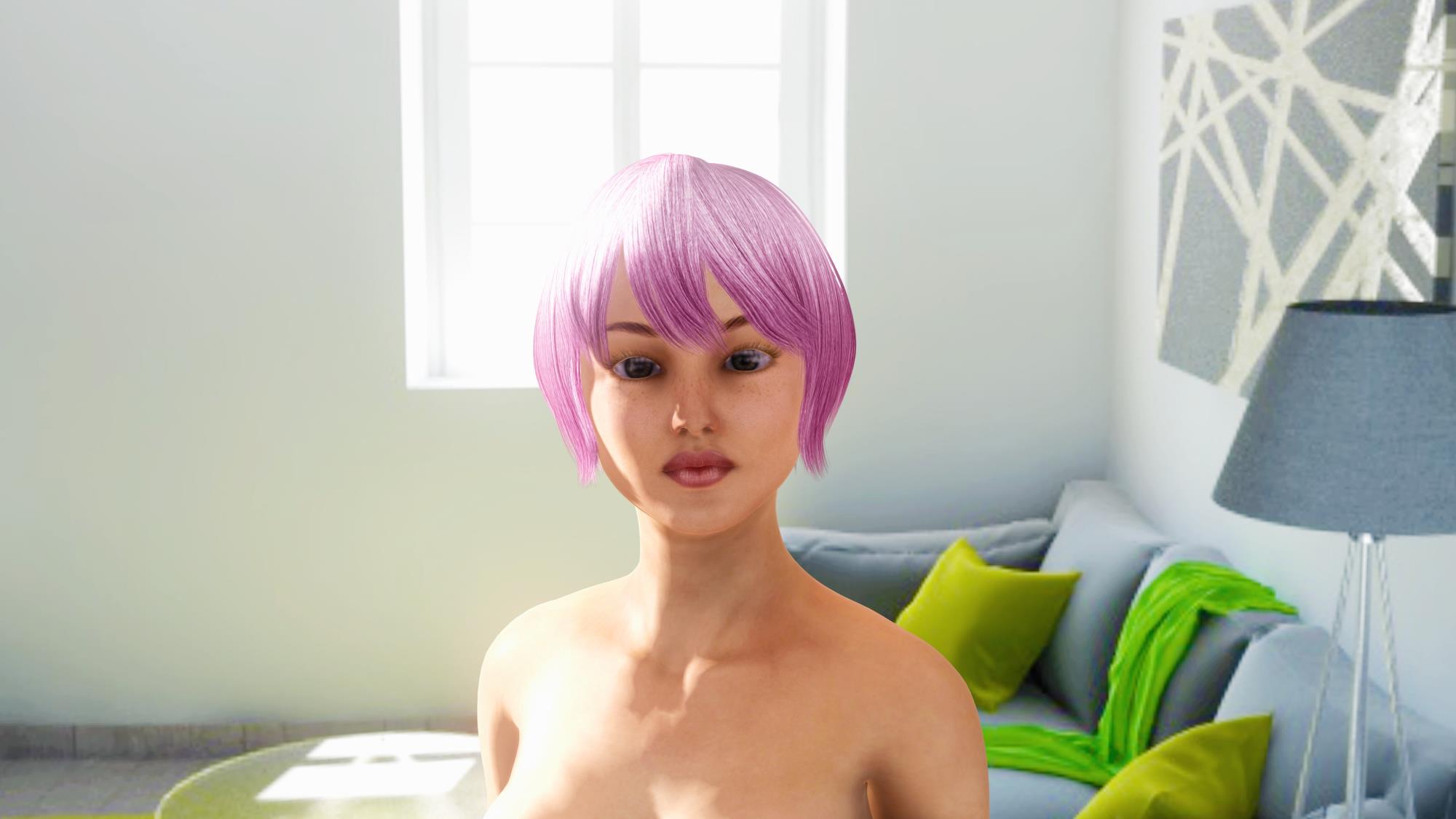
Indigo Renderer

|
|
By TonyDPrime - 9 Years Ago
|
Here is a compare, but of a newer redux of earlier images I posted. (All iClone 7)
Earlier

Redux!

Earlier

Redux!

The Tale of the Rubix Cube lives on!
|
|
By Daemonspike - 9 Years Ago
|
Well put.
|
|
By planetstardragon - 9 Years Ago
|
|
TonyDPrime (8/3/2017)
, I think the plugin is not transposing pano IBL images properly into Indigo.
I agree, it's not, the textures aren't right and the camera is misaligned unfortunately. Indigo is still good since you can tweak the textures and camera in indigo, but forget about an accurate translation till they fix it.
|
|
By TonyDPrime - 9 Years Ago
|
Here is a compare of...well...Ughh....I am no where near there yet....
ENJOY!
iClone 7

UNITY

iClone 7

UNITY

|
|
By TonyDPrime - 9 Years Ago
|
This is my take on the iClone 7 banner with Jade...
Not a compare, but a Tribute (Like the Hunger Games)....
RL

Mine

|
|
By kungphu - 9 Years Ago
|
|
TonyDPrime (8/8/2017)
Not a compare, but a Tribute (Like the Hunger Games).
That my friend....was hilarious!!!
|
|
By TonyDPrime - 9 Years Ago
|
Here is a compare of what I can generate from a Daz imported model and then a CC Model.
Daz imported


CC


|
|
By dr.zap - 9 Years Ago
|
|
Your lighting setup is very harsh and unflattering. With a proper 3 light studio setup, you can do these girls more justice. Are both these examples rendered in iClone?
|
|
By TonyDPrime - 9 Years Ago
|
|
dr.zap (8/30/2017)
Your lighting setup is very harsh and unflattering. With a proper 3 light studio setup, you can do these girls more justice. Are both these examples rendered in iClone?
Hey Dr.Z,
Yes, they are rendered in iClone. I am really excited that iClone's own engine can not only potentially emulate a renderer like Octane, but that its character engine can give us the likes of Daz characters. In the past you had Daz characters looking amazing like they do, then iClone stuff which looked a big step down. But character creator is evening that out. It has a lot of morph parameters to adjust. You will find this interesting for character modeling:
in Daz, you have separate maps for limbs and torso. And you have lips by the mouth as part of the character face map. In CC, you have one entire body map, and lips are above the face on the face map. So, you can't trade maps between the 2 without modding in Photoshop, etc.
Yeah, LOL the lighting is harsh. Actually I like to see how far you can screw with lighting these characters to expose any flaws and make adjustments in the mapping set up. You get pretty similar results on the face with CC and Daz as far as reflection and shadows. I love architecture but ultimately get caught up in characters with effects (like mirrors, volumes, fire, liquids, etc). At the beginning of this thread I was almost comparing default engine lighting settings of iCLone vs Octane. But now I see iClone just needs more attention to lighting. I am interested to learn as much as I can with this element, so I really appreciate the technical tip on the 3 light setup. The lighting and DOF are really interesting elements to read about. Thx!
This was my usual iClone 6 kind of thing-
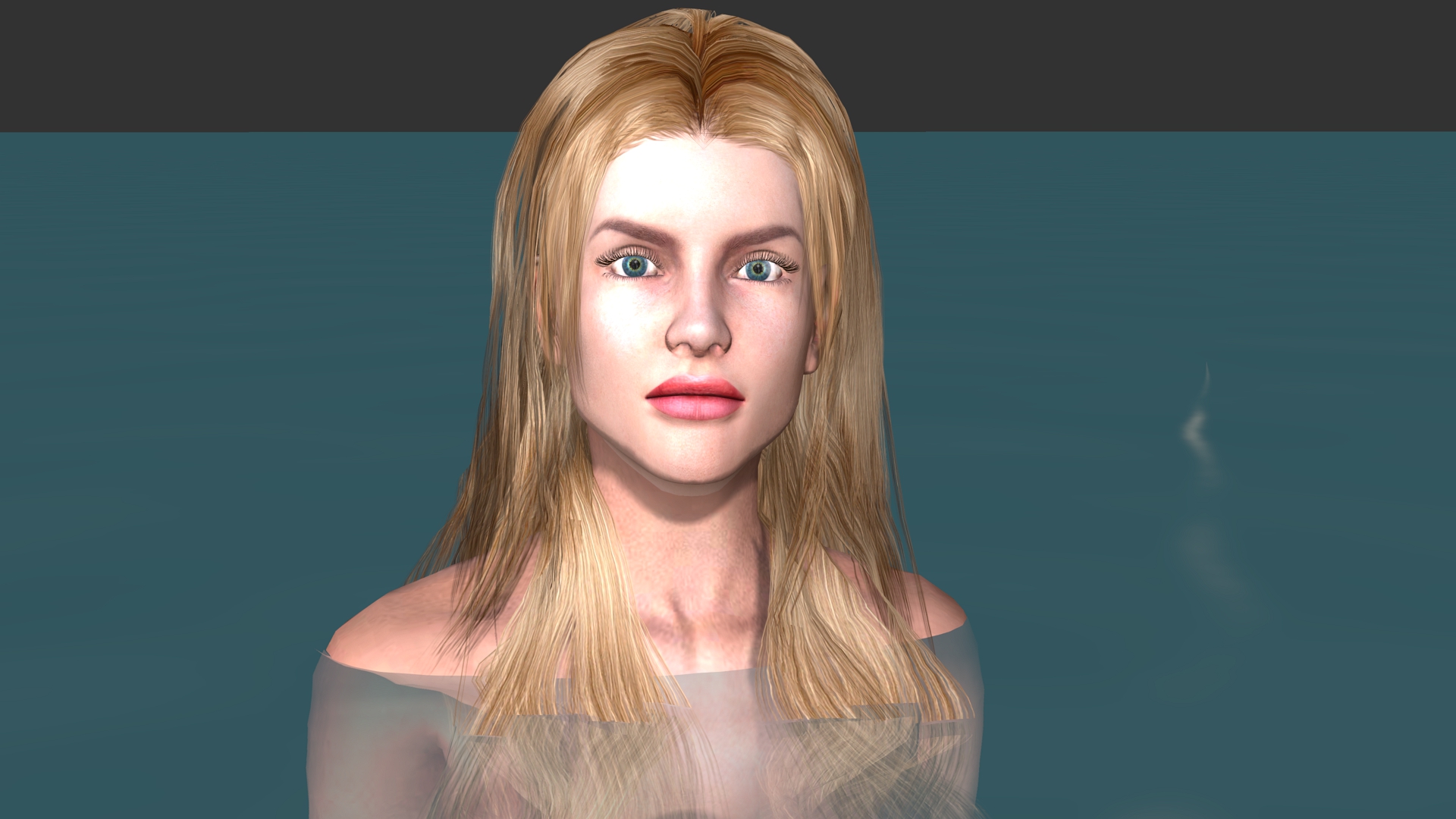
This is what iclone 7 and CC2 opens the door to more of-

|
|
By TonyDPrime - 9 Years Ago
|
Pan Cam Matchup...
I didn't get the lighting exactly, but I think I got the look. Octane version's Alembic didn't export as well for the 2nd avatar's hair (more complicated than 1st avatar's hair).
iClone 7
Octane Render
|
|
By TonyDPrime - 8 Years Ago
|
Here is an Octane V4 with Denoising (3 sec) vs iClone (1 sec).
Not an exact camera and lighting, but close enough....
Octane V4

iClone 7
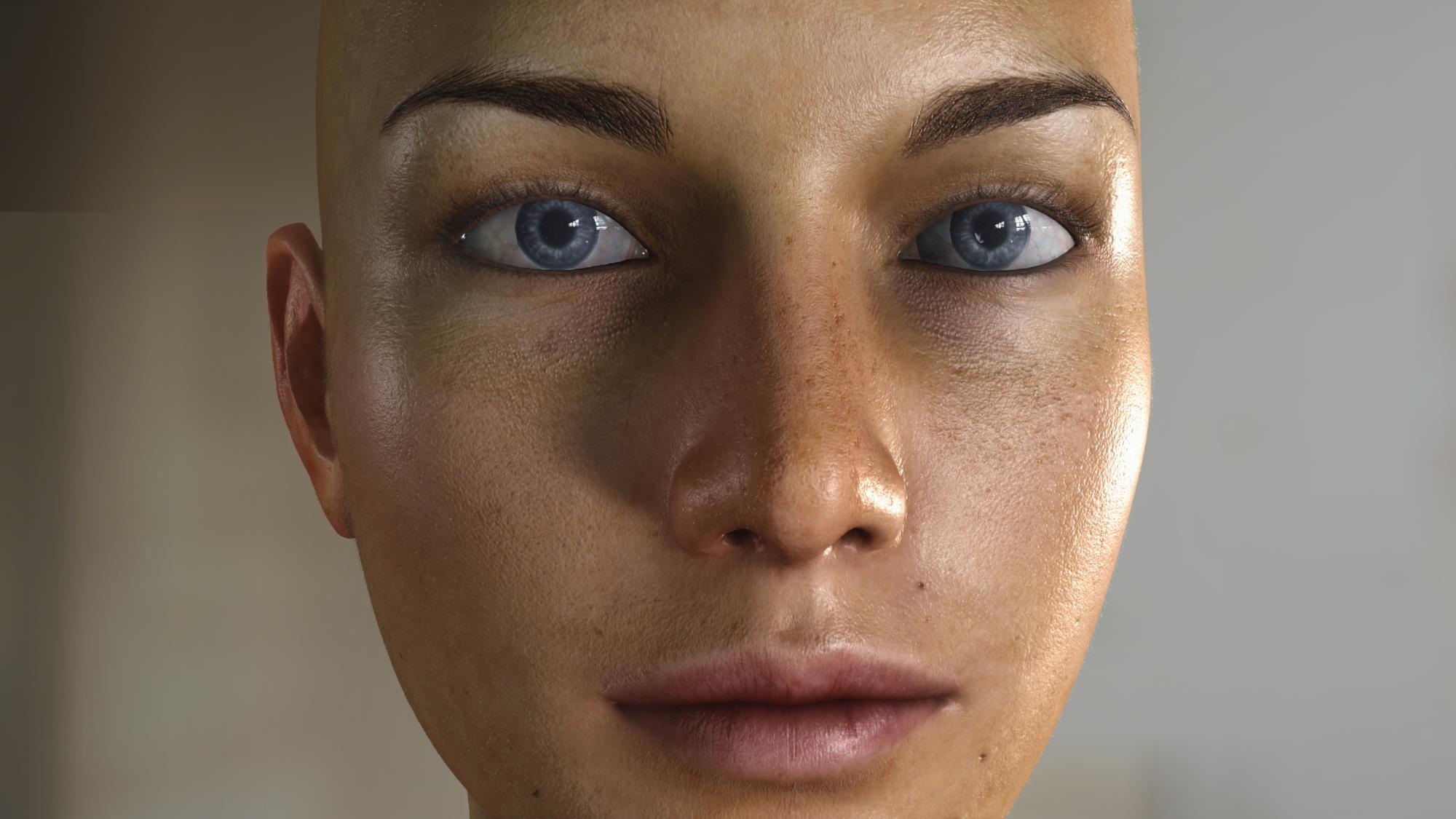
|
|
By justaviking - 8 Years Ago
|
Nice comparison, Tony.
I wonder how close iClone could match the Octane look by using a LUT (Look up Table) to do some color grading.
Other than the different background, and the color grading, it looks like a very good match to me.
That leaves me double-impressed. Impressed with the quick Octane rendering time, and impressed with the great result you got in iClone.
So that leaves us with a 1-sec vs 3-sec rendering time. Is it "only two more seconds" or is it an "unacceptable 3x longer rendering time"? I guess the answer to that might depend on how many frames you're rendering, eh?
Thanks for sharing.
|
|
By TonyDPrime - 8 Years Ago
|
I'm looking it at as like a, "Wait...just 2 seconds more per frame? Hmmmm...! Let me look again at this some more..."
|
|
By illusionLAB - 8 Years Ago
|
Not sure if you're comparing renders or trying to get iC to look more like Octane. I made this shot using only light emitting GI geo (since iC doesn't export lights with FBX). The idea being... same model, same camera, and same lighting. I had to add a 'shadow caster' in iC to make up for the lack of stronger shadows. I also added a 'warming LUT' (standard practice for me) to both renders. I only just installed Octane 4 and haven't had a chance to figure out where the "Turbo" buttons are... this render took about 20 seconds with Octane 3. Personally, it's still no contest - sure I may be able to 'tweak' iC to get better results, but the extra work 'getting there' narrows the 'time disparity' even more. I'm not sure if it's been discussed yet, but Octane 4 release will soon be here... and there will be a FREE "no restrictions" version that can run on 2 GPUs - this is epic!

|
|
By TonyDPrime - 8 Years Ago
|
Yeah, originally in this thread I was comparing renders, I took PBR as this universal automatic shader system that was just going to look great no matter what. :blush:
But now I kind of look at it differently, I see that you just can get different looks from the engines, so whatever suits your art style is fine. I know I can get a different look in iClone, vs Octane, vs Unreal, vs Indigo, etc.
This last was to compare what kind of result you can get from your hardware GPU, timewise.
I find now it's not worth so much comparing the renders as in a battle...but like JAV mentioned, more like comparing them to see how they look like eachother.
IllusionLab, lovely renders! I definitely still see Octane as the.....here we go....BETTER output potential too. You know, you really look at the softer shadows, and the highlights, and it just all looks very delicious and silky...
But you know, this is okay, it's not like Octane or Iray are usurping iClone's greatness, they are in fact embellishing the greatness of iClone.
|
|
By Rampa - 8 Years Ago
|
I think we can get those crazy-soft shadows in iClone by setting the soft-shadow check box, and setting it at it's best. The trick is to use the 512 shadow map. For even softer, you can add some huge prop just off camera in your scene. That will stretch the shadow map over an even larger area.
|
|
By wildstar - 8 Years Ago
|
|
Dear friends, you are comparing and considering the wrong points. come on. in terms of rendering capabilities. VXGI + PBR is a powerful combo that can easily destroy any commercial rendering in terms of cost benefit, you can find several examples of Archviz with unreal using VXGI. is simply absurd the quality that is obtained in real time using PBR + VXGI, but Reallusion managed to destroy it with some small things. Firstly, is not it enough to understand light and advanced CGI concepts if everything you apply inside the iclone will be DESTROYED at render time? all his work is destroyed with bad antialias, coarse DOF masks. defects with emissives, a totally inefficient material system, a totally messed-up light system and shadow, a shadow concept that is from the time of my grandmother. as I said here once. I gave up using iclone only for what it does best currently: animate characters. I'm just watching. but studying more and more Cinema 4d as my second option to animate characters, since I'm not so sure if iclone 7 will actually achieve their goals in this way. sad but true. PS.
all these women used as an example, looks like porcelain or plastic skin for me. both iclone and octane render examples. Sorry for the hardness. but I'm a little tired of it. |
|
By TonyDPrime - 8 Years Ago
|
Yeah, I know what you are saying....It's like, Great! I have a scene and now let me render!....and then

WUMP WUMP WUUUUUMP....
Why is there a box in the upper left? Who put that there!?
Oh, wait that's a rendering artifact...
Oh For Box sake!...
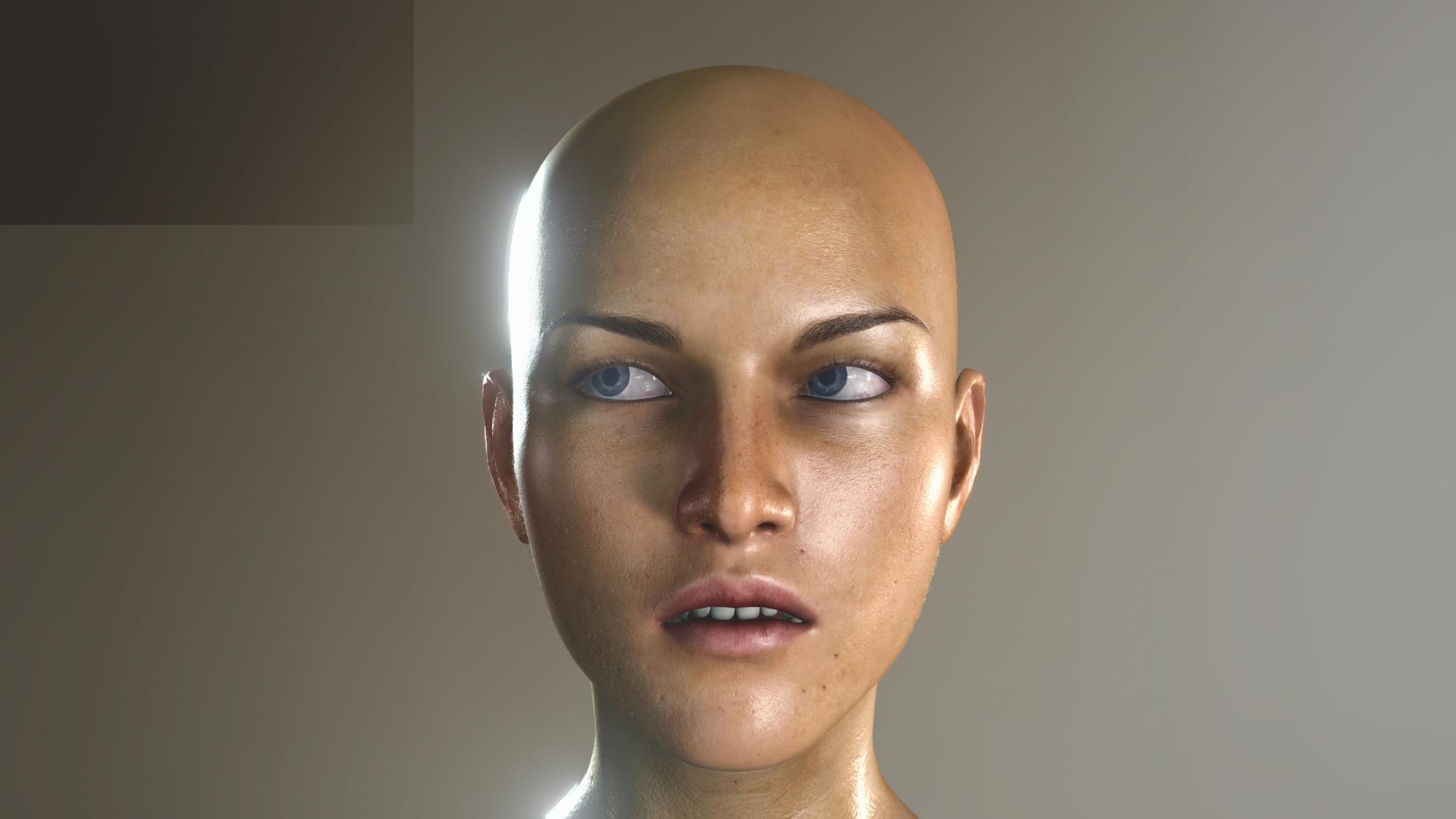
Just stuff like that kills the immersion, I mean nothing is perfect but you hit a lot of these along the way.
So then you venture off into la la land, and before you know it, you're Octane Rendering, and your like, "OMG...this is crazy...where am I....?"

And you wake up the next day, all these rendered images and you have no idea where they came from, and you can't remember anything.
But here's the sick part....you want to do it again....
And that's what happens, even though you know iClone is good for you, you just can't get your mind off of Iray and Octane.
Anyway, Wildstar I always welcome your discussion points. I hope iClone's PBR develops further as far as looks go. It's ssssooooooo close.
It is okay to ask for this, the "looks". The need for more attention on lights, shadowing, antialias, and rendering defects, etc.
PS - I myself want to say to all - I LOVE comparisons involving 2 women...rendered in different ways, smooth velvety perfect skin....I welcome these images.
Although maybe it is time to move on.
If the community demands less of a basic, plane boring and tired face-comparison-thing, and more of an exciting and high energy, exploratory 'Renderotica' themed image comparison style-thing, I begrudgingly will go along.
|
|
By wildstar - 8 Years Ago
|
|
Sorry, Tony. Yesterday I was not on my best days. I have dedicated myself to my projects with iclone in the last weeks. (I did not use iclone frequently since 7.1) and I have only found bugs the pipeline part is totally nonfunctional. mistakes of the most diverse in the export of cameras, bugs with alembic when using the curve editor, yesterday I saw that some effects of the popcorn simply do not generate alpha for composition. I swear I got pretty close to sending the iclone into space. because everything leads one to think that reallusion wants to force users to stay inside the iclone. and I would accept it. if they corrected the damn render. the ease of making character from scratch using tools like mudbox / 3dmax / character creator together. and the ease of animating characters today is the only thing that really binds me to iclone. I'm very disappointed
|
|
By sonic7 - 8 Years Ago
|
Hey Wildstar! We understand about you having a 'bad day' yesterday - we all have 'em ....
It's funny really, you've said a few times in your thread that it's the 'animation' that 'keeps you' with iClone.
With me, (still new), I find iClone's strength in laying out imported scenes; creating a 'film set', lighting it, and getting camera angles nailed.
You're in a whole different league and your demands are definitely higher than mine (I couldn't find my way around 3d max in a fit .... 😨).
In fact I'll probably end up 'keying' in real talent for all my close-ups 'cos I don't think I'd get 'believable' enough animations with avatars. (Not iClone's fault, that's simply me).
It just shows how iClone is different things to different people ....
I'm really looking forward to your masterpiece when it's complete ! Wishing you the best! 😊
◇◇◇ Pain is inevitable. Suffering is optional. ◇◇◇ - Unknown
|
|
By wildstar - 8 Years Ago
|
thx for your words sonic. :)
but..
close up characters or things its definitly one thing you CANT using iclone render :)
peace!
|
|
By TonyDPrime - 8 Years Ago
|
I think you guys hit on some important sentiments-
Sonic7-
you mentioned iClone for Pre-Viz, and for this it is phenomenal. You can also do in Max, but iClone has more timeline and animation-friendly things going on, which can be exported.
Wildstar
- you talk about the limitations of the renderer. And on a strictly visual level, I really do, yes, have to agree with you on this. I mean, okay, if your goal is to showcase your work to the iClone community alone, then you will get some great reaction regarding the look you achieve with iClone. And no doubt you will be praised, for good reason, for pushing iClone to its limits.
But....then take your BEST iClone work, and put it on an Unreal forum, Deviantart, or Octane Forum.....they will be like...."What the heck is that..."
I mean, could you imagine watching the CEO of Nvidea talk about the newest technology in GPU computing - TFlops, graphical fidelity, AI, Cuda cores, etc - and the he plays a demo, of an iClone video!!?
People would be like, "What the heck is that..." They would mock it and laugh. And this is what Wildstar is driving at. On a visual-rendering level, outside of the iClone community, the renderer is NOT able to yield professional looking results, at all.
|
|
By mtakerkart - 8 Years Ago
|
|
I mean, could you imagine watching the CEO of Nvidea talk about the newest technology in GPU computing - TFlops, graphical fidelity, AI, Cuda cores, etc - and the he plays a demo, of an iClone video!!?
You're comparing buisness of Ubisoft , ILM, Blizzart, etc.... using Realtime engine (UDK , UNITY...) VS Iclone ???? Serioursly ? :ermm:
|
|
By wildstar - 8 Years Ago
|
mtakerkart (4/7/2018)
I mean, could you imagine watching the CEO of Nvidea talk about the newest technology in GPU computing - TFlops, graphical fidelity, AI, Cuda cores, etc - and the he plays a demo, of an iClone video!!?
You're comparing buisness of Ubisoft , ILM, Blizzart, etc.... using Realtime engine (UDK , UNITY...) VS Iclone ???? Serioursly ? :ermm:
in the last 4 months, I have been studying a lot of unity, toolbag 3, and comparing with the engines that I already know, iclone 7 and octane render. It's not business. unity, toolbag, iclone 7 have the same DNA, same technologies and work in much the same way. of these last 3, so I understand the toolbag 3 is the one that has the most visual and technical quality using PBR / VXGI. getting ahead of unity, I venture to say that the toolbag comes very close to the results of octane render to speak the truth. and their team is very small even the CEO is very accessible is my friend on facebook and we talked a lot about the direction that the toolbag is going to take. then it is not business. one of the reasons I have decided to stop the project of my film a little is precisely because I am waiting for version 3.04 of toolbag 3 to be released, as well as octane 4. iclone already has its place in my workflow along with the character creator. I just need to define which tool will suit my rendering needs.
|
|
By animagic - 8 Years Ago
|
|
Professional is not all about looks... Unless you are of course after a rendering contest. Over the years I have seen many discussions about iClone's shortcomings, sometimes valid, sometimes not. Also, I have seen steady improvements in iClone output over the years. iClone 7 may not give you what you're after, but I disagree that it is totally unusable. I'm not really interested in comments from game engine forums. Audiences are another matter, I care about them.
|
|
By TonyDPrime - 8 Years Ago
|
mtakerkart (4/7/2018)
I mean, could you imagine watching the CEO of Nvidea talk about the newest technology in GPU computing - TFlops, graphical fidelity, AI, Cuda cores, etc - and the he plays a demo, of an iClone video!!?
You're comparing buisness of Ubisoft , ILM, Blizzart, etc.... using Realtime engine (UDK , UNITY...) VS Iclone ???? Serioursly ? :ermm:
I know, and let me say with respect I always value your advice and thought.
For me, I think this is the fascinating point that can be raised when it comes to the strict visual renderer...the mocking that would occur...people would say, "Seriously?"
And this, I believe, is what Wildstar is constantly driving at. You have the PBR foundation and pieces in place, but if you put it next to the big-boys of 3D, you will get just that - "Seriously?"....
So, okay, what is it then that it would need to be taken seriously - Wildstar describes, through comparison: anti-aliasing, greater level of super sampling, DOF, lighting, and shadowing improvements, etc.
Do you feel there are any improvements you would like to see, or think there is something that is missed in our discussion that would be a great improvement?
|
|
By TonyDPrime - 8 Years Ago
|
|
animagic (4/7/2018)
Professional is not all about looks... Unless you are of course after a rendering contest. Over the years I have seen many discussions about iClone's shortcomings, sometimes valid, sometimes not. Also, I have seen steady improvements in iClone output over the years. iClone 7 may not give you what you're after, but I disagree that it is totally unusable. I'm not really interested in comments from game engine forums. Audiences are another matter, I care about them.
Well stated, as always. I always am humbled by your knowledge and thoughts.
So, let me ask you - What are some of the visual rendering things you would like to see iClone improve on? And I am strictly talking about visual rendering.
For example, you educated me one time on the use of emitters vs the directional lights. Would you want to see any aspect of lighting improved upon, for example?
|
|
By wildstar - 8 Years Ago
|
"You have the PBR foundation and pieces in place, but if you put it next to the big-boys of 3D, you will get just that - "Seriously?"...."
i love this phrase. and its describe a lot what i fell about iclone. iclone need so little things to be corrected , in the animation part its ready for me
curve editor just rocks! iclone only need a alembic support for complex animations like motion designer and fluids.
in the render part. its just a few things. like i already say. antialiass , supersampling, real life light and shadow behavior , put out this shadow maps logic
its pre historic. a simplification of light system no more emissives props or shadow casts , only lights. a descent render output.a better shader and materials unity ( just check how complet is the toolbag materials, you have things from the big boys like fresnel controls, various types of difuse ( lambertian, microfiber, subsurface scattering,specular metalness GGX, roughness all togheter giving the artist the power to build amazing shaders looks . and its done
the actual vxgi system is amazing .and for real ? if iclone correct this little fails no one will need iray, octane , toolbag unity nothing.
we need REAL TIME with similar quality of Toolbag or Unity . i believe i am not asking too much. iclone can deliver unity or toolbag quality
we need iclone working ok with all functions ok. before implement new things lke was showed in 2018 roadmap. CORRECT iclone FIRST . after that implement more things.
|
|
By TonyDPrime - 8 Years Ago
|
@Wildstar - thanks for taking the time in talking about the progress that iClone has made and also the further progress that could be made.
Whenever I think about the business end of iClone, I think of Daz's Content Store. It has such gorgeous visual eye candy.
Which leads me to believe that if any $ was put into building the visual renderer of iClone, it then strengthens the marketing arm of advertisement as the rendered images shown off are more potent stimuli.
The content store looks great, but it would absolutely kill if the rendered images shown off were upgraded.
So, not only would an increase in rendering visuals be a win for all of the user base, it would be an immense $$$ win for RL.
Very straightforward win win, with an immediate advertisement power boost. Words would not be needed. The images themselves would generate more $$$.
|
|
By R Ham - 8 Years Ago
|
Photorealism is overrated. Realtime rendering is the grail.
|
|
By Dr. Nemesis - 8 Years Ago
|
For my project, Iclone is fine visually. The problems I'm having are memory use, collaboration, and feature stability after updates. Three things I wouldn't have problems with if I was making my film in Unreal. Thanks to the F curve editor, Iclone has finally become the animation tool I needed. Does lip sync and facial anim fast, imports mocap smoothly and easily. Amazing renders can be made now once you learn the ropes, but I need to buy an 11GB to ensure I can do my project smoothly. And OMG, the things that they break with each update... Crippling in some cases.
It's possible, maybe probable that I'll animate in Iclone next time but then export animations to Unreal, in which case I won't need to buy the next Iclone. That'll be decided by how well Reallusion does with fixes over the rest of the year.
|
|
By TonyDPrime - 8 Years Ago
|
Here is a Noggin-compare of iClone 7 vs Octane.
The lighting isn't the same, but what do you think?
Who's Noggin would you rather Nog?
EDIT - 16 minutes iClone, 50 minutes Octane.
|
|
By wildstar - 8 Years Ago
|
|
TonyDPrime (4/10/2018)
Here is a Noggin-compare of iClone 7 vs Octane.
The lighting isn't the same, but what do you think?
Who's Noggin would you rather Nog?
EDIT - 16 minutes iClone, 50 minutes Octane.
as I said before, heads with IBL illumination are really not a comparison parameter, especially if they are occupying the entire screen. the problems with iclone are in relation to the poor processing of textures. (a head occupying the entire screen will not show this problem). little definition of textures as they are away from the screen (with mipmap off). the antialiass really bad. the frequent appearance of the masks of the buffers when using different things on the screen, such as glows / emissive / dof. and now with the popcorn particles. iclone's features are good. In that case, if the same light is placed, it will look good. but this is definitely not the point that I get beat up so much.
|
|
By TonyDPrime - 8 Years Ago
|
Here is another Head-to-Head (get it?!) comparison of the 2 factions with a G3F avatar:
iClone 7
Octane Render
I tried to really equalize the lighting and everything. Neither is pushing or flaunting the potential of its respective rendering engine, just a straight head-to-head.
iClone 7 - 900 frames @2160, 18 minutes
Octane - 900 frames @1080p, 400 s/px , 3.5 hrs (6 Titan X Pascal) - I cut corners to get the time down, not the cleanest render (no denoising, would have taken longer!)
I actually find myself liking the 'look' of the iClone one more, but it suffers from what I still call the "Tooning Conundrum".
Whereas the Octane looks an edge closer to the realish element.
And I don't mean real as in a 'real person', as in, she looks like a real human.
I mean real, as in more like a real object, in 3D space. (ie a mannequin or rubber doll)
|
|
By justaviking - 8 Years Ago
|
Thanks for sharing the test, Tony.
Relative to a "50-50" tie, I'd score it about 48% iClone to 52% Octane. Very close.
At this point, I think the bigger change, rather than one renderer versus the other, would be to fine-tune the skin. Increase the roughness slightly, add some subtle color variations, maybe a minor blemish. That would decrease the "waxy" appearance.
Nice looking work. Very nice.
|
|
By TonyDPrime - 8 Years Ago
|
|
justaviking (6/18/2018)
Thanks for sharing the test, Tony.
Relative to a "50-50" tie, I'd score it about 48% iClone to 52% Octane. Very close.
At this point, I think the bigger change, rather than one renderer versus the other, would be to fine-tune the skin. Increase the roughness slightly, add some subtle color variations, maybe a minor blemish. That would decrease the "waxy" appearance.
Nice looking work. Very nice.
Hello, thanks. Which one did you make the suggestions for, the Octane one, right? (thinking the Octane version, but wasn't sure)
|
|
By justaviking - 8 Years Ago
|
|
TonyDPrime (6/27/2018)
Hello, thanks. Which one did you make the suggestions for, the Octane one, right? (thinking the Octane version, but wasn't sure)
Yes, if forced to pick, I vote for the Octane picture as the winner.
But mostly I'd call it a tie, with minor differences that are mostly "artistic" and subjective in nature.
At this point, I see the textures as more important than the rendering engine. Your "Morning Glow-ry" images are great. The textures there are very "real" with variations and flaws in the skin, like what you see on real people.
|
|
By illusionLAB - 8 Years Ago
|
|
It's not really a comparison of "renderers" as much as it's - "can I get similar results?". This is about as good as it gets for iClone's PBR... whereas the Octane it's just the beginning - sub surface scattering alone could take the image a big step closer to reality - combined with better lighting and lens effects (DOF and 'bloom') the difference would be substantial. The upcoming iRay renderer for iClone would be more of a suitable 'shootout'.
|
|
By TonyDPrime - 8 Years Ago
|
Hi JAV, thanks very much!
For the question, I was actually wondering which of the versions you had thought looked too waxy, where you said increase the roughness. I was thinking you had meant the Octane one. And so now when Illusion Lab mentioned the SSS and lighting for Octane, I kind of increased the probability in my head that's the one you imagined could be touched up.
IllusionLab, yeah I am looking forward to pitting Iray vs Octane vs iClone realtime-PBR, for comparison sake. I am going to wager Iray will look the best.
In Daz, I think Iray can go further visually than Octane can. What do you guys think?
|
|
By TonyDPrime - 7 Years Ago
|
Here is another Head to Head Battle with CC3 Default avatar mesh:
(not matched verbatim, but close enough.)
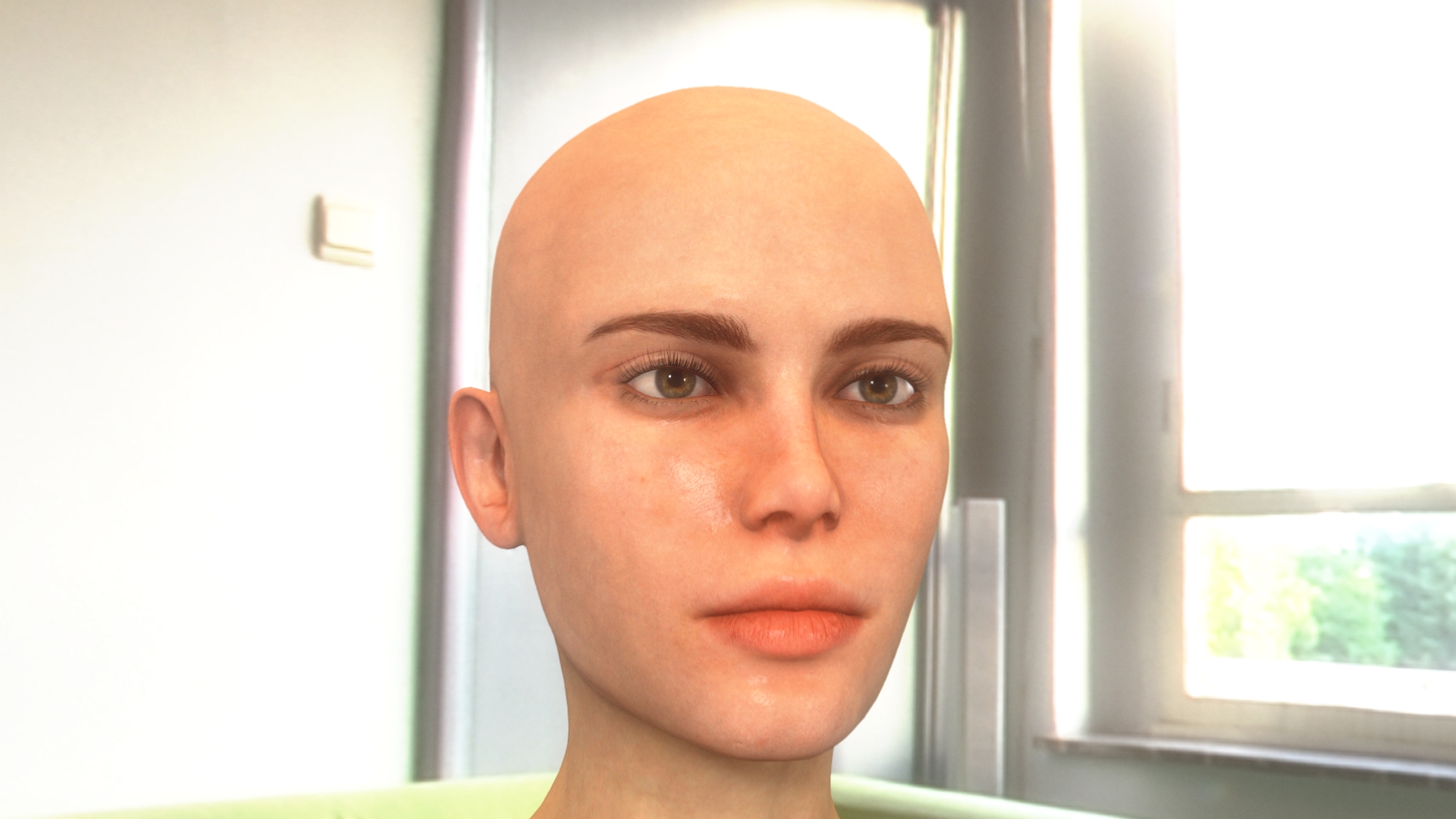
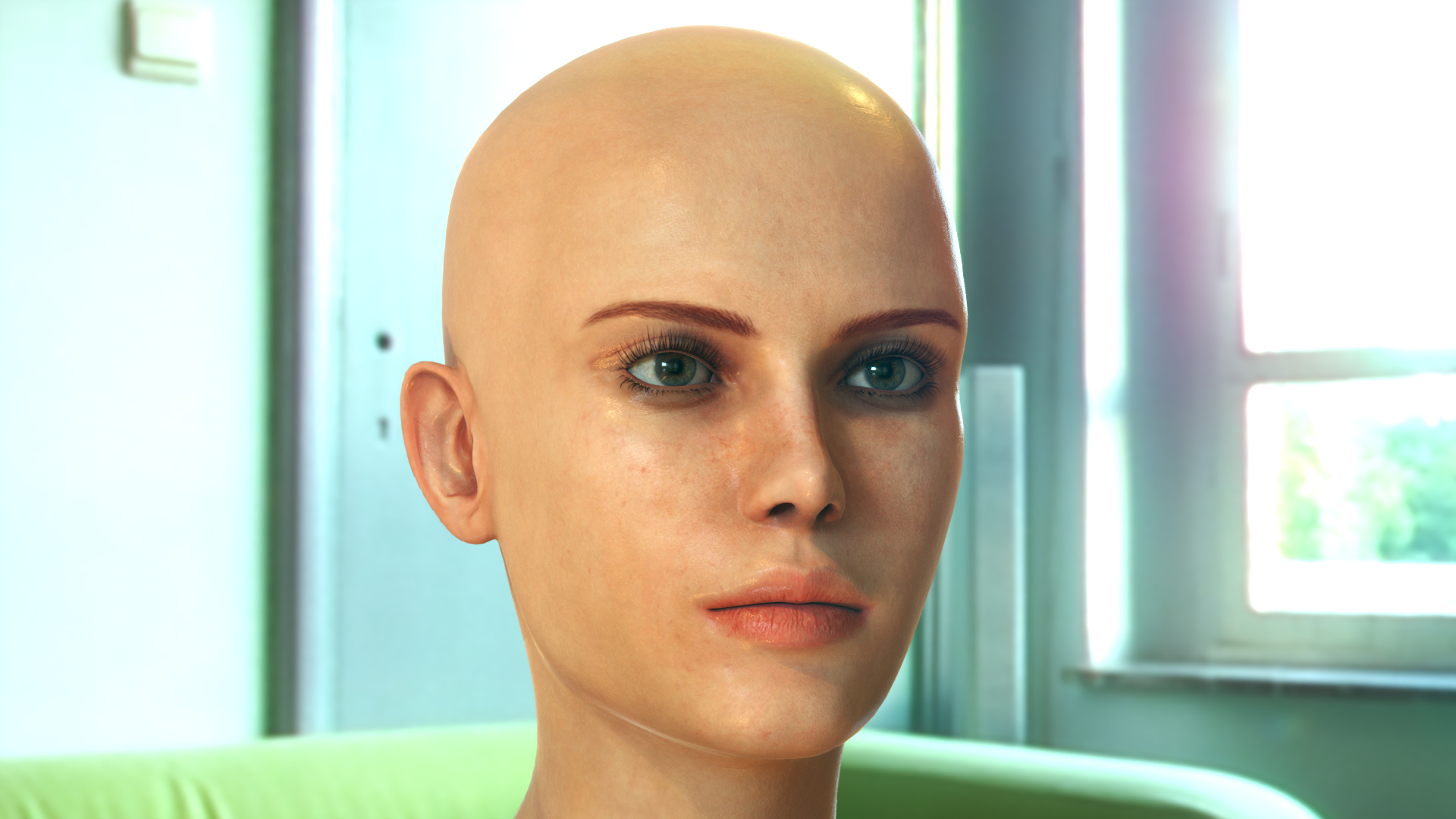
I like the look we can get from iClone, but I think Octane's powers pull away a little too much.
Like, when I made the render in CC3, I was like, "Yeah...Looks Good!"...
And then I render in Octane and I'm like, "Curse You Tooning Conundrum!...."
But somehow I still like that iClone look, as in style. You know what's weird, if I rendered in UE4 it would also almost look like a different character model.
Might be the way features present to the cam or something.
The CC3 one looks calm and relaxed...The Octane one looks a touch agitated, and that in itself is more true to life.
|
|
By TonyDPrime - 7 Years Ago
|
Here is Unreal 4.23 Preview 7
Raster
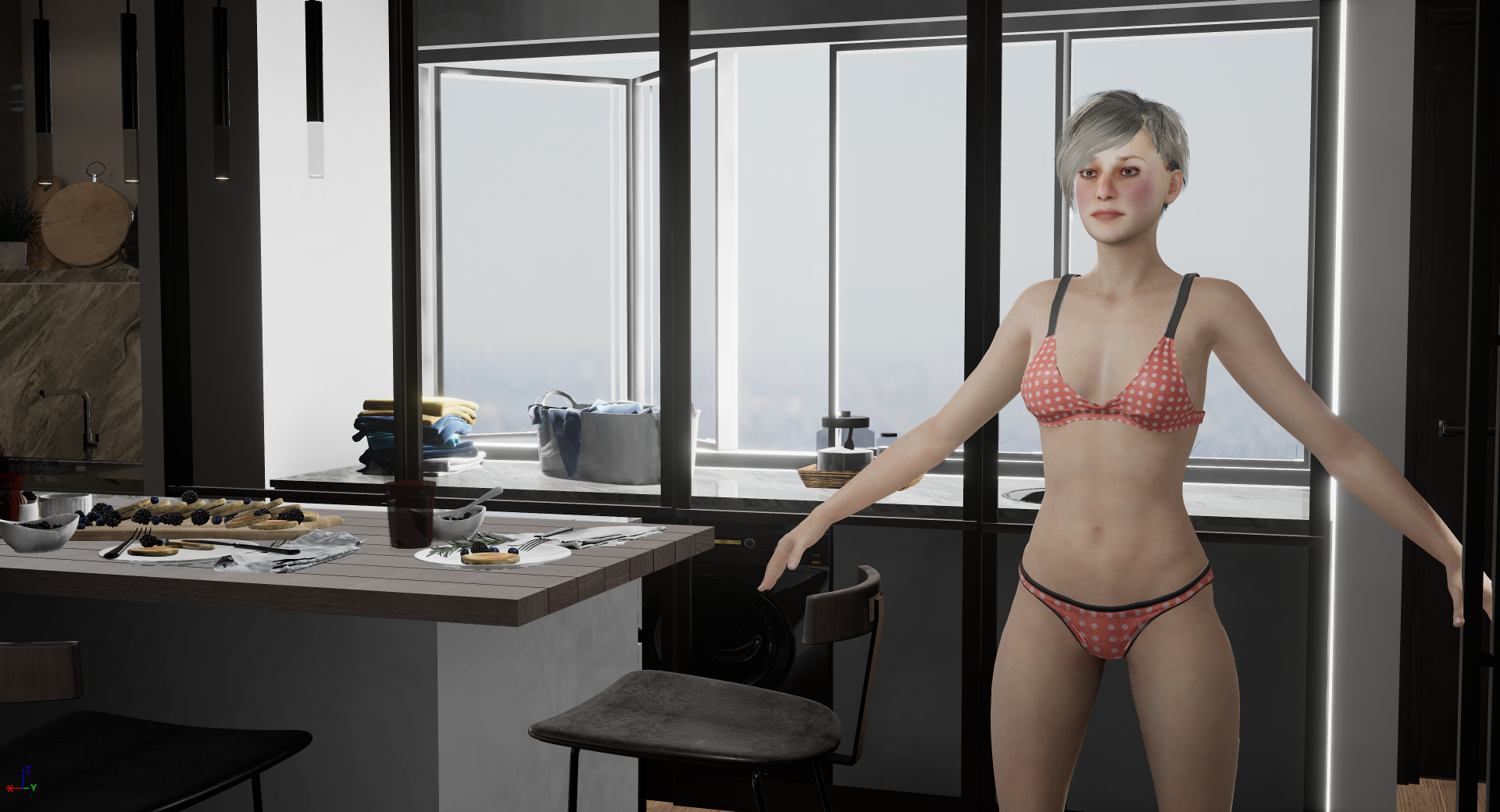
Raytrace
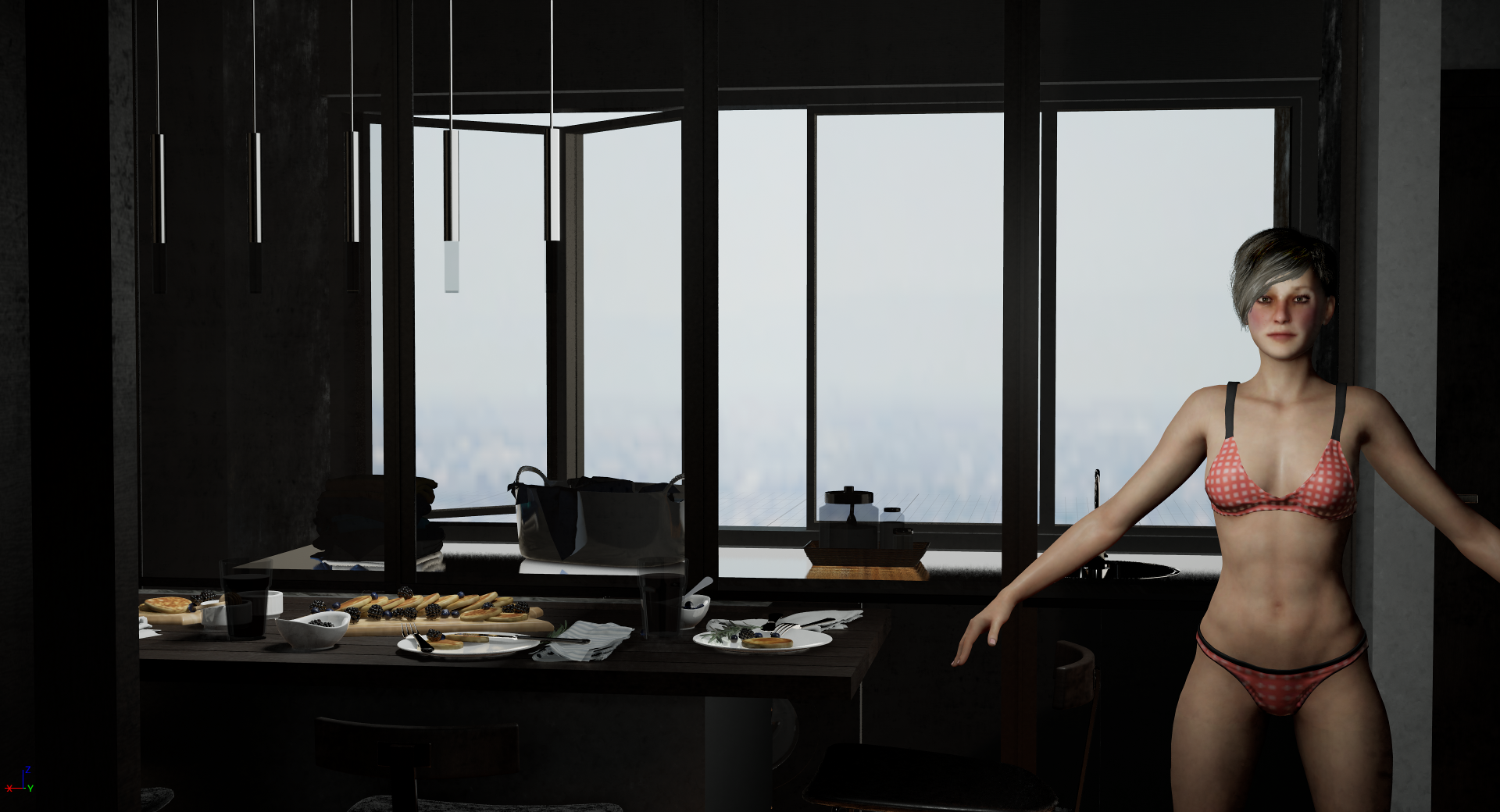
And here is Octane with the same scene (without avatar)
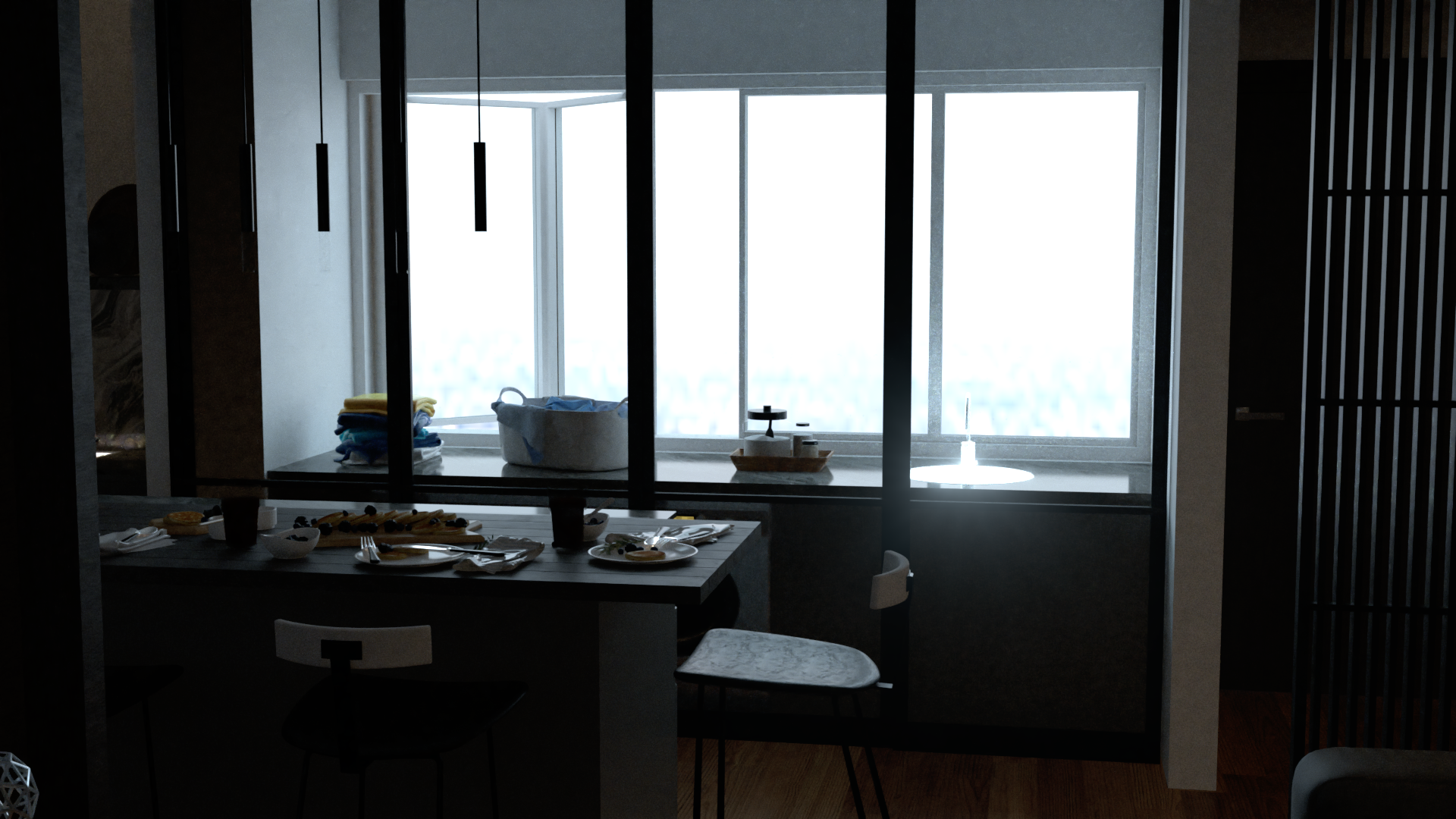
I am finding you can push Unreal's look, including Raytracing, much closer to Octane.
But Octane still is the Champion look-wise.
But speedwise, Unreal is unreal! - 1sec/frame vs 20 sec frame heavy scene with shadows
|
|
By StyleMarshal - 7 Years Ago
|
The Octane Plug-in for Unreal looks really cool , waiting for sequencer and the solved eye material problem.
Did you test the new Upscaling render 2x2 or 4x4 , its really fast on big scenes.
Right now I am testing out Unreal 4.23 preview 7 , I love the new HDR Background with Raytracing but hair is still a problem.
Curious how the new IClone shaders (SSS) will look like.
:-)
|
|
By TonyDPrime - 7 Years Ago
|
|
Bassline303 (8/26/2019)
The Octane Plug-in for Unreal looks really cool , waiting for sequencer and the solved eye material problem.
Did you test the new Upscaling render 2x2 or 4x4 , its really fast on big scenes.
Right now I am testing out Unreal 4.23 preview 7 , I love the new HDR Background with Raytracing but hair is still a problem.
Curious how the new IClone shaders (SSS) will look like.
:-)
Hey, Bassline!
Yes, the Unreal Octane Plugin - for me, it really works better with backgrounds, like you say the characters are yet subject to Octane Render's conversion limitations of Unreal's limitations.
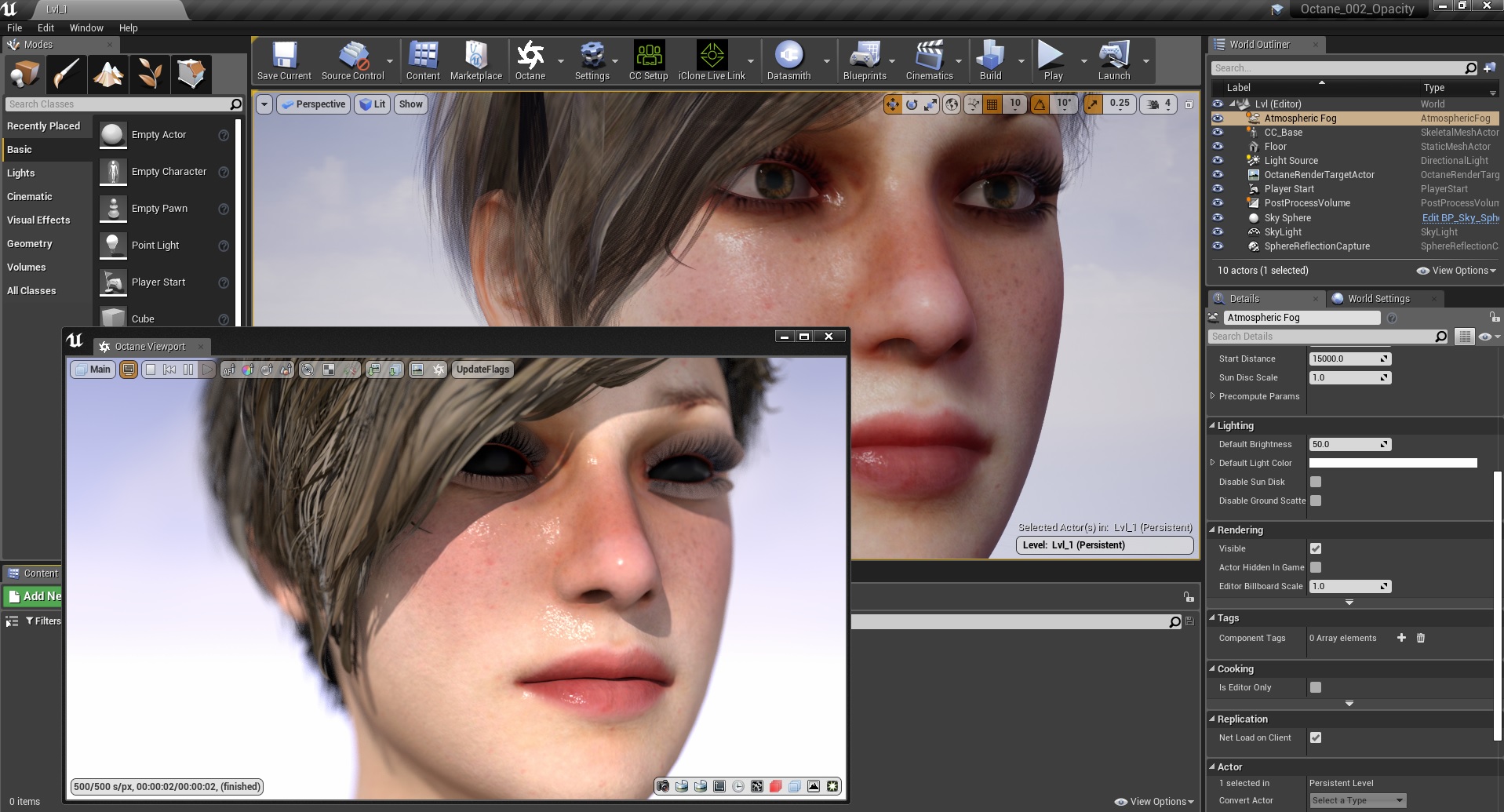
With the hair, I find the iClone Auto-shader is better than going in FBX. Unreal's raytraced hair is not as good as Octane's raytraced hair can look, but decent enough.
But OMG - could you imagine if we could get hair like Daz Iray....like the pics we see in the Daz store of character hair....hair like that. Would be incredible to have that quality in Unreal...
Now, Unreal itself, 4.23 Preview 7's Raytracing is getting there, pretty cool indeed! It still needs work on denoising in dark shadow areas. No matter how many samples you through at it, there is always noise.
I made this non-animation quickly using LiveLink Plugin and then the iPad camera thing, which is very cool, but what I really like is the Raytraced results!
I mean, not as good as Octane, but good enough, you know?!...
And this rendered like 3,000 frames at close to 1080p in 20 minutes, that's a little over a frame a second render-speed.
For Raytrace, that's good!
|
|
By StyleMarshal - 7 Years Ago
|
|
that looks really good !!! Especially the UE4 Render :-)
|