|
By michal.tworek - 8 Years Ago
|
Hi all! :-)
Can anyone explain me how to export character after editing pose.
I want to change pose of my character and print on 3d printer.
I thought that maybe setting as default in "edit pose" window is enough, but unfortunatelly no. What with quality? Is there some way to make it smoother?
Michal
|
|
By wires - 8 Years Ago
|
|
At the moment you can only export characters in a T pose, no matter what pose it is in before export.
|
|
By Am7add9 - 8 Years Ago
|
|
wires (4/25/2017)
At the moment you can only export characters in a T pose, no matter what pose it is in before export.
i'm arfraid your mistaken, you can export posed stuff...
i've done it several times
you need to make the pose-remove animation-collect clip
import the motion into 3dxchange and to perform section
keep it highlighted then export as obj
going from memory here, haven't done it in a year or so.
the trick is to not have any moving animation in your motion file
just to test again, i exported darkseid from 3dxchange posed
and brought it into 3ds max/rayfire.

|
|
By Snarp Farkle - 8 Years Ago
|
|
michal.tworek (4/25/2017)
Hi all! :-)
Can anyone explain me how to export character after editing pose.
I want to change pose of my character and print on 3d printer.
I thought that maybe setting as default in "edit pose" window is enough, but unfortunatelly no. What with quality? Is there some way to make it smoother?
Michal
The only way I know of is to load your character in iClone then select to edit your character in 3DxChange.
Import an animation and find the pose you are happy with by scrolling through the play head.
Then export it as an obj, and then if you load that obj into 3DxChange you'll see that it saved in the pose you had at the time you exported the obj.
I don't know if 3D printers can use obj files but this is the only way I know of to get a saved character in a selected pose.
|
|
By Am7add9 - 8 Years Ago
|
i didn't try that scrubbing through the timeline.:crazy:
that is a big time saver, thanks.
|
|
By michal.tworek - 8 Years Ago
|
Thanks all of you :-)
I will try, but I'm happy this is possible.
What with quality? I mean mesh density. Is it possible to make it smoother?

|
|
By michal.tworek - 8 Years Ago
|
Well guys, I found nice way:
Create character .
Open in iClone.
press "N" - > adjust pose bones
Content Window->Motion->Custom
Animation Custom->Motion
Press"+" , add name to your new POSE.
____________________________________
Open in 3DXchange
Press "N"
Load Pose
Export OBJ
Still don't know how to improve mesh density

|
|
By michal.tworek - 8 Years Ago
|
If there is no option to make it smoother then I have some option:
Import OBJ to blender.
To see a mesh switch to EDIT MODE.

Look at MESH TOOLS on the left.
ADD: subdivide
DEFORM: smooth vertex
to see an effect you can switch to object mode and switch between smooth and flat shading (flat is the REAL one):
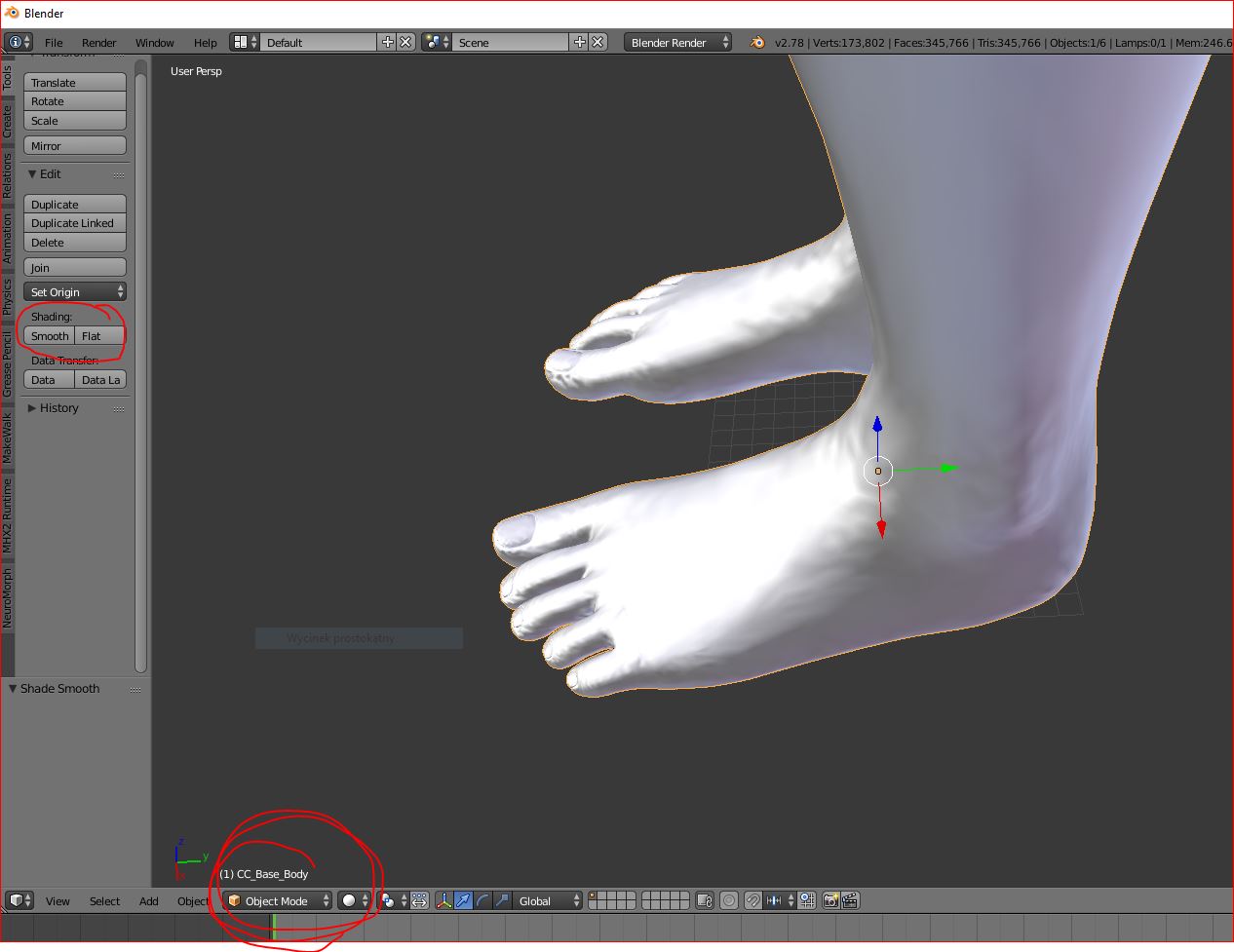
You may repeat subdividing and smoothing vertex
Export to *.OBJ
Do you know a way how to do it in iClone?
|
|
By Am7add9 - 8 Years Ago
|
3dxchange has smoothing in the right menu "normal" section
i imagine 3 other people will post the same thing, so disregard my post
|
|
By michal.tworek - 8 Years Ago
|
I already founf this https://www.reallusion.com/iclone/Help/3DXchange4/PRO/Auto_Smoothing_Mesh_Nodes.htm ,
but here "auto smooth" is not active:

If there is any "smooth" button please let me know.
In iClone is "realtime smooth", but it looks to work only in iClone.
|
|
By wires - 8 Years Ago
|
Make sure that you have the Body selected in the Scene Tree, and Weld Vertex checked in the Normal tab. You can increase the amount next to the Auto Smooth box.

|
|
By Snarp Farkle - 8 Years Ago
|
You have to select the mesh to use the "Auto Smooth" function in 3DxChange, if you have more than one mesh the "Shift Select" all of them.
|
|
By michal.tworek - 8 Years Ago
|
I think body is selected, but everything is shaded (not active) in "smooth window".

|