|
By Bastendorfgames - 9 Years Ago
|
For starters, I tried to look for existing versions of this topic, but the search bar on this forum doesn't seem to work for me.
There seems to be an odd issue when exporting as an fbx and importing into Max. I get rather hard seams in the edges of my normal map even though it's perfectly aligned.
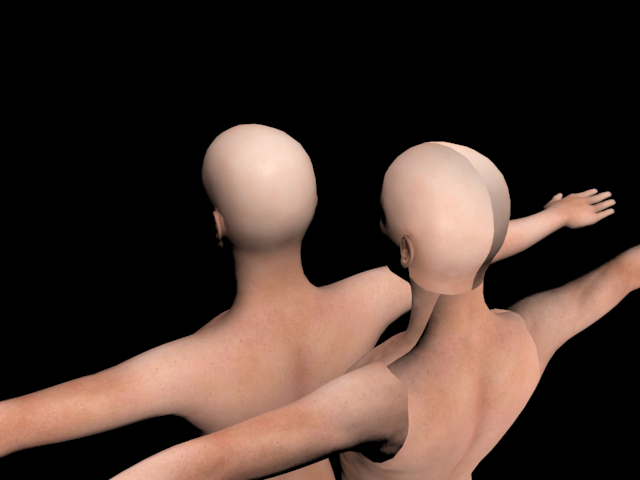
The model in front has no normal map. The model in back has the normal map set as a bump map exactly as it's imported from the fbx in exactly the way Character Creator exports it. No tampering, modifying or adjusting is involved. And I haven't tampered with the UVW map at all. This is a fresh, direct import. The only change was in taking the bump map modifier off the front model to show that it is in fact the normal map that is the cause, and not the diffuse.
Is there any way to fix this, or is this just a difference in the way Max and iClone work and can't be solved?
|
|
By animagic - 9 Years Ago
|
I'm not a Max user, but several members are, and they can import CC characters without issues. Hopefully they will chime in to resolve this.
I believe RL does most if not all of its character development using Max, so it should be a good fit.
Autodesk has a FBX converter with a viewer, which would allow you to check what it looks like then.
|
|
By duchess110 - 9 Years Ago
|
Hi Bastendorfgames
I just did a quick test.
Opened cc2 used the default female removing the underwear.
Exported fbx -y for max.
Opened in max then once loaded used the eyedropper to select materials from scene.
All worked as I expected here is a screen grab showing the materials and character after using the eyedropper.
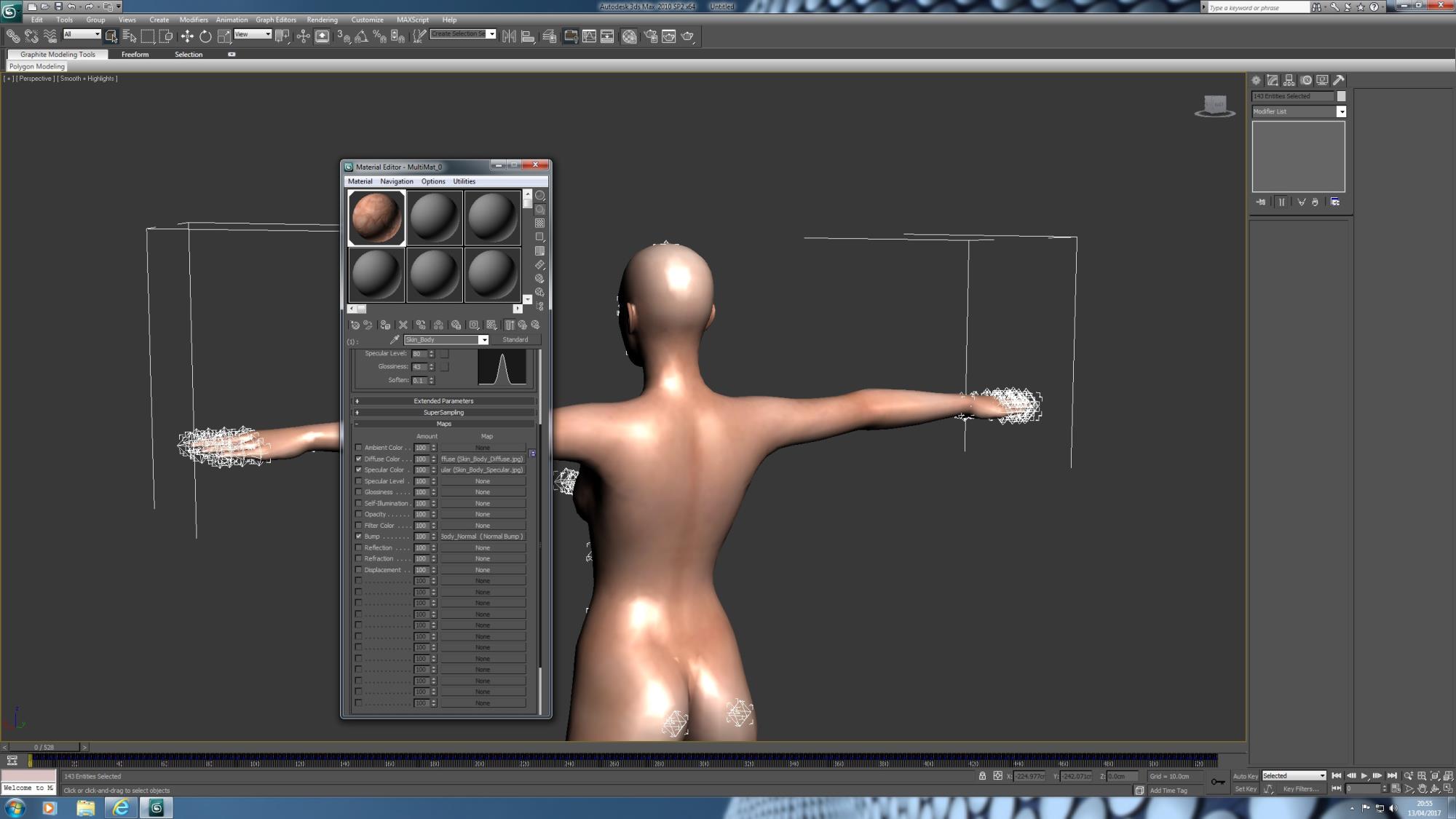
I am using an older version of max 2010 but your results should be the same.
|
|
By vidi - 9 Years Ago
|
I have no max but maybe it helps
http://polycount.com/discussion/128905/visible-normal-map-seams-in-3ds-maxs-viewport
scroll Page down for the solution
or try settings flip xxx channel direction what happend ?
http://docs.autodesk.com/3DSMAX/15/ENU/3ds-Max-Help/index.html?url=files/GUID-BFFFC7F4-8B39-435C-9015-A38245A3250B.htm,topicNumber=d30e399137
BTW > For Maya User, disable color mangement in the preferences, or set sRGB to RAW in the normalmap color Space dropdown menue
|
|
By denclink - 9 Years Ago
|
hello
I had a similar problem in ic7 early release same issue with with bump channel. The problem was that bump channel had SRGB selected turning it off put things right. May or may no relate.
|
|
By Bastendorfgames - 9 Years Ago
|
duchess110 (4/13/2017)
Hi Bastendorfgames I just did a quick test. Opened cc2 used the default female removing the underwear. Exported fbx -y for max. Opened in max then once loaded used the eyedropper to select materials from scene. All worked as I expected here is a screen grab showing the materials and character after using the eyedropper. I am using an older version of max 2010 but your results should be the same.
I'm using Max 2014 and CC1.52 Lite not sure if that makes a difference. Also not sure what you mean by "fbx -y"...
|
|
By Bastendorfgames - 9 Years Ago
|
Sorry for double-posting, I'd posted my first response and then looked through Vidi's links. Figured it would take me longer to find a solution.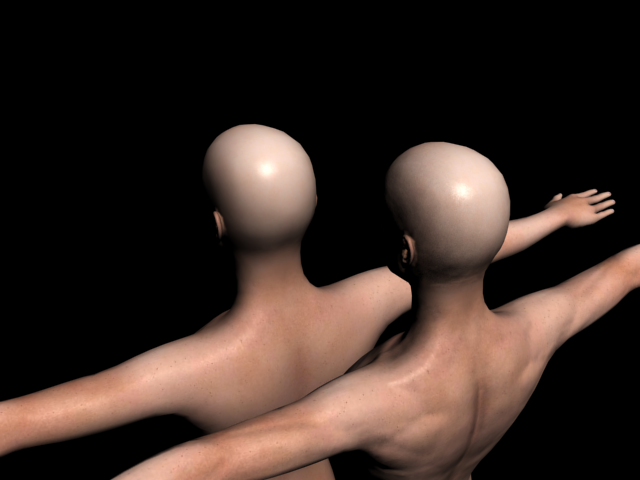
Following the advice of people on forums in the first link, I turned off Gamma/Lut Correction (Customize > Preference Settings > Gamma and LUT) but that only kinda solved it. I could still see seams. In addition to the gamma correction, I also flipped the green channel direction in the bump map options for the material. Results can be seen above.
Thank you, Duchess, Vidi, and Denclink for the help!
|