|
By Peter (RL) - 9 Years Ago
|
Hi Everyone 
We are so pleased to be bringing you the next evolution of Character Creator but we still do need your assistance to help us track down any remaining bugs, glitches or other annoying issues.
Character Creator 2.0 adds many exciting new features and also comes with a number of important fixes and enhancements.
Important: If you do find any bugs, issues or glitches in the CC 2.0 update, please can you first report them in the Feedback Tracker. Then feel free to discuss the issues in this thread. However do make use of the Feedback Tracker first to log the issue with our development team.
As always, do feel free to post general feedback about Character Creator in your own threads, but it will help us greatly if we can keep all outstanding issue discussion in the one place. This will help the development team keep track of any problems.
Please do try to provide your full system specifications and a detailed description of the problem when reporting issues. If you can provide steps so we can try and reproduce the problem this will be even better.
Many Thanks and have fun with Character Creator.
|
|
By animagic - 9 Years Ago
|
When selecting Use Inputs for Mesh Data, the thumbnails are sometimes only partially shown. Entered as: Issue #2159.
For example:
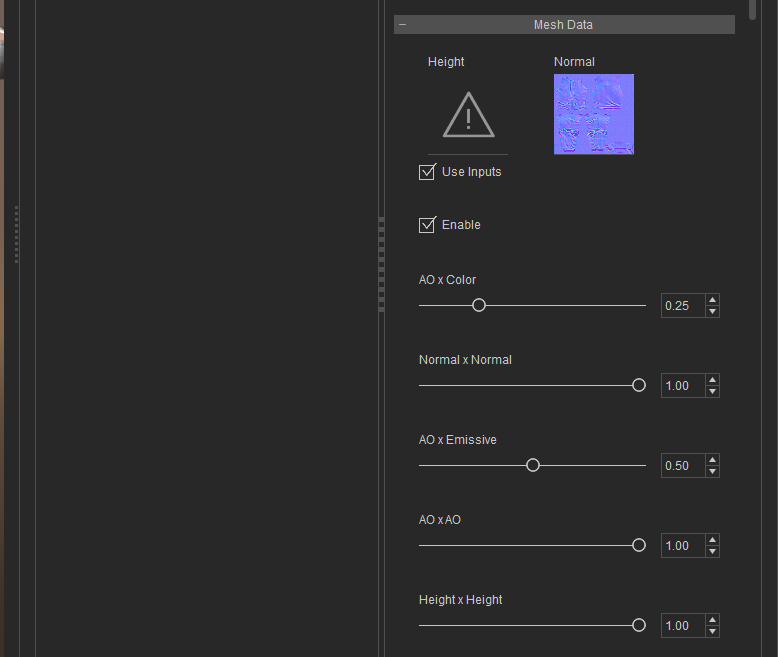
Or this one:
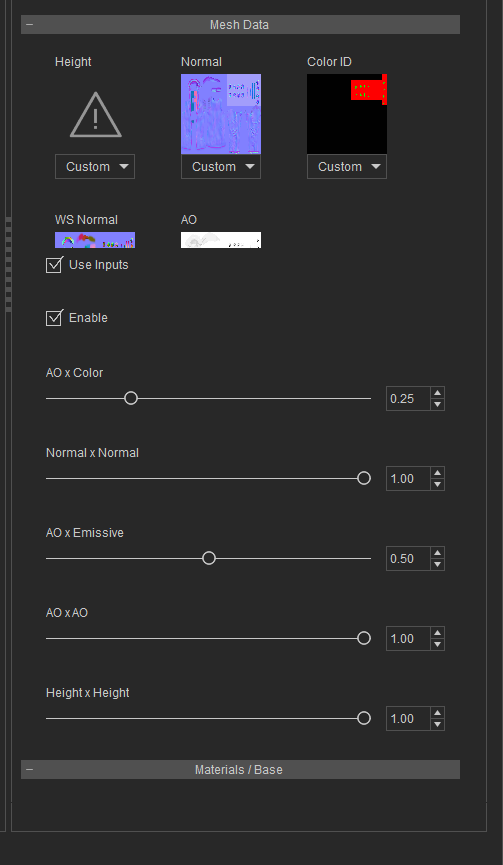
There may be other areas of the interface where this happens as well, so please add comments in FT.
BTW, are issues found in Beta carried over or do we need new entries?
|
|
By wires - 9 Years Ago
|
Try as I may, I can't reproduce this on my system.
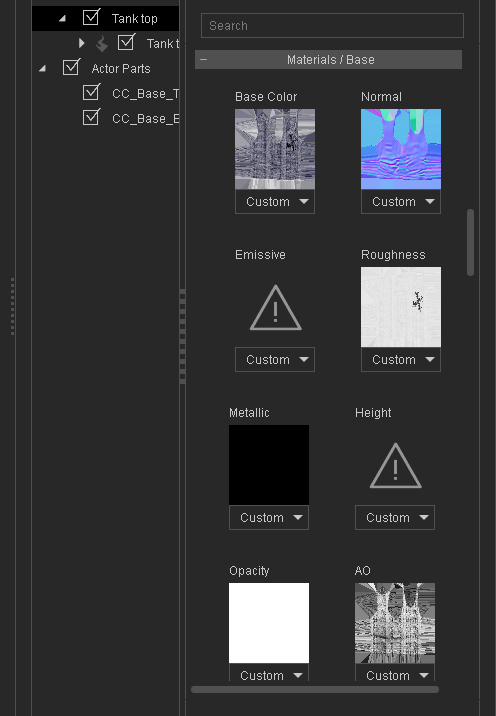
Could the problem be caused by the video driver? I've found 376.33 to be the best one to use at present.
|
|
By animagic - 9 Years Ago
|
Thanks for checking.
I did upgrade, although I had the same problem with the earlier driver and Beta. I have a second system, where I can try it out.
Note: This is with an item that I converted from the Traditional shader to the new PBR one.
|
|
By animagic - 9 Years Ago
|
To clarify: I believe I upgraded the driver because I had some display issues with the new iClone 7...:unsure:
And of course the issue does not occur on the other system with the older driver...:crazy:
|
|
By wires - 9 Years Ago
|
Looking at this again.
I loaded Christian and converted everything to PBR.
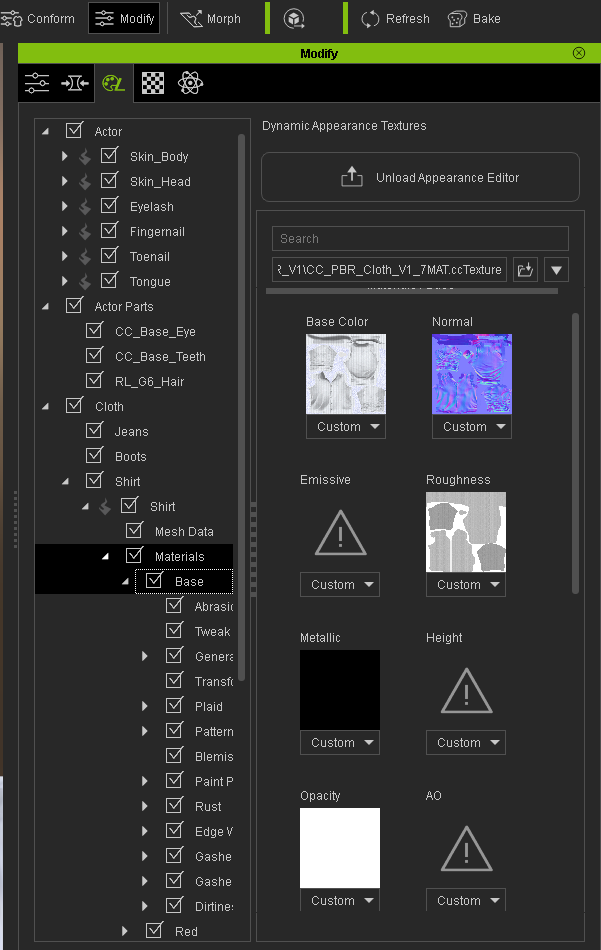
If I select a Materials tab after loading the file I have to stretch the window all the way to the left to view the input boxes.
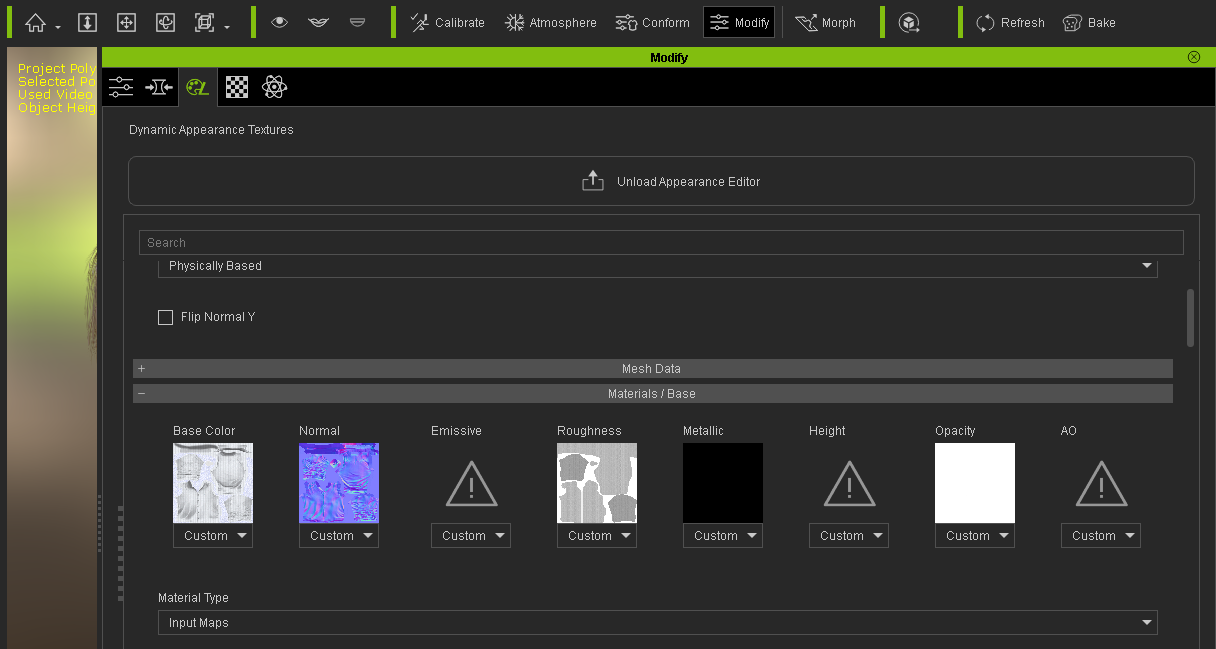
If I select the Material using the Left-hand panel then everything shows up as expected:
Wasn't this reported and fixed in the AE PBR Beta?
|
|
By jollyro - 9 Years Ago
|
Hi Peter, thanks to RL for the new CC2, Looks great so far, unfortunately I can not afford to buy IC7 right now. But at least I can play around with CC2 now. I just would like to mention to give Rampa and Animagic some credit in the forum, they are real great guys and I learned a lot about CC,IC and 3DXC just by following their posts. These people really know what they do and they are always helping, if you ask them. You have these Gold Silver etc things in the forum, but it looks like nobody has earned anything so far. In my opinion these two at least should have Gold in their achievements/reputation. Just wanted to mention that....
Thanks to RL again for the new CC2 and thanks to Rampa ans Animagic for all the great Tips and effort you put into this forum.
Thomas
|
|
By CtrlZ - 9 Years Ago
|
|
jollyro (3/18/2017)
Hi Peter, thanks to RL for the new CC2, Looks great so far, unfortunately I can not afford to buy IC7 right now. But at least I can play around with CC2 now. I just would like to mention to give Rampa and Animagic some credit in the forum, they are real great guys and I learned a lot about CC,IC and 3DXC just by following their posts. These people really know what they do and they are always helping, if you ask them. You have these Gold Silver etc things in the forum, but it looks like nobody has earned anything so far. In my opinion these two at least should have Gold in their achievements/reputation. Just wanted to mention that....
Thanks to RL again for the new CC2 and thanks to Rampa ans Animagic for all the great Tips and effort you put into this forum.
Thomas
Agree 100%
|
|
By darinferraro - 9 Years Ago
|
In CC2 when I export to Unreal Skeleton and click 'gather files into container folder' I end up with a bunch of folders for the different body parts but no textures inside. All folders are empty. (Traditional). If I switch to PBR then I get only the metallic and roughness maps.
I'm trying to import the FBX character into Substance Painter do work on the textures for the character. How do I get these base, normal, etc maps during the fbx export?
|
|
By animagic - 9 Years Ago
|
animagic (3/17/2017)
When selecting Use Inputs for Mesh Data, the thumbnails are sometimes only partially shown. Entered as: Issue #2159.
I ran into this again tonight and added steps to reproduce in a comment with the issue in FT. I repeated the procedure a number of times with a fresh launching of CC and got the same results every time.
|
|
By wendymorrison - 9 Years Ago
|
|
How to put your own decals in with character creator 2 because when i enable the decal there is absolutely no input slots at all.
|
|
By rogyru - 9 Years Ago
|
|
wendymorrison (4/5/2017)
How to put your own decals in with character creator 2 because when i enable the decal there is absolutely no input slots at all.
It works you just need to fiddle with the settings to get it to show. Click on your charactor and click on active apearacne editor .Way i do it is fist enlarge your decal so you can see it . Problem is default settings for decals are often very small and hidden away on some other part of the skin. Enlarge it and tewak the setting and it should show its self . Note the offset settings in the screen shot below these move your decal settings i have below should show a decal on the arms as in picture .


|
|
By animagic - 9 Years Ago
|
Note also that the decals currently do not work on clothing. At least I have not been able to make it work.
EDIT: To clarify, this concerns the new PBR settings of the Appearance Editor PBR_V1_3MAT, etc.). It's OK with the Traditional settings.
|
|
By animagic - 9 Years Ago
|
|
animagic (4/6/2017)
Note also that the decals currently do not work on clothing. At least I have not been able to make it work.
I did actually post a workaround for clothing decals here: https://forum.reallusion.com/FindPost319399.aspx.
|
|
By rogyru - 9 Years Ago
|
|
animagic (4/6/2017)
Note also that the decals currently do not work on clothing. At least I have not been able to make it work.
They work fine for me , just follow the same method as the skin decals and it works

|
|
By Rampa - 9 Years Ago
|
|
It's the PBR Substance decals for the clothing that don't work. The non-PBR works fine.
|
|
By rogyru - 9 Years Ago
|
|
Rampa (4/6/2017)
It's the PBR Substance decals for the clothing that don't work. The non-PBR works fine.
Not sure what you mean . It was said the decals dont work but they do there was no mention of PBR. But anyway I am putting a decal over a PBR substance texture just fine.
If you want to add a metallic and roughness map to the decal its self . You can open up custom substance texture settings in CC2 and do it that way just add your maps . Are even better use substance painter are designer
|
|
By animagic - 9 Years Ago
|
Duplicate.
|
|
By animagic - 9 Years Ago
|
rogyrue (4/6/2017)
animagic (4/6/2017)
Note also that the decals currently do not work on clothing. At least I have not been able to make it work. They work fine for me , just follow the same method as the skin decals and it works
I clarified my earlier post: it's the PBR settings that don't allow the application of custom decals.
I have clothing with decals that I want to convert using the new PBR material settings, but I cannot apply a custom decal in that case. so this should be fixed.
|
|
By Greenlaw - 9 Years Ago
|
Hi,
I installed the iClone 7, iClone7 3DXchange Pipeline and Character Creator 2.0 betas today.
So far iClone and 3DXchange appear to be running fine but I can't get Character Creator 2 to launch. I keep getting the following error:

I don't understand why this is popping up because I have a GTX 960 installed, and I don't get this error with other programs that require DirectX 11. I'm not sure anyone else is seeing this problem with Character Creator 2, but I was hoping somebody here might have an idea what might be going on here.
Thanks in advance for any helpful info.
|
|
By Greenlaw - 9 Years Ago
|
A little more info: I'm running on Windows 10, x64, with GTX 960. I'm running a fairly recent driver but I'm about to try the latest driver update. BRB with result.
Edit: Nah, it's not working with updated Nvidia drivers. Even tried running 'as administrator' but still getting the error.
|
|
By Greenlaw - 9 Years Ago
|
Ok, I know what the problem is now.
For some reason, when I received Character Creator earlier, I got a zipped folder with unpacked program files and no installer. I just now downloaded Character Creator 2.0 again and this time I got a proper installer in the download, no loose files. So I installed CC2 using the installer, and now the program launches correctly. Playing around with it now.
I hope this info helps anybody else running into this issue. If you're still not getting a proper installer file in your download, you should probably contact customer support to get the file.
|
|
By imetali - 9 Years Ago
|
I'm just looking to get started and I'm having the same issue the user above me was: Character Creator 2 Lite is giving me the Direct X 11 error. I have that of course, and am above the recommended specs.
The download page says it's version: v2.0.1614.1
The properties tab on the file says: 19.0.0.185
And it is a single 1.11 GB exe installer file that downloads from: https://www.reallusion.com/character-creator/download.html
The 598 MB 1.52 version of Character Creator that iClone 6 prompted me to download, works.
|
|
By Rampa - 9 Years Ago
|
Greenlaw (4/30/2017)
Hi, I installed the iClone 7, iClone7 3DXchange Pipeline and Character Creator 2.0 betas today. So far iClone and 3DXchange appear to be running fine but I can't get Character Creator 2 to launch. I keep getting the following error: I don't understand why this is popping up because I have a GTX 960 installed, and I don't get this error with other programs that require DirectX 11. I'm not sure anyone else is seeing this problem with Character Creator 2, but I was hoping somebody here might have an idea what might be going on here. Thanks in advance for any helpful info.
There are a few users having this same issue. Very curious, as iClone has no problems.
|
|
By 4u2ges - 9 Years Ago
|
CC 2, iClone 6.5, Indigo
With avatars created in CC 1.5, iClone used to assign a special preset skin (head and body parts) material for Indigo (see image below).
I just morphed a first character in CC 2 and tried it in iClone 6.5. Indigo now simply uses Auto-convert for the skin. And skin does not render well in Indigo to say the least (despite of various attempts to play with material settings)
Is there a way to assign a special skin preset with CC 2 characters?

|
|
By atmuc - 9 Years Ago
|
|
i use conform to Calculate collisions. it is ok on CC2. i export it as iAvatar for 3DExchange. when i open iAvatar in 3DExchange Callucate collisions edits disappear. because i need transparency/png i have to use 3dChange to export fbx to Unity. How can i transfer corrected cloth data to 3DXchange?
|
|
By gordryd - 9 Years Ago
|
|
I clarified my earlier post: it's the PBR settings that don't allow the application of custom decals.
I have clothing with decals that I want to convert using the new PBR material settings, but I cannot apply a custom decal in that case. so this should be fixed.
Was this ever fixed? I just ran into this problem yesterday -- I was able to add a custom decal to a traditional texture shirt, but unable to drag any image to the Diffuse (or any other input) when in PBR mode.
|
|
By animagic - 9 Years Ago
|
|
gordryd (7/11/2017)
Was this ever fixed? I just ran into this problem yesterday -- I was able to add a custom decal to a traditional texture shirt, but unable to drag any image to the Diffuse (or any other input) when in PBR mode.
I'm running CC 2.1, and it works for me now.
Select Input and then double-click Base Color and browse to your image. Drag-dropping will not work.
For a decal near the left shoulder (image 512x512), I have to set the Scale quite small (0.06). Horizontal is -0.21 and Vertical is -0.33. You can try that as starter values.
|