|
By justaviking - 8 Years Ago
|
When you load a new Substance, you get asked if you want to Clear or Keep unused channels.
I suspect a lot of people have gotten into the habit of always selecting "Keep."
It seems like selecting "Clear" often leads to disastrous results, usually with some all-while results, but that seems to be when a material isn't PBR-ready and is missing required channels.
So, when might you want to select "Clear," and why?
In this example, I applied a studded leather material.
Notice the Ambient Occlusion channel.
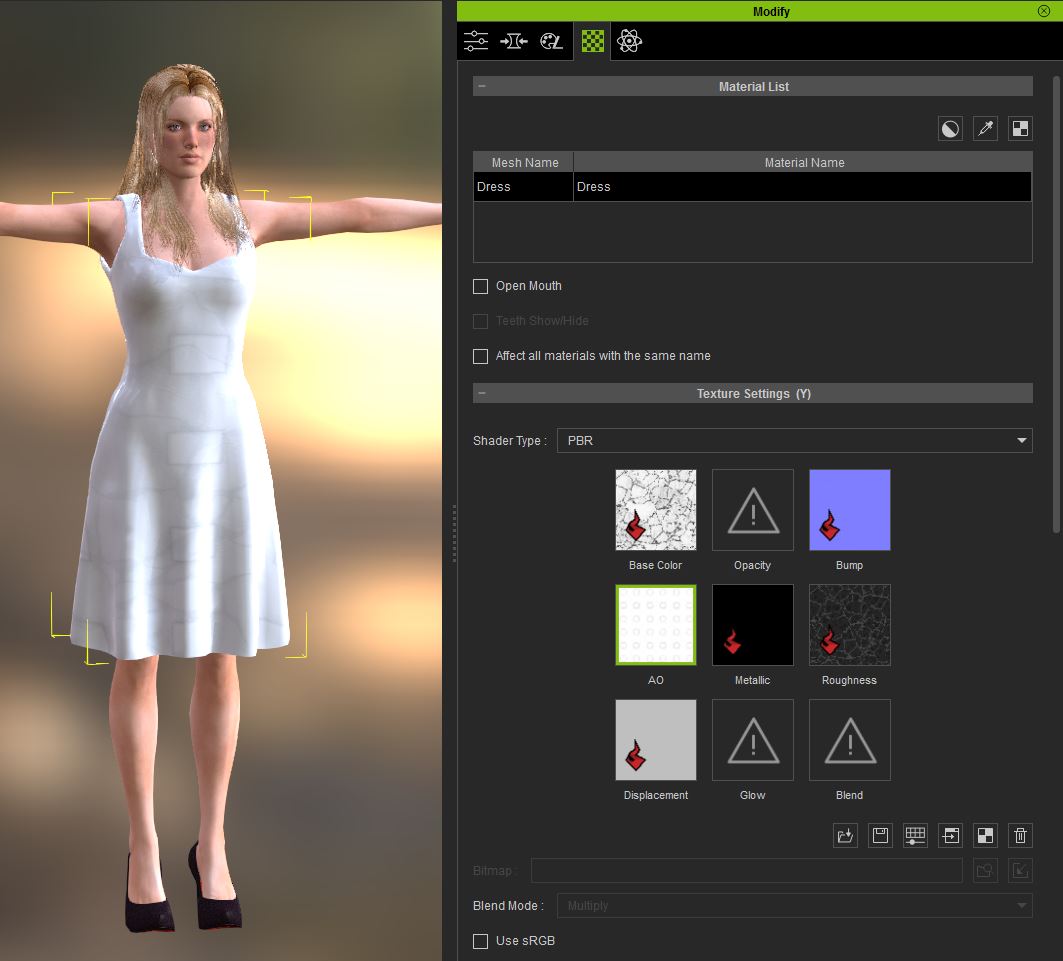
When I applied a different material for a "flat" substance, it did not have an Ambient Occlusion channel. That makes sense.
By selecting the "Keep" option, the existing AO channel from the studded leather remained, since the new material had no replacement for it.
Now you can see the AO channel creating soft gray squares on my new material.
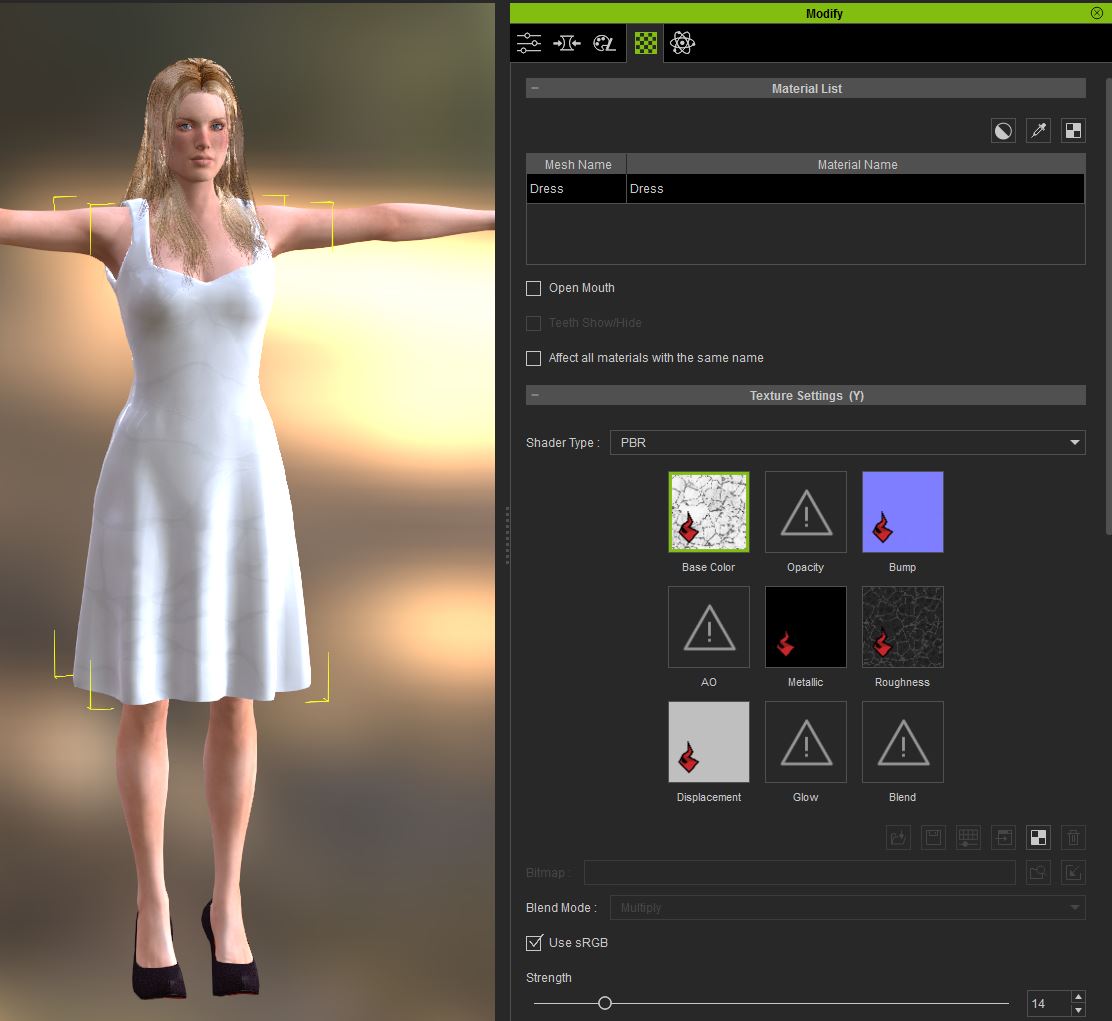
That could be a cool feature in some cases, applying a channel from the previous substance onto the new one, but usually not. So this is an example of when and why you would want to CLEAR out the unused channel (the AO channel in this example).
After loading material #1...
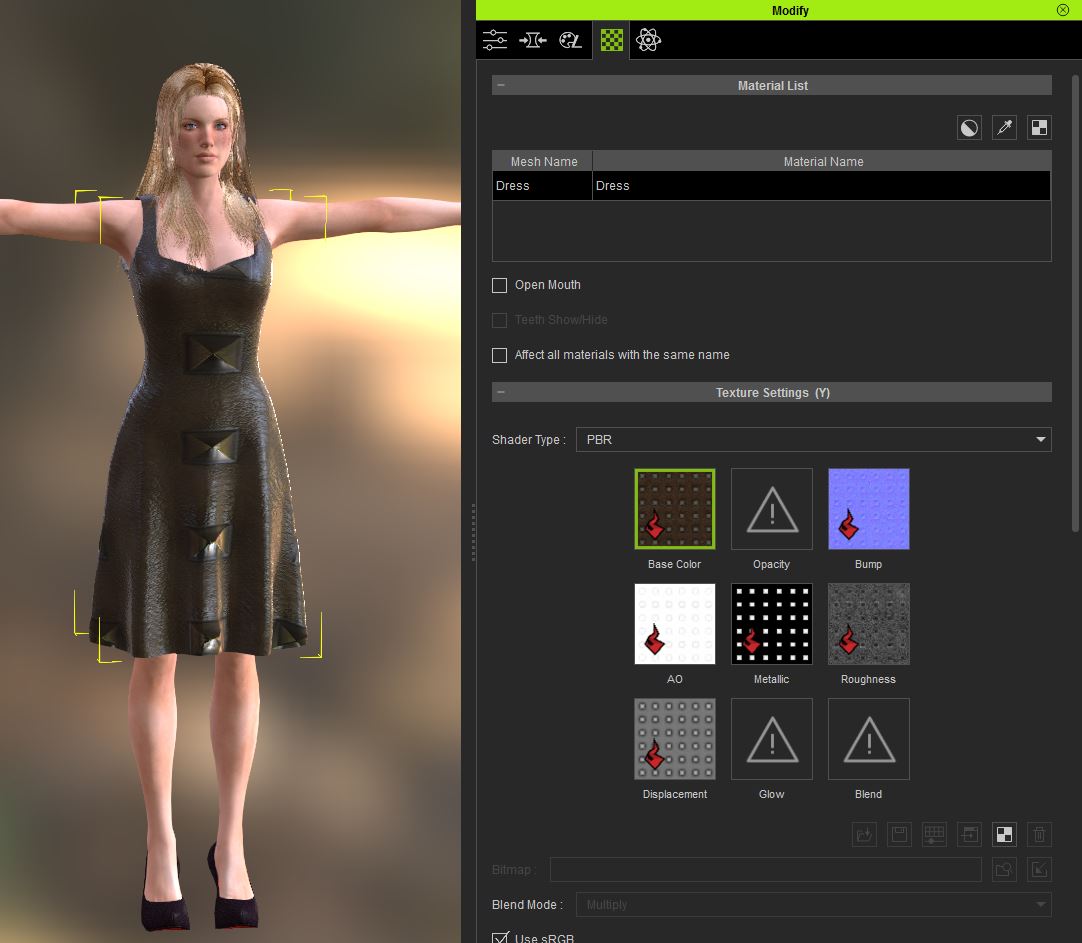
If I load material #2 using the KEEP option... notice the gray squares from the AO channel...
If I load material #2 using the CLEAR option... notice the gray squares from the AO channel are now gone, that channel got cleared out...
|
|