|
By silvioaugustojr - 9 Years Ago
|
|
Hi everyone,
Thank you for all your attention.
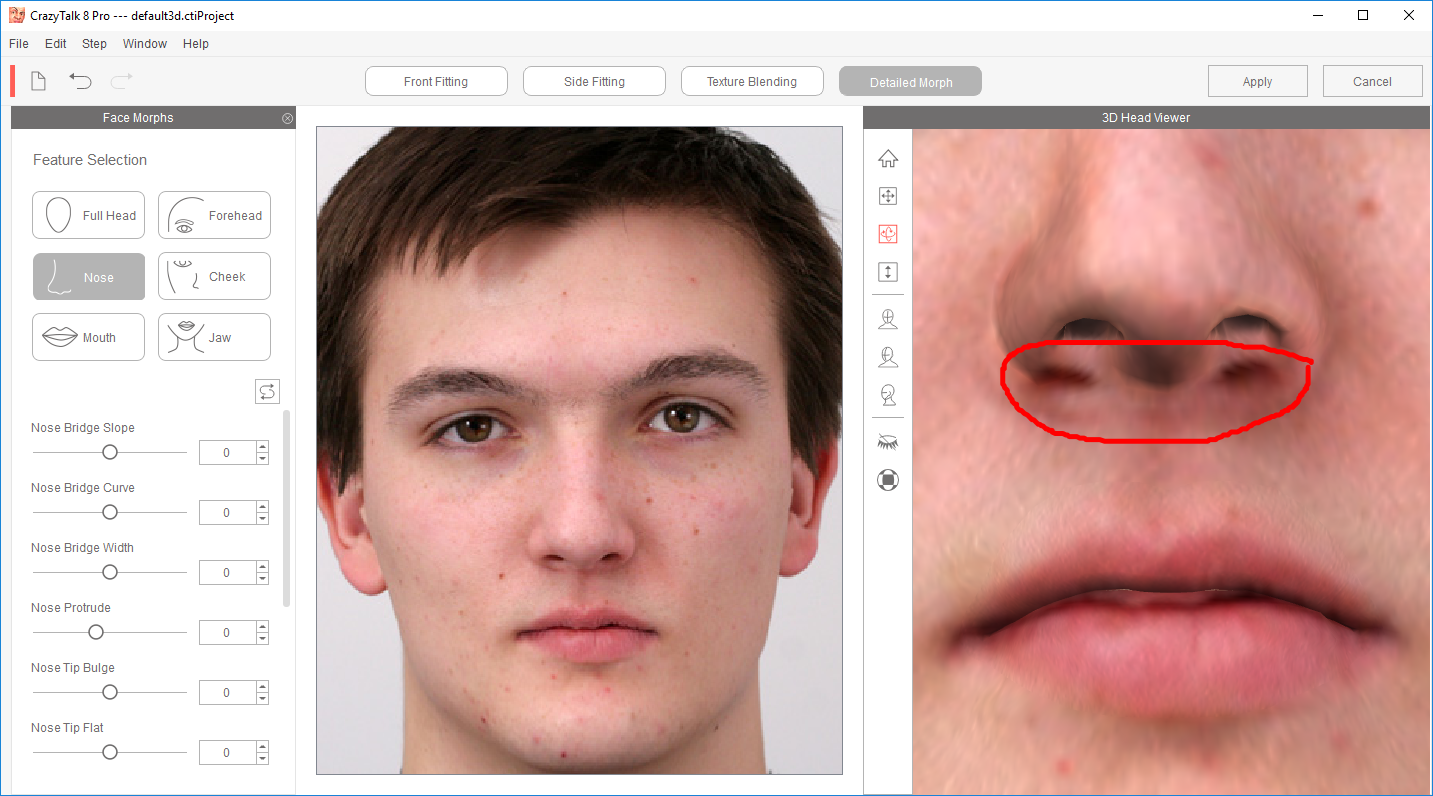
I am trying to figure out how to fix the nose of my avatar. You can see that there is 2 spots below the nose, which actually have to be a little bit more up...
Someone could please help me?
Thank you!
|
|
By Snarp Farkle - 9 Years Ago
|
silvioaugustojr (2/8/2017)
Hi everyone, Thank you for all your attention. I am trying to figure out how to fix the nose of my avatar. You can see that there is 2 spots below the nose, which actually have to be a little bit more up... I tried select the red dot lower, but the problem still the same...
Someone could please help me? Thank you! Hi silvioaugustojr, I very seldom ever have to fool with the nose points other than making sure that I place the nose tip marker in the right place, if it looks odd I just go back and move it a little to get the right spot then I leave it alone because you could spend days trying to get it right. Instead I found it's much easier to play with the nose settings in the "Detailed Morph" pane and then final touch-ups in Character Creator. Also the lighting in CT8 is different than CC or iClone which will play tricks on your eyes.
|
|
By silvioaugustojr - 9 Years Ago
|
Thank you Snarp Farkle,
I have to say that I did this a lot, tried every available in the ruler function, unfortunately I dont know why this keep like this.
I understand that for some unknown reason the nose is not dimensional as it should be...
Can you imagine why this is happen with this particular image?
|
|
By silvioaugustojr - 9 Years Ago
|
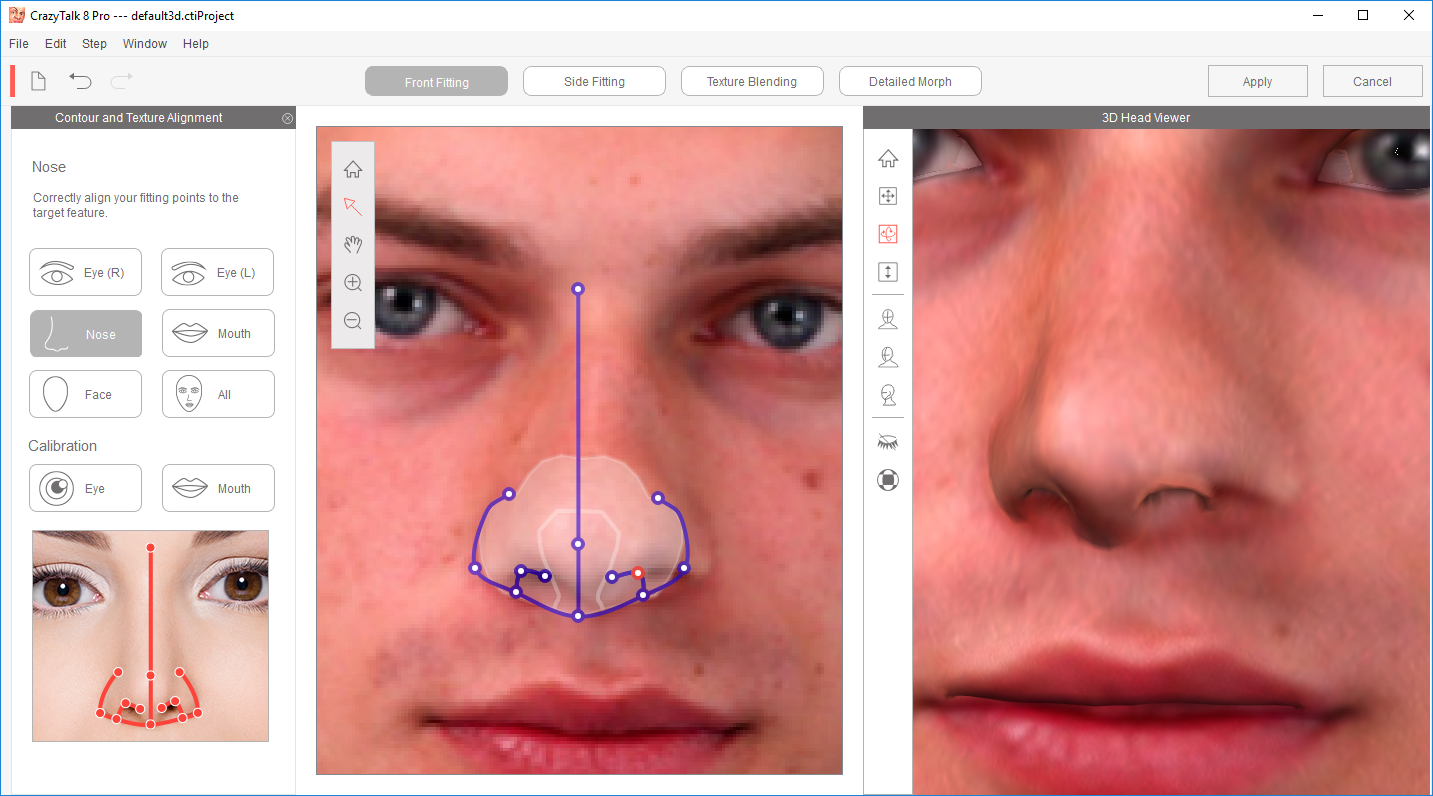
Here I am trying another image, and again the same problem, this time just in one nostril...
|
|
By pmaina - 9 Years Ago
|
|
Its worse when combined with side fitting. Anything you fix on the side messes up the adjustments you had made in the front. Totally Bonkers & time wasting.
|
|
By animagic - 9 Years Ago
|
|
pmaina (2/16/2017)
Its worse when combined with side fitting. Anything you fix on the side messes up the adjustments you had made in the front. Totally Bonkers & time wasting.
Not if you know what you are doing...
|
|
By justaviking - 9 Years Ago
|
animagic (2/18/2017)
pmaina (2/16/2017)
Its worse when combined with side fitting. Anything you fix on the side messes up the adjustments you had made in the front. Totally Bonkers & time wasting.Not if you know what you are doing...
It's tricky, and I'm not very good at it. Usually I am handicapped by lack of good photographs suitable for face-fitting (in addition to my lack of skill). I almost always seem to struggle with the border of the eyelids, so I know how you feel. Sometimes I have problems with the nose like you did, but usually not too bad, though I might have to start over and try again. However, I've seen other people (real, mere-mortal people) share some very good results. Practice makes perfect. :)
|
|
By sjonesdc - 9 Years Ago
|
silvioaugustojr (2/10/2017)
Here I am trying another image, and again the same problem, this time just in one nostril...
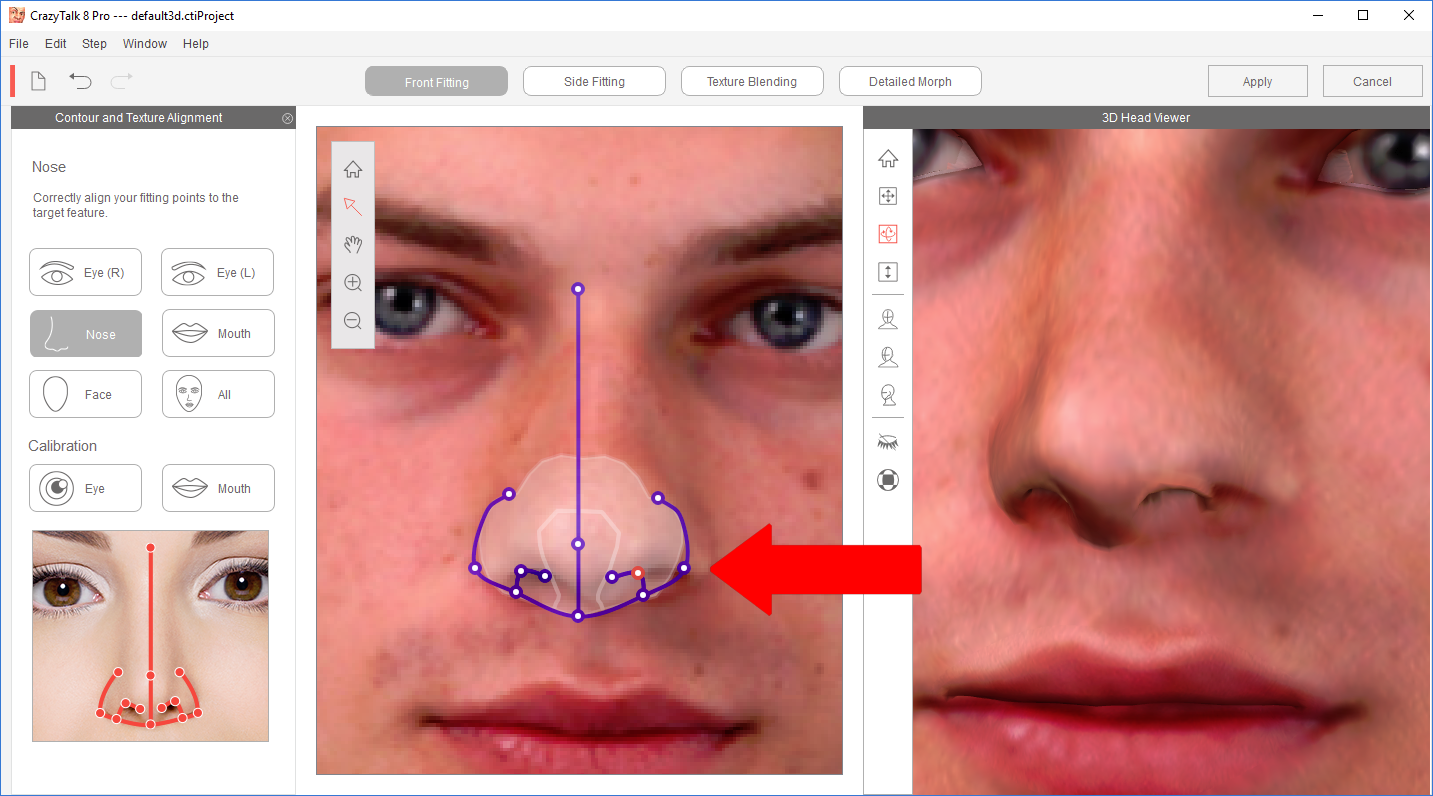
It looks like the the right outline is not out far enough. You will need to make some adjustments with any of the face fitting.
|
|
By Snarp Farkle - 9 Years Ago
|
@silvioaugustojr
I copied your pic from the forum to see if I could reproduce your findings, the first thing I did was straighten the photo to a more suitable angle in paintdotnet.
Then took it into CT8 to give it a whirl and found the same as you with the nose.
I rarely mess with the nose like I said however this one had me stumped, but I found that trying the other facial settings in Face Profile page will sometimes fix some problems...
Now this guy isn't Asian I don't think but the nose lined up so I used it then made some adjustments in the Detailed Morph section not the front or side panels.
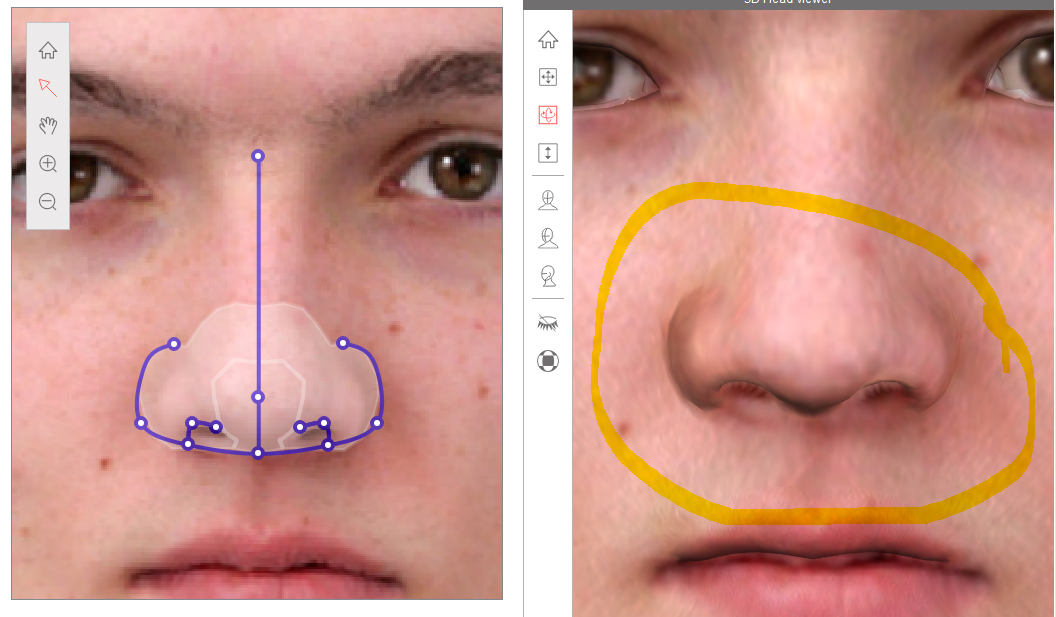 Once I accepted it and it came into CT8 I just sent it to CC to see the results and pulled the face out a little to get rid of the Asian qualities and give him CC eyes and had to adjust those as well but didn't spend a whole lot of time on it, still needs work but looks pretty close. I've found that getting the photo as straight as possible usually corrects some things, I always do this first and make a template in PaintDotNet like this to align things a little. Also if I'm having problems with a pic I sometimes copy the better half of the photo and flip it horizontal to give me a better pic to start from.
Hope this helps.
|