|
By IO1 - 10 Years Ago
|
|
I would so love to be able to use my world machine terrains in iclone, is this something that iclone will be doing in the future. Also i would like to be able to see the all detail in my terrain thus giving it a more high end feel.
|
|
By Jfrog - 9 Years Ago
|
Just curious,
This is an old thread but Is WordMachine compatible with icon 6 or 7? Any user feedbacks? I would love to be able to create 8k terrains. Any other recommended options for Iclone compatibility? I bought most of the 3d terrains from the Reallusion content store but when working in VR360 you only see 1/6th of the total image resolution (resolution split between 6 cameras) so the final resolution per camera is below 720p and not enough to create a quality 360video production. Is there any place to buy ultra high res 8k terrains content?
Thank you in advance!
|
|
By IO1 - 9 Years Ago
|
|
Hi Jfrog im not sure to be honest, as far i can tell world machine terrains are not compatible with IC6, im not sure about IC7 yet. It would be great if they included support for these types of terrains.
|
|
By animagic - 9 Years Ago
|
|
I'm reading WorldMachine can export a mesh, so that would allow you to import it via 3DXchange. It also exports height maps, which you could use either in the iClone terrain feature or as displacement map for a plane.
|
|
By Jfrog - 9 Years Ago
|
|
Yes thank you. It seems to be possible but I was more looking for user feedbacks. One thing that's scare me is that the latest worldmachine tutorials were posted in october 2013. I would also like to find out what other options are possible for High quality 3d environment within clone. There is absolutely nothing in the content store. CC v2 is amazing, Iclone is great for quick animation but the weakest link is the lack of 3d hi res environments.
|
|
By IO1 - 9 Years Ago
|
|
The mesh density is very high for obj exports from world machine to get a decent resolution you require a very high poly output. If the displacement map isn't tiled can it provide enough detail even at 16k being spread over so much distance animagic?
|
|
By mtakerkart - 9 Years Ago
|
Keep in mind that Iclone is a realtime software and can't handle very hirez props and huge texture in a fluidish behavior.
That's why they created an inHouse terrain. As you can see, the more you step back the more LOD terrain appear.
In UDK their is the same technic but you can choose witch part of your terrain switch in LOD mode.
World machine can because it deals only with one mesh terrain, not props, characters , animations, physics, etc...
|
|
By wendyluvscatz - 9 Years Ago
|
which is why iClone needs drop shadow and I still mostly use iC5 for composition
I do not have world machine btw but it like many softwares could be used in background videos if only they had kept the drop shadow option.
|
|
By animagic - 9 Years Ago
|
|
wendyluvscatz (6/7/2017)
which is why iClone needs drop shadow and I still mostly use iC5 for composition
I do not have world machine btw but it like many softwares could be used in background videos if only they had kept the drop shadow option.
You will be pleased to know that a form of drop shadow will be back in IC7. A shadow can be cast on a dummy plane or other dummy object, which itself will be invisible of course.
|
|
By Jfrog - 9 Years Ago
|
Thanks for all your inputs guys.
LOD is a great option to save on computer resources. The only things it does not bring any more details on close-up shots of the terrain.
I am actually really happy with the medium and far views of the terrains of the worlds but the close-up of the terrains still look low res. The only way to mask it is to plants some herbs and grass to add details to it which isn't that bad, but then you also have to add a lots of herbs and grass on the medium shots to make it more realistic.
Thanks again.
|
|
By mtakerkart - 9 Years Ago
|
LOD is for things far from the camera. I don't know what you expect of quality but The terrain engin of Iclone could have very good result.
Better that what I saw in certain Games ;)
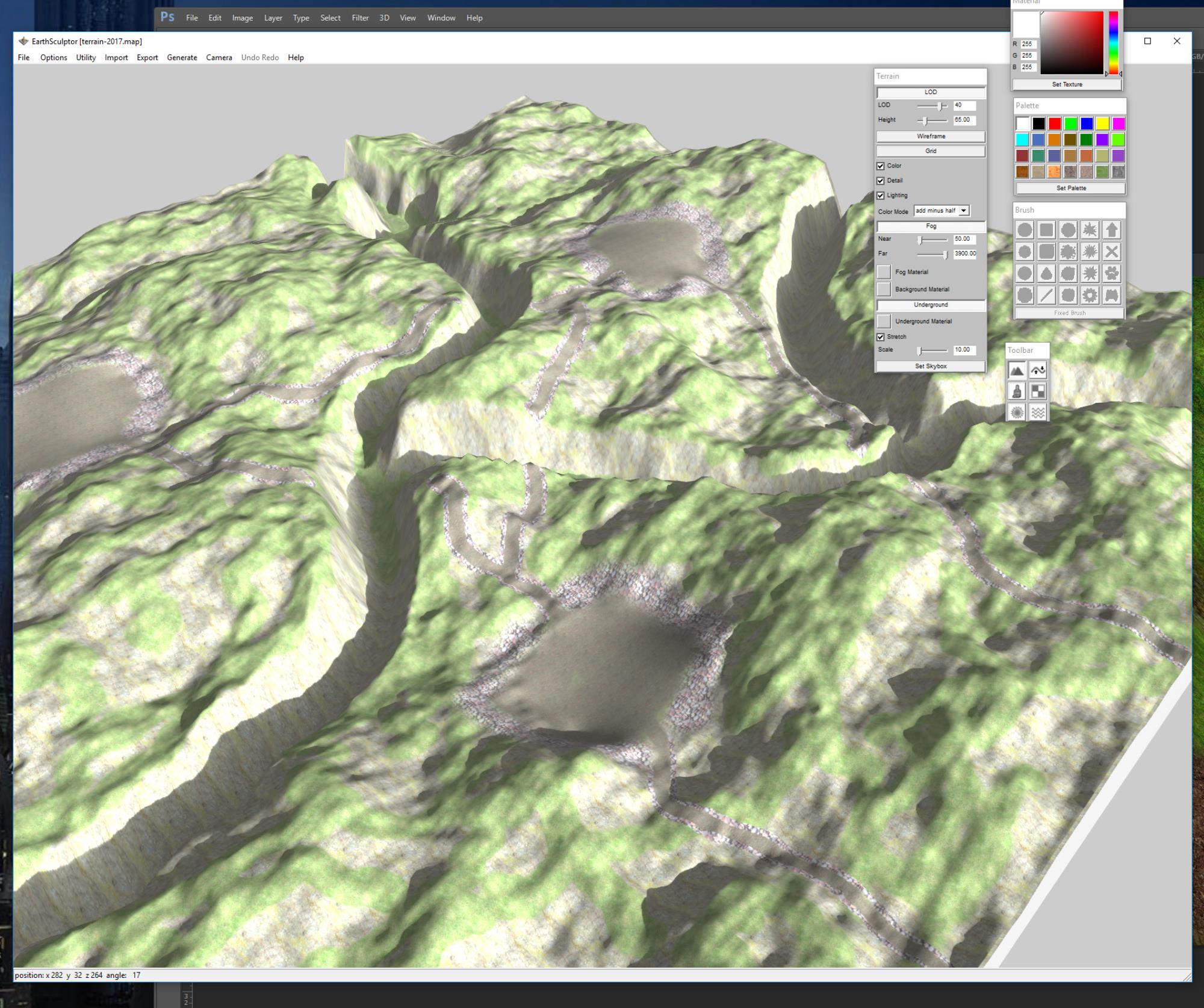
This 2 picture are from the same terrain I made in 2 hours with Earthsculptor. No artistic research in this...;)
In realtime world you have no choice to tile your texture to have good definition in close up. The only way to have
good result from far to close in one shoot is to use procedural shader wich recompute the texture at each frame.
Realtime Engine use LOD to switch with the POV distance. Hpe this can help.


|
|
By mtakerkart - 9 Years Ago
|
In Iclone 5 you could tile the texture by 999, since the Iclone 6 it's only 99. So you have to make a bigger tiling in photoshop to have good resolution.
You have diffuse, Detail, Bump,AO to "break" the Tiling effect.
And now I notice when you render the LOD popping disapaers.
|
|
By Jfrog - 9 Years Ago
|
Thank you for the nice movie and tips mTakerKart. 4k is so nice when it is not split between 6 cameras. I never rendered anything but VR360, so I always have around 700 pixel of resolution at 4k.
Was this rendered in Iclone 7? It looks very nice. Your mid shot cottages seems to have great resolution too. If you don't mind asking, do you like earth sculptor?
I read a bit about it but I think there is no 64 bit version of the software isn't it?
Thank you.
|
|
By mtakerkart - 9 Years Ago
|
You can have same resolution with IC 6 and there is no LOD pop too.

Yes it's IC7.And I love Earthsculptor , I have the paid version but the free version is enough for my need. I only use it for carving and assign texture area. All of the Textures work is done
in Iclone. There is 3 good Reallusion tutorial about it. But today we need only the texture the export plugin is useless.
|
|
By animagic - 9 Years Ago
|
Nice terrain work.
As to LOD: I always get an LOD pop with trees and sometimes with shadows too.
|
|
By Rampa - 9 Years Ago
|
You can disable LOD in the preferences if you don't want the jumps in detail. It looks better with it off.

|
|
By mtakerkart - 9 Years Ago
|
@Animagic Thank you !
The poping desapear when rendering in Final render-super sampling , not in a preview mode.
|
|
By Jfrog - 9 Years Ago
|
|
Really nice! Thank you for the tips and infos.
|
|
By Rampa - 9 Years Ago
|
|
I think it is also worth pointing out that if you use meshes instead of the heightmap, you can use Substance materials and displacement. Using tesselation and displacement, you can add all sorts of new detail that will be a magnitude higher than the actual mesh resolution.
|
|
By mtakerkart - 9 Years Ago
|
About this "substance " Rampa , do you know if some one has created a 7 color substance (like in CC) that we can use on the prop terrain.
Painting the textures aeras in photoshop with Black , red, yellow , green, etc.... Then reassign the true texture in Iclone.
I tried to look inside Substance designer but give up because of the very hermetic philosophy...:ermm:
|
|
By Rampa - 9 Years Ago
|
Urbanlamb made one. I keep a copy on my Google Drive. It uses the traditional shader, but has inputs for bump maps and other goodies as well.
https://drive.google.com/open?id=0B3nsNVGroEz6YTFsY1pldHdwOG8
The colors for the map cannot be mixed/blended, so you will have hard edges on the materials. Make sure that there is no color mixing from anti-aliasing or anything, because it will cause artifacts.
|
|
By mtakerkart - 9 Years Ago
|
|
Cool!! Thank you Rampa :)
|