|
By botoransergiu - 10 Years Ago
|
Hi comunity
Recently bought iClone PRO with 3DXchange PRO and also Professional Outfits.
After I customized an character from Professional Outfits and finish the animation I tried to export it to 3DXchange but the problem is that only the motion reach in 3DXchange and is applied to an white character (no texture and standard body).
Do you know what is the problem ?
|
|
By Peter (RL) - 10 Years Ago
|
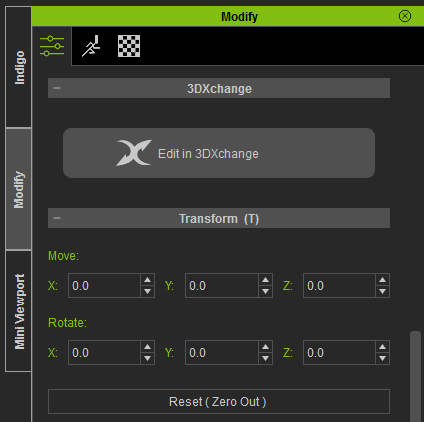
To send a character from iClone to 3DXchange, just select the character in Scene Manager and then click the "Edit in 3DXchange" button on the Modify Panel (see below). This will send the character and any Perform motions (Persona) to 3DXchange.
|
|
By hassan06 - 10 Years Ago
|
kindly i am facing a problem when i am exporting my character from iclone 6 pro to 3dxchange 6 by the same way as you mention it.it says that it might not support that format...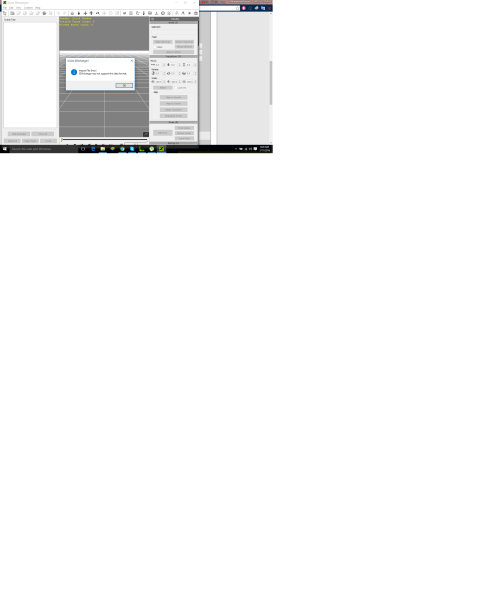
|
|
By botoransergiu - 10 Years Ago
|
|
Yes now works almoust perfectly. First I need to press the button "Edit in 3DxChange" and its importing the character and after that I need to go back in iClone and select the motion and than left click and send motion to 3DxChange. Thank you for your help!
|