|
By Rampa - 10 Years Ago
|
This is neat. Generates "Alien" type ships.
http://blenderartists.org/forum/showthread.php?401861-Space-Ship-Generator-Addon
|
|
By planetstardragon - 10 Years Ago
|
you are finding some great toys, and i now frequent give away of the day every so often because of you! :D
thanks for sharing another great find rampa!
|
|
By mtakerkart - 10 Years Ago
|
I follow this tutorial to install the addon but it doesn't works... :-( I've blender 2.77
|
|
By Alien Maniac - 10 Years Ago
|
Same problem here.....
|
|
By jlittle - 10 Years Ago
|
I got it to work by:
Go to your Blender directory (C:\Program Files\Blender Foundation\Blender) and to the directory of your current version used. Mine is 2.76
Go into the scripts\addons directory and copy the folder for the spaceship generator files there.
Start Blender and go to File | User Preferences and the Add-Ons tab.
Scroll down until you see: "Add Mesh: Spaceship Generator" and place a check in the box to the right.
Note: I restarted blender after that but not sure if it is needed.
Now in Blender go to the Add | Mesh list and at the bottom you will see Spaceship Generator.
Click on it and you've got a spaceship.
Jeff
|
|
By planetstardragon - 10 Years Ago
|
don't unzip the file, in blender, install the zip file itself.

|
|
By mtakerkart - 10 Years Ago
|
Thank you jlittle. But your explanation is exactly what the video tutorial said. I did this but when I want to activate the addon I get this error message:

I have the 2.77 blender version and don't want to go backward ;-)
|
|
By jlittle - 10 Years Ago
|
I can't read the error message, it's too small.
Jeff
|
|
By mtakerkart - 10 Years Ago
|
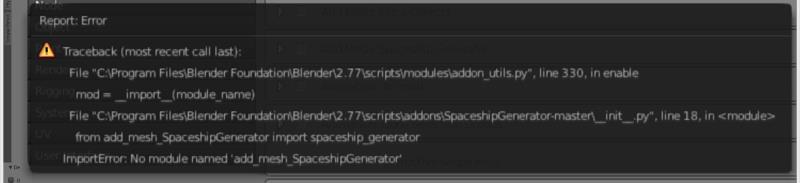
It doesn't work with the zip file Planet. But don't be busy for me with this , it's not vital for me ;-) thank you for your help!
|
|
By planetstardragon - 10 Years Ago
|
if he installs the plug in from the zip file, i believe it places the entire folder where it needs to be located, from what i was able to make out of the error, it seems that blender can't find the folders.
edit - this posted after I saw your newest post - it seems that blender is saying it can't find the file. - so next guess is if there is some security software, or multiple installations that are blocking it or placing it in wrong location.
|
|
By jlittle - 10 Years Ago
|
Check and make sure the the folder name in ...\scripts\addons is "add_mesh_SpaceshipGenerator".
If not then rename it and see if that works.
Jeff
|
|
By jlittle - 10 Years Ago
|
I just upgraded to 2.77a, copied over the "add_mesh_SpaceshipGenerator" folder to the .\2.77\scripts\addons dir,
checked it off in the user preferences addons and it works fine.
I believe that the folder name needs to be "add_mesh_SpaceshipGenerator" else it won't work right.
Jeff
|
|
By mtakerkart - 10 Years Ago
|
Thank you Jlittle , it works now. I can just create a random spaceship , I'm trying to understand his sooo few explanation but when I extrude faces it only ...extrude.
I don't know how he's creating random procedural detail. But it's the programer world ;-) It's a nice toy anyway. I just generate random pieces that I scale to build a larger one.
Thank you all!!
|
|
By Rampa - 10 Years Ago
|
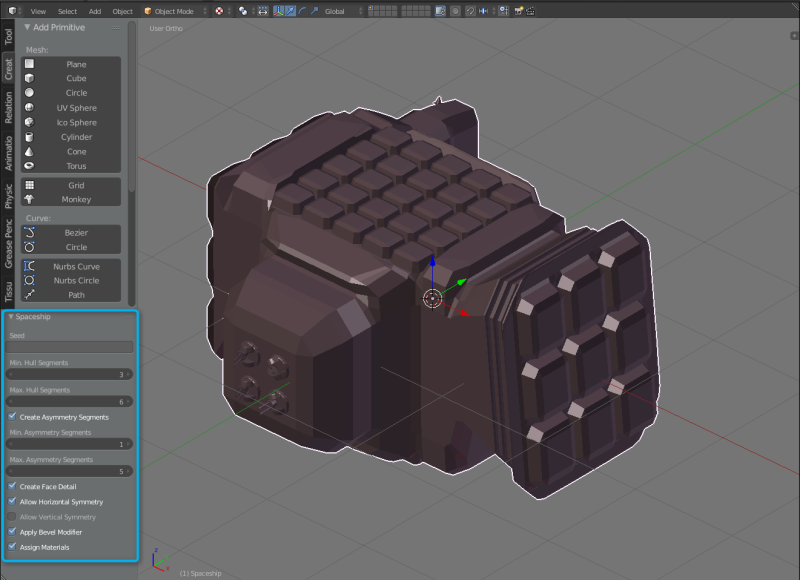
There are a few controls. They are located in the bottom section of the tool shelf. Hit "T" on your keyboard to make it visible. If the lower part is not showing, look for a little "+" sign in the lower right corner of the panel, and click or drag it to open the section. You can also find the menu command to open the tool shelf under "view".
|
|
By mtakerkart - 10 Years Ago
|
|
Thank you Rampa. I saw it. But when you select the object after playing in the settings creation, you can't go back to the Spaceship Shelf , isn't it? Anyway it's cool :-)
|
|
By mtakerkart - 10 Years Ago
|
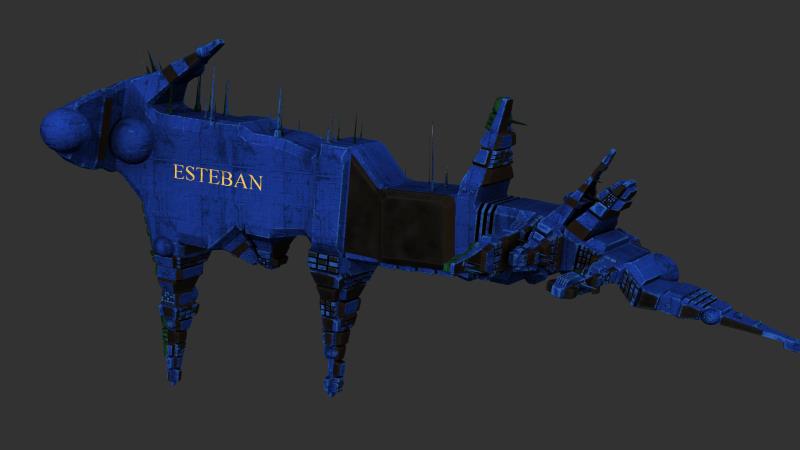
Very cool!!!
|
|
By Pollux - 10 Years Ago
|
|
Thanks Rampa, this is really cool.
|
|
By Rampa - 10 Years Ago
|
|
He's still working on it, so check for updates once-in-a-while. ;)
|