|
By valentin.reyjal - 10 Years Ago
|
Hi everyone,
I'm currently trying to import properly my character into UDK 4.12 but it seems that there is some issues about materials creation. I've checked the "Character Creator to Unreal Engine 4" tutorial series on YouTube but it's way outdated now (1 year ago...).
I can't manage to get nice looking hairs for example. The rest looks almost fine.
Does anyone managed to import characters properly into Unreal Engine ?
Best regards.
|
|
By valentin.reyjal - 10 Years Ago
|
|
Am I the only one using IClone tools for Unreal Engine 4 ?
|
|
By vidi - 10 Years Ago
|
|
I can't manage to get nice looking hairs for example
Maybe that fix for you Hair Problem
https://answers.unrealengine.com/storage/attachments/3253-screen%20shot%202014-04-04%20at%208.16.55%20pm.png
|
|
By valentin.reyjal - 10 Years Ago
|
I already did this of course.
Here are two screenshots with the "supposed" way to fix materials and my own one.
Following the youtube tutorial
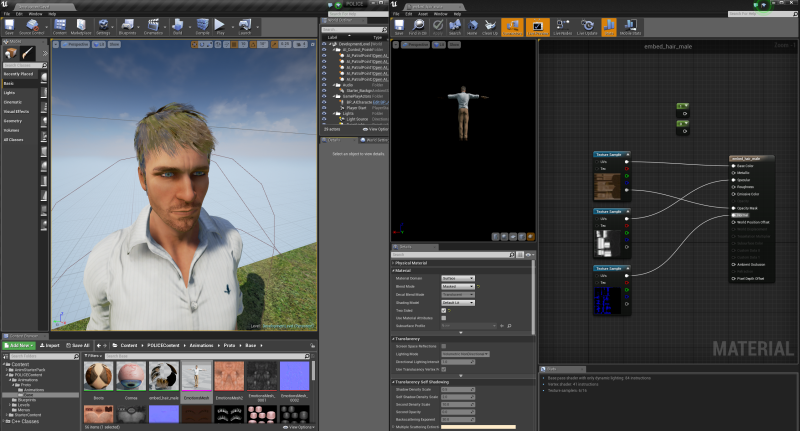
Trying to fix by my own
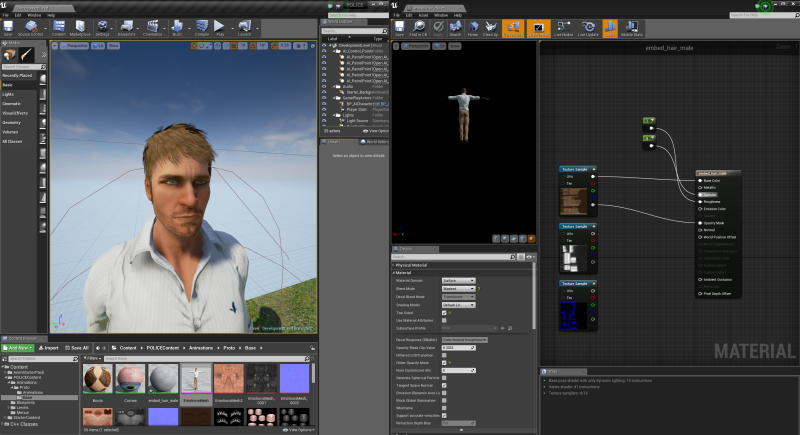
I think the preview in 3DXchange is using translucent transparency and not masked one. The issue when using translucent transparency in Unreal is that the rendering order is not correct, and so the transparency.
So is there anyway to get better results or is this just broken ?
|
|
By ca.rizzgaming - 8 Years Ago
|
Im a little late.... but...
I made a tutorial that covers hair material blueprint basics in UE4 to get a pretty good result, hope it helps!
https://www.youtube.com/watch?v=NDbCkHcTQ88&feature=youtu.be
|