|
By mtakerkart - 10 Years Ago
|
If someone can point me out a tutorial to create a morph slider only for Head from a morphed character will be very welcome. I'm trying to do it but the result in that the all body morphs even I select Head part in the menu...
Thanks in advance
|
|
By Postfrosch - 10 Years Ago
|
From ca Minute 7 (its only a Video-TUT - no Words)
Greets from Germany
Postfrosch
|
|
By mtakerkart - 10 Years Ago
|
Thank you Postfrosh. But I knew it works when you create morphs in CC but I would like to have only this Head morph from this default character:

I think because you can't export only the head I presume....
|
|
By ToKoMotion - 10 Years Ago
|
Hi Marc.
I was wracking my head about this very long and after I saw this new Topic from you I was thinking hard again ... and what shall I say - the solution is really easy:w00t::
1. Send the character to iClone.
2. Save the head as a custom head in the AVATAR/ACTOR/HEAD section.
3. Load the Default Character in CC (or any other character).
4. Send this character to iClone.
5. Apply the saved head to the character.
That's it! You can send the character back to CC then and apply additional body morphs etc.
Hope that helps.
Regards,
Tobias
|
|
By mtakerkart - 10 Years Ago
|
Who is the Master ? TOKOOOOOOOOOOOOOOOOOOOOOOOOOO!!!!!!! :P

|
|
By ToKoMotion - 10 Years Ago
|
Haha, always a pleasure to help:). I also created a short quicktip video. Really cool that it worked:).
|
|
By mtakerkart - 10 Years Ago
|
That's exactly why I bought your characters Toko , It's crazy what I'm doing with this all mix now because I can do the same with the body too....
Next step : CC 1.5 with custom clothes and let's go for making movie!!
Thanks a lot Tobias
|
|
By doubledutch - 10 Years Ago
|
Just wondering...
If you save a head and put it on another character, does it take over the normal and/or custom expressions from the original one?
|
|
By mtakerkart - 10 Years Ago
|
|
I don't know if I understand right but If you create custom expressions in 3dxchange it keeps the custom expressions even you change the head in Iclone 6. I tested it with CC generation.
|
|
By Lordhi - 10 Years Ago
|
It seems that the nice ear morphs which Tokomotion created for his animals get lost when saving the heads as custom heads. Do you see a way to retain them?
Thank you
Jürgen
|
|
By mtakerkart - 10 Years Ago
|
|
It seems that the nice ear morphs which Tokomotion created for his animals get lost when saving the heads as custom heads. Do you see a way to retain them?
Is it a fact? or supposition....
Sorry I doesn't understand what is your issue but this is Mason with expression and I changed all the Toko-Heads ans for me nothing is lost....

|
|
By ToKoMotion - 10 Years Ago
|
Oh,... Lordhi and Doubledutch are right. I have tested it and my Custom Ear Morphs will not work correctly when the head is applied to another character body.
For example:
Marc, if you take one of the heads on Christians body you will not find any Ear Morphs in the FACE PUPPET - 3DX_Custom Animation Profile that I created for each original animal character. Sorry.
But I will prepare the HEAD and BODY Sliders for the Animal Characters again and add them to the package, so that you will be able to morph the head and body separately in CC and use the original CC Project (with the included Ear Morphs) as a base for your new creations. Will let you know as soon as I have re-packed everything.
Thanks for all your feedback.
|
|
By mtakerkart - 10 Years Ago
|
|
Ah ok Toko. But for me When I bought your Characters I assumed that I could morph only the entire heads but not separate part of head....
|
|
By ToKoMotion - 10 Years Ago
|
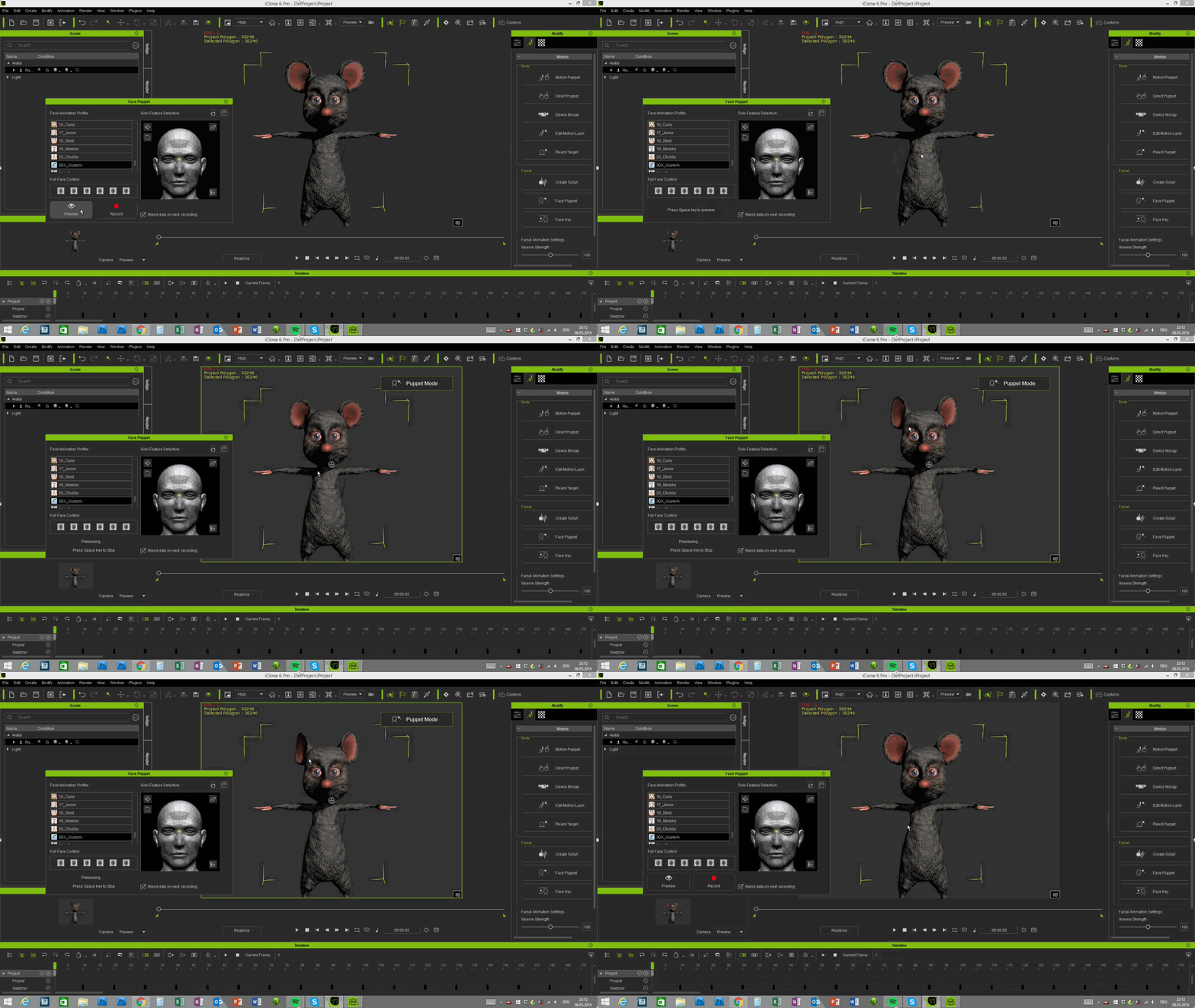
Just a misunderstanding - I meant Ear Morph Animation via Face Puppet, like shown here:):
|
|
By mtakerkart - 10 Years Ago
|
|
Hahaha!!!! I never thought that we can move ears!!!!! Did you showed this on your store page???
|
|
By ToKoMotion - 10 Years Ago
|
Sure:D. Pics and the Introduction video should be shown on the store pages - like this:

|
|
By Lordhi - 10 Years Ago
|
|
ToKoMotion (5/8/2016)
But I will prepare the HEAD and BODY Sliders for the Animal Characters again and add them to the package, so that you will be able to morph the head and body separately in CC and use the original CC Project (with the included Ear Morphs) as a base for your new creations. Will let you know as soon as I have re-packed everything.
This is great! Thank you very much, Tobias.
mtakerkart (5/8/2016)
Did you showed this on your store page???
Just in case, Marc: You can find the introduction for working with the stylized animals (and much more) on ToKoMotion's Youtube channel as well. The hints for animating the ears and tails start at around 3:00.
|
|
By ToKoMotion - 10 Years Ago
|
Hi Everyone.
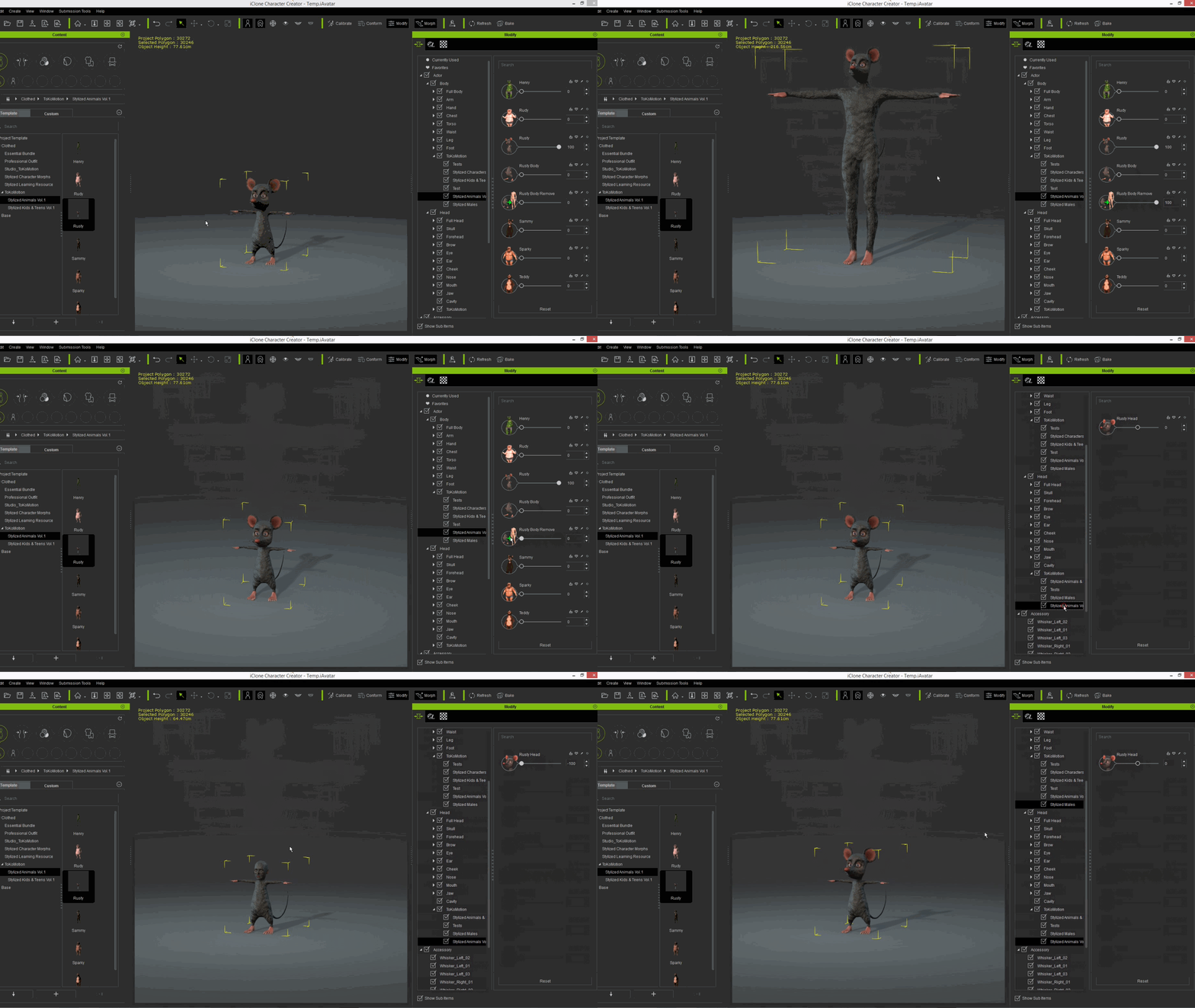
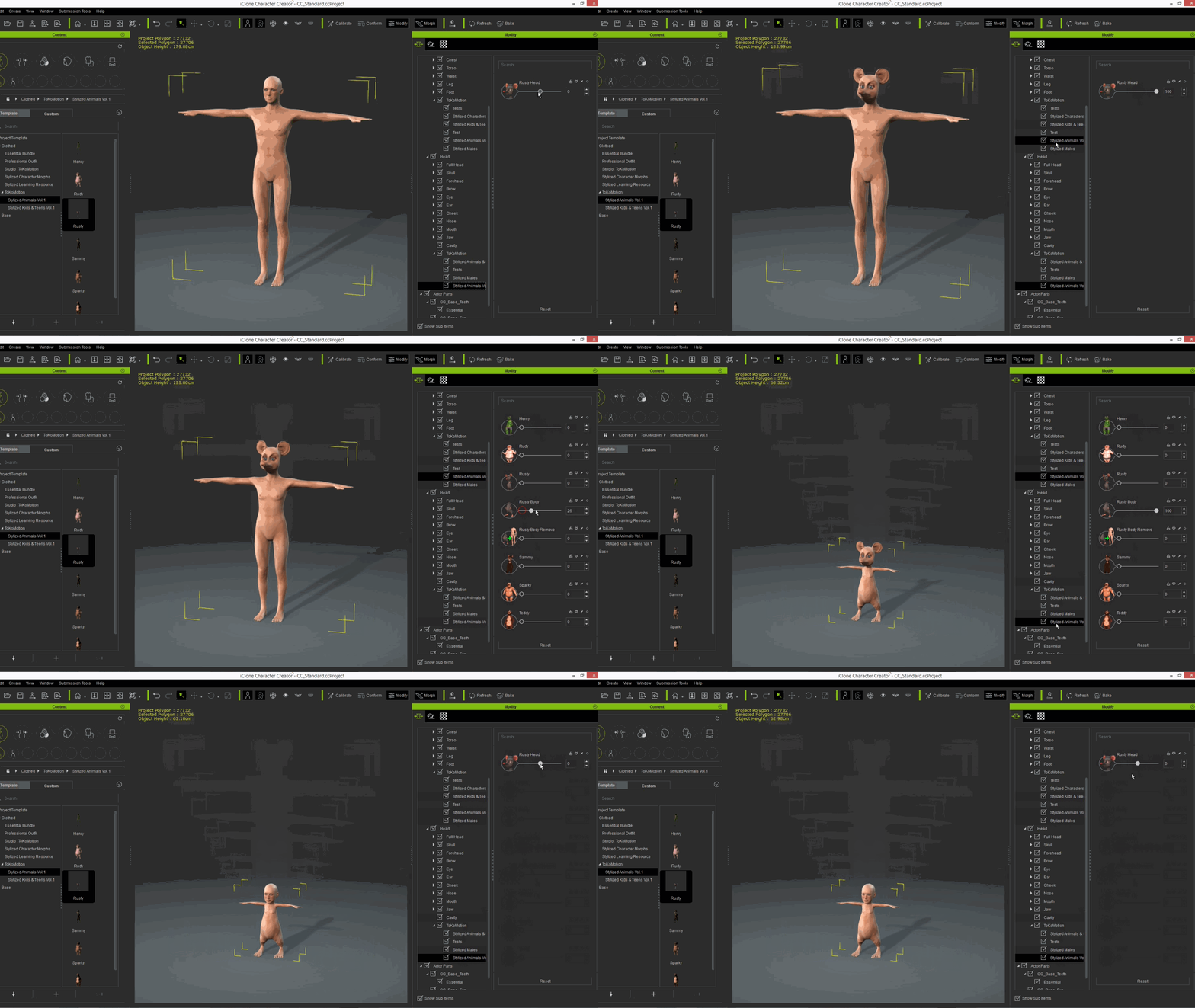
Just a quick WIP update. Creating the separated Head and Body sliders works quite well. At the moment I'm planning to have 3 additional sliders for each character - one HEAD slider for applying and removing the head morph and 2 BODY slider for applying and removing the body morph. Here are 2 previews:
Starting from the CC Project (so that you can use the included Ear Morph Animations in iClone)...
... or use the morphs on your own character.
|