|
By pumeco - 10 Years Ago
|
For the Character Creator module, I would love to see a way to load a reference image for working in the various camera views so that we can work to references from at least the front and side views.
It goes without saying that such a feature would also need Scale, Position, and Opacity controls.
|
|
By bluemidget666 - 10 Years Ago
|
I agree, would make life a lot easier.
|
|
By Rampa - 10 Years Ago
|
|
There are transparent overlay programs for doing stuff like that. Another option that I tried once was to have semi-transparent planes as part of the default scene. It was kind of a pain though. The scene had to be set up in iClone.
|
|
By Skuzzlebutt - 10 Years Ago
|
tip:
for now you could , setup some reference planes in iclone with opacity and attach them to the avatar (temporary)
and send it back into cc. might take a few tries to get right, but it would work just fine.
|
|
By Peter (RL) - 10 Years Ago
|
|
pumeco (3/3/2016)
For the Character Creator module, I would love to see a way to load a reference image for working in the various camera views so that we can work to references from at least the front and side views.
It goes without saying that such a feature would also need Scale, Position, and Opacity controls.
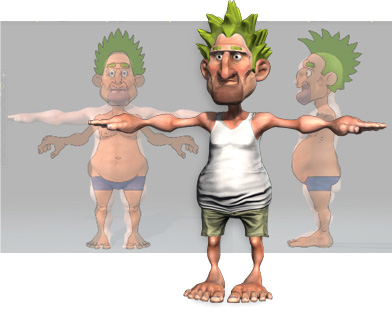
We used the Image Overlay Utility * when creating our Stylized Learning Resource Pack. This kind of utility works really well in CC.
*Disclaimer: Reallusion provides software suggestions for instructive purposes only. The said software has not been thoroughly tested under all conditions. Reallusion, therefore, cannot guarantee or imply reliability, serviceability, or function of the said software. Reallusion is not responsible for lost data, time, effort, and work should problems arise from the usage of the said software.
|
|
By animagic - 10 Years Ago
|
|
There is a tutorial somewhere on using the Image Overlay Utility (that's how I learned about it). I've used it and it works really nice.
|
|
By pumeco - 10 Years Ago
|
Thanks all for the tips, and thanks for the link Peter (Disclaimer heeded) ;)
Didn't know such things existed, but it looks ideal, will get it downloaded and have a play - cheers!
|
|
By pumeco - 10 Years Ago
|
Has anyone had any problem getting that program to install?
Keeps telling me the program has stopped working every time I run the installer.
|
|
By animagic - 10 Years Ago
|
|
It installed fine as far as I can remember. You could try installing as Administrator.
|
|
By wires - 10 Years Ago
|
|
Does anyone know just how much the Image Overlay software costs? When one clicks on the "Download" link there are the options to Purchase, or download the Trial version, however there is absolutely no information anywhere on the site regarding the cost. :w00t::alien::crazy::pinch:
|
|
By RobertoColombo - 10 Years Ago
|
|
wires (3/5/2016)
Does anyone know just how much the Image Overlay software costs? When one clicks on the "Download" link there are the options to Purchase, or download the Trial version, however there is absolutely no information anywhere on the site regarding the cost. :w00t::alien::crazy::pinch:
Hi Jerry,
there is a yellow arrow within (top-right) saying $5 (single user).

Cheers
Roberto
|
|
By wires - 10 Years Ago
|
|
I didn't bother clicking my way through to the payment options. I expect the price to be clearly visible before I decide whether to purchase or not - even if it is only $5.00.
|
|
By duchess110 - 10 Years Ago
|
I use one called Foreground Reference Utility by Mark Grice
you can find it on Vimeo. His link at the top no longer works but further down in a post by Spirit Chapel there is a link that is good to a dropbox.
A good useful free option.
|
|
By pumeco - 10 Years Ago
|
@Job
First thing I tried, still won't work though.
@Duchess
Thanks for that, works perfect, gonna come in handy for playing with body proportions and I like that you can have multiple instaces of it at once - perfect!
@sw00000p
What use would it have for working with 3D if it were done in an image editor?
The idea is so that you have a way of seeing the image in your viewport, and CC doesn't have that ability.
Even Big Daddy RL are using such a thing, it's a handy thing to have :w00t:
|
|
By duchess110 - 10 Years Ago
|
|
pumeco glad you found it useful.
|
|
By Colonel_Klink - 10 Years Ago
|
|
Purchased the one Peter suggested. It works great. I can see it being handy when modeling with 3D model editors as well.
|
|
By pumeco - 10 Years Ago
|
@All
Out of curiosity, are there any differences in features between the two, anyone here have both and able to comment?
I installed the one Dutchess pointed out no probs, but can't get the one Peter suggested to even install.
@sw00000p
You can have multiple views with the one Duchess pointed out as well, you just run multiple instances of it, pretty cool.
Just remember to press F1 to get out of Overlay mode :P
|
|
By Snarp Farkle - 10 Years Ago
|
|
wires (3/5/2016)
Does anyone know just how much the Image Overlay software costs? When one clicks on the "Download" link there are the options to Purchase, or download the Trial version, however there is absolutely no information anywhere on the site regarding the cost. :w00t::alien::crazy::pinch:
I found pricing HERE and it's only $5 per 3 activation's, the price goes down if you want 10 or 50 then the activation's are $1 each as n $10 or $50. So if you want to move it to another computer for instance you would use another activation. I don't see the advantages of 10 or 50 activation's unless you have multiple computers to install it on, it's only $5 so I will do that if I want the save presets feature for instance. Hope this helps. :)
|