|
By theschemer - 11 Years Ago
|
I cannot seem to find where we can make modifications to the eyebrow on the CC characters. Is it possible with the CC? If not, what is the best way to change them? I have a character that I am trying to make look like a real person I know and he has this dark eyebrows. I used the heavy male character and was doing a pretty good job until I got to the eyebrows.
Thanks,
TS
|
|
By JimmyB7 - 11 Years Ago
|
|
Appearance (Button), Activate Appearance Editor, Actor, Skin_Head, Hair, Eyebrows.
|
|
By theschemer - 11 Years Ago
|
Thanks for the info. I actually was at the point but it seemed the warning of "flattening" the image scared me away. I went ahead and tried it, and it definitely changes the quality of the image, but I was able to mod the eyebrows good enough. I would have liked to be able to straighten them (eyebrows) out a bit more. Once the image was done and I exited the appearance editor it looks acceptable and better than I thought is was going to.
TS
|
|
By justaviking - 11 Years Ago
|
On a related note...
How do we move the eyebrows themselves up onto the "bone" area of the eye socket, instead of being on the upper eyelid?
Please forgive my lack of artistic talent, but hopefully these pictures will illustrate what I mean...
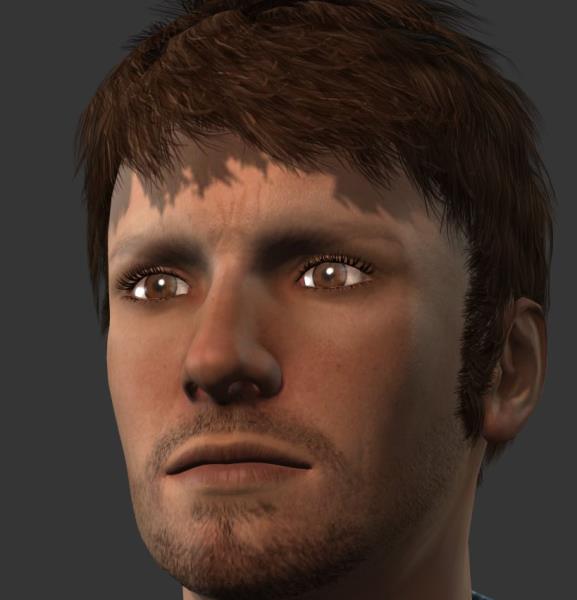
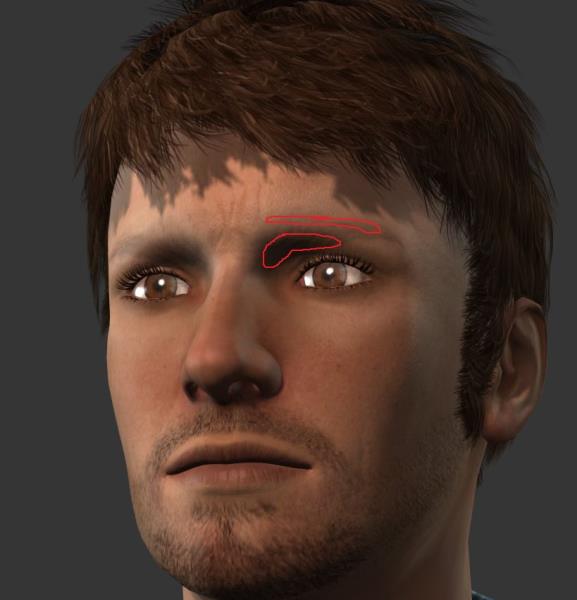
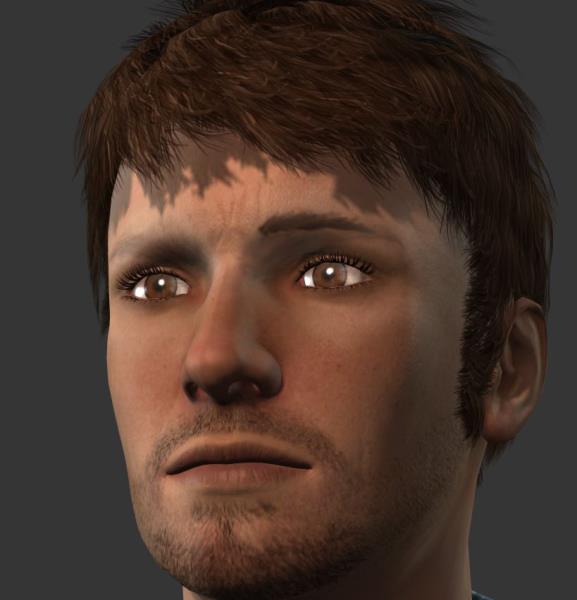
I don't think I'm imagining this.
I even did a Google images search for "male eyebrows." :w00t:
|
|
By Rampa - 11 Years Ago
|
justaviking (9/13/2015)
On a related note... How do we move the eyebrows themselves up onto the "bone" area of the eye socket, instead of being on the upper eyelid? Please forgive my lack of artistic talent, but hopefully these pictures will illustrate what I mean... I don't think I'm imagining this.
I even did a Google images search for "male eyebrows." :w00t:
They do tend to be a bit low. You can translate them at the bottom of the "eyebrow" section of the "hair" tab of the "skin_head".
|
|
By justaviking - 11 Years Ago
|
Thanks Rampa.
When I moved them before, I used the "move/stretch/morph" tool, or whatever it's called. The one where you get the yellow highlight on the body part you're adjusting. Using that to move the eyebrows up just sort of "blurred" them up higher. I overlooked this one.
I was so close.
I still think the base character ought to be adjusted. I'll modify my post in the "Improve Character Creator" section. Thanks again.
|
|
By JimmyB7 - 11 Years Ago
|
|
|
By Rampa - 11 Years Ago
|
|
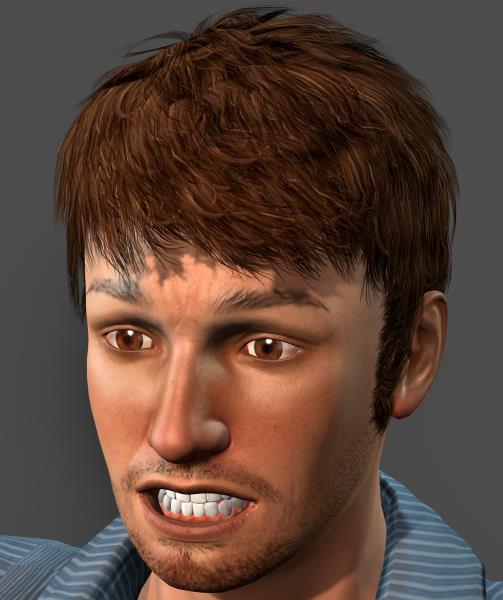
The rotation is also very helpful. :)
|
|
By Galfridus - 11 Years Ago
|
|
Transform tools“eyebrows” works for default selection from Type drop downselection menu. I find when I choose “custom” and load an eyebrow from the CC Essential morphs and skin - Custom Eyebrows texture folder, the transform then have no effect.
The custom eyebrows in the CC Essentials pack would seem to have only a fixed position and are therefore somewhat limited. Bug or user error? Geoff.
|
|
By Galfridus - 11 Years Ago
|
|
After further reading of theCharacter_Creator-Character_Skin_Design_Guide.pdf...It confirms that:- “Translate, Rotate and Scale the eyebrow: Special adjustments for Eyebrows only. Note:Only works for embedded content”. Geoff.:(
|
|
By theschemer - 11 Years Ago
|
I guess I forgot to unzip the Essential Learning resource. Where is the proper place to put all the resource maps that come with it? I could not find the instructions for that part and I am sure there is a proper recommended place. :blink:
Thanks,
TS
p.s. Never mind....I found the empty folders and copied the files over. :)
|