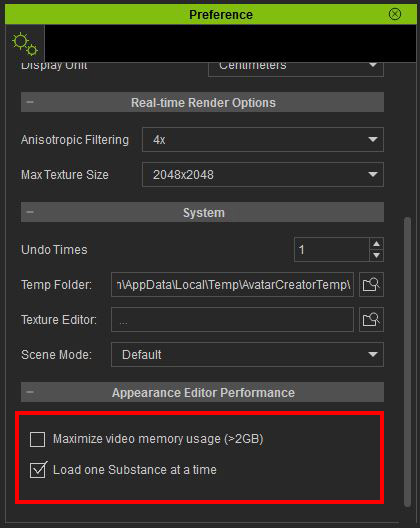
-- Switch between system memory and graphics card memory to optimize performance --
If you are running a video card with less than 2 gigabyte of independent video memory, then it is recommended to have the program use the system memory instead.
To use system memory, go to the Character Creator's Edit Menu > Preference. Once inside the preference window, scroll to the bottom, and un-check the “Maximize video memory usage” option.
In addition, if you have sufficient system memory (>8GB), then you may try to load several substances at one time by editing multiple outfits without reloading. Do this by unchecking “Load one Substance a time” option
Then, restart the program for the settings to take effect