To specify the resolution of all your exported items at the same time, just click on the “Export as iAvatar” button, then go to 'Global Quality' to set the texture resolution for all items. Inside you can also specify the quality settings for each individual item. This process may take awhile, please be patient and let it work its magic!
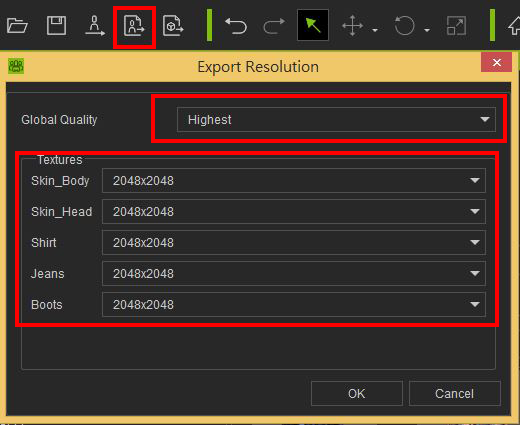
Alternatively, you can press “Send Character to iClone” button to export the character immediately to iClone using the current displayed texture resolution.