|
By Realtimer (RL) - 11 Years Ago
|
IMPORTANT: First, make sure that you have installed iClone 6 PRO and that you updated to version 6.2, before proceeding with the Character Creator installation. If you have purchased 3DXchange 6 pipeline, then be sure to also update it to version 6.2 in order to enjoy the latest support for these new CC characters.
Update iClone 6 PRO, go HERE >>
How to Download your FREE copy of the Character Creator tool:
1.) Log into your free Reallusion account HERE

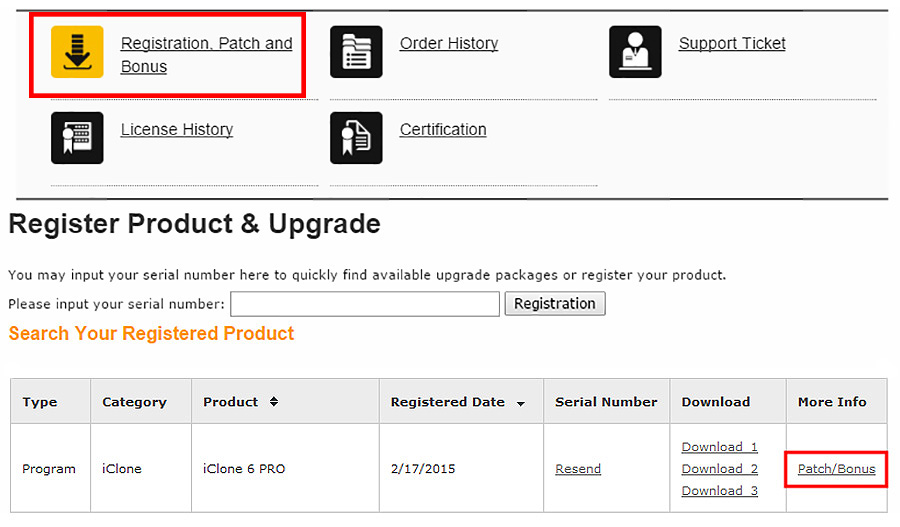
2.) Under 'Registration, Patch & Bonus' - Find your registered iClone 6 PRO inside 'More Info'
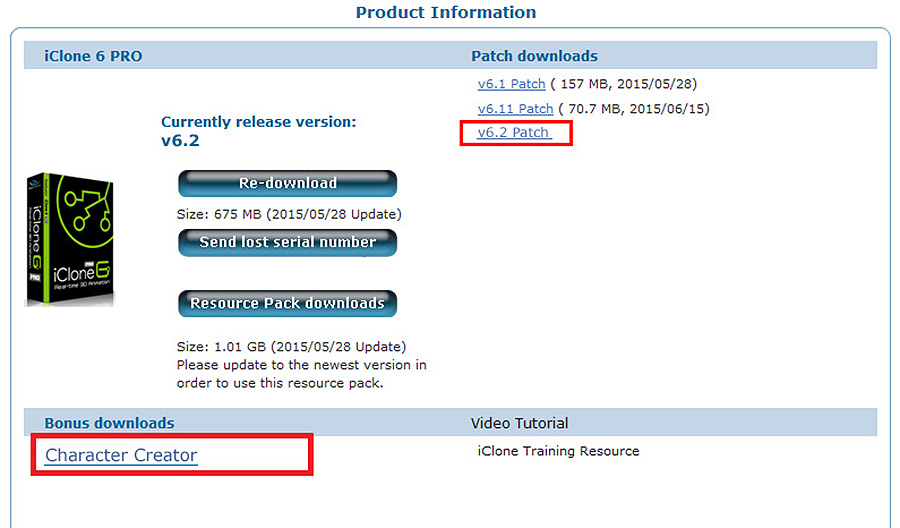
3.) Download the iClone 6 PRO v6.2 patch, and then Download the Character Creator tool
|
|